ONLINE DELIVERY
ENJOY THE SERVICE TOGETHER

AGING-FRIENDLY COUNTY


Purpose
This tutorial takes Instacart as an example because it extensively cooperates with groceries in Ithaca and provides delivery services that cover the whole county. We will take shopping in Target as an example to demonstrate the streamline. The way to place an online
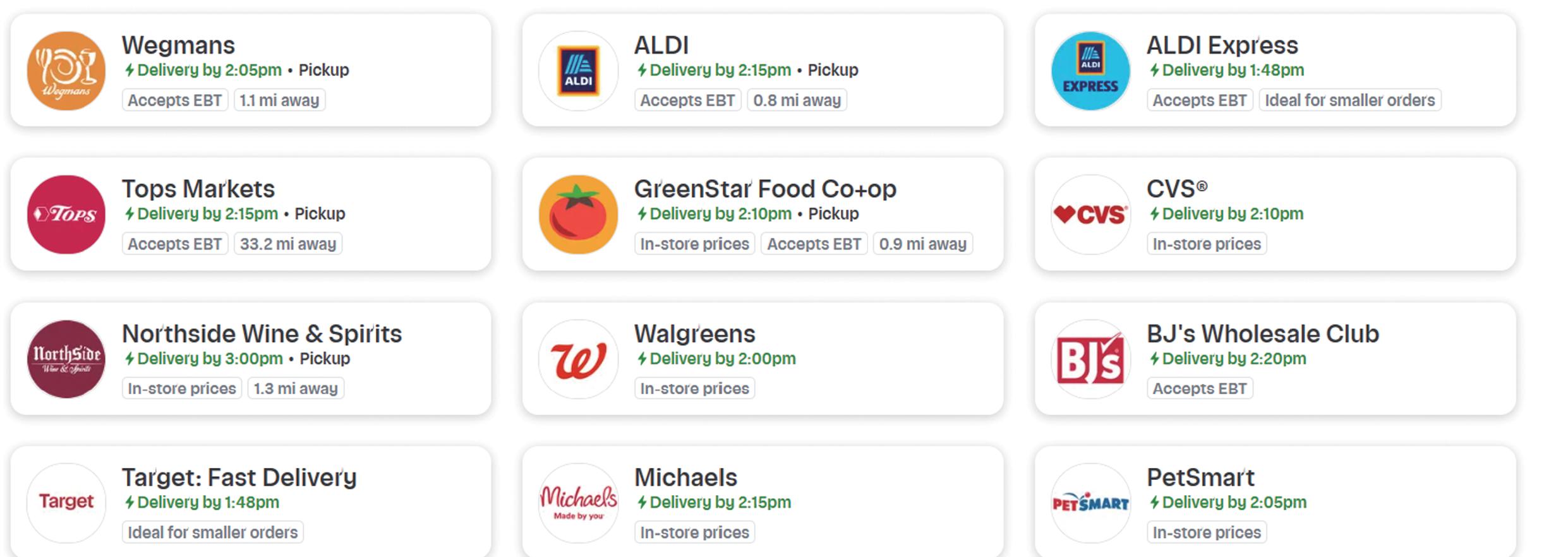
Groceries in Tompkins county
Before starting your journey
Feel free to change the font size on your phone. If you are using Iphone, go to “Settings”-”Display&Brightness” and change your ”Text Size”.


If you are using Iphone, search “Instacart” in App Store. If you are using Android, search “Instacart” in Google Play. Choose the first App that pops up.

Protecting your privacy and security
To avoid junk emails - your personal information will only be used to engage with you. You can choose to opt out of notifications and emails, or opt out entirely. Tap on 'Account' at the bottom of the screen. Tap on 'Settings'. Under 'App Settings', select 'Notifications'.
If you concern personal security - Instacart offers options for users to avoid face-to-face interactions with deliverymen, allowing for alternative delivery locations. You can have your items delivered to any location. The deliverymen do not have access to your personal information because the communications are within the platform.
For Beginners - register an account
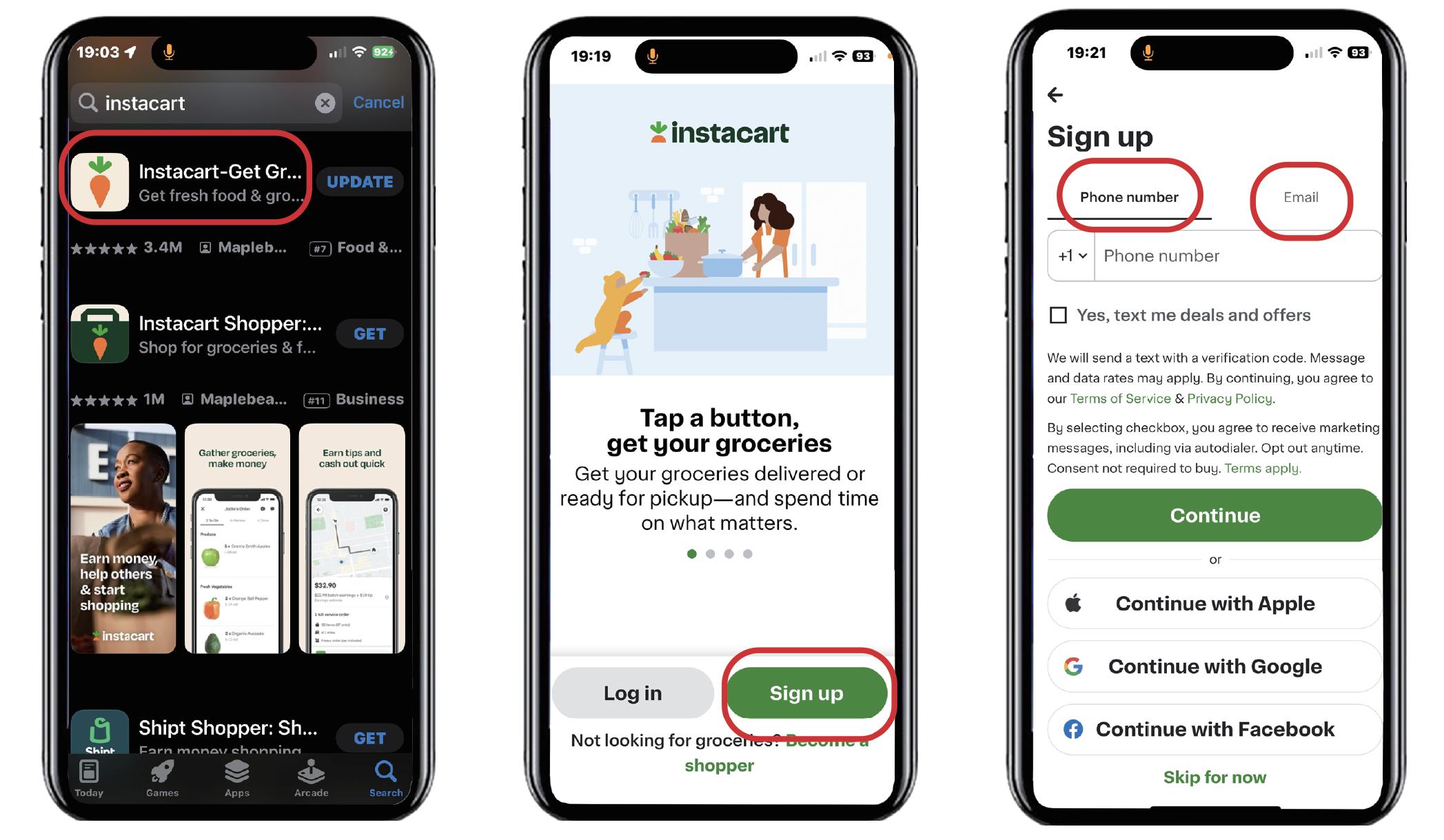
search the app in App Store
bind accounts through contact information
Find the store you like
1
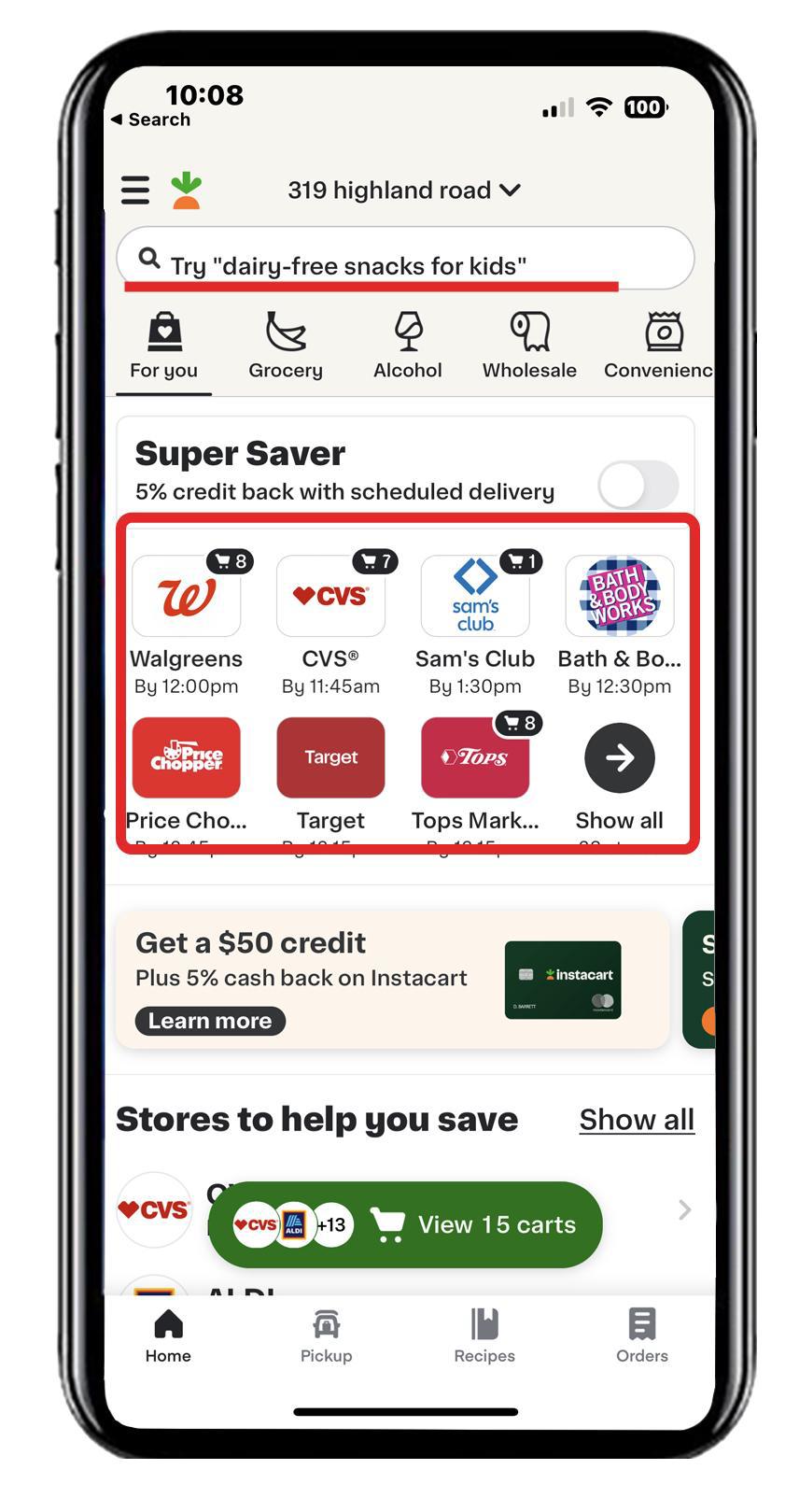
Choose a store to buy your items.
Find the items you want
3
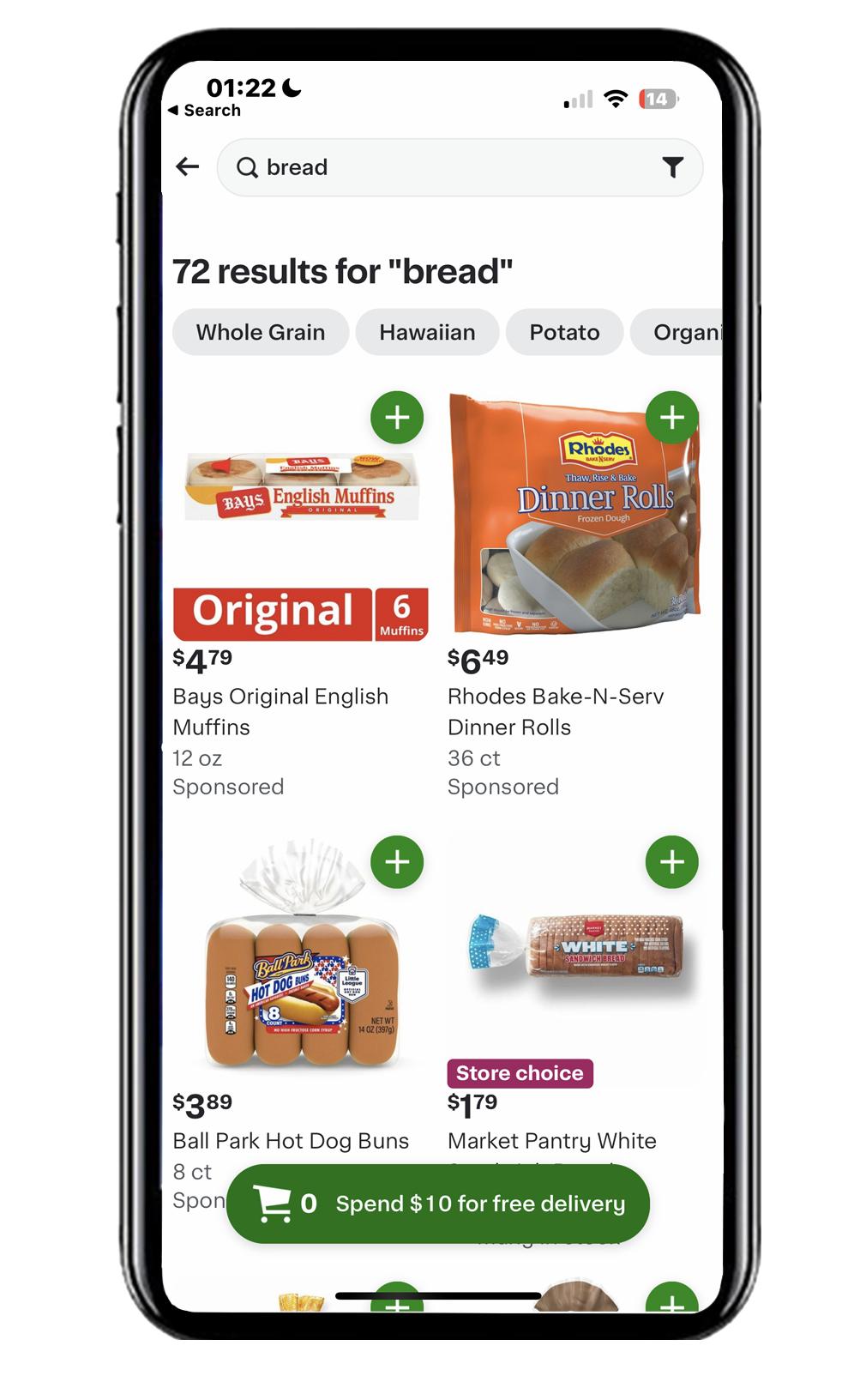
Search the keyword to find your item. There are so many options!
2
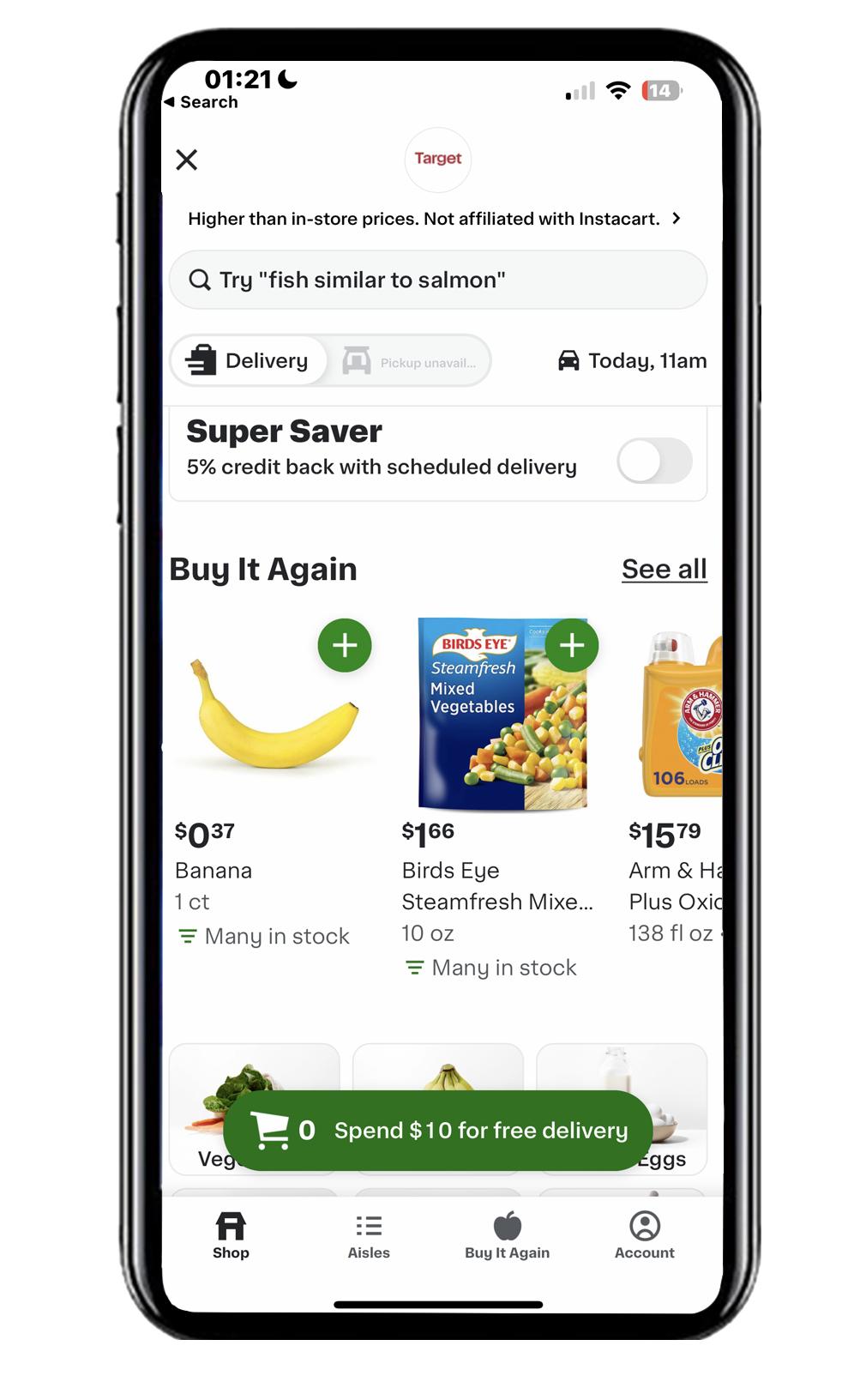
For example, we click on “Target”. You may swipe down the screen to view various items.
4
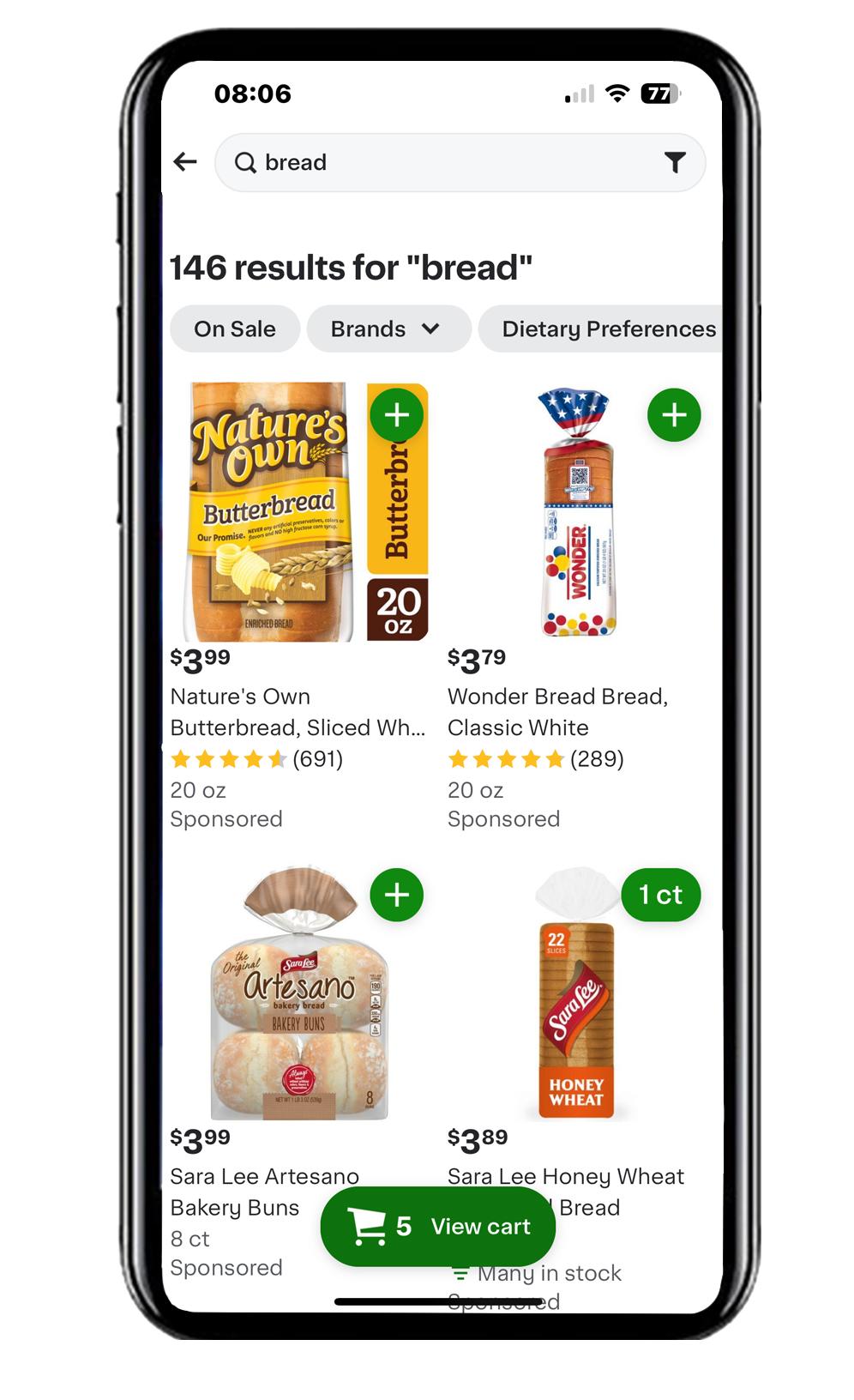
Press “+” to add item to your cart
The items will be added to your cart. Once getting everything you need, press “view cart” to place your order.
5
Click on “add” or “trash icon” to increase or decrease the number of items
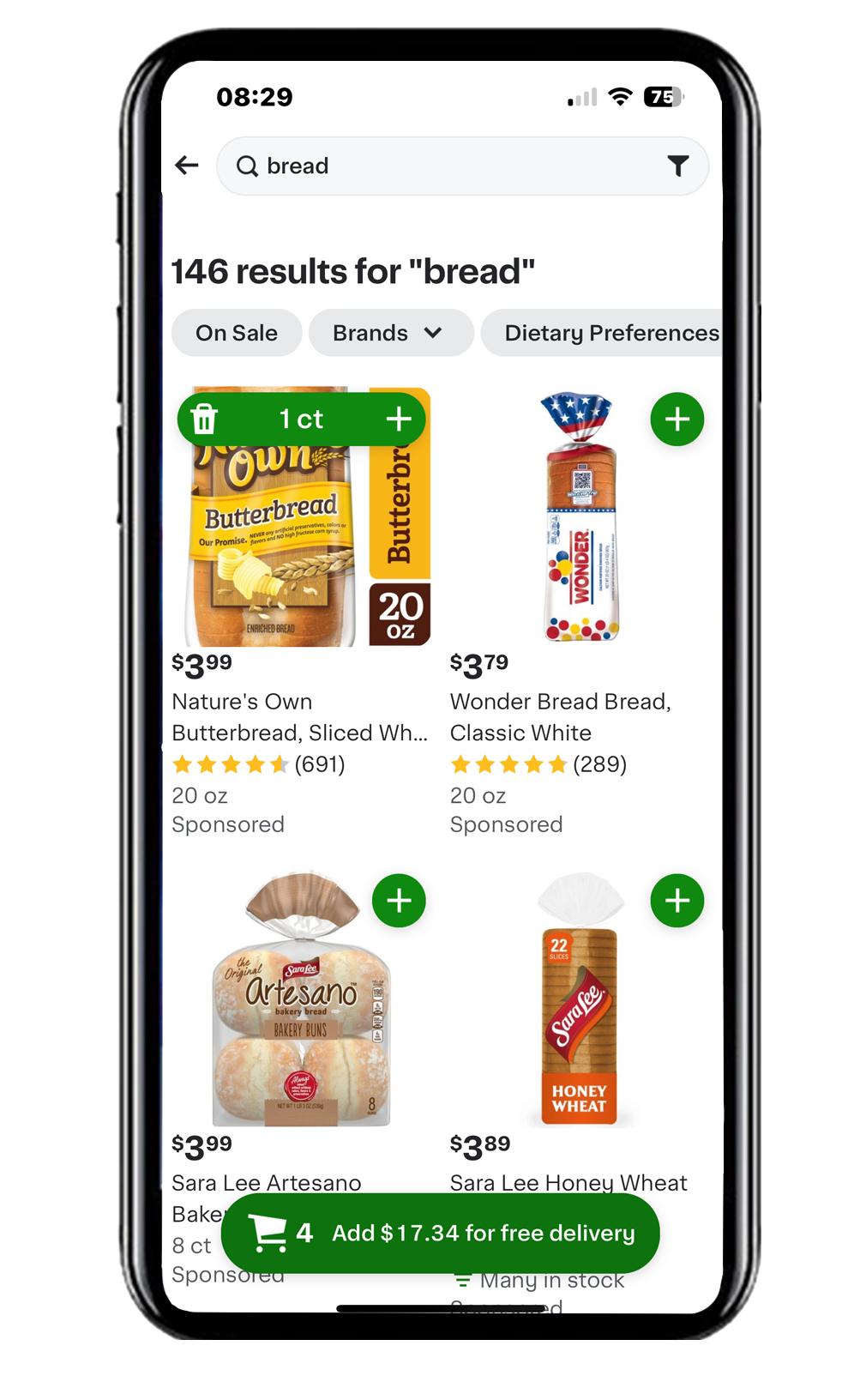
6
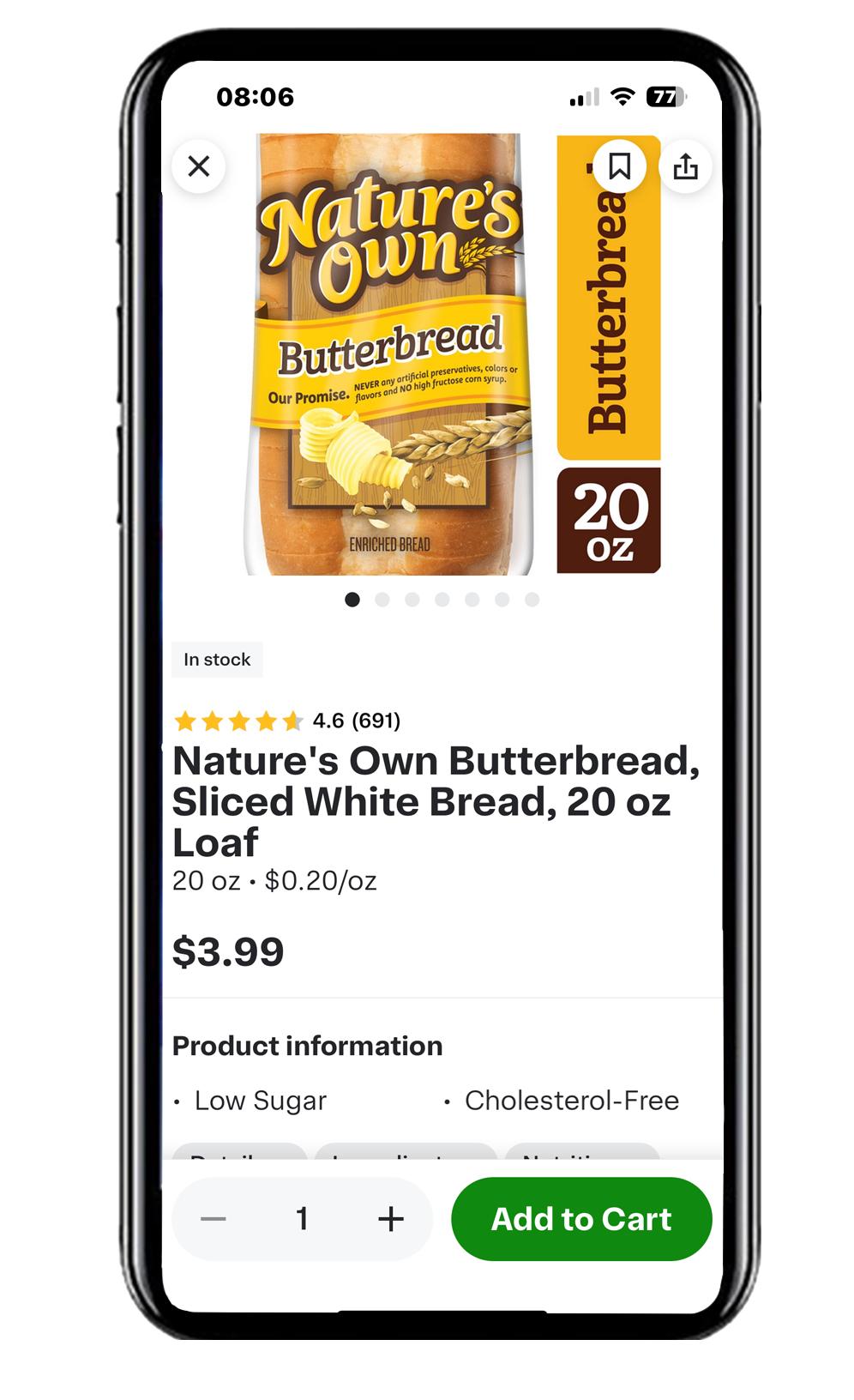
The close button returns you to the previous screen
Click on the image to browse the item in detail (as shown in the right diagram)
Check
7

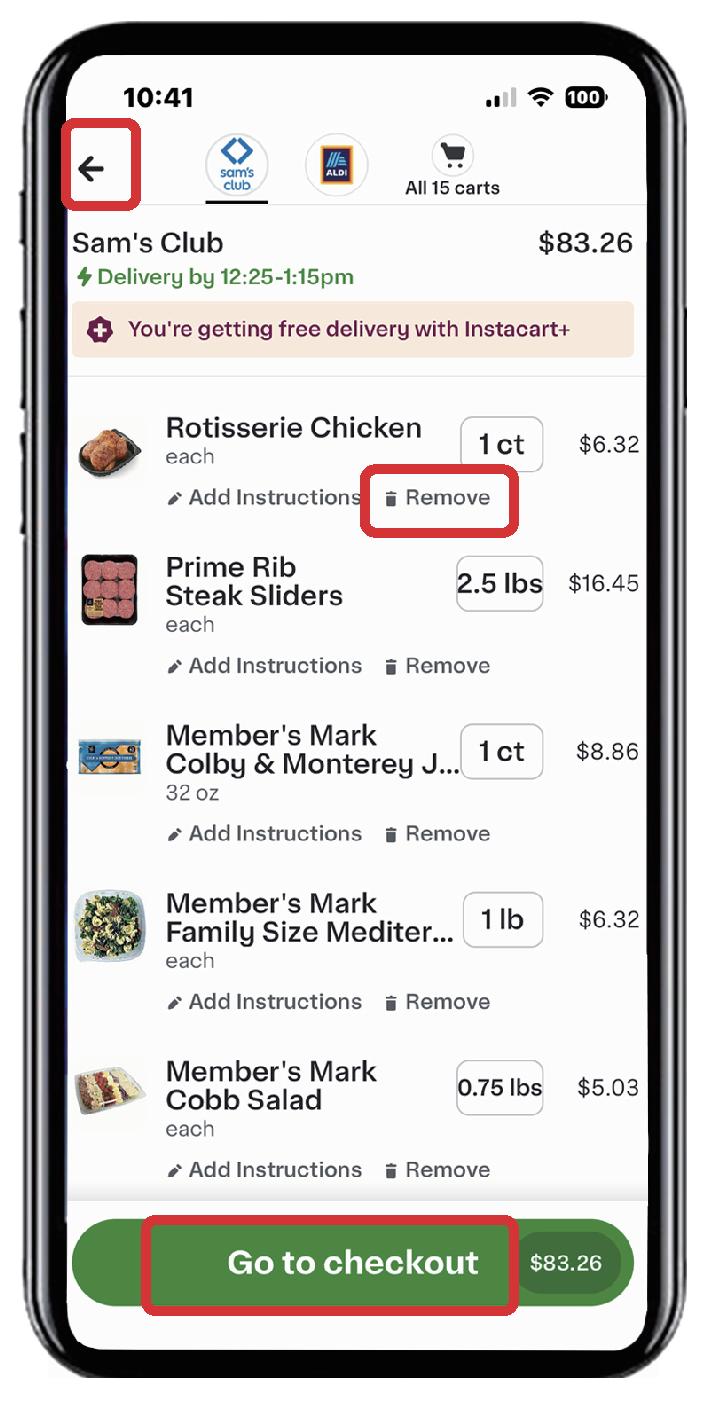
you may edit the items return page complete
8
After checking what’s already in your cart, you can select the bottom green icon and go to checkout.
the delivery cost varies with delivery periods
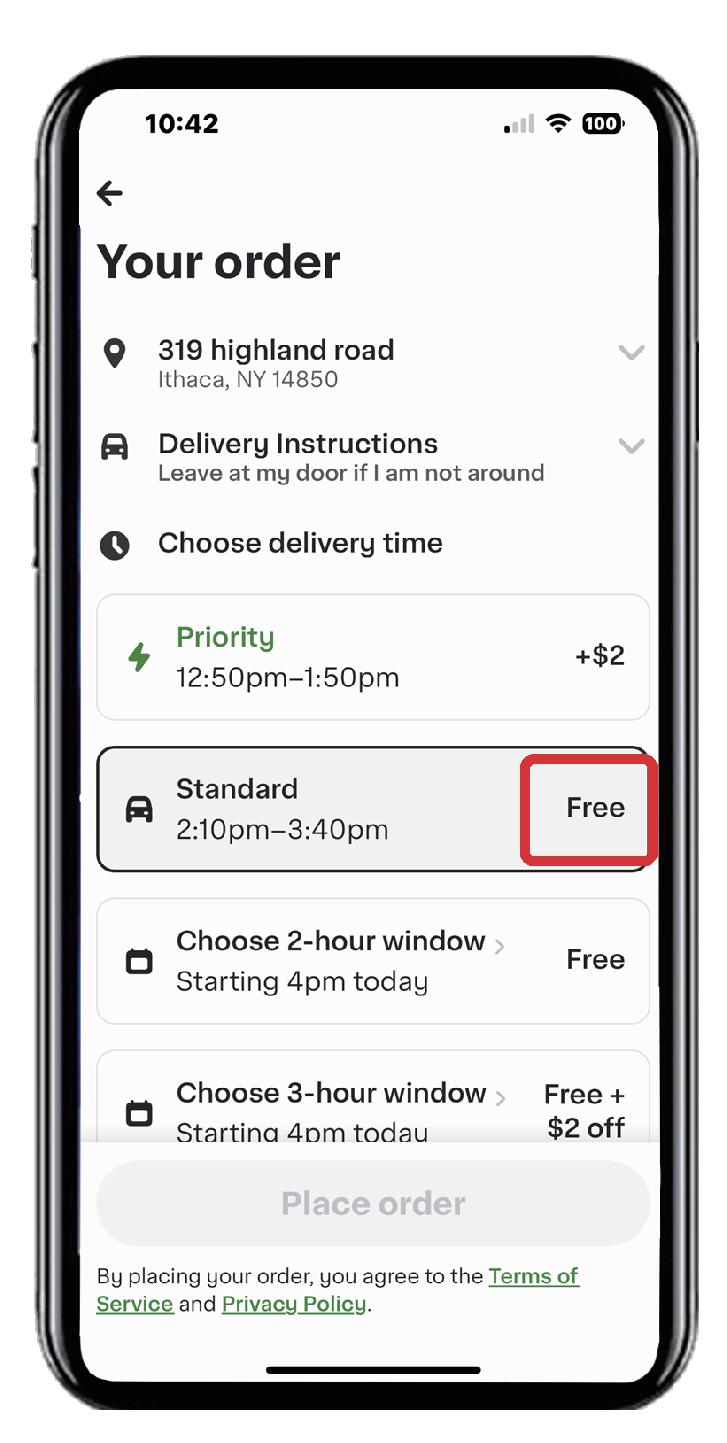
9
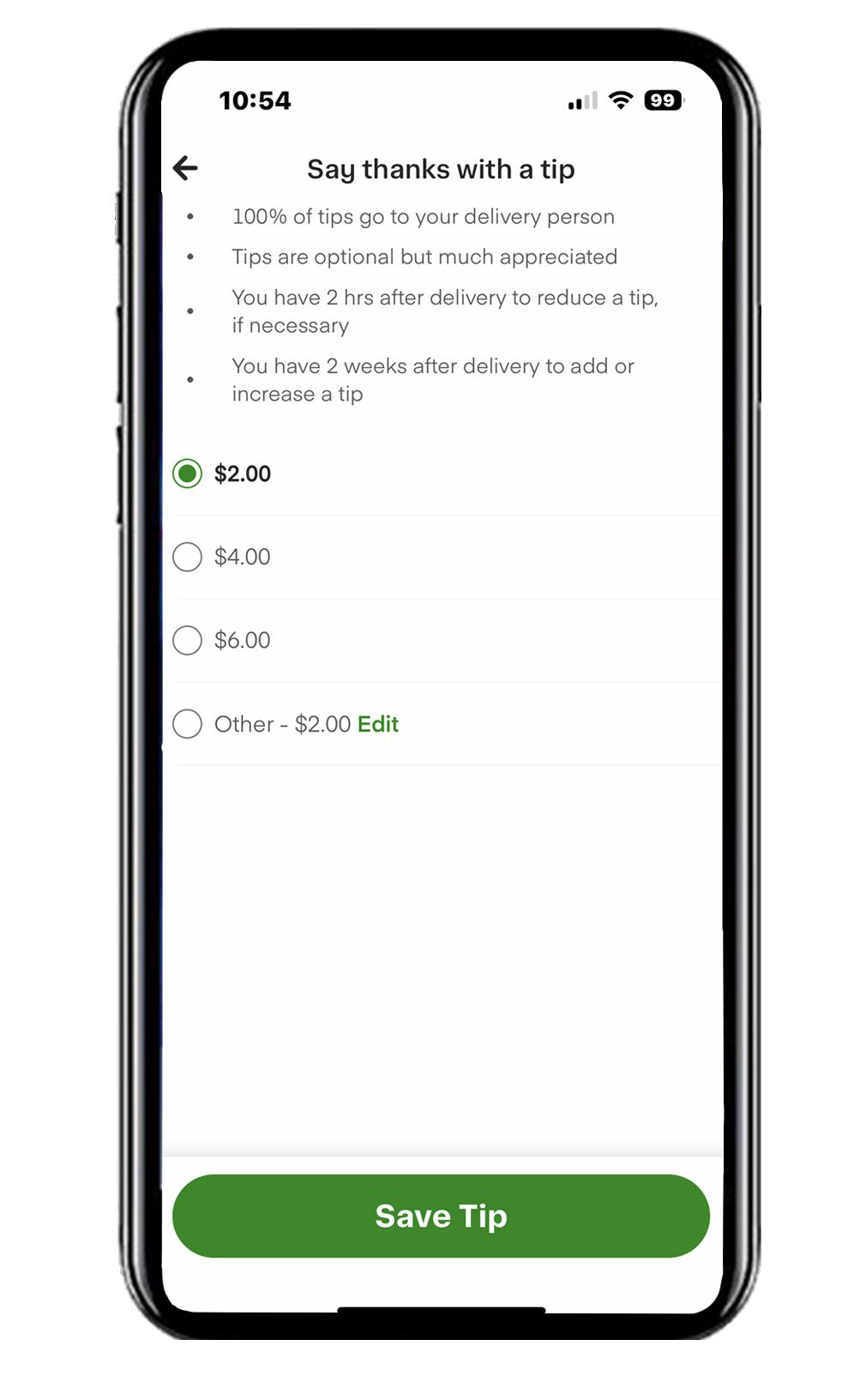
10
The delivery tipping is editable. But usually $2 is the minimal (100% of tips go to the delivery person)
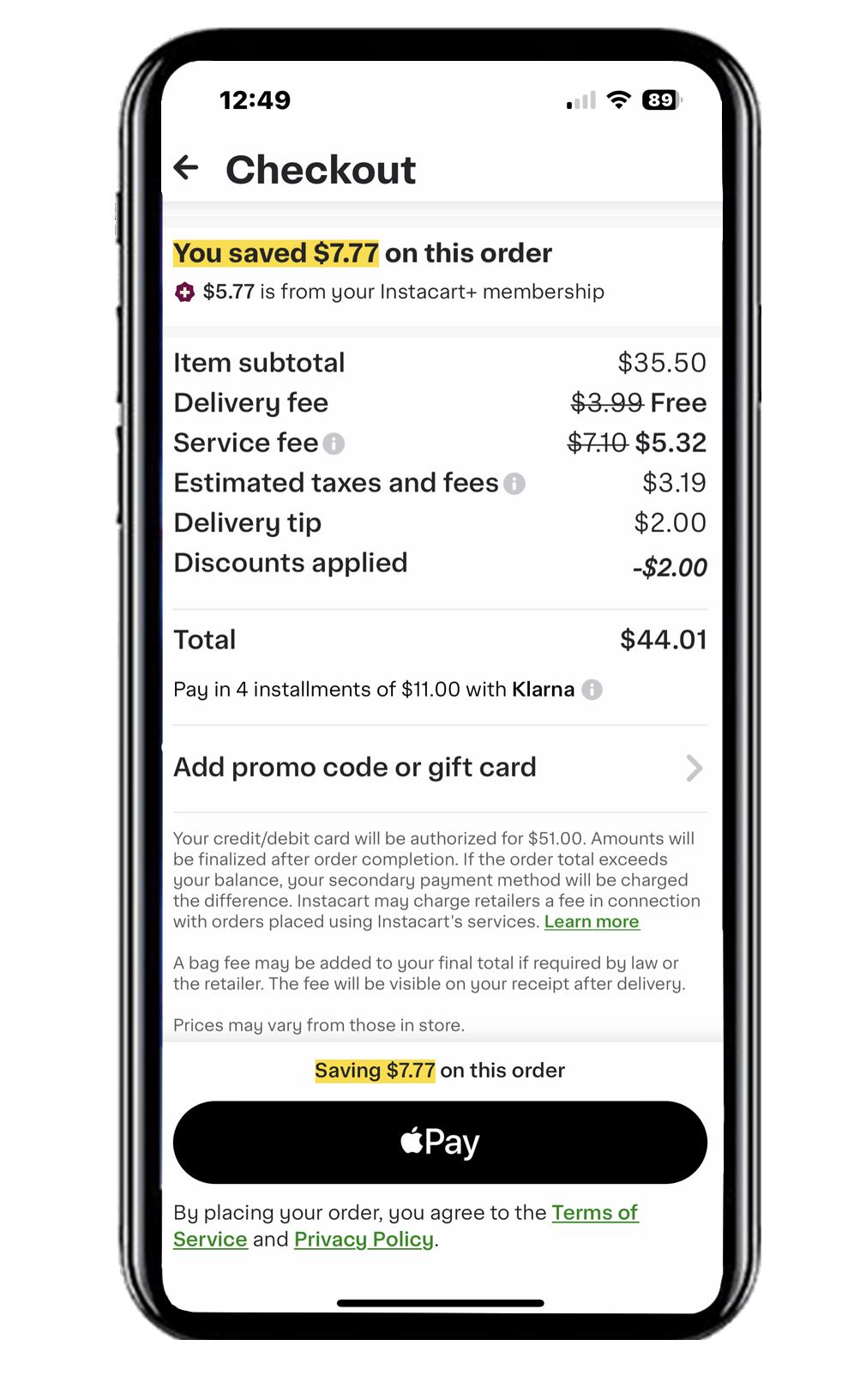
note. the service fee is 5%-10% (can’t avoid)
11
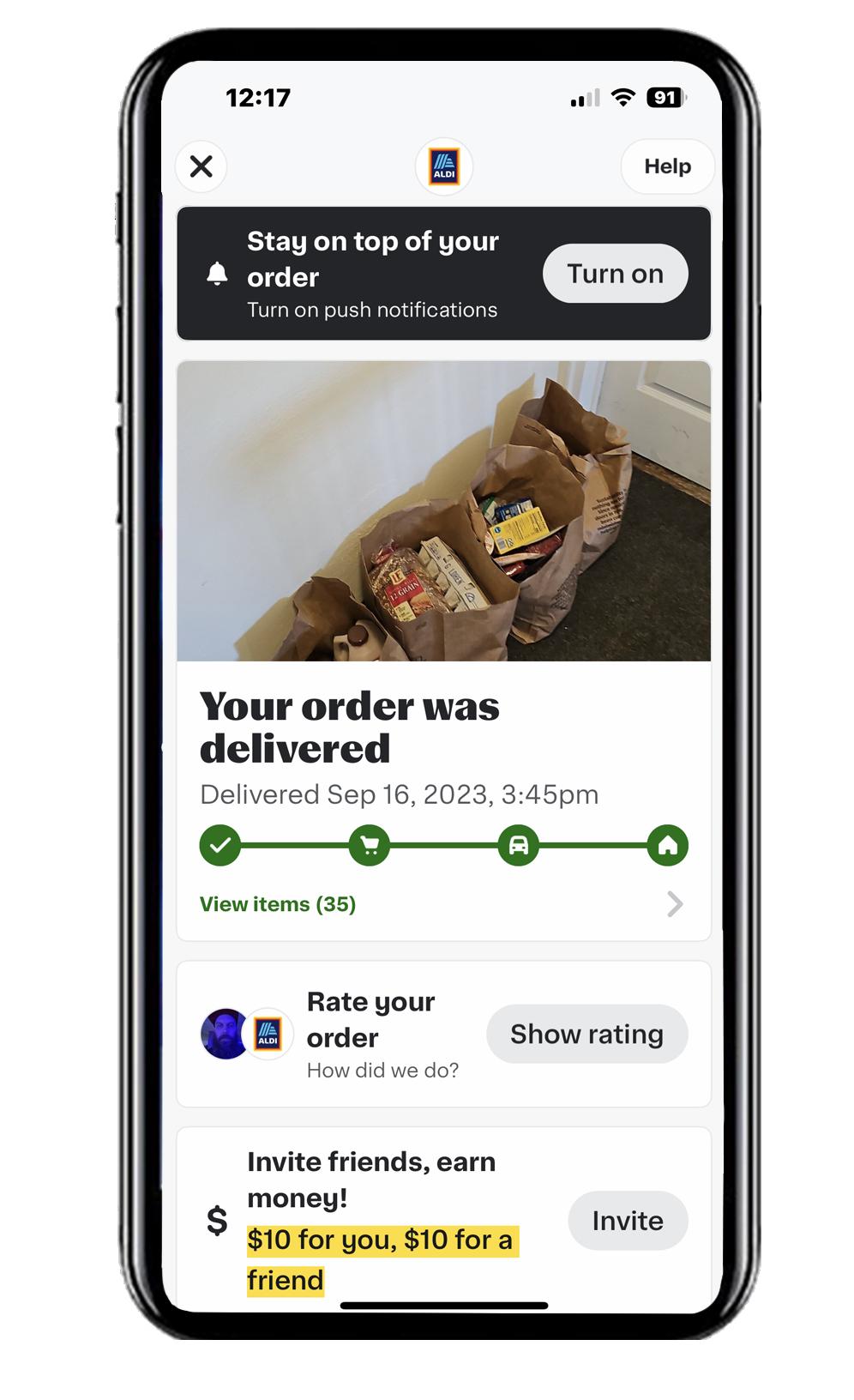
Check the process of your delivery. You can still add or delete items before they send out your groceries.
12
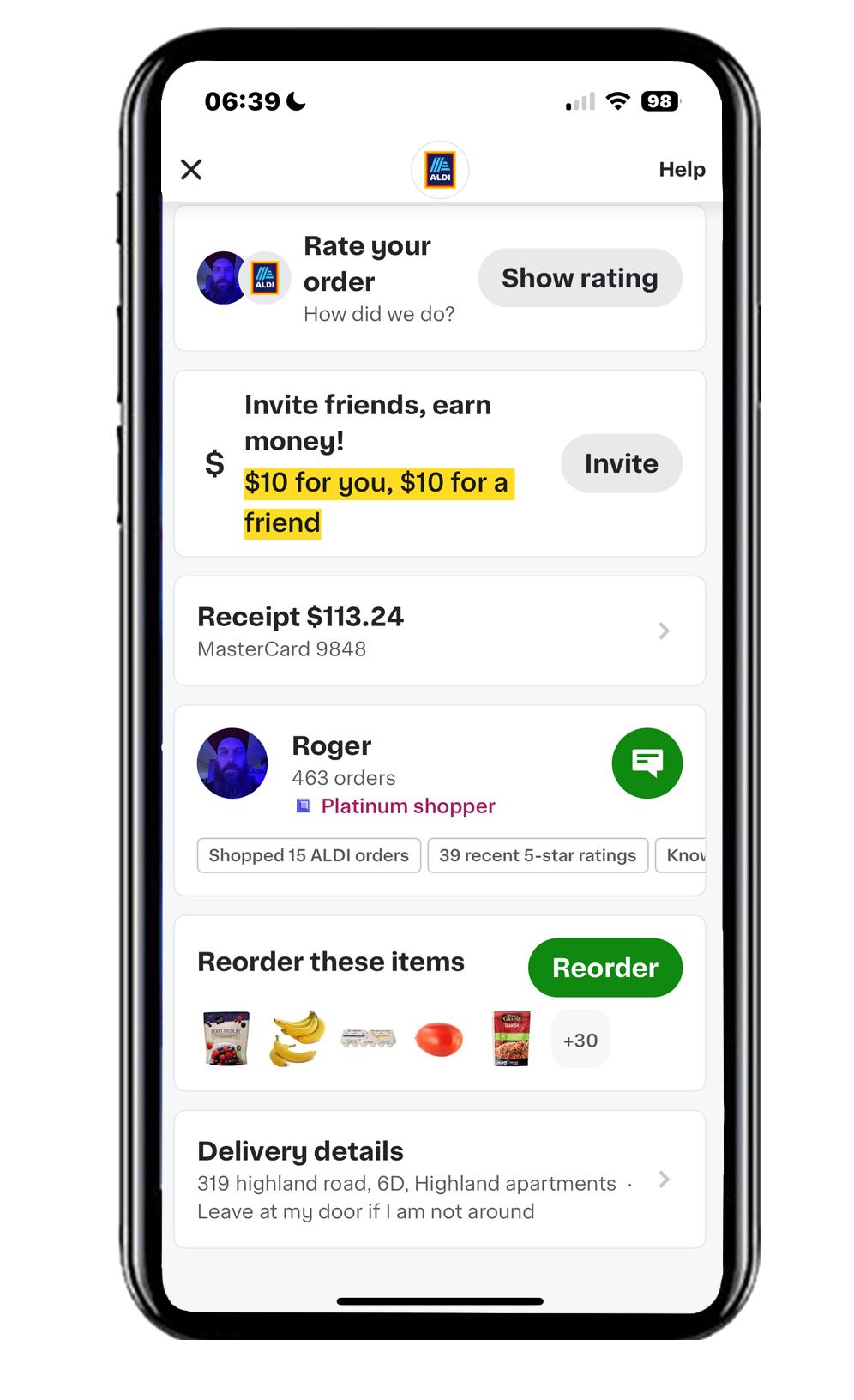
You may scroll down and communicate directly with the shopper by checking on the green icon.
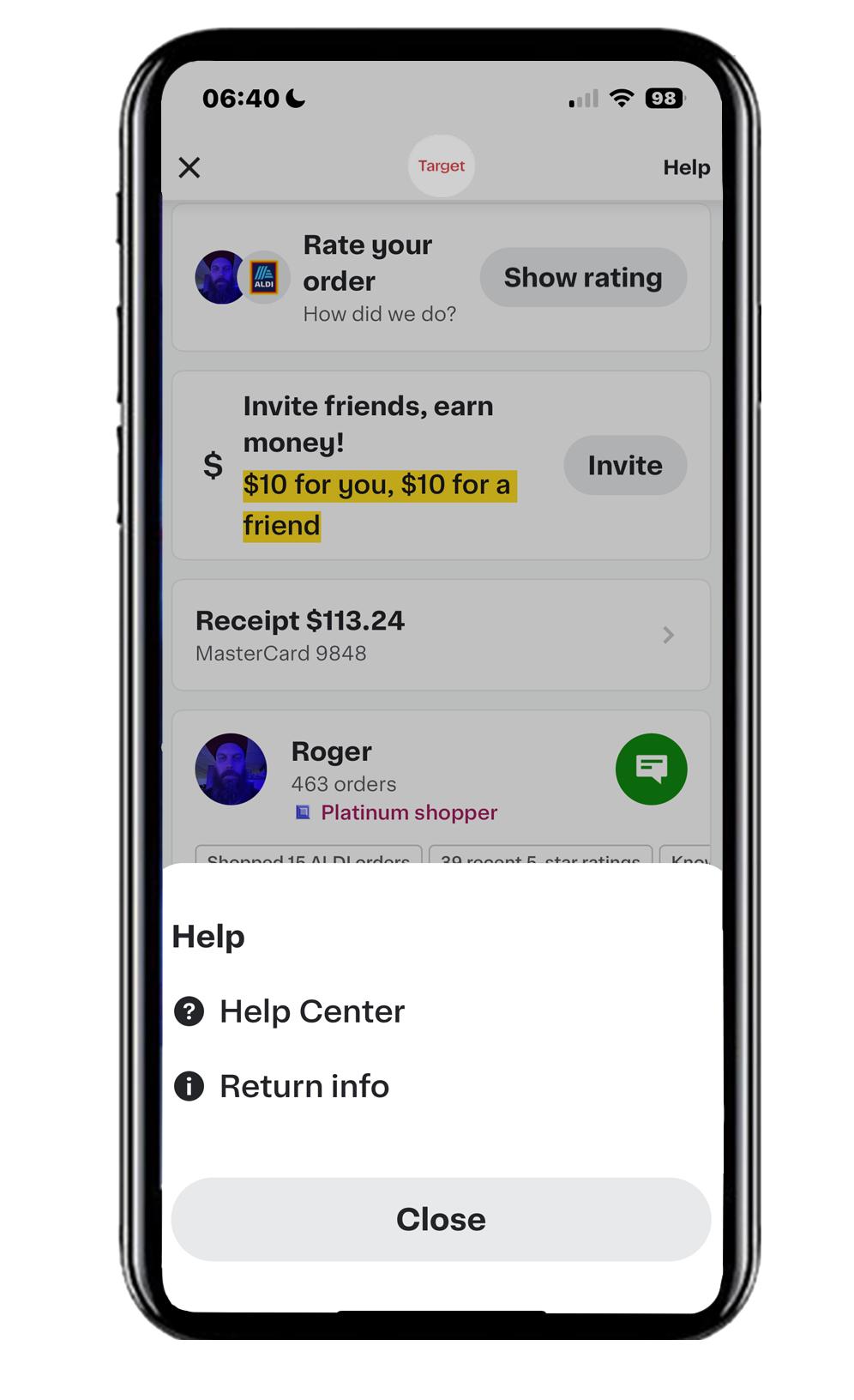
Instacart offers a special support line for customers, assisting with setting up accounts and placing orders
Troubleshooting - pricing and communication 13
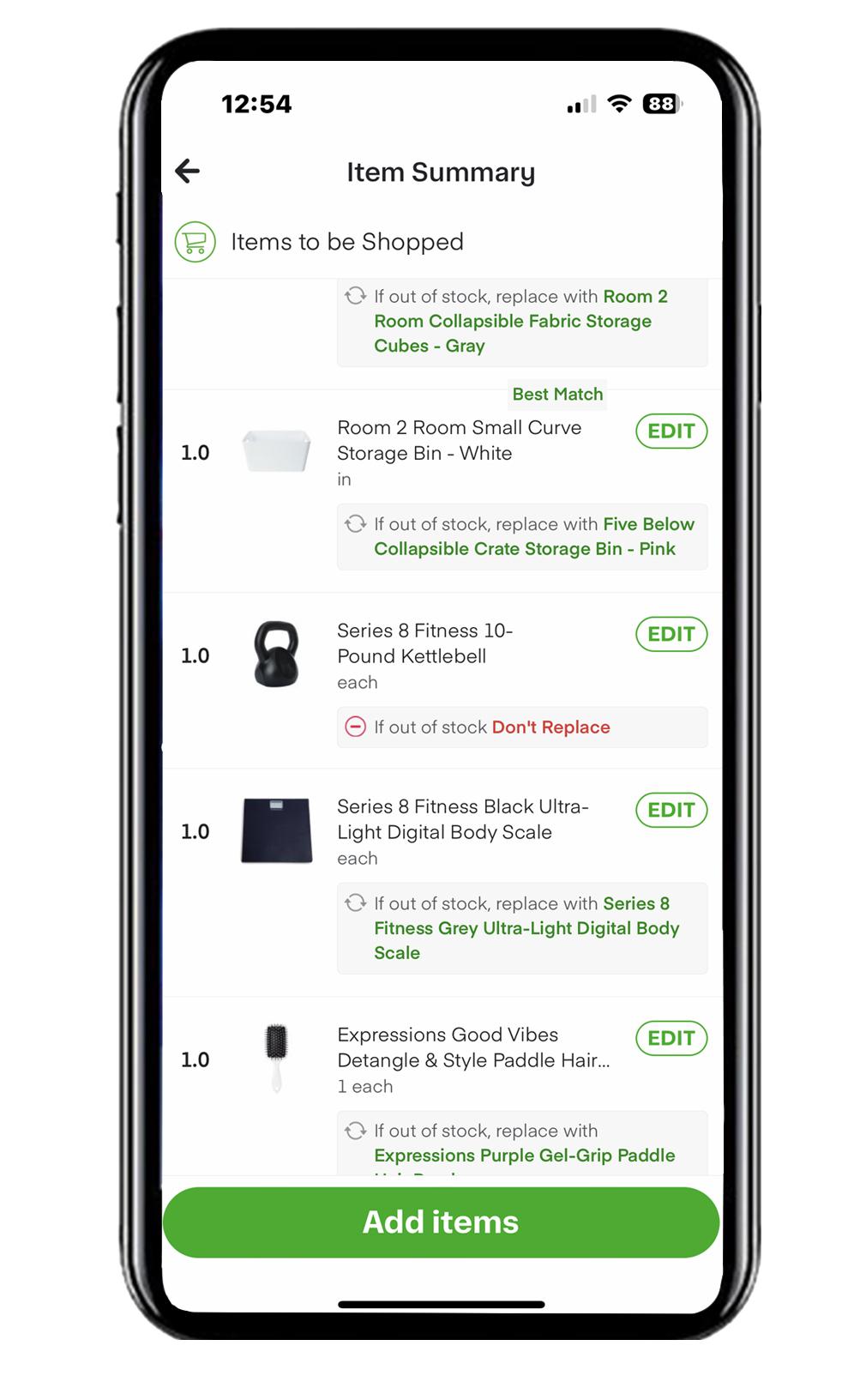
Click on “Edit” and customize your selection of replacement item
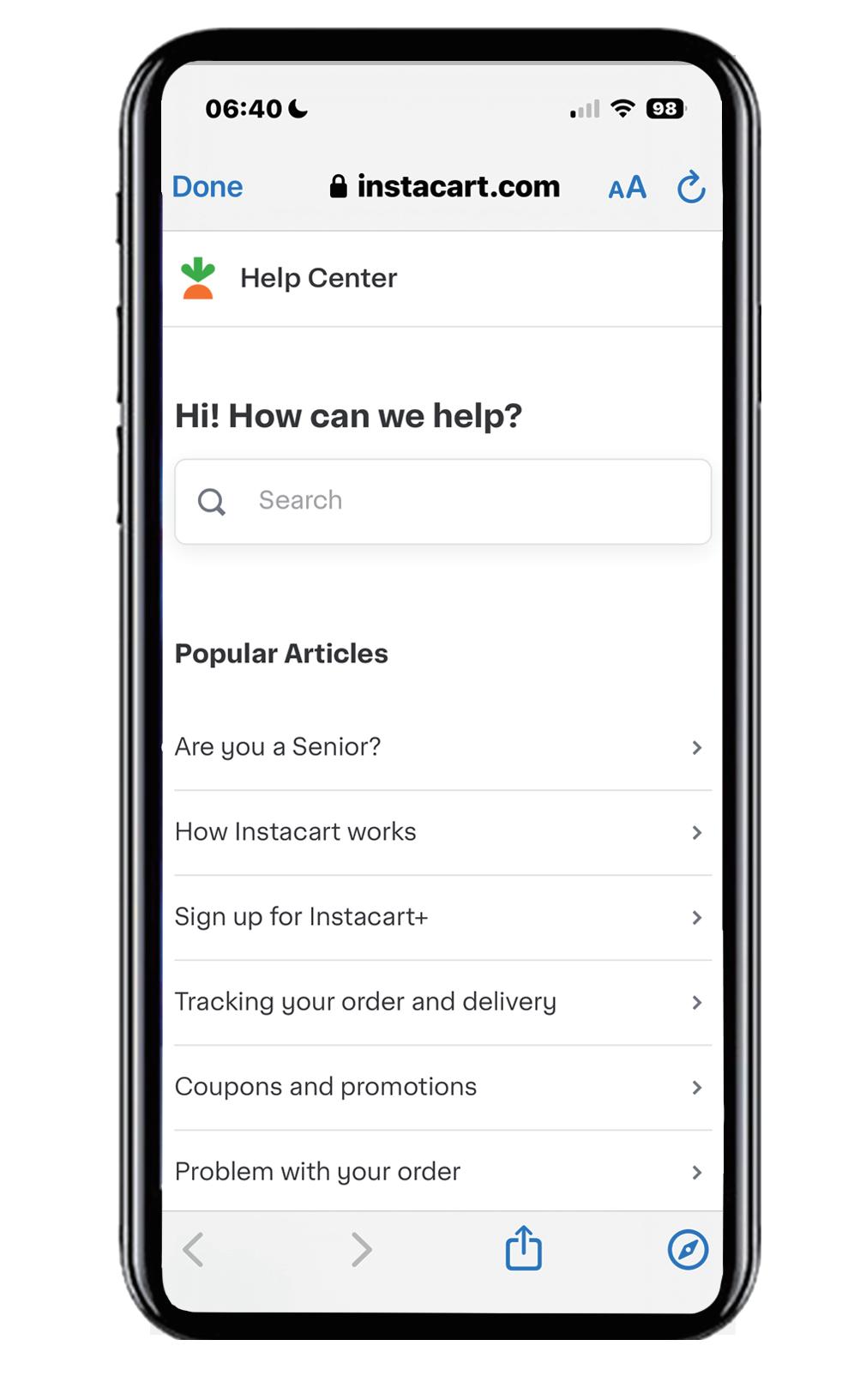
Click and view consulting hotline number 1-844-981-3433 (8 a.m.- 11 p.m. ET)
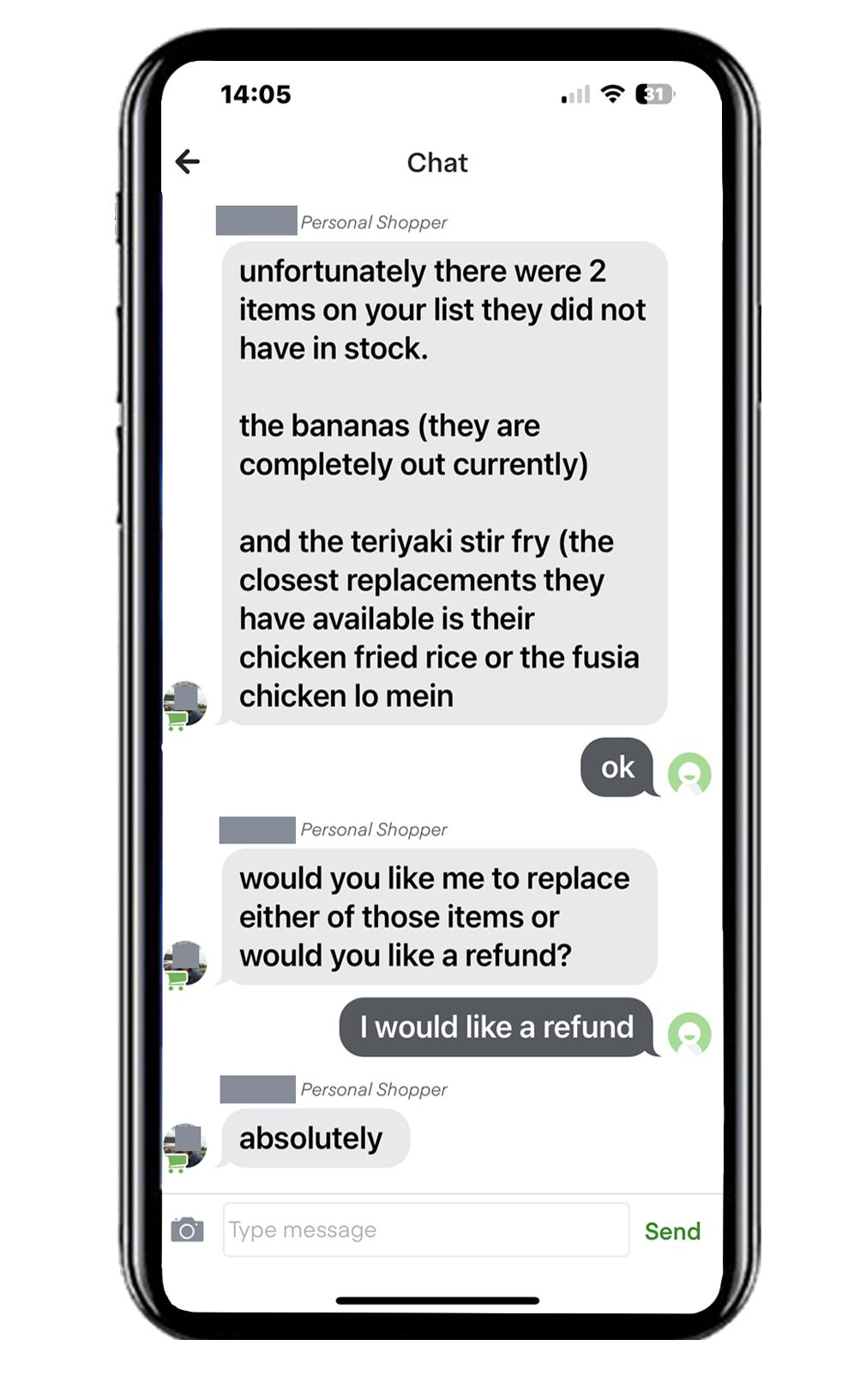
The delivery person will notify you out-of-stock items, giving you the option to replace them or receive a refund.
If a product is out of stock, the suggested alternative might be more expensive than your initial selection.
This work was produced under the directi on of Prof. Mildred E. Warner in the Department of City and Regional Planni ng at Cornell University. Research was coordinated with the Tompkins County Office for the Aging. Partialfunding support was provided by USDA NIFA grant #2019-68006-29674.