Manage Your Calendar 1. Log on to your my.hofstra.edu portal 2. Under “Student Success Center” click on the “NAVIGATE Advisor” icon.
3. 4. 5. 6.
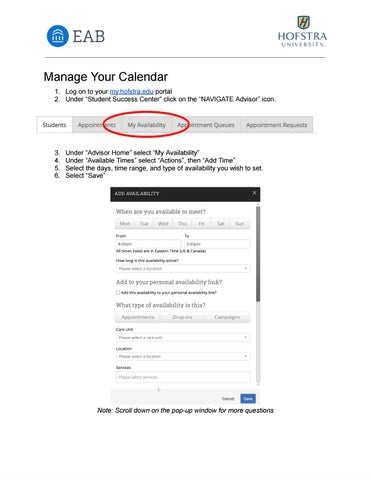
Under “Advisor Home” select “My Availability” Under “Available Times” select “Actions”, then “Add Time” Select the days, time range, and type of availability you wish to set. Select “Save”
Note: Scroll down on the pop-up window for more questions