
How to Request a Roommate & Add to Roommate Groups
Spring 2026
Roommate Group
1. Students looking to reside in a single room or would like a roommate and/or suitemates (if applicable) randomly assigned to them, do not need to create or join a roommate group
2. Students looking to reside with a particular roommate and/or suitemates(if applicable) or would like to search for a roommate and/or suitemates based on student profiles, must create or join a roommate group


Checklist
✓ Students must be members of the same classificationa First-Year student cannot reside with a Graduate student
✓ Only students who have a completed housing application, and do not already have a housing assignment can be added to a group
✓ Students will only see other students of the same biological sex
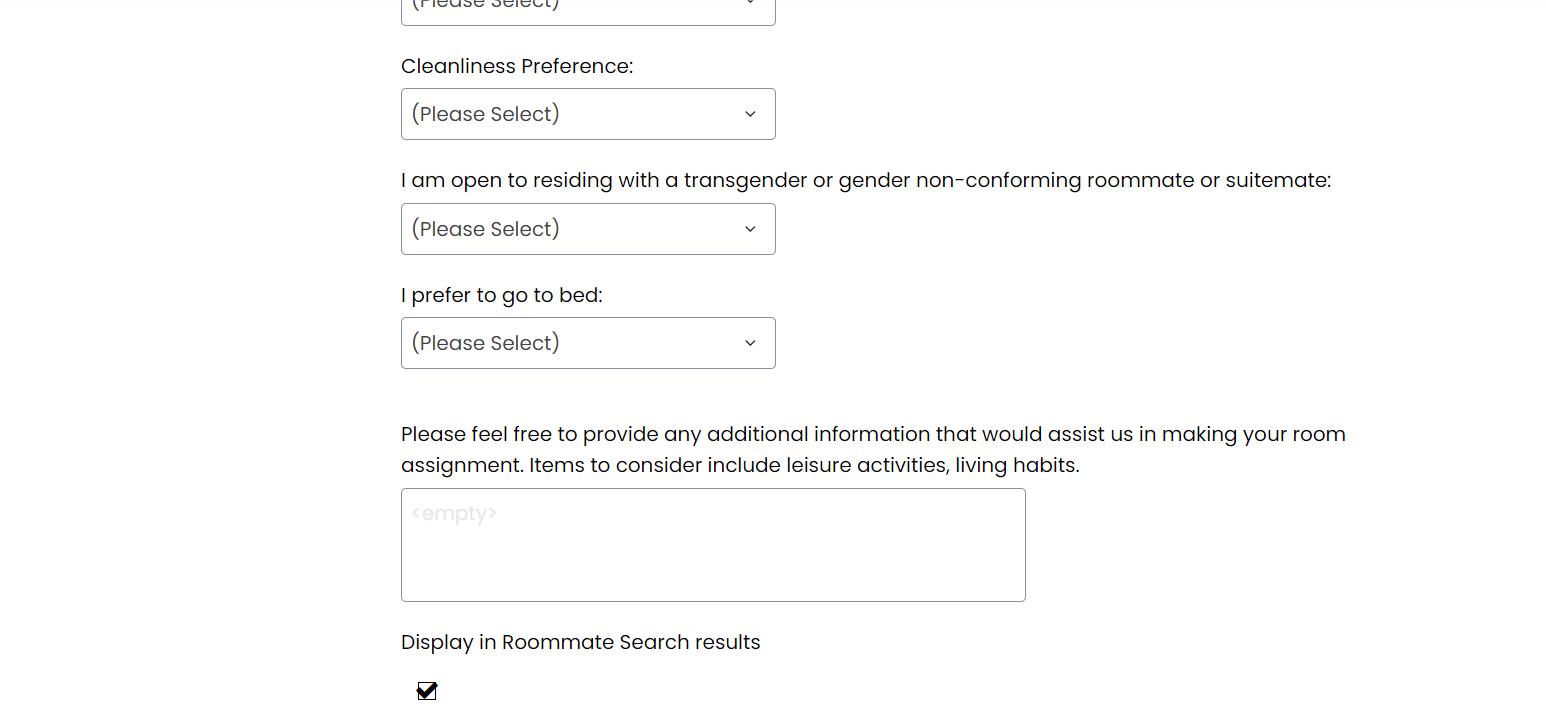
✓ To search for a student, they MUST have the “Display in Roommate Search Results” on the Roommate
Matching Questionnaire page of the housing application CHECKED. Students who uncheck this box will not be found
Search for a Roommate
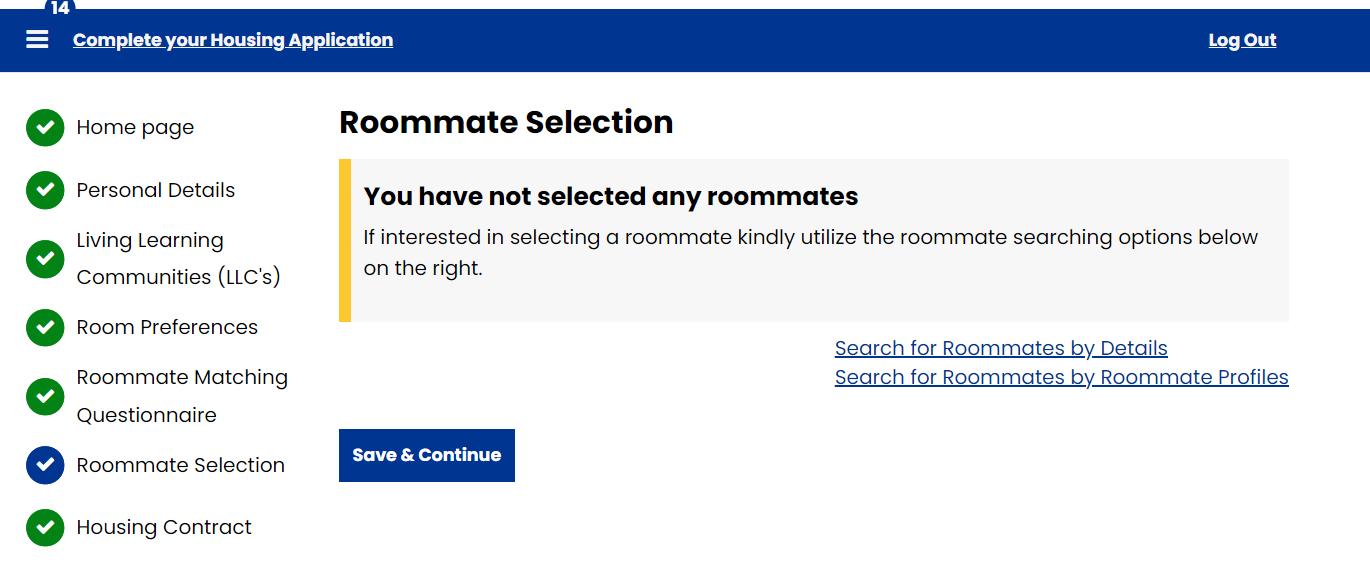
To search for a roommate and/or suitemates (if applicable), students can choose one of two possible options on their housing application:
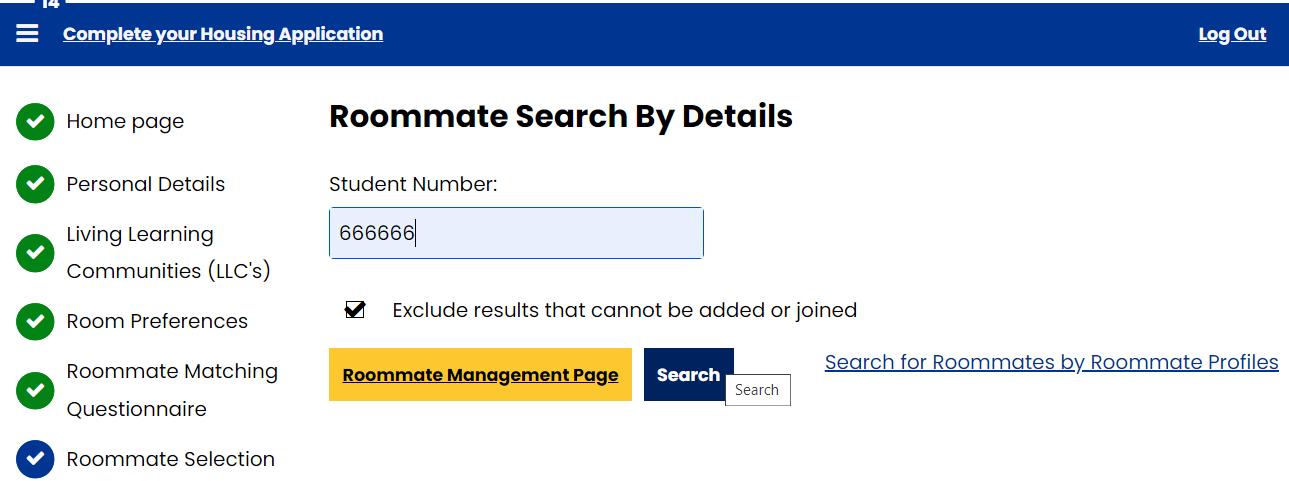
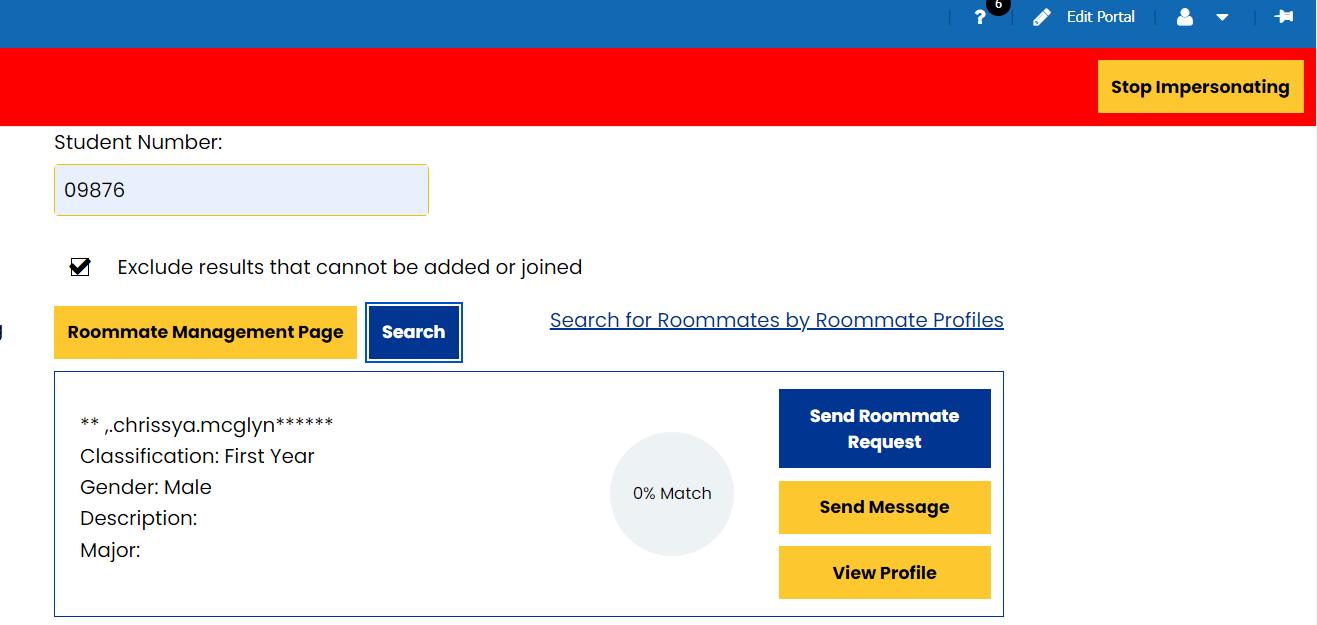
1. Search for Roommates by Details - MUST have the student’s Hofstra ID#
2. Search for Roommates by Roommate
Profiles - prospective roommates that appear will be based on their Roommate
Matching Questionnaire on the Housing Application
Search by Detail
• The “ Search for Roommates by Detail” option is the option to use if a student already has a prospective roommate/suitemates (if applicable) they would like to live with in mind
• Students need the Hofstra ID number of the roommates/suitemates(if applicable) for a successful search
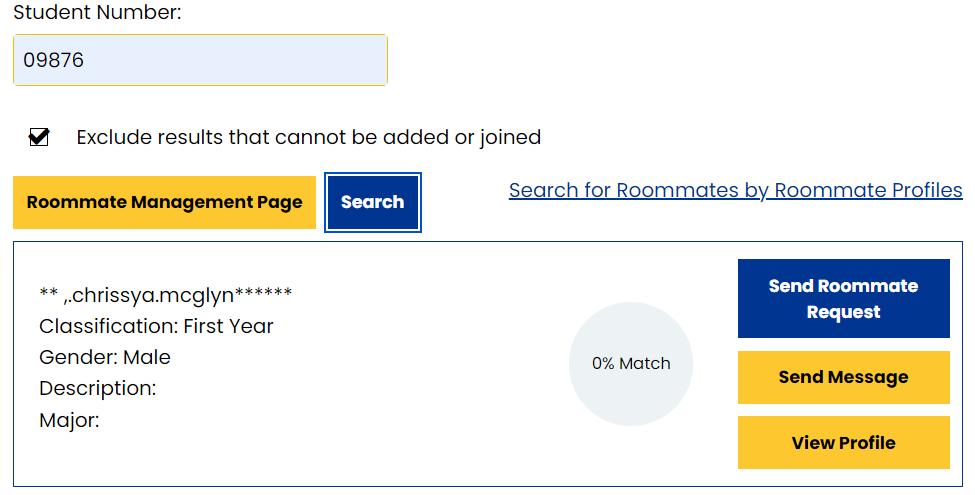
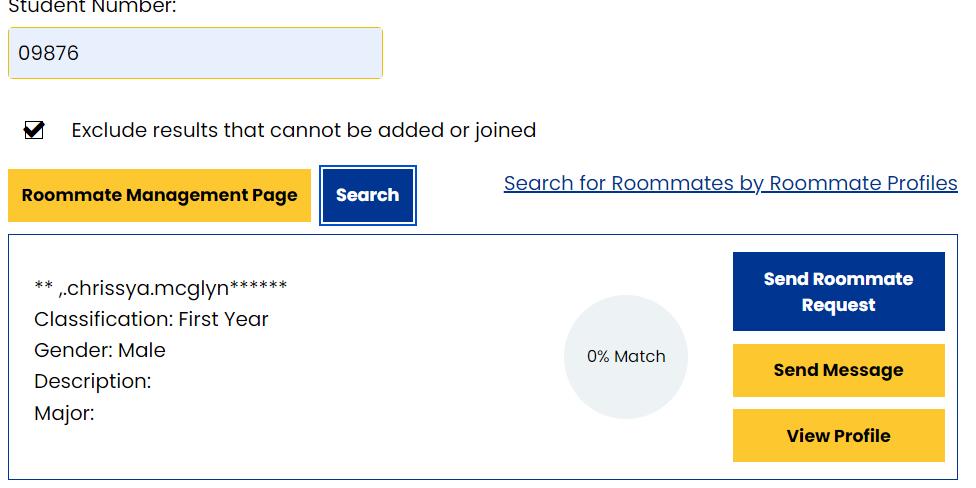
• Enter the prospective roommate/suitemates Hofstra ID# and click the “Search” button. Once the “Search” button is clicked , the prospective roommate/suitemates name will be displayed and students will have the ability to Send a Roommate Request, Send a message, and View Profile
• Students can choose to send potential roommate/suitemates a “Message” or send them a “Roommate Request” or “View Profile”. If a student chooses to send a “Message”, this option will send the student a message to their Housing Application Portal and their Hofstra Pride email address
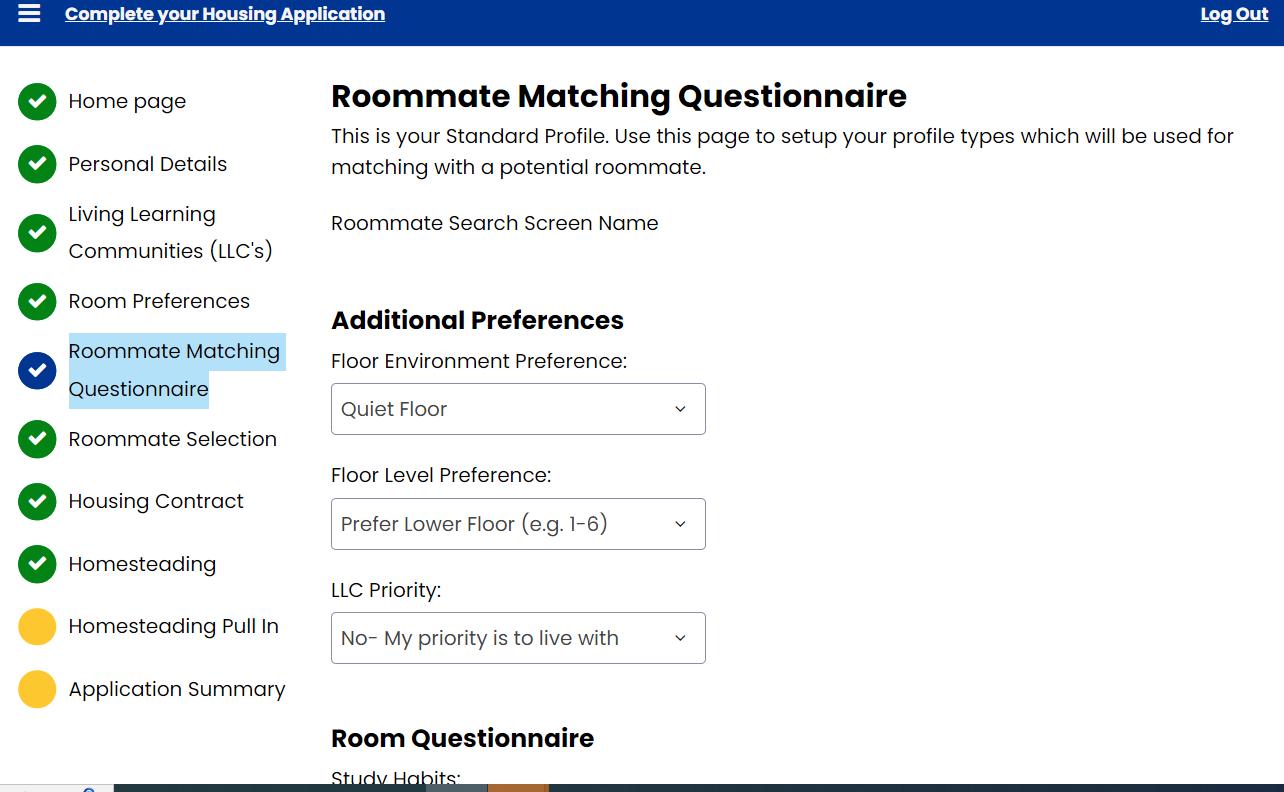
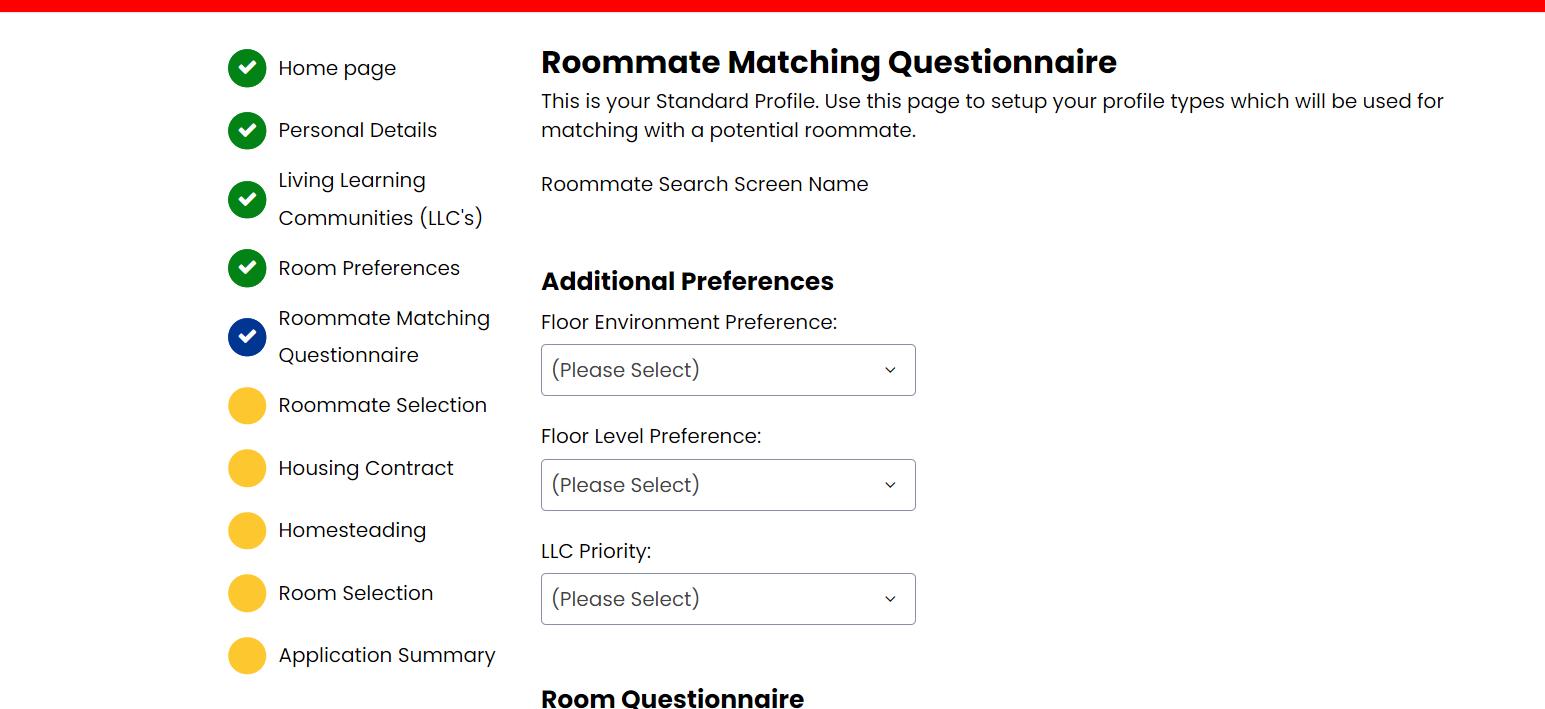
Roommate Matching Questionnaire
This is a student’s standard profile. Students will use this page to setup their profile types which will be used for matching with a potential roommate and/or suitemate. Completing this page is extremely important if they are looking to be paired with a random roommate/suitemate. Students should ensure they complete each prompt to increase the chances of a good match.
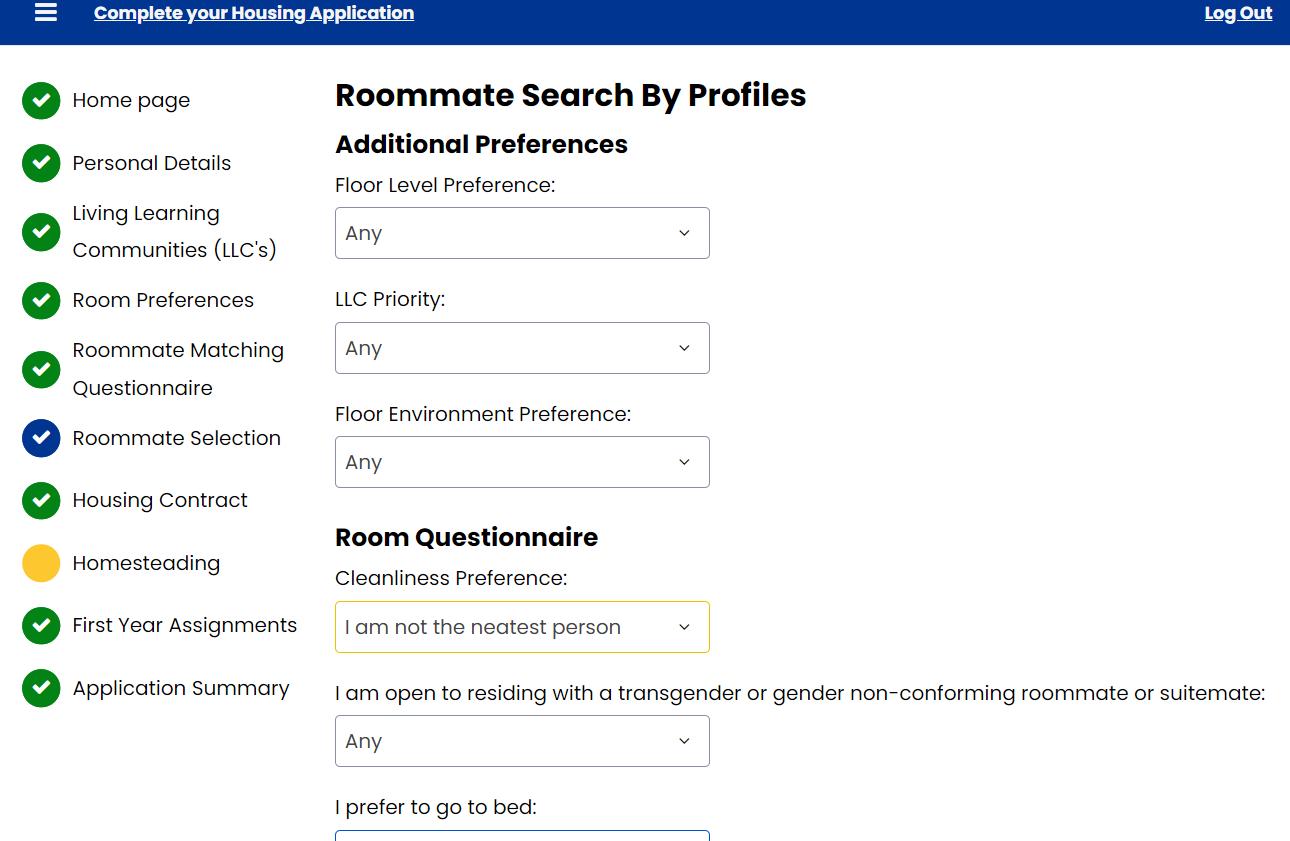
Search by Profile

Students can search for roommate/suitemates by setting a parameter from the roommate matching questionnaire to consider potential roommates and/or suitemates. “Some common search options include, ‘Cleanliness, bedtime preference, and study habits”
Once a parameter is set, potential matches will appear by clicking on the “Search” button. The system will automatically calculate the student's percentage match with other students
Students can choose to send the potential roommate a “Message” , send them a “Roommate Request” or “View
Profile”. If a student chooses to send a “Message”, this option will send the student a message their Housing Application
Portal and their Hofstra Pride email address
Adding Student to Roommate Group
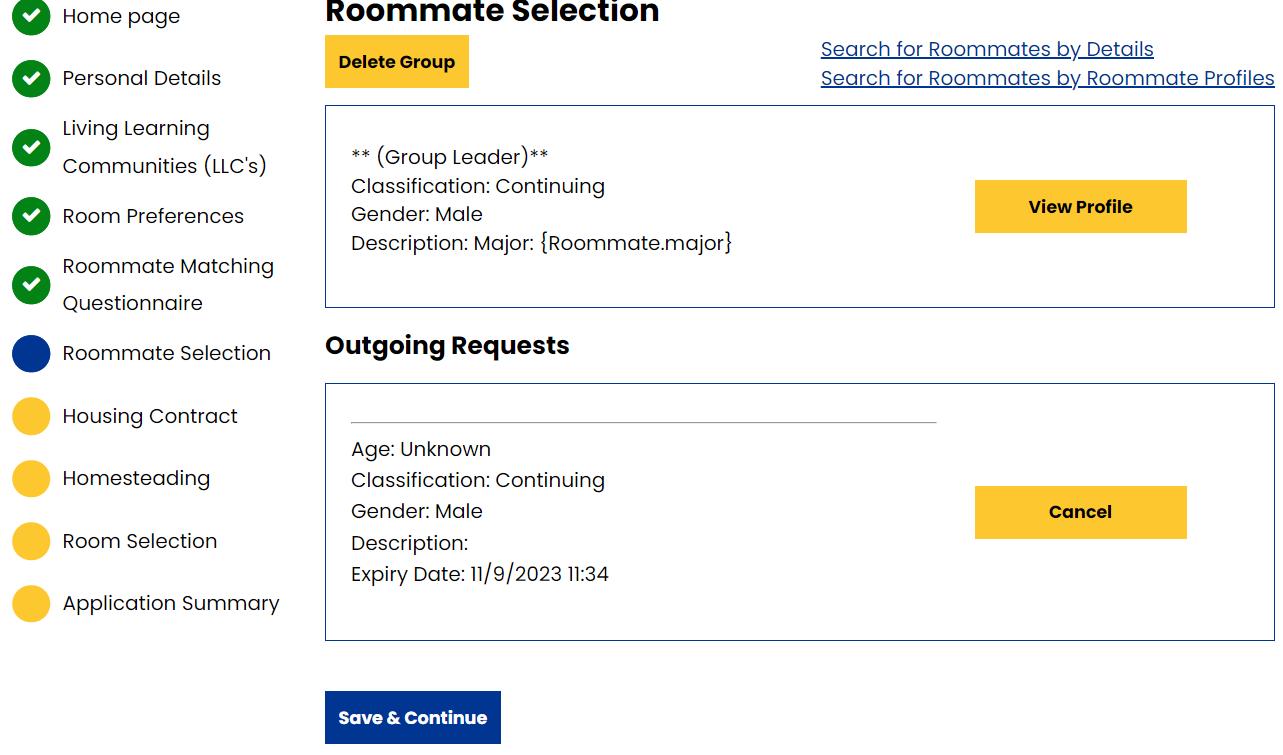
• After students communicated and confirmed a potential roommate/suitemate group, students MUST select a “GROUP LEADER”. Please note, if there is more than one “GROUP LEADER”, the both “GROUP LEADERS ” will not be able to find each other when they search for one another. When this happens, one of the Group Leaders will need to delete their group.
• Once a “GROUP LEADER” is decided, the “Group Leader” will send EACH student in the potential roommate/suitemate(if applicable) group a “Roommate Request”.
• The Group Leader will click on “Send Roommate Request ” to begin the invitation process.
• Once a request is sent, students will see the name of their potential roommate/suitemate(if applicable) listed under “Outgoing Requests”. The intended roommate/suitemate(if applicable) will receive an email notifying them of this request . Click the “Save and Continue” button .
Confirming Roommate Group
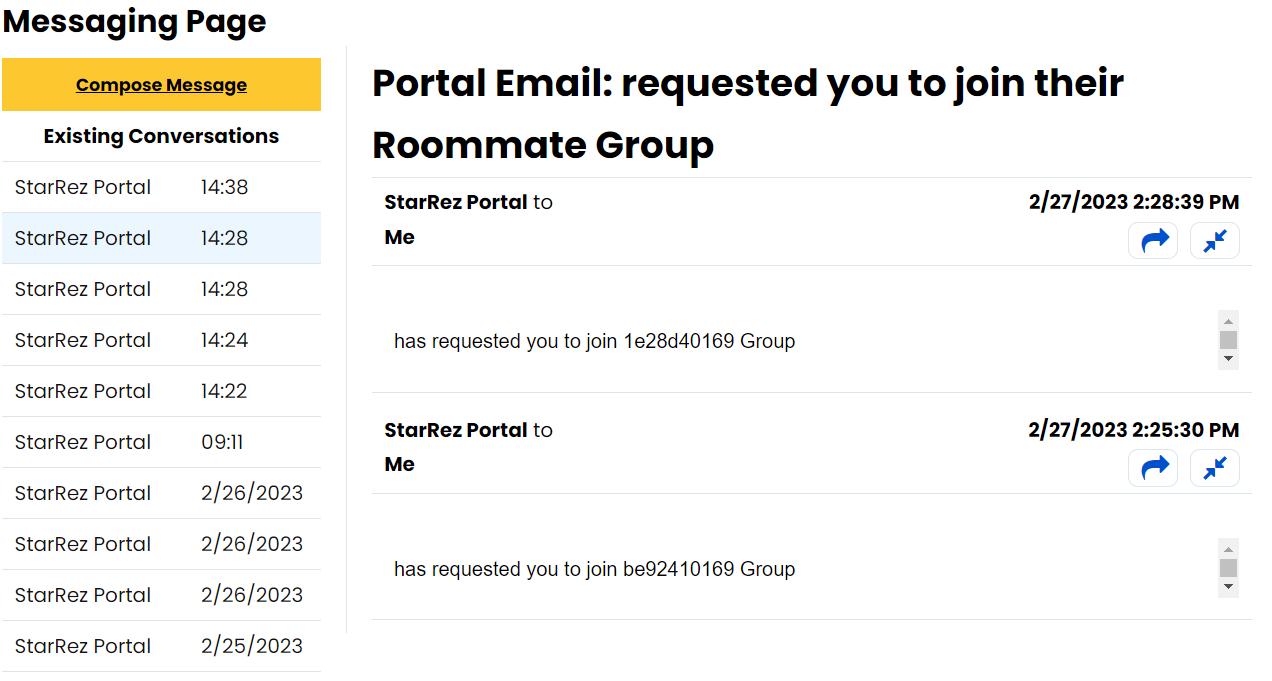
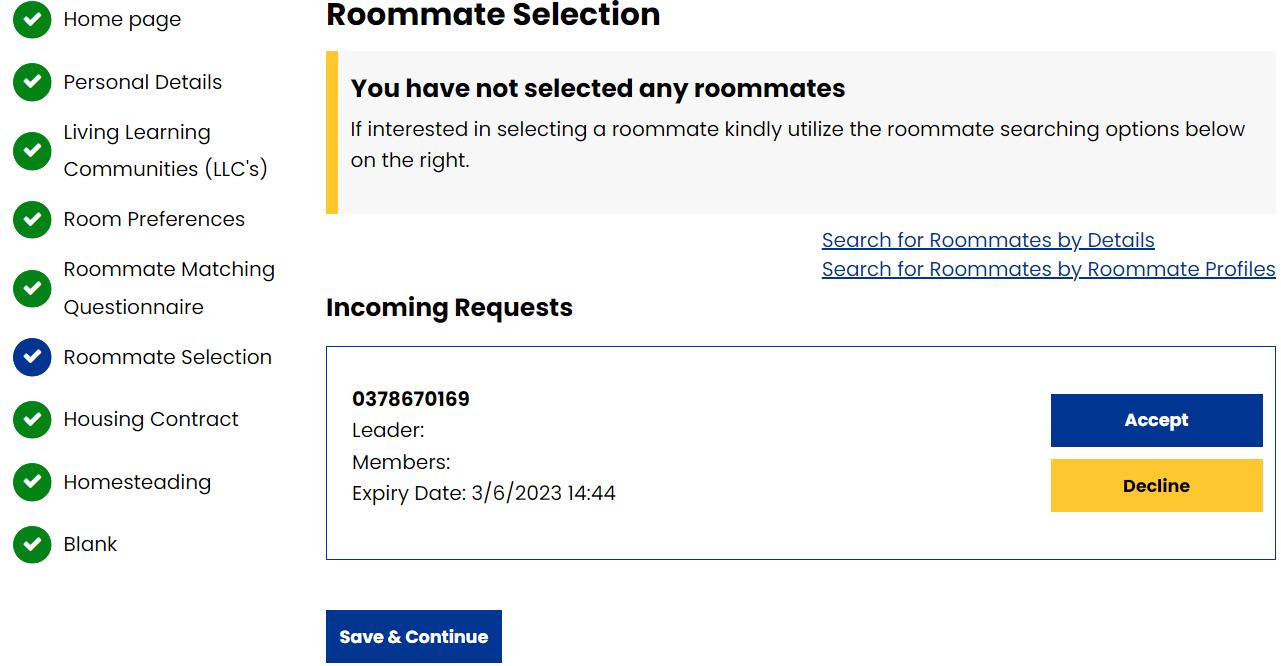
• The requested roommate/suitemate will receive an email to their Hofstra Pride account and a portal message notifying them that someone has requested them to join their group
• The requested roommate/suitemate must return to their housing application on their portal, click on the “Roommate Selection” tab and check for “incoming Request(s)”
• They will have the ability to “ accept” or “decline” the request. If a student “accepts” the request, they have joined the group
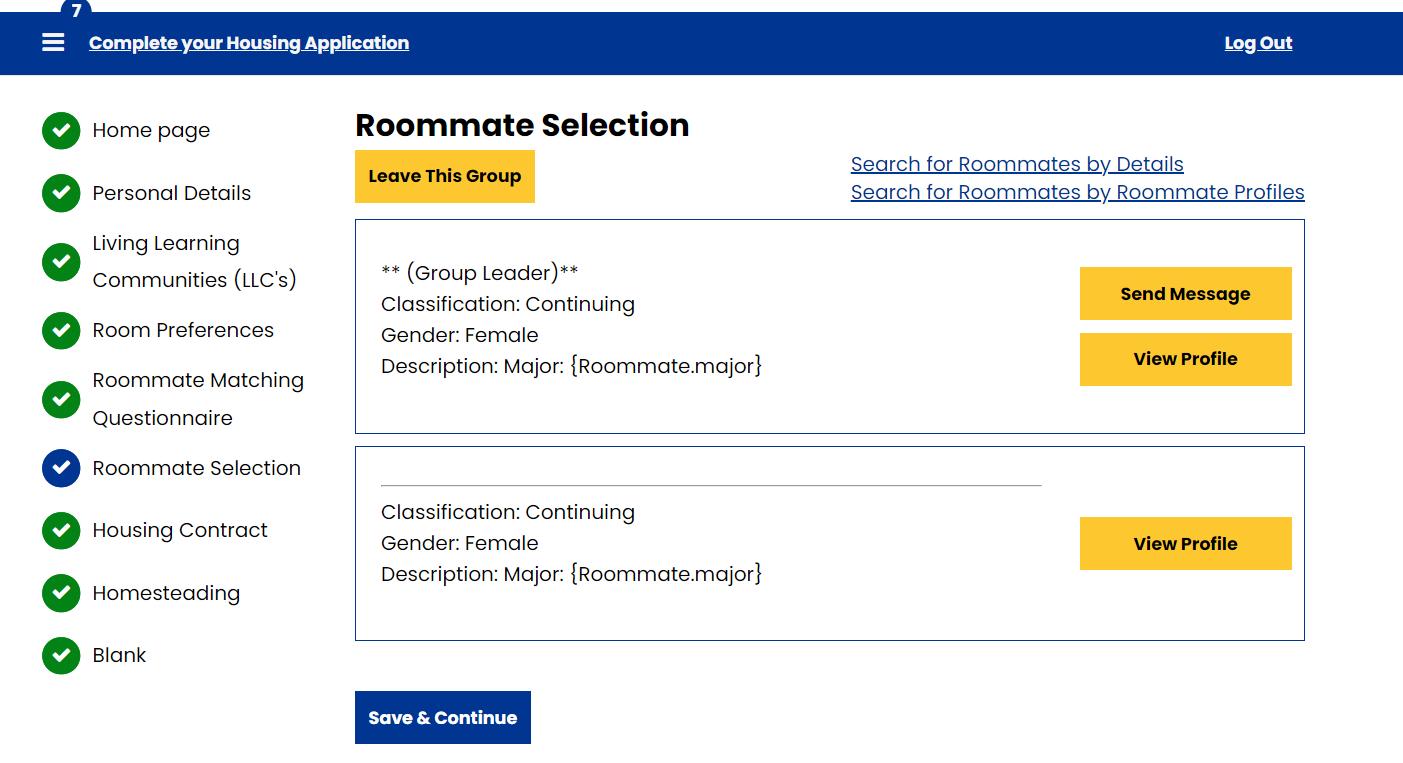
Roommate Selection
Once a group member has joined, they will be listed as a member of the roommate group