

Previous Screen
Product: ARTICULATED TRUCK
Model: D350E ARTICULATED TRUCK 9LR
Configuration: D350E Articulated Truck 9LR00001-UP (MACHINE) POWERED BY 3406 Engine
Disassembly and Assembly
N3 Series Brushless Alternators
Alternator - Disassemble
SMCS - 1405-015
Disassembly Procedure
Start By:
A. Remove the alternator from the machine. Refer to Disassembly and Assembly, "AlternatorRemove" for the machine that is being serviced.
Note: Before disassembly, clean the exterior of the alternator in order to prevent dirt from entering the unit.
5/8 - 18 Hardened Flat Washer
5/8 - 18 Jam Nut
The following disassembly procedure shows the disassembly of the N3 series alternator (35 amperes).
NOTICE
Care must be taken in the following step not to damage the alternator. Do not overtighten the vise.
1. Position the alternator in a vise or a similar clamping device.
2. Remove the following components: the pulley nut, the pulley and the fan.
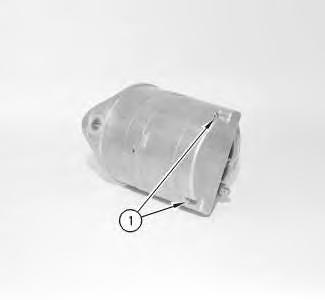
Illustration 1
g00870070
3. Remove the two screws (1). Then remove the regulator cover.
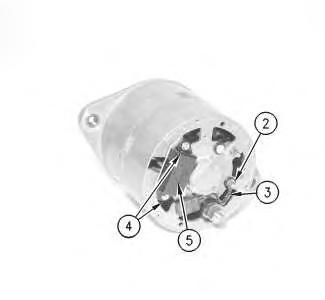
Illustration 2
g00870086
4. Remove the nut from the "D+" terminal (2) .
5. Disconnect the lead for the suppression capacitor (3) .
6. Remove the two screws (4) that mount the regulator.
Note: The step may be unnecessary, if the component will not be tested or replaced.
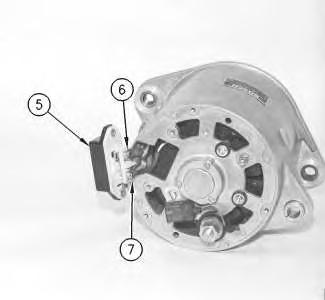
Illustration 3
g00870144
7. Pull the regulator (5) partially away from the frame. This will expose the terminals for the regulator. The terminals for the regulator are the "D+" (7) and the "DF" terminals (6) .
8. Disconnect the two leads for the "D+" terminal (7). Disconnect the one lead for the "DF" terminal (6) .
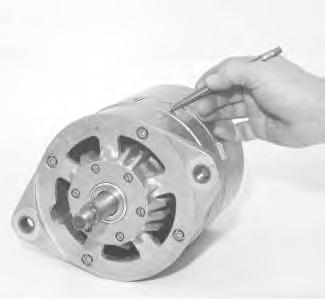
Illustration 4
g00870150
9. Mark the following components with a marker for proper alignment during assembly:front frame, stator, end frame and drive end housing face
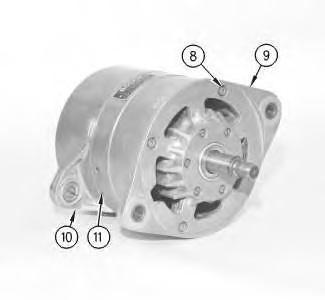
Illustration 5
g00870170
10. Remove the four hex socket head bolts (8). Separate the drive end housing face (9) and the rotor as an assembly from the rear housing (10) and the stator frame (11) .
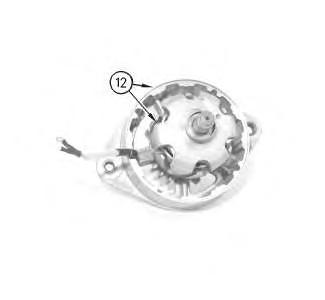
Illustration 6
11. Position the following items in the press: drive end housing face, rotor assembly and the tooling (12) .
NOTICE
In the next step, the bearing may be damaged.
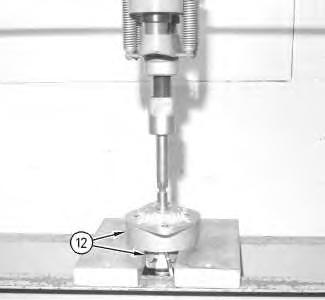
Illustration 7 g00870539
12. Use the press to remove the rotor assembly from the drive end housing face.
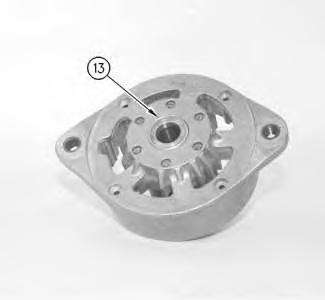
Illustration 8
13. Remove the spacer ring (13) .
g00870541
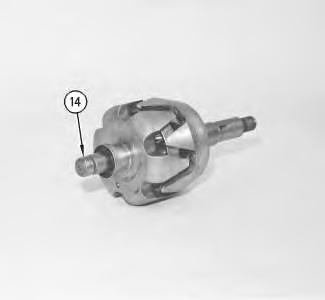
Illustration 9
g00870558
14. Inspect the bearing inner race (14). Replace the bearing inner race (14), if the bearing inner race is worn, damaged, or the bearing has been replaced.
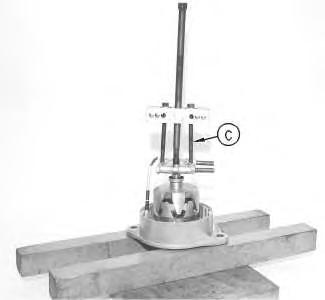
Illustration 10 g00870562
15. Use tooling (C) to remove the bearing race.
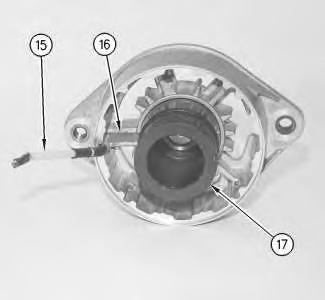
Illustration 11 g00870563
NOTICE
Epoxy putty (16) covers the lead for the field winding (15). Care must be taken in the next step when removing the epoxy, so that the lead is not damaged.
16. Remove the epoxy (16) from the deep groove in the drive end housing face.
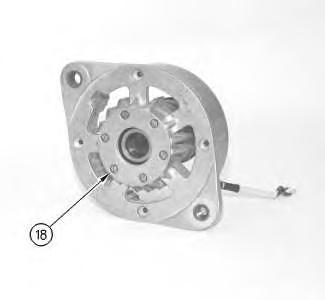
Illustration 12 g00870583
17. Remove the six screws (18) on the front side of the drive end housing face.
Illustration 13 g00870563
18. Remove the lead for the field winding (15) and the field winding (17) .
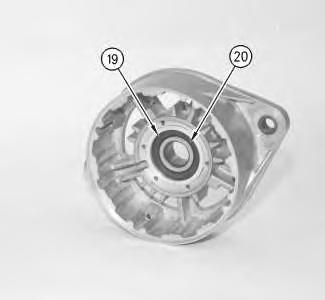
Illustration 14
19. Remove the intermediate ring (19) .
g00870589
20. Remove the bearing (20) from the seat in the drive end housing face.
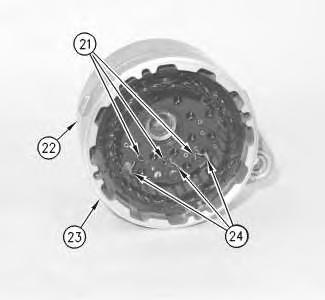
Illustration 15
g00870592
21. Disconnect the three leads for the stator windings (24) from the three rectifier bridge terminals (21).
22. Remove the stator frame (23) from the rear frame assembly.
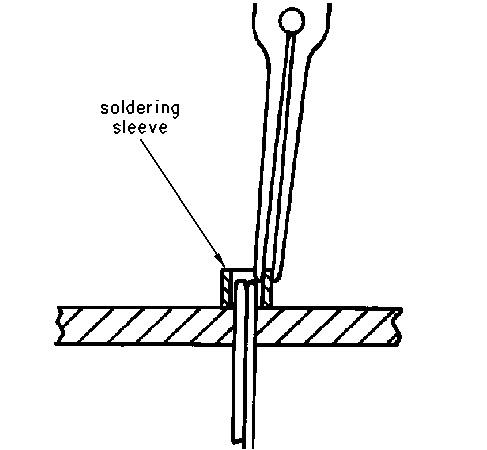
Illustration 16 g00870596
NOTICE
When unsoldering the "R" terminal in the next step, do not grip both of the outside edges of the sleeve. The sleeve will collapse with too much pressure. While heating with the soldering iron, grip the edge with long nose pliers.
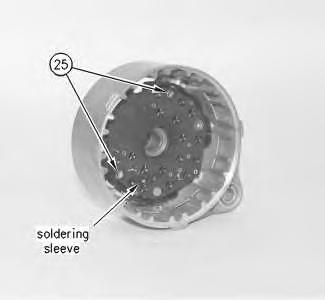
Illustration 17 g00870559
23. Unsolder the soldering sleeve from the "R" terminal.
24. Remove the two screws (25) .
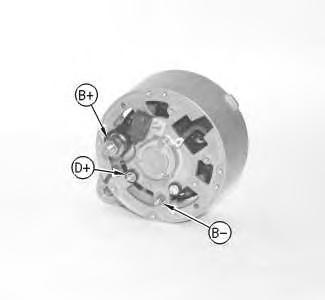
Illustration 18
g00870600
25. Remove the following retaining nuts for the rectifier terminal on the outside of the rear frame assembly: (B+), (D+) and (B-) .
26. Remove the following components: rectifier, washers for the rectifier terminal and insulators.
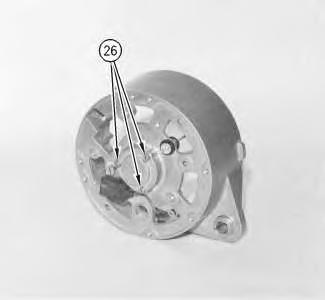
Illustration 19 g00870601
27. Remove the three screws (26) .
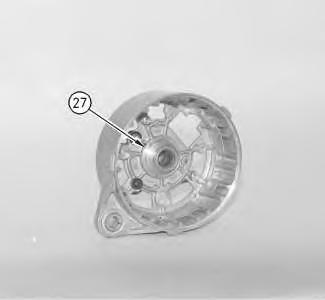
Illustration 20 g00870602
28. Remove the ring (27) from the rear frame.
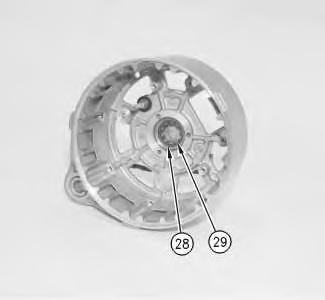
Illustration 21
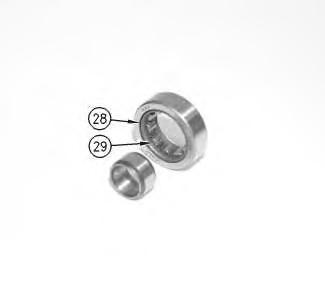
Illustration 22
NOTICE
Do not remove the bearing in the next step. The bearing will be destroyed if removed in the next step.
29. Use tooling "A" in order to remove the roller bearings (29) and the retaining cage (28) .
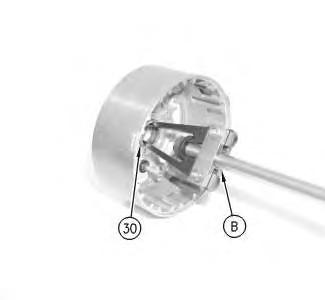
Illustration 23 g00870605
30. Remove bearing outer race (30) with tooling (B) .
Copyright 1993 - 2025 Caterpillar Inc. All Rights Reserved. Private Network For SIS Licensees.
Tue Jun 17 15:51:14 UTC+0530 2025