

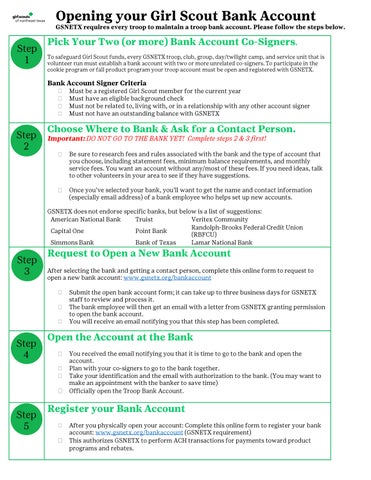
GSNETX requires every troop to maintain a troop bank account . Please follow the steps below.
To safeguard Girl Scout funds, every G SNETX troop , club, group, day/twilight camp, and service unit that is volunteer run must establish a bank account with two or more unrelated co -signers. To participate in the cookie program or fall product program your troop account must be open and registered with GSNETX.
Must be a registered Girl Scout m ember for the current year
Must have an eligible background check
Must not be related to, living with, or in a relationship with any other account signer
Must not have an outstanding balance with GSNETX
Choose W here to B ank & Ask for a C ontact P erson.
Important: DO NOT GO TO THE BANK YET! Complete steps 2 & 3 first!
Be sure to research fees and rules associated with the bank and the type of account that you choose , including statement fees, minimum balance requirements, and monthly service fees. You want an account without any /most of these fees. If you need ideas, talk to other volunteers in your area to see if they have suggestions.
Once you’ve selected your bank, you’ll want to get the name and contact information (especially email address) of a bank employee who helps set up new accounts.
GSNETX does not endorse specific banks, but below is a list of suggestions:
American National Bank Truist
Capital One Point Bank
Veritex Community
Randolph -Brooks Federal Credit Union (RBFCU)
Simmons Bank Bank of Texas Lamar National Bank
After selecting the bank and getting a contact person, complete this online form to request to open a new bank account: www.gsnetx.org/bankaccount
Submit the open bank account form; it can take up to three business days for GSNETX staff to review and process it.
The bank employee will then get an email with a letter from GSNETX granting permission to open the bank account.
You will receive an email notifying you that this step has been completed.
You received the email notifying you that it is time to go to the bank and open the account.
Plan with your co -signers to go to the bank together.
Take your identification and the email with authorization to the bank. (You may want to make an appointment with the banker to save time)
Officially open the Troop Bank Account.
After you physically open your account: Complete this online form to register your bank account : www.gsnetx.org/bankaccount (GSNETX requirement)
This authorizes GSNETX to perform ACH transactions for payments toward product programs and rebates.