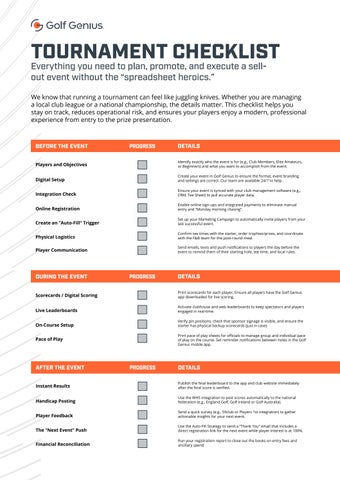
TOURNAMENT CHECKLIST
Everything you need to plan, promote, and execute a sellout event without the “spreadsheet heroics.”
We know that running a tournament can feel like juggling knives. Whether you are managing a local club league or a national championship, the details matter. This checklist helps you stay on track, reduces operational risk, and ensures your players enjoy a modern, professional experience from entry to the prize presentation.
BEFORE THE EVENT
Players and Objectives
Digital Setup
Integration Check
Online Registration
Create an “Auto-Fill” Trigger
Physical Logistics
Player Communication
DURING THE EVENT
Scorecards / Digital Scoring
Live Leaderboards
On-Course Setup
Pace of Play
PROGRESS DETAILS
Identify exactly who the event is for (e.g., Club Members, Elite Amateurs, or Beginners) and what you want to accomplish from the event.
Create your event in Golf Genius to ensure the format, event branding and settings are correct. Our team are available 24/7 to help.
Ensure your event is synced with your club management software (e.g., CRM, Tee Sheet) to pull accurate player data.
Enable online sign-ups and integrated payments to eliminate manual entry and “Monday morning chasing”.
Set up your Marketing Campaign to automatically invite players from your last successful event.
Confirm tee times with the starter, order trophies/prizes, and coordinate with the F&B team for the post-round meal.
Send emails, texts and push notifications to players the day before the event to remind them of their starting hole, tee time, and local rules.
PROGRESS DETAILS
Print scorecards for each player. Ensure all players have the Golf Genius app downloaded for live scoring.
Activate clubhouse and web leaderboards to keep spectators and players engaged in real-time.
Verify pin positions, check that sponsor signage is visible, and ensure the starter has physical backup scorecards (just in case).
Print pace of play sheets for officials to manage group and individual pace of play on the course. Set reminder notifications between holes in the Golf Genius mobile app.
AFTER THE EVENT
Instant Results
Handicap Posting
Player Feedback
The “Next Event” Push
Financial Reconciliation
PROGRESS
DETAILS
Publish the final leaderboard to the app and club website immediately after the final score is verified.
Use the WHS integration to post scores automatically to the national federation (e.g., England Golf, Golf Ireland or Golf Australia).
Send a quick survey (e.g., 59club or Players 1st integration) to gather actionable insights for your next event.
Use the Auto-Fill Strategy to send a “Thank You” email that includes a direct registration link for the next event while player interest is at 100%.
Run your registration report to close out the books on entry fees and ancillary spend