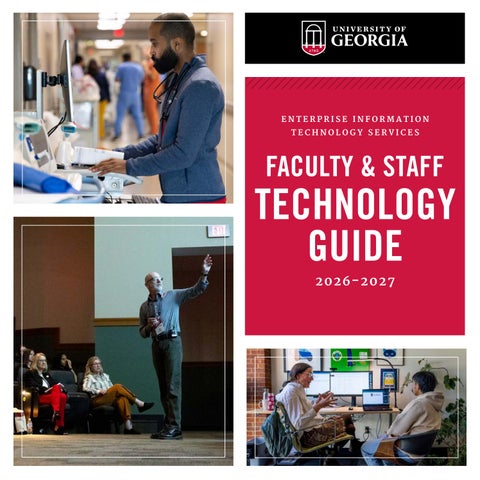
ENTERPRISE INFORMATION TECHNOLOGY SERVICES
FACULTY & STAFF
TECHNOLOGY GUIDE 2026-2027
2026-27 FACULTY AND STAFF TECHNOLOGY GUIDE
1
TABLE OF
CONTENTS
1
Getting Started: IT at UGA
12
Instructional Resources
28
Research Computing
4
UGA Accounts
18
Communications
30
Data Reporting
8
Software
19
Listserv
32
Technical Information
9
Getting Connected
20
33
Technical Assistance
10
Security
Technical Resources & Services
2
U n i v e r s i t y o f G e o r g ia
GETTING STARTED:
IT AT UGA
T EC H N O L O GY HE L P
EITS HELP DESK
The University of Georgia has a central IT department
The EITS Help Desk is the central point of contact
called Enterprise Information Technology Services (EITS)
for enterprise-wide computing services for UGA
to support enterprise-wide systems for students,
students, faculty, staff, and visitors.
faculty, staff, and visitors. The EITS Help Desk can assist with a variety of EITS-supported systems include UGAMail, MyIDs, wireless networks, and telephones. Many colleges and units at UGA also have their own technical support for their faculty and
information technology needs during its operating hours. The EITS Help Desk does not provide hardware repairs.
staff. These unit-level IT help desks are typically responsible
To view a listing of IT Help Desks for other colleges and units at the University, see pages 33-41.
for hardware support, and software and services specific to their department’s needs. Faculty and staff are encouraged to become familiar with their departmental IT professionals and unit-specific services.
VISIT eitshelpdesk.uga.edu
CHAT hd.support.uga.edu
EMAIL helpdesk@uga.edu
2026-27 FACULTY AND STAFF TECHNOLOGY GUIDE
1
IT AT UGA (CONTINUED) T E CH C HE C KLIST
ACCOUNTS • MyID: You will need your MyID to access many online resources at UGA. Contact your HR representative or supervisor to establish your MyID. (See page 4) • MyID Profile: Complete your MyID Profile, which establishes security measures in the event that you forget your MyID password. (See page 4) • ArchPass: You will need ArchPass, powered by Duo, to access many UGA systems, including eLC, Athena, the Remote Access VPN, and more. Enroll a device at archpass.uga.edu. (See page 10) • UGAMail: Check your UGAMail account. Your UGAMail password is the same as your MyID password. Set up UGAMail on your phone and computer. (See page 6)
COMMUNICATIONS
If you’re a new employee at the University
• Wireless: Connect to the PAWS-Secure or eduroam
of Georgia, there are some basic steps for
wireless networks with your MyID on your mobile
using technology at UGA. The following steps are intended to provide the necessary resources for new employees.
devices and laptop. (See page 9) • Wired: Contact your department’s IT professional to get connected to the wired network in your building. (See page 9)
UGA departments may require additional
• Phone: Contact your department’s IT professional or
steps or provide additional resources.
service in your office. Set up voicemail, including
Departmental Telephone Representative about phone recording your greeting. (See page 18)
2
U n i v e r s i t y o f G e o r g ia
SECURITY • USG Cybersecurity Awareness Training: Complete your mandatory Cybersecurity Awareness Training twice annually. (See page 10) • UGA Alert: Register your contact information to receive emergency alerts via text, email, or desktop notifications. (See page 21) • VPN: Install the software required to access UGA’s Virtual Private Network (VPN) to access internal resources from non-campus networks. (See page 10)
ADDITIONAL STEPS • UGA Mobile App: Download the UGA Mobile App on your phone to get walking, driving, and transit directions to buildings, parking decks, and other points of interest. (See page 20) • Research IT: Learn about computing and IT resources available to researchers, including the Georgia Advanced Computing Resource Center (GACRC). (See page 28) • EITS Help Desk: Know how to contact the EITS Help Desk for technical assistance for centrally supported systems. (See page 1) • Departmental IT Units: Know how to contact your department’s IT staff for technical assistance, such as desktop support. (See pages 33-41)
2026-27 FACULTY AND STAFF TECHNOLOGY GUIDE
3
UGA
ACCOUNTS A C C O U NT S : U G A M Y ID AN D U GA ID All UGA faculty, staff, and students can use their MyID and UGA ID number to access a number of services and resources at the University. Your MyID is the username that’s required for accessing many UGA resources, such as UGAmail, the wireless networks, electronic journals and other digital resources available through UGA Libraries, and the MyUGA Portal. Your MyID is assigned and will include your initials and the five random digits (example: gwb12345). MyIDs are created automatically, but if your MyID has not been delivered, contact your manager or HR representative. MyID passwords must be at least 10 characters in length; a combination of uppercase letters, lowercase letters, numbers, and/or special characters; and cannot contain your name or username. You may not reuse a password you have used previously. We recommend completing your MyID profile at myid.uga.edu. This simple step allows you to regain account access quickly on your own, providing a faster alternative to requesting manual assistance from the Help Desk. You can change your MyID password at myid.uga.edu Your 9-digit UGA ID number, which starts with 81, is used as a unique identifier to access personal data. Your UGA ID number appears on the back of your UGACard.
4
U n i v e r s i t y o f G e o r g ia
PR OTECT YOUR PA SSWOR D It’s essential that you keep your MyID password safe and confidential, as it is your access to many online services at UGA.
KEEP IN MIND: • UGA will never send you an email asking for your password. When in doubt about an email you’ve received, contact the EITS Help Desk. • Never share your MyID password with anyone, including friends, family, and colleagues. • Never reuse your MyID password on other personal and professional websites. This will protect your MyID and your UGA access in the event that any of the other websites are compromised. • When you’re done visiting a website that requires your MyID password, be sure to log out, especially on a public computer. If you receive communications you think may be phishing, report it to abuse@uga.edu
2026-27 FACULTY AND STAFF TECHNOLOGY GUIDE
5
U GA Ma il
MICR OSOFT R ESOUR CES
All faculty, staff and students have an account for
UGAMail is powered by Microsoft’s Office 365, which
UGAMail, the University-provided email service.
includes additional services as part of your UGAMail
UGAmail is powered by Microsoft’s Office 365.
account. All eligible UGA faculty, staff, and students have access to Microsoft Office 365 products, including
You can access your UGAMail through web (ugamail.uga.edu) or by configuring a desktop client, or an app on your phone. Instructions are available at eitshelpdesk.uga.edu. To access your UGAMail on the web, type your complete email address with your MyID, followed by @uga.edu (YourMyID@uga.edu). The password is your MyID password. If you’re off campus, you will need to authenticate with ArchPass, powered by Duo, to access your UGAMail.
those listed below. ONEDRIVE FOR BUSINESS OneDrive for Business is an online file-sharing and storage service, ideal for sharing and storing documents, photos, and videos with colleagues. You can create and edit Microsoft Word, Excel, and PowerPoint documents in real time with colleagues. Use OneDrive to share copies of your files with colleagues in the cloud.
A few departments have an alternative email provider instead of UGAMail (@uga.edu). Ask your department’s IT professional about your email. All official email communications to UGA faculty and staff from administrative systems are only sent to UGAMail addresses. You can easily modify an alias for your email address by visiting myid.uga.edu
6
U n i v e r s i t y o f G e o r g ia
MICROSOFT TEAMS Microsoft Teams allows UGA students, faculty, and staff to use Teams to collaborate with others anytime, anywhere. Teams is deeply integrated with Office 365, making it easy to chat, work on documents, and conduct meetings. Additionally, you can set up a specific Team within this platform for a group of individuals to collaborate on specific projects, work, and common interests. Contact the EITS Help Desk to request a specific Team with Microsoft Teams.
ONENOTE A note-taking app, OneNote makes it easy to take notes, add pictures, add PDFs and links, and organize your notes more efficiently.
CALENDAR UGAMail’s calendar service in Outlook allows you to view the schedules of UGA colleagues and more easily coordinate activities.
2026-27 FACULTY AND STAFF TECHNOLOGY GUIDE
7
SOFTWARE You also have access to Google Meet, an online meeting tool,
The EITS software site showcases software
as well as Google Maps and Google Keep. UGA provides 15GB
available to UGA students, faculty, and staff, such
per user. With the limited amount of storage, we suggest using
as the examples listed below.
Office 365 and OneDrive to share documents. To access Google Workspace, visit google.uga.edu
L INKE D IN L E ARN I N G UGA faculty, staff, and students have access to LinkedIn Learning, which is part of LinkedIn. LinkedIn Learning offers high-quality videos in the areas of design, technology, business skills, education, web development,
EMPOWERING YOUR LEARNING WITH GENERATIVE AI TOOLS
photography, and more. LinkedIn Learning has thousands of
Unlock the potential of generative AI-driven chatbots,
courses segmented by topic for people who want to view
personalized tutoring, and innovative content creation tools.
specified tutorials in a course. Instructors can use LinkedIn Learning videos to supplement course materials by selecting specified courses or tutorials. Students can get a head start
ACCESS THE FOLLOWING GENERATIVE AI TOOLS WITH YOUR UGA EMAIL ADDRESS (MYID@UGA.EDU) AND PASSWORD:
to their careers by learning additional skills through LinkedIn
Copilot is Microsoft’s online AI Chatbot: copilot.microsoft.com.
Learning courses.
Gemini is Google’s online AI Chatbot: gemini.google.com.
LinkedIn Learning is available via the MyUGA Portal
NotebookLM is Google’s AI-powered research and note-taking
at my.uga.edu
tool: notebooklm.google.com. PREMIUM LICENSES FOR AI TOOLS AVAILABLE THROUGH
GO O GL E W ORKSPACE
CAMPUS LICENSE PURCHASE PROGRAM: Licenses can be purchased for faculty and staff by school, college,
Google Workspace is a secure alternative service available to
and VP unit-level business offices for the following educational
students, faculty, and staff with their UGA MyID. In Google
generative AI Tools:
Workspace, you can easily access multiple Google tools,
• ChatGPT Edu
including Drive, Docs, Sheets, and Slides, and collaborate on files from those tools with others.
• Claude Enterprise for Education (does not include Claude Code) • M365 Copilot • Gemini AI Pro for Education
8
U n i v e r s i t y o f G e o r g ia
Please visit the EITS Knowledge Base for more information.
GETTING
CONNECTED WIR E LE S S NE TWORKS
To connect a device, faculty and staff should contact their
All faculty, staff, and students with a MyID have access to
instructions on the DNL SharePoint site.
two wireless networks while on campus.
Campus visitors or vendors can connect to our self-service
Departmental Network Liaison (DNL). DNLs can find setup
guest wireless network, UGA_Visitors_Wifi. The guest wireless PAWS-Secure – the preferred method for wireless
network is only available on the Athens campus. Instructions for
connectivity — is a secure gateway to the Internet while on
guest wireless access are available on the EITS Help Desk site.
campus and is available in all UGA buildings. Any time you change your MyID password, you will be prompted on your
For more information about PAWS-Secure, eduroam,
device to update it in order to access PAWS-Secure.
and the guest wireless network, visit wifi.uga.edu
Eduroam is also available in all UGA buildings on campus. You sign in to eduroam using your full MyID email address (MyID@uga.edu) and password. The eduroam network also allows faculty, staff, and students to sign in to wireless networks at other universities using eduroam with their UGA MyID credentials. UGA-IoT is a wireless network available in UGA buildings to
W IR ED CONNECTIONS Buildings on campus include access to UGA’s wired network, which requires devices to be connected via an Ethernet cable and registered through your department.
support Internet of Things (IoT) devices used for research,
If you need assistance or to report a problem with
teaching, and administrative purposes. Access is limited to
your wired connection, contact your departmental
faculty and staff, and students are not permitted to use this
IT professional first.
network.
2026-27 FACULTY AND STAFF TECHNOLOGY GUIDE
9
SECURITY
V IR T U A L P RI V AT E N E T WO RK ( VPN) The Remote Access Virtual Private Network (VPN) allows secure access to the UGA campus network and computer resources from external networks. The VPN is helpful when connecting over public Wi-Fi or other non-UGA networks. Several UGA resources may require you to be on the UGA network in order to access those sites. By using the VPN, you have a secure connection that acts as a “tunnel” to the UGA on-campus network. Instructions are available at: uga.teamdynamix.com/TDClient/3190/eitsclientportal/KB/ArticleDet?ID=154569
C Y B E R S E CU R I T Y AWARE N E SS TR A IN IN G
ENR OLL A DEVICE IN A R CHPA SS
All University System of Georgia (USG) employees
ArchPass, powered by Duo, is a two-step login solution
are required to complete Cybersecurity Awareness
that adds an extra layer of security to your online
Training twice annually in April and October.
accounts.
Training is delivered via an online module provided by
Two-factor authentication (2FA) requires something you
KnowBe4, an industry leader in cybersecurity training, at
know (a password) and something you have (a physical
training.knowbe4.com. Employees are notified via email each
device) to access specific UGA resources, such as OneUSG
April and October when the training module is available.
Connect, Office 365, eLC, Athena, SendFiles, the Remote Access VPN, and vLab. ArchPass is also required for UGA
New employees acknowledge security policies as part of
employees who need access to Restricted Data systems.
the onboarding process, and depending on when they were hired, will wait until the next April or October training period to complete the online module.
10
U n i v e r s i t y o f G e o r g ia
For more information, visit archpass.uga.edu
PR ECA UTIONS FOR HA NDLING SENSITIVE A ND R ESTR ICTED D A TA The University System of Georgia (USG) and UGA have specific requirements for handling sensitive and restricted data, such as Social Security numbers, credit card numbers, and protected health information. Faculty and staff who handle sensitive and/or restricted data should be familiar with the policies and appropriate steps to protect that data. For more information, visit infosec.uga.edu
SENDFILES SendFiles allows users to send encrypted messages or large files to other UGA users or people not associated with the University. Attachments in SendFiles can total up to 2GB. For more information, visit sendfiles.uga.edu
2026-27 FACULTY AND STAFF TECHNOLOGY GUIDE
11
INSTRUCTIONAL
RESOURCES e L EA RN IN G ( E L C)
A THENA
UGA’s learning management system is called eLearning
Athena is the University’s student information system.
Commons (eLC). eLC is available for instructors to post course
Athena provides online access for students to view academic
materials, share and receive assignments from students,
and financial aid records, register for classes, pay tuition
engage students in online quizzes and discussions, share
and fees, and update personal information. Faculty use
grades with students, and more.
Athena to submit their grades and view class lists. For more information, visit athena.uga.edu
Members of the UGA community can also request eLC spaces for non-course instructional purposes. The Center for Teaching and Learning (CTL) offers eLC workshops, tutorials, and reference guides for instructors. Additional information is available at ctl.uga.edu/services/eLC/ eLC is available via the MyUGA Portal at my.uga.edu or via eLC.uga.edu. Course instructors are automatically enrolled in eLC courses when they are listed as the Instructor of Record in Athena. Students are automatically enrolled in eLC courses when they register for their classes. Teaching Assistants can be added to courses by Instructors, and librarians can link digital resources through the Libraries’ course reserve program.
De gr e e Wor ks DegreeWorks helps students and their advisors monitor progress towards degree completion. Much like a checklist, DegreeWorks combines students’ UGA degree requirements and the coursework completed into an easy-to-read electronic dashboard that shows how courses completed count towards degree requirements. DegreeWorks also includes a planning feature that maps a student’s program of study. More information and DegreeWorks tutorials are
O F F I CE O F T HE RE G I ST RAR The Office of the Registrar serves faculty and staff with a number of online services, including online grade roll submissions, online grade change submissions, course scheduling, classroom scheduling, and FERPA expertise. Additionally, the office provides curriculum services to faculty and staff through the online course approval process and the UGA Bulletin. For more information, visit reg.uga.edu
12
U n i v e r s i t y o f G e o r g ia
available at reg.uga.edu/general-information/ degreeworks
KAL T U RA
Instructors who are looking for more information
Kaltura is a media storage and streaming solution for
teaching-resources/digital-learning-tools/turnitin/
about the use of Turnitin can visit ctl.uga.edu/
video, audio, and image files. Kaltura media can be shared via kaltura.uga.edu, on your own website, or with students in eLC courses. Kaltura also provides methods for captioning media, making it accessible for all users.
PER USA LL Perusall is a learning technology tool that fosters active engagement by enabling students (and instructors and
For more information about using Kaltura (including
TAs) to annotate, comment on, ask questions about,
captioning), or general information about multimedia
and discuss an assigned reading in an interactive, and
and accessibility, visit ctl.uga.edu/teaching-resources/
chat-like fashion. Perusall is free for use at UGA and is
digital-learning-tools/kaltura/
integrated into eLC for ease of use and connection to the gradebook.
TO P H A T
For more information, visit https://ctl.uga.edu/ teachingresources/digital-learning-tools/perusall/
Top Hat is a student response system useful for in-class engagement and formative assessment of students. The tool is available at no cost for both students and instructors (and teaching assistants) and is integrated with eLC for ease of connection to UGA accounts and the eLC gradebook. For more information, visit https://ctl.uga.edu/ teachingresources/digital-learning-tools/top-hat/
TU RN IT IN Turnitin’s Draft Coach is integrated with Microsoft Word and Google Docs, allowing for automated improvement suggestions
R ESPONDUS MONITOR & R ESPONDUS LOCK DOW N B R OWSER Respondus is a platform integrated into eLC that allows instructors to conduct secure and proctored online exams. Instructors who are looking for more information about the use of Respondus through eLC can visit https://ctl.uga.edu/teachingresources/digitallearning-tools/respondus/
as students write. Turnitin’s Originality tool is integrated with eLC and provides instructors with options to monitor student work for potential plagiarism and unauthorized use of generative artificial intelligence tools. 2026-27 FACULTY AND STAFF TECHNOLOGY GUIDE
13
INSTRUCTIONAL RESOURCES (CONTINUED) M E D IA , E QUIP M E N T L O AN , A ND PR ODUCTION SER VICES The Center for Teaching and Learning (CTL) offers a number of instructional media and production services, as well as media equipment loans and an extensive collection of educational media available for instructional applications and initiatives. Media equipment and recording studios are available to faculty, students, staff, and administrators, with priority for course-related use. Available equipment includes microphones, cameras, camcorders, projectors, PA systems, webcams, and more. For the CTL media equipment catalog and information about available media checkout and duplication services, visit ctl.uga.edu/services/instructional-media/equipment-loans/ CTL offers studio recording services and works alongside the Office of Online Learning (OOL) via the Media Cooperative to provide professional-quality instructional media products for all University departments and faculty. For more information about studio recording, please visit ctl.uga.edu/services/instructional-media/ For more information about the Media Cooperative, please visit ctl.uga.edu/partner-initiatives/media-coop A number of units across UGA also provide production services or equipment loan programs. Faculty may contact their own IT personnel for information.
14
U n i v e r s i t y o f G e o r g ia
C L A S S R O O M SU PP O RT A ND LE A RN IN G SP ACE S
ONLINE A ND HYB R ID TEA C HIN G
There are more than 700 classrooms at UGA, most with
to learn about teaching online, flipping the classroom,
technology for faculty and student use. The Center for
and hybrid teaching models.
Several resources are available for faculty who wish
Teaching and Learning provides access, training, and support for general assignment classrooms and departments, and manages additional classrooms across campus. For more information about CTL-supported classrooms, visit https://ctl.uga.edu/services/ classroom-technology/ctl-supported-classrooms/ 25Live is the web application utilized by the University of Georgia for building and room scheduling and is used to schedule both classes and events. This includes information and photographs of learning spaces across campus. 25Live
The Office of Online Learning and The Center for Teaching and Learning collaborate to provide best practices, resources, and consultation regarding these methods. For more information, visit https://ctl.uga.edu/ teaching-resources/teaching-amid-disruption/ guideto-f2f-remote-synchronous-instruction/, https://ctl.uga.edu/teaching-resources/ digitallearning-tools/ and faculty.online.uga.edu/faculty/
can be accessed at https://25live.collegenet.com/pro/uga. Other units at the University may also provide access and technical support to classrooms. For more information, visit https://ctl.uga.edu/ services/classroom-technology/ctlclassroomav-support-and-troubleshooting/
2026-27 FACULTY AND STAFF TECHNOLOGY GUIDE
15
INSTRUCTIONAL RESOURCES (CONTINUED)
O P E N E D U C AT IO N AL RE SOURCES
The University is actively engaging in the promotion and
Open educational resources (OERs) are teaching, learning,
and assistance to transition away from expensive textbooks to
and research resources that reside in the public domain or have been released under an open copyright license that permits everyone to freely retain, reuse, revise, remix, and
adoption of OERs by providing faculty members with resources open educational resources. Many large, core courses have been involved in this adoption, resulting in millions of dollars in cost savings for students since 2013.
redistribute them.
To learn more about OERs at UGA and about adopting OERs in your own courses, visit ctl.uga.edu/
OERs include full courses, course materials, modules, textbooks,
partnerinitiatives/open-educational-resources/
streaming videos, tests, journal articles, and any other tools or materials used to support learning.
F A CU LT Y CO N SUL T AT IO N AN D TR A INING Not sure where to start? Want to talk through a classroom problem or develop a teaching project? Need a refresher on a particular instructional program? Interested in gathering feedback from your students through mid-course feedback? The faculty and staff at the Center for Teaching and Learning (CTL) are available to help. To request a consultation, complete the form at ctl.uga.edu/about/contact-us/ or call CTL at 706-542-1355.
16
U n i v e r s i t y o f G e o r g ia
L IB RA R Y RE SO U RCE S
TECHNOLOGY LENDING
The library helps support faculty instructional needs in a variety
Your students can borrow laptops, cameras, and other
of ways:
equipment.
• Course reserves, including printed books or links to streaming videos and accessible article/chapter scans in eLC. • Course-integrated instruction support, including information and AI literacy sessions, assignment planning, student consultations, and online tutorials. • Access and training on Zotero and EndNote to help you and your students organize citations. • Get creative with assignments and course projects by working with our Makerspace. • Request material from other libraries, PDF scans of articles
Technology lending services are open to students at UGA at no cost through the UGA Libraries. Options include laptops equipped with a variety of software, DSLR cameras, scientific calculators, VR kits, and more. Availability is based on location at the Main Library, McBay Science Library, and Miller Learning Center. For more information on technology options and loans, go to https://libs.uga.edu/access-services/tech-loans
or chapters, book delivery to your preferred library location, or suggest a purchase. For more information about library resources for faculty, visit libs.uga.edu/faculty
CR EA TIVE ENGA GEMENT W IN G Encourage student creativity by incorporating the resources available at the Miller Learning Center’s Creative Engagement Wing into your classes. Located on the 3rd floor, West Wing, the space includes a Digital Media Lab with the latest in multimedia software and hardware for the creation and editing of digital media products, a podcast studio for audio recording, a presentation collaboratory, the UGA Libraries’ Makerspace, and a state-ofthe-art Active Learning/VR classroom that can be reserved for special class sessions.
2026-27 FACULTY AND STAFF TECHNOLOGY GUIDE
17
COMMUNICATIONS TEL E P H O N E SE RV ICE S
WEB A ND VIDEO CONFER E N C IN G
Telephone Services coordinates telephone service for
Web and video conferencing allow multiple people to
all units on campus. Microsoft Teams Phone and AT&T
collaborate online for meetings, presentations, online
services are currently available at UGA and offer a variety
classes, virtual office hours, and training sessions. Our
of features such as voicemail, call centers, automated
conferencing options offer audio and visual capabilities,
attendants, and reporting.
chat, and screen sharing. Options for students, faculty, and staff include:
Each department has a designated Department Telephone Representative (DTR) who coordinates these services for their employees. Contact your DTR for more information about telephone services in your department.
ZOOM Zoom is an online meeting tool that allows for video and audio conferencing from desktops or mobile devices. Zoom features
For more information, visit telephoneservices.uga.edu
include video conferencing, telephone audio, desktop sharing, and collaboration tools, as well as personalized desktop control. To configure your account under the UGA license, or to learn more about Zoom, visit zoom.uga.edu
MICROSOFT TEAMS FOR COLLABORATION Microsoft Teams offers online meeting tools that allow for video and audio conferencing from desktops or mobile devices. Teams features include audio/video conferencing for 1 on 1 and Group meetings, webinars, and town halls, as well as desktop sharing and collaboration tools. To learn more about Teams, visit software.uga.edu Several UGA units may offer other video and web conferencing options. Faculty should contact their IT personnel for assistance. Departments who need additional video conferencing equipment may contact EITS or the Center for Teaching and Learning (CTL). 18
U n i v e r s i t y o f G e o r g ia
LISTSERV
Listserv is an email list management service that allows faculty, staff, and students to collaborate and share information with large groups of people both internal and external to the University.
UGA students, faculty and staff can create and edit lists for
Messages to lists can be posted via an email or from UGA’s
their classes, projects, or interest groups among subscribers.
Listserv website, which allows list owners to modify settings
Listserv allows list owners to decide if their list will be a
for their lists.
discussion group (allow other people to post messages) or announcements only. List owners can add and remove
For more information, visit listserv.uga.edu
subscribers, moderate postings, schedule postings, and determine archive settings, among other features. 2026-27 FACULTY AND STAFF TECHNOLOGY GUIDE
19
TECHNICAL
RESOURCES & SERVICES U GA E L E M E NT S
UGA MOB ILE A PP
UGA Elements is the University’s professional profile
The UGA Mobile App is the one central mobile app
system and is the primary source of data regarding the
for the University.
research, scholarship, service, awards, and honors of UGA faculty and postdocs. It can be configured to read and write publications, metadata, and affiliation data from your ORCID profile, making it easier to update your professional activities.
The UGA Mobile App features several tools to make it easier to travel the Athens campus, including bus trackers, parking space availability, a building locator, and dining hall menus. It also includes information on Recreational Sports, the UGA Health Center, and many other UGA resources. The UGA Mobile App is available in the App Store for iPhone and iPad, and in Google
All UGA faculty have profiles in UGA Elements and are required
Play for Android devices.
to confirm or enter their professional activities in the system as part of the annual evaluation process. For more information about ORCID, visit researchdata.uga.edu For information about UGA Elements, including training materials, visit elements.uga.edu
20
U n i v e r s i t y o f G e o r g ia
For more information, visit mobileapps.uga.edu
MY U G A PO RT AL
UGA A LER T
The MyUGA Portal (https://my.uga.edu/) is a one-stop
UGA Alert is the University’s emergency notification system.
website that allows students, faculty, and staff to access their email and web-based University resources. Some of the services included on the MyUGA Portal are: • UGAMail
• eLC
• LinkedIn Learning
• DegreeWorks
• Athena
• Employee Services
• Parking Services
• Food Services
In the event of an emergency requiring you to take immediate action, UGA Alert can send messages multiple ways, including text and email alerts, phone calls, UGA Safe app push notifications, and desktop notifications. UGA students, faculty, staff, and affiliates should register their phone numbers and email addresses to receive UGA Alert messages. A desktop notification application is also available to download at https://uga.teamdynamix.com/TDClient/3190/eitsclientportal/ KB/Article/169030/UGA-Alert-Desktop-Software. For more information, or to verify and update your information in the UGA Alert system, visit ugaalert.uga.edu
UGA SA FE MOB ILE A PP The UGA Safe App gives you the ability to chat with UGA Police, request a walking escort daily from 7 pm to 3 am, have a friend virtually walk you home, and share your location with UGA Police in an emergency. You also can report safety concerns or crime tips with the UGA Police and attach photos or videos to the tip. The app provides information on how to respond to different emergencies as well as a map of the emergency call stations, AEDs, and Evacuation chairs on campus. To learn more about the UGA Safe App, visit prepare.uga.edu/uga-safe/ 2026-27 FACULTY AND STAFF TECHNOLOGY GUIDE
21
TECHNICAL RESOURCES & SERVICES (CONTINUED) ONESOURCE
vLA B
OneSource is an ongoing UGA initiative to improve
vLab, or Virtual Lab, is UGA’s virtual desktop environment
efficiency, streamline business and HR processes,
(VDI), which allows students, faculty, and staff to access
reduce burden and support data-driven decisions
computer lab resources and applications from work and
through innovative infrastructure, and technology. OneSource systems enable financial, budget and
personal devices anywhere, at any time. Compatible devices can access a full desktop, complete with such applications as Microsoft Office suite, MATLAB, EndNote, and SPSS.
HR/Payroll administration including reimbursement of travel expenses, time and absence reporting, and
vLab can be accessed by visiting vlab.uga.edu
electronic W-2 delivery. FINANCIAL MANAGEMENT
PR INT K IOSK S
All UGA employees can log in to the UGA Financial
UGA has a growing number of cloud-based print kiosks
Management System to request travel or other expense
throughout its Athens campus. The Wepa print kiosks
reimbursements. Authorized employees use the system to
allow students, faculty, and staff to send documents
electronically approve these and other financial transactions. Employees also use the system to procure goods and services and manage University funds.
ONEUSG CONNECT (HR/PAYROLL A DMINISTRATION) All employees can log in to OneUSG Connect to enroll in direct deposit, define tax withholding (W-4 and G-4), request absences, and enter time (as applicable). Authorized employees use the system to electronically approve these and other HR/Payroll administration transactions. More information on OneSource Systems is available at onesource.uga.edu
22
U n i v e r s i t y o f G e o r g ia
from their device to the cloud to print from any of the print kiosks. Documents can be sent to the cloud via Wepa’s website, or via the Wepa app installed on a mobile device or computer. They can also be submitted directly via a USB flash drive at a print kiosk. Copies can be paid for by credit or debit cards, Apple Pay, Venmo, or PayPal. For more information, including a listing of print kiosk locations, visit printkiosk.uga.edu
S U RV E Y T O O L S QuestionPro:
Alchemer: Alchemer is an alternative survey research tool that can be purchased by departments for their faculty and
QuestionPro is UGA’s enterprise survey research
staff. Departments should contact UGA Procurement at
tool available to students, faculty, and staff for
procure@uga.edu to purchase Alchemer.
survey research, instructional use, learning outcome assessments, and program assessments. For more information, visit questionpro.uga.edu
For more information about Alchemer, visit https://www.alchemer.com/education/. To purchase an Alchemer license, please reach out to the UGA Procurement team at procure@uga.edu.
Qualtrics: Qualtrics is available to faculty and staff through a cost sharing program available to UGA departments. Contact your IT department professional for more information about survey tool options for your department. For more information, visit qualtrics.uga.edu
2026-27 FACULTY AND STAFF TECHNOLOGY GUIDE
23
TECHNICAL RESOURCES & SERVICES (CONTINUED) C O N T R A CT S A N D L I CE N SIN G
MOR E SOFTW A R E R ESOUR C ES
Contracts & Licensing (formerly called IT Contracts and
The University System of Georgia (USG) offers affordable,
Licensing Administration) manages all aspects of IT contracts,
brand-name software and services for work and personal
licensing, renewals, services, and vendor relationship
devices to faculty, staff, and students.
management at UGA. The C&L team has the expertise to negotiate with vendors for cost-effective IT solutions for the University, its colleges and departments.
Products available from C&L include: • Adobe • IBM-SPSS • Mathematica • MATLAB • Microsoft Software Products • Zoom
Product availability may be limited for installation on departmental owned devices and/or personally owned devices. Please contact your college or unit’s IT department for assistance with installation or to request access to software. For more information, visit software.uga.edu
24
U n i v e r s i t y o f G e o r g ia
For more information, visit techstore.usg.edu
B O YD DA T A CE N T E R H O ST ING UGA’s Boyd Data Center offers server hosting for UGA colleges, departments, and administrative units.
Hosting servers at the Boyd Data Center allows departments to free up their IT staff to focus on other systems.
By hosting departmental servers in the Boyd Data
For more information, visit https://eits.uga.edu/
Center, crucial data is kept secure and safe, while
support/cost_recovery/service_details/boyd_
remaining accessible to departmental IT professionals.
data_center_hosting
The 16,000 square foot center is supported by an enterprise class generator, remote camera monitoring, secure card access, two commercial UPS units, and a gas-based fire-suppression system.
2026-27 FACULTY AND STAFF TECHNOLOGY GUIDE
25
TECHNICAL RESOURCES & SERVICES (CONTINUED)
ON-DEMA ND SER VICES In addition to university-wide services, EITS partners with departments at the University to meet their specific needs. These services are offered on a cost recovery basis. By using cost recovery services, UGA departments can access services to fulfill technical needs without incurring the overhead costs of managing them. Cost recovery services are ideal for smaller units or departments who are seeking centrally managed services or want to supplement their current IT services.
Cost recovery services include: • Institutional File Storage (IFS) • End user desktop support • Secure Virtual desktops • Virtual Server Hosting and Backups • Network Support For more information, including rates, visit eitscostrecovery.uga.edu
26
U n i v e r s i t y o f G e o r g ia
R E S E A R C H IFS
WEB A PPLICA TION DEVELO P MEN T
Research IFS is an affordable option for researchers who
UGA departments and units that need assistance with
want centrally managed file storage for backup/archive
developing websites and web applications may contact the
purposes. This is not intended for production copies of data,
Carl Vinson Institute of Government’s Office of Information
but rather for redundant copies for emergency purposes.
Technology Outreach (ITOS), as an option. EITS no longer
Other IFS options include Standard IFS for basic file storage
offers web application development.
and sharing needs and Secure IFS for storage of sensitive data. For more information about ITOS, visit For more information, visit eits.uga.edu/
https://cviog.uga.edu/data-technology/
servers_and_storage/ifs/ifs_services/
customapplication-development.html or cviog.uga.edu/data-technology/index.html
e R E S E A R C H P O RT AL S eResearch portals assist UGA researchers with managing their research. The Grants Portal provides access to information regarding proposals and awards. The Institutional Review Board (IRB) Portal and Artemis provide access to information regarding human subjects and animal research protocol status and approvals. The ANOPS Portal enables researchers to manage animal orders. All portals provide real-time data and are accessible at any time, from any place by researchers and research administrators who are assisting them. All portals are accessed with a UGA MyID. Training on use of the portals is available through Sponsored Projects Administration, Human Subjects Office, and Office of Animal Care and Use. To access research portals, visit research.uga.edu/portal/researchers
2026-27 FACULTY AND STAFF TECHNOLOGY GUIDE
27
RESEARCH
COMPUTING
G AC RC The Georgia Advanced Computing Resource Center
Supporting the GACRC’s infrastructure and services are a number of staff with technical expertise in managing high-performance computing platforms, scientific software, large-scale storage, cybersecurity, and telecommunications.
(GACRC) at the University of Georgia provides large-scale computing services and solutions for University researchers.
Researchers have used the GACRC’s HPC and AI resources to process complex data and perform difficult computations in the areas of public health, physics, engineering, bioinformatics, marine sciences, and educational psychology, to name just a few.
THE GACRC OFFERS EXPERTISE IN: • High Performance Computing (HPC) cluster system
(GACRC) is managed by the Office of the Vice President
systems
for Information Technology with support and coordination
• Storage administration, including user data management and performance optimization • System integration and administration • Software selection, maintenance, and troubleshooting • Consultation and training in the use of GACRC resources
28
The Georgia Advanced Computing Resource Center
administration, including cluster design, and operating
U n i v e r s i t y o f G e o r g ia
from the Office of Research. To access services, please fill out the appropriate form found in the GACRC Service Catalog (help.gacrc.uga.edu). For more information, visit gacrc.uga.edu and wiki.gacrc.uga.edu.
DA T A MA NA GE M E N T SUP PO RT
MOR E R ESEA R CH IT SER VI C ES
UGA Libraries supports researchers through every stage of the data lifecycle – from planning to publishing.
A number of free and cost-recovery services are
UGA Libraries can help you plan, organize, manage, and share research data in line with federal and institutional requirements. The team also collaborates with EITS and the Office of Research to connect you with the right resources for your project. The four key
available to the UGA research community including research data management, publishing, and digital preservation services as well as computing, storage, sharing, and backup services.
areas of support include:
Some services, such as those of the GACRC and UGA Libraries,
• Data management planning
resources, services, and support for their researchers. These
• Data analysis and visualization, including geospatial applications • Data storage options • Publishing and digital repositories, including
are campus-wide. Many colleges also offer college-specific IT services may be independently offered or in partnership with campus-wide services. For more information on available research IT services, visit researchit.uga.edu
UGA Open Scholar Join us in the AI & Data Studio @ Main for seminars on timely research topics, workshops designed to develop your data science, GIS mapping, and data visualization skills, or for one-on-one data consultations to answer questions about your research projects! For more information about the Libraries’ data services or to set up a consultation, visit researchdata.uga.edu
2026-27 FACULTY AND STAFF TECHNOLOGY GUIDE
29
DATA
REPORTING OFFICE OF INSTITUTIONAL RESEARCH
OIR also provides the FACTS (Facilitated Access to Campus
The Office of Institutional Research (OIR) collects,
and data about UGA’s colleges, schools, and departments.
organizes and analyzes data to support institutional management, operations, decision making, and planning
Trends and Statistics) website, which contains key information
In addition, OIR supports the University’s Strategic Planning process with dashboards that track UGA’s progress on institutional goals
functions at UGA. This includes support for required
and provides dashboards for the Academic Program Review
state and federal reporting, surveys for national and
process with unit-level analyses of trends in student enrollment
international rankings, annual budgeting, and strategic enrollment management, among other institutional needs. OIR publishes an annual, online Fact Book that provides current and historical information on UGA admissions, student enrollment, degrees conferred, and more.
and achievement, faculty and staff resources, and other key information. OIR also provides data reports to support faculty grant applications and other faculty needs. To view the reports available to the campus community, or for more information, visit oir.uga.edu
30
U n i v e r s i t y o f G e o r g ia
STUDENT INFORMATION REPORTS
Users may view a list of reports already available to the
The ConnectUGA website offers a one-stop shop
requests being developed as part of the ConnectUGA
process to access reports developed from the Banner student information system.
UGA community, request access to an existing report, request creation of a new report, and view the status of report initiative and functional units, such as the Registrar’s Office. For more information, visit connectuga.uga.edu
2026-27 FACULTY AND STAFF TECHNOLOGY GUIDE
31
TECHNICAL
INFORMATION STA TUS WEB SITE The UGA Status website provides information about maintenance efforts, outages, and service changes to University systems, such as email and wireless networks. The Status website is a valuable resource for getting the latest information about UGA services. For more information, visit status.uga.edu
EITS SOCIA L MEDIA EITS posts the latest information about IT-related services and maintenance activities at the University on its Instagram feed (@uga_eits), Facebook page (facebook.com/uga.eits), X feeds (@uga_eits and @uga_status), and LinkedIn (UGA Enterprise Information Technology Services).
TECHNOLOGY NEW S @ UGA Subscribe to our monthly newsletter, Technology News @ UGA, to stay up to date on recent technology changes, upcoming maintenance activities and technology tips. To subscribe, visit https://eits.uga.edu/engage/ monthly-reporting/
32
U n i v e r s i t y o f G e o r g ia
TECHNICAL
ASSISTANCE O TH E R IT H E L P DE SKS
Many colleges and units at UGA also have their own technical support for their faculty and staff. These unit-level IT help desks are typically responsible for hardware support, software, and services specific to their department’s needs. Faculty and staff in these colleges and units may need to contact their departmental IT staff for assistance:
COLLEGE OF AGRICULTURAL AND ENVIRONMENTAL SCIENCES OFFICE OF INFORMATION TECHNOLOGY
WE BSITE
REQUEST HELP
oit.caes.uga.edu
servicedesk.caes.uga.edu
A THENS CAM PU S S E RV ICE DE S K
G RIFF I N C AM P U S S E R V I C E D E S K
T I F T ON C AM PU S S E RVI CE DE SK
Phone: 706-542-2139
Phone: 770-229-3020
Phone: 229-386-3594
Email: oithelp@uga.edu
Email: grifoit@uga.edu
Email: helptif@uga.edu
Website: griffin.uga.edu/oit
SE RVICE S
Desktop and software support, classroom support and design, online meeting and webinar support, computer equipment and software purchases, website design and hosting, accessibility guidance, technology training and consultation, and internal business support.
2026-27 FACULTY AND STAFF TECHNOLOGY GUIDE
33
TECHNICAL ASSISTANCE (CONTINUED) MARY FRANCIS EARLY COLLEGE OF EDUCATION
WE BSITE
coe.uga.edu/directory/information-technology
H E L P D E S K N U MB E R
706-542-HELP (4357) 706-542-8007
SE RVICE S
Copy, print, scan, and fax services; digital, audio, and video support; equipment checkout, eLC support, video conferencing, classroom, and general tech support via a first-tier help desk, and dedicated support personnel in each department.
COLLEGE OF ENGINEERING
WE BSITE
H E L P D E S K E MA IL
oitwiki.engr.uga.edu
support@engr.uga.edu
SE RVICES
Classroom and software support, IT equipment and software purchases, large scale plotting, audio and video support, user training, systems integration, website hosting, systems administration, IT project management, and IT liaison service.
34
U n i v e r s i t y o f G e o r g ia
COLLEGE OF ENVIRONMENT AND DESIGN
WE BSITE
H E L P D E S K N U MB E R
H E L P D E S K EMA I L
answers.ced.uga.edu
706-542-4463
cedhelp@uga.edu
SE RVICE S
Classroom, lab, faculty, and staff support for Jackson Street and Tanner Buildings, Bishop House, Denmark Hall, Founders Memorial Garden, and House; walkup scanning for up to 11” x 17”, and sheet scanning for up to 40” wide; printing services, and equipment lending.
COLLEGE OF FAMILY AND CONSUMER SCIENCES
WE BSITE
H E L P D E S K N U MB E R
H E L P D E S K E MAI L
fcs.uga.edu/Otis
706-542-4864
helpdesk@fcs.uga.edu
SE RVICE S
Classroom and instructional support, computer hardware and software support, file and print support, network support, IT security, website development and administration, and administrative and organizational IT support.
2026-27 FACULTY AND STAFF TECHNOLOGY GUIDE
35
TECHNICAL ASSISTANCE (CONTINUED) COLLEGE OF PHARMACY
WE BSITE
helpdesk.rx.uga.edu
HELP DE S K NUM B E R
H E L P D E S K E M AIL
Call or text for Classroom Support and IT Emergencies:
rx-techhelp@listserv.uga.edu
706-389-5410
SE RVICES
PC and Apple desktop and laptop setup, PC and Apple hardware and software support, printer and computer peripheral support, PC and printer quotes, mobile device support for Android and Apple tablets and phones, classroom audio and visual support, videoconferencing scheduling and support, eLC support, and network connectivity and support (Athens, Albany and Savannah).
36
U n i v e r s i t y o f G e o r g ia
COLLEGE OF PUBLIC HEALTH
WE BSITE
H E L P D E S K T IC K E T IN G S Y S T E M
publichealth.uga.edu/cphoit
helpdesk.publichealth.uga.edu
SE RVICES
Support for administrative, instructional and research needs; desktop support for hardware and software installation, consulting and preparation of quotes for IT equipment, instructional support for all CPH facilities, including audio visual, videoconferencing, classroom support for CPH faculty; server administration, networking and security support for CPH facilities.
COLLEGE OF VETERINARY MEDICINE
WE BSITE
H E L P D E S K N U MB E R
HELP DESK EMAIL
helpdesk.vet.uga.edu/
706-542-5124
vethelp@uga.edu
SE RVICES
Desktop, laptop, tablet and mobile device imaging and troubleshooting; software and hardware consultation and quotes, audio visual service support in procedural and instructional spaces, lecture capture services and support, hospital and laboratory information system support, including data retrieval requests; clinical observation, digital microscopy and diagnostic imaging system support; virtual server and storage provisioning, system integration, process analysis, technology project support, and main campus and external institutional IT liaison services.
2026-27 FACULTY AND STAFF TECHNOLOGY GUIDE
37
TECHNICAL ASSISTANCE (CONTINUED) FRANKLIN COLLEGE OF ARTS AND SCIENCE OFFICE OF INFORMATION TECHNOLOGY WE BSITE
franklin.uga.edu/oit
HELP DE S K RE Q UE S T FO RM
H E L P D E S K N U M BE R
HE L P D E S K E MAIL
helpdesk.franklin.uga.edu
706-542-9900
helpdesk@franklin.uga.edu
SE RVICES
A complete service catalog is available on the Franklin OIT website.
GRADUATE SCHOOL WE BSIT E
H E L P D E S K N U MB E R
H E L P D E S K EMA I L
grad.uga.edu
706-542-1739
gradit@uga.edu
(Ask for IT Help Desk) SE RVICES
Computer and software support, IT equipment and software purchases, poster printing for graduate students only, audio and video support, user training, process analysis and optimization, systems integration, website hosting and development, systems administration, IT project management, and IT liaison services.
38
U n i v e r s i t y o f G e o r g ia
GRADY COLLEGE OF JOURNALISM AND MASS COMMUNICATION WE BSITE
H E L P D E S K E MA I L
grady.uga.edu
gradyit@uga.edu
SE RVICE S
Administrative and organizational IT support, instructional and technology support, hardware and software support and installation, and website development.
ODUM SCHOOL OF ECOLOGY
WE BSITE
H E L P D E S K E MA IL
ecology.uga.edu
oseithelpdesk@uga.edu
SE RVICE S
Desktop support, classroom support, IT purchase recommendations, equipment checkout of laptops and presenters, and poster printing.
OFFICE OF RESEARCH - OFFICE OF INFORMATION TECHNOLOGY WE BSITE
research.uga.edu/it
SE RVICE S
Office of Research Applications and systems support, device management and support, device procurement, conference room and common area IT, OR center and Institute support, data storage, and backup and end user support.
2026-27 FACULTY AND STAFF TECHNOLOGY GUIDE
39
TECHNICAL ASSISTANCE (CONTINUED) SCHOOL OF L AW
WE BSITE
W E B S IT E
law.uga.edu/information-technology-services-faculty
law.uga.edu/information-technology-services-staff
HELP DE S K N UM B E R
H E L P D E S K E M AIL
706-542-0895
lawit@listserv.uga.edu
SE RVICES
Laptop borrowing, instructional support, support for multimedia classrooms, and video services for faculty.
SCHOOL OF PUBLIC AND INTERNATIONAL AFFAIRS
H E LP DE SK N UM B ER S
H E L P D E S K E MA IL
706-542-6322, 706-542-2106
spiait@uga.edu
SE RVICE S
Classroom and computer lab support for SPIA students, faculty, and staff; system administration support, and organizational IT support.
40
U n i v e r s i t y o f G e o r g ia
SCHOOL OF SOCIAL WORK
WE BSITE
HE L P D E S K N U MB E R
H E L P D E S K E MA I L
uga.teamdynamix.com/ TDClient/3079/SSW/Home/
706-542-2426
sswhelp@uga.edu
SE RVICE S
Client support and service, classroom media/instructional support and service, web and database development, website updates, and network support.
TERRY COLLEGE OF BUSINESS
WE BSITE
HE L P D E S K N U MB E R
H E L P D E S K E MA I L
help.terry.uga.edu
706-542-6799
terryoit@uga.edu
SE RVICE S
A complete service catalog is available on the Terry OIT website.
WARNELL SCHOOL OF FORESTRY AND NATURAL RESOURCES
WE BSITE
SUPPORT REQUEST
https://warnell.uga.edu/office-
uga.teamdynamix.com/TDClient/3081/WarnellUGA/Requests/
information-technology
TicketRequests/NewForm?ID=8RSDmsFm02E_&RequestorType=Service
H E LP DE SK N UM B ER S
H E L P D E S K E MA I L
706-542-8733
warnell-help@uga.edu
SE RVICE S
Support for all information and instructional technologies, including networking, classroom technology, computer labs, desktop computers, and printing. 2026-27 FACULTY AND STAFF TECHNOLOGY GUIDE
41
ENTERPRISE INFORMATION TECHNOLOGY SERVICES
www.eits.uga.edu helpdesk@uga.edu 706.542.3106 101 Cedar Street Athens, GA, 30602-1130
42
U n i v e r s i t y o f G e o r g ia