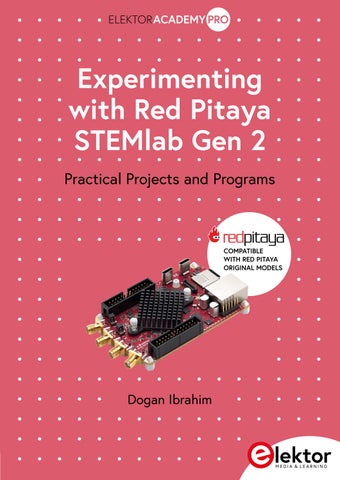
Experimenting with Red Pitaya STEMlab Gen 2 (Extract)

Page 1


Experimenting with Red Pitaya STEMlab Gen 2

Practical Projects and Programs

COMPATIBLE WITH RED PITAYA ORIGINAL MODELS

Dogan Ibrahim

Experimenting with Red Pitaya STEMlab Gen 2

Practical Projects and Programs

Red Pitaya: Open-Source Instrumentation for Research, Education and Industry

• Red Pitaya provides open-source, high-performance instrumentation platforms widely used in research, education, and industrial applications with more than 1,500 universities, 700 research institutes, and over 5,000 industrial labsworldwide employing its technology. Its platforms are trusted by institutions such as MIT, Stanford, CERN, and organizations including NASA and Apple, and have been used by more than 150,000 engineers, students, and researchers to accelerate experiments, prototype novel systems, and bridge laboratory precision with scalable applications.

• Red Pitaya has been recognized internationally for its impact on science and education. Most recently, in 2025, it received the Learning Technologies Award (Gold Winner), multiple distinctions at the Engineering Matters Awards— Gold Champion for Environment and Silver Champion for Innovation and Diversity & Inclusion — and was named a Design Team of the Year finalist at the Elektra Awards, receiving Highly Commended recognition for Educational Support.

• These recognitions reflect Red Pitaya’s commitment to democratizing access to advanced instrumentation and supporting the global research and education community.

● This is an Elektor Publication. Elektor is the media brand of Elektor International Media B.V.

PO Box 11, NL-6114-ZG Susteren, The Netherlands

Phone: +31 46 4389444

● All rights reserved. No part of this book may be reproduced in any material form, including photocopying, or storing in any medium by electronic means and whether or not transiently or incidentally to some other use of this publication, without the written permission of the copyright holder except in accordance with the provisions of the Copyright Designs and Patents Act 1988 or under the terms of a licence issued by the Copyright Licencing Agency Ltd., 90 Tottenham Court Road, London, England W1P 9HE. Applications for the copyright holder's permission to reproduce any part of the publication should be addressed to the publishers.

● Declaration

The authors and publisher have used their best efforts in ensuring the correctness of the information contained in this book. They do not assume, or hereby disclaim, any liability to any party for any loss or damage caused by errors or omissions in this book, whether such errors or omissions result from negligence, accident or any other cause.

● British Library Cataloguing in Publication Data

A catalogue record for this book is available from the British Library

● ISBN 978-3-89576-718-0 Print ISBN 978-3-89576-719-7 eBook

● © Copyright 2026 Elektor International Media www.elektor.com

Prepress Production: D-Vision, Julian van den Berg Printers: Ipskamp, Enschede, The Netherlands

Elektor is the world's leading source of essential technical information and electronics products for pro engineers, electronics designers, and the companies seeking to engage them. Each day, our international team develops and delivers high-quality content - via a variety of media channels (including magazines, video, digital media, and social media) in several languages - relating to electronics design and DIY electronics. www.elektormagazine.com

3.11.2

4.5.8

5.4.4

5.4.5

6.3.3

8.4.2

9.3.3

14.13.3 Project 3 - Two alternately

Project 4 – Chasing

14.13.5 Project 5 –

14.13.6

14.13.7 Project 7 - Using

Project

Preface

Test and measurement form the foundation of every scientific and engineering discipline. The ability to observe, quantify, and analyze signals is essential for both education and research. Traditionally, these tasks have been carried out with specialized laboratory instruments, each optimized for a narrow function. While indispensable, such instruments are often costly, inflexible, and beyond the reach of students, small laboratories, and individual innovators.

Red Pitaya is a credit card-sized, open-source test and measurement board that can be used to replace most measurement instruments used in electronics laboratories. With a single click the board can be transformed into a web-based oscilloscope, spectrum analyzer, signal generator, LCR meter, Bode plotter, and microcontroller. The Red Pitaya can replace the many pieces of expensive measurement instruments found at professional research organizations and teaching laboratories. Red Pitaya is a network attached device based on Linux. The device includes an FPGA, digital signal processing (DSP), dual core ARM Cortex processor, signal acquisition and generation circuitry, micro USB socket, microSD card slot, RJ45 socket for Ethernet connection, and USB socket.

By combining a powerful system-on-chip architecture with an open-source software environment, Red Pitaya offers a reconfigurable, compact, and cost-effective platform capable of emulating a wide range of measurement instruments. More importantly, it provides opportunities for experimentation and customization that conventional equipment cannot match.

Red Pitaya can be controlled using Matlab, LabView, Python, Scilib, and Visual Programming Language. Even the newcomers to the field of electronics and computing can start writing applications and programs using the visual programming language and they can create basic to intermediate level projects. Red Pitaya offers two analog inputs and two analog outputs, as well as digital I/O ports, making it suitable to interface to the external world of sensors, actuators, and displays.

This book is written for educators, researchers, and students seeking both a practical introduction and a detailed technical reference to Red Pitaya in the context of test and measurement. It provides an overview of the hardware and software architecture, explores measurement principles, and demonstrates how the platform can be adapted for various laboratory and research applications. Students can use the Red Pitaya to learn the practical applications of various electronic components, including resistors, capacitors, inductors, diodes, transistors, operational amplifiers, and so on.

The book utilizes the Red Pitaya Gen 2, which is the latest hardware version of Red Pitaya family. The Red Pitaya Gen 2 builds on the foundation of earlier Red Pitaya models while introducing significant enhancements in both hardware and performance. Compared to the first generation, Gen 2 offers a more powerful Xilinx Zynq Ultrascale+ MPSoC platform,

increased memory, and improved data throughput, enabling faster signal processing and greater computational flexibility. The improved FPGA in Gen 2 transforms Red Pitaya from a primarily educational/prototyping platform into a professional-grade system capable of industrial control, advanced RF analysis, and real-time high-speed signal processing.

The upgraded analog front end of Red Pitaya Gen 2 provides higher sampling rates and improved ADC/DAC resolution, resulting in greater bandwidth and dynamic range for precision measurement and control. These improvements allow Gen 2 to move beyond the educational and prototyping space, positioning it as a high-performance platform suitable for advanced research, signal processing, and industrial deployment. Gen 2 provides higher bandwidth and dynamic range, making it suitable for more demanding measurement and control applications. While the earlier models established Red Pitaya as a versatile, affordable alternative to traditional lab instruments, Gen 2 elevates the platform to a professionalgrade tool capable of addressing advanced research, industrial, and educational needs. Red Pitaya Gen 2 adopts USB-C connectivity, which marks a clear step forward compared to the micro-USB or standard USB ports on earlier models.

Large section of the book is devoted to the very important topic of using and programming the Red Pitaya FPGA. Example projects are given on using the FPGA with the help of the latest programming tools such as the Vivado and Verilog.

I hope that you will find the book useful and enjoyable and that it will help you while carrying out electronic experiments.

Chapter 1 – What is Red Pitaya?

1.1 Overview

In this module you will learn what Red Pitaya is, its basic features, and where it can be used. The information given in this chapter will be useful before you learn to apply your electronics theoretical knowledge to practice.

This chapter covers the following topics:

• What Red Pitaya is and where it can be used

• What is in the box?

• Variants of the Red Pitaya

• Red Pitaya Gen 2 specifications

• Red Pitaya Gen 2 board layout

1.2

The Red Pitaya

There are many Test and Measurement (T&M) instruments in electrical and electronic engineering. These T&M instruments play very important roles in designing and testing of electrical and electronic devices, and they are heavily used in engineering laboratories. Figure 1.1 shows some of the frequently used T&M instruments found nearly in all electronic engineering laboratories and research centres. They are: digital multimeters (DMM), oscilloscopes, signal generators, spectrum analysers, logic analysers, frequency analysers, frequency counters, LCR meters, bode plotters, and so on.

Digital multimeters are used to measure DC/AC voltage, current, resistance, and continuity in electrical and electronic circuits. The cost of a typical good quality DMM is around $150. More expensive DMMs can also be used for precision measurements, and perhaps to measure semiconductors devices such as diodes and transistors. Some DMMS can even measure the ambient temperature and frequency of an external signal.

Figure 1.1 Some commonly used T&M instruments

An oscilloscope is used to display the waveform of a signal in real-time as well as measure its various parameters, such as the frequency, phase, amplitude, etc. Most engineers nowadays use digital oscilloscopes where the waveforms are displayed, analysed, and saved on a PC. The cost of a good quality middle range oscilloscope can be around $200, while top range professional oscilloscopes can cost hundreds more dollars.

Signal generators are used to generate various signals with different waveforms, amplitudes, and frequencies. For example, sine waves, square waves, sawtooth waves, triangular waves etc. PC based signals generators are also available where the device is configured entirely on a PC screen. The cost of a basic signal generator depends on its frequency range and its precision and can be around $100.

Spectrum analysers are important T&M instruments found in most electronic laboratories and research centres. Signals in real-time can be complex and can be made up of many frequencies, such as harmonics. A spectrum generator is used to display the frequency components and amplitudes of all frequencies contributing to a given signal. The cost of a basic spectrum analyser is in the range $200 to $500.

Logic analysers are commonly used in modern digital electronics and computer laboratories. These instruments for example can be used to capture, display, and analyse digital signals in real-time for testing and debugging purposes.

A frequency counter is basically a digital instrument that is used to measure and display the frequency (and period) of a signal applied to its inputs. The cost of a basic frequency counter is around $100.

LCR meters are portable instruments used to measure and display the inductance (of a coil), capacitance (of a capacitor), and resistance (of a resistor). The cost of an LCR meter depends on its range and accuracy and it can cost around $250.

Bode plotters are used to plot the frequency response and phase of an electronic circuit transfer function. The vertical axis is usually in decibels and the horizontal axis is logarithmic in frequency. Although a Bode plotter can be purchased separately as an instrument, some oscilloscopes or other T&M instruments incorporate bode plotters as well.

As can be seen in Figure 1.1, in general all T&M instruments have common properties: they have hard or soft buttons, switches, knobs, displays etc and they are usually independent standalone instruments.

Red Pitaya is a low-cost board slightly bigger than a credit card and it combines all of the T&M instruments described above. As shown in Figure 1.2, the Red Pitaya board has no buttons, switches, knobs or displays. In order to use Red Pitaya as a T&M instrument, you need to connect it to a PC or network and access it via your browser. The user can then choose the type of instrument required from the web browser as a virtual instrument and configure it as desired by controlling the virtual buttons, knobs, and switches displayed on

Chapter 1 – What is Red Pitaya?

the screen. Connections to the external world is done using oscilloscope leads connected to the Red Pitaya ports.

The Red Pitaya is thus a multi-instrument T&M board built on a small PCB, and is interfaced to external world via oscilloscope leads and GPIO ports available at its connectors. The GPIO ports at the connectors can be interfaced to external hardware (e.g. to LEDS, buttons, motors, sensors, displays) and they can be programmed using a suitable programming language (e.g. Python) so that the external hardware can be monitored or controlled. Thus, instead of spending tens of thousands of dollars to purchase the basic T&M instruments, one can purchase a Red Pitaya to configure and use it as one of the T&M instruments shown in Figure 1.2.

Red Pitaya additionally incorporates an FPGA that can be programmed to represent any type of digital or analog circuit. The use and programming of the FPGA is discussed at a later chapter of the book.

In this book we will concentrate on the Red Pitaya Gen 2 which is the latest version at the time of writing this book.

1.3 What's in the box?

The Red Pitaya distribution box includes the following parts (see Figure 1.3):

• 1 x Red Pitaya board

• 2 x 60 MHz oscilloscope probes

• 2 x Adapters, SMA-M to BNC-F

• 1 x micro USB power supply adapter

• 1 x 32 GB microSD card with adapter

• 1 x Ethernet cable

Figure 1.2 Red Pitaya board replaces many T&M instruments

Figure 1.3 Contents of the distribution box

One can purchase additional boards depending on the type of instrument required:

• Impedance analyser extension board: Used to make LCR measurements.

• Sensor extension module: Plugs on top of the Red Pitaya board and enables users to interact with over 30 sensors, indicators, and actuators.

• Logic analyser: Used to turn the Red Pitaya into a logic analyser.

• Click shield extension module: Enables to extend the Red Pitaya hardware by including two Mikroe Click boards (www.mikroe.com)

• Extension module template: This board enables easy access to the Red Pitaya ports.

• SDR module: This is the Software Defined Receiver module which provides SDR transceiver functions.

• Red Pitaya casing: Plastic and aluminium casings are available for the Red Pitaya to protect the on-board electronics.

1.4 Red Pitaya Gen 2

There are three variants of the Red Pitaya Gen 2:

• STEMlab 125-14 GEN 2

• STEMlab 125-14 PRO GEN 2

• STEMlab 125-14 PRO Z7020 GEN 2

The differences between these variants are described in detail at the following web site:

https://redpitaya.com/stemlab-125-14-gen2/

You can also purchase Red Pitaya kits from the Red Pitaya shop with various components. Some kits are:

• STEMlab 125-14 Starter Kit

• SDRlab 122-16 Standard Kit

• STEMlab 125-14 Low Noise Starter Kit

• STEMlab 125-14 Diagnostic Kit

• STEMlab 125-14 Edu Pack

• STEMlab 125-14 Ultimate Kit

• STEMlab 125-14 External Clock Starter Kit

• STEMlab 125-14 Calibrated Kit

In this book we will be using the basic STEMlab 125-14 GEN 2. This board represents a major leap in performance, precision, and OEM integration flexibility. Designed for modern engineers, researchers, and developers, it offers a compact, open-source platform with upgraded hardware throughout. This generation features an enhanced analog design for better signal integrity, and lower jitter.

The key features of this board are:

• High-performance RF signal acquisition & generation

• Enhanced analog design for reduced noise and jitter

• Xilinx Zynq SoC (CPU + FPGA) with improved RAM for real-time processing

• Up to 4 analog inputs and outputs (depending on model)

• Remote access via web-based apps over Ethernet

• USB-C power input and optional external clocking

• Open-source software stack with Linux shell access

• Works with Linux or Windows PC

• Free online apps (oscilloscope & signal generator, spectrum, Bode analyzer, logic analyzer, LCR meter*, streaming, network manager, and calibration tool)

• Can be controlled remotely using LabVIEW, MATLAB, Python, or Scilab

• Can be programmed to meet custom needs

• An app marketplace with several free apps available

• Ready for prototyping, development, testing, or OEM integration

The base technical specifications are:

• Processor: Dual-core ARM Cortex-A9

• FPGA: Xilinx Zynq 7010 SoC

• RAM: 512 MB

• System memory: Micro SD card up to 32 GB

• Console connection: USB-C

• Power connector: USB-C

• Power consumption: 5 V, 3 A max

• Ethernet: 1 Gbit

• Wi-Fi: External dongle required

• RF input channels: 2

• Sample rate: 125 MS/s

• ADC resolution: 14 bits

• Full scale voltage: ±1V, ±20V

• Input coupling: DC

• Bandwidth: DC to 60 MHz

• Input impedance: 1 MOhm

• RF Output Channels: 2

• DAC resolution: 14 bits

• Full scale voltage: ±1V, ±2V

• Load impedance: 50 Ohm or High-Z

• Short circuit protection

• Rise/fall time: 10V / 17 ns

• Connector type: SMA

Extension connector:

• Digital GPIOs: 16

• Digital voltage level: 3.3V

• Analog inputs: 4 channels, 0-3.5V

• Analog input sample: 100KS/s

• Analog input: 12 bits

• Analog outputs: 4-channels, 0-1.8V

• Analog output: 8 bits

• Analog out sample: ≤3.2 Msa/s

• Analog out: 180 kHz bandwidth

• Interfaces: I2C, SPI, UART, CAN

• Available voltages: ±5V, +3.3V

• Trigger input: E1 connector

• Trigger output: E1 connector

• SD card boot: Yes

1.5 Comparison of the original Red Pitaya (Gen 1) and the new Gen 2 models

Table 1.1 shows a comparison of the original Red Pitaya (Gen 1) and the new Gen 2 models. Readers should find this table useful before they make a choice of which model to purchase.

Feature Original (Gen 1)

Processor Dual-core ARM Cortex-A9

FPGA Xilinx Zynq 7010

Gen 2

Dual-core Arm Cortex-A9

Xilinx Zynq 7010

Memory (RAM) 512 MB 512 MB

Core clock frequency 125 MHz 125 MHz

System memory microSD (up to 32 GB) microSD (up to 32 GB)

Console connection microUSB

Power connector microUSB

USB-C

USB-C

Power supply 5 V 2A 5 V 3 A

Ethernet 1 Gbit 1 Gbit

RF/Analog input 2 channels,125 MS/s,14-bit ADC; ±1V (LV) / ±20 V (HV) 2 channels,125 MS/s,14-bit ADC; ±1V (LV) / ±20 V (HV)

RF/Analog output 2 channels,125 MS/s,14-bit DAC 2 channels,125 MS/s,14-bit DAC

Analog bandwidth DC – 60 MHz (for input) DC – 60 MHz (for input)

Extension / GPIO 16 GPIO, 3.3V 16 GPIO 3.3V

High speed differential pairs E3 connector Only on Pro / Z7020 Gen 2 variants

Boot/Power management

Signal quality (analog end)

Standard microSD boot microSD boot or the QSPI/eMMC boot

SFDR – 40 dB crosstalk

Improved SFDR – 50 dB crosstalk

Noise Good Lower noise

Environmental Standard More rugged / industrial use

Table 1.1 Comparison of the original and Gen 2 models

1.6 Which model to choose?

Table 1.2 below recommends which model to chose based on the type of user.

User

Student / hobbyist

Recommended

model

Gen 1

Teaching labs Gen 1

Tight budget Gen 1

Home use

Gen 1

Industrial use Gen 2

Embedded use Gen 2

FPGA based projects Gen 2 Pro (Z7020)

Long term projects Gen 2

Table 1.2 Which model to choose?

Table 1.3 shows thew recommended model to choose based on the type of application.

Application

Teaching labs

Hobbyist

Precision measurement

Gen 1

Gen 2

Good choice, reliable Excellent choice

Ideal, cost-effective

Moderate precision

Scientific research Suitable

RF and wireless comms

DSP

Long term projects

Adequate

Can be used

Not very future proof

OEM deployment Can be used

1.7 Red Pitaya Gen 2 board layout

Still suitable. Higher cost

Better precision

Better and more stable measurements

Better SFDR, clearer signal, less crosstalk

Better suited, good for DSP work

Much more future proof

Excellent, industrial grade

It is important to know the board layout of any development system before designing a project. Figure 1.4a and Figure 1.4b show the Red Pitaya Gen 2 board layout. On the left hand side are two fast analog inputs (RF inputs) where external analog signals that are to be measured or displayed can be connected to. The analog output ports (RF outputs) can be seen at the bottom left hand side of the board. These outputs for example can be configured to generate signals.

The middle part of the board consists of an ARM Cortex A9 processor and an FPGA. The FPGA contains 28,000 logic cells and can perform fast digital signal processing tasks.

Next to the FPGA is 512MB of RAM memory.

Chapter 1 – What is Red Pitaya?

On the top and bottom of the board you can see the extension connectors E1 and E2, used to expand the external interface and functionalities of the board. These connectors support various communication protocols such as I2C, RS232, GPIO, CAN, external clock etc.

On the right hand side of the board, you can see the E3 connector (available only on PRO versions, QSPI and eMMC booting option), power connector, microSD card slot, console micro USB port, JTAG connector, and a connector for gigabit Ethernet interface.

The board operates with +5V and can draw up to 2A current. It is therefore important that the external power supply provided with the kit is used (do not supply power from your PC).

The Linux operating system is by default pre-loaded on the microSD card.

Figure 1.4a Red Pitaya Gen 2 board layout
Figure 1.4b Red Pitaya Gen 2 board closeup photo

Figure 1.5 shows the pin configurations of the E1 and E2 extension connectors.

1.8 Typical applications

Red Pitaya's FPGA side ships with reference modules—oscilloscopes, spectrum analysers, filters, PID controllers, and arbitrary waveform generators. You can customize or replace any of these to build:

• Digital Oscilloscope - with realtime waveform analysis and capture

• Signal & Function Generators - up to 125 MHz (or 250 MHz)

• Communications

• Remote scope meters

• Automated testing

• Automated signal logging

• Hardware simulation of digital systems

• Ham radio

• Electronic research

• Portable measurement and test tools

• Protocol analyzer

Figure 1.5 E1 and E2 extension connectors

Chapter 1 – What is Red Pitaya?

• Spectrum Analyzer - via onFPGA FFT cores

• Custom DSP Accelerators - e.g., FIR/IIR filters with variable coefficients

• Control Systems - PID loops running entirely in hardware

• Electronic hobbyists – carrying out practical electronic projects

• Education Kits - handson FPGA teaching tools

• Embedded Instruments - integrated measurement devices for labs and field use

1.9 QSPI eMMC board

The QSPI eMMC board (Figure 1.6) provides secure and robust Red Pitaya boot and shutdown options.

This board features:

• Single button power on/off of Red Pitaya board.

• QSPI and eMMC boot options.

• On-board STM microcontroller that provides.

- Red Pitaya power up.

- Safe Red Pitaya shutdown.

- Watchdog timer functionality.

- Boot media selection (SD card/eMMC).

• Arduino (C++) firmware with open source code.

• Connector for 8 high-speed differential pairs directly connected to the Zynq 7020 FPGA (16 GPIOs).

Figure 1.6 The QSPI eMMC board

The QSPI eMMC module is powered by the Red Pitaya board, so no additional power supply is needed.

The Red Pitaya hardware requirements to use this board are:

• STEMlab 125-14 Pro Gen 2.

• STEMlab 125-14 Pro Z7020 Gen 2.

Buttons and switches on the board

As shown in Figure 1.7, there are two buttons (1 and 2) and a switch (3) on the board with the following functions:

1. P-ON - Power button. Press and hold to power on or off the Red Pitaya board. The functionality of the button is defined in the microcontroller firmware.

2. RST - Reset button. Press to reset the microcontroller and the eMMC.

3. eMMC switch - Drives the SDIO_SEL pin low in ON position and forces the Red Pitaya board to boot from the eMMC.

Connectors on the board

Figure 1.8a and Figure 1.8b show the connectors on the board.

Figure 1.7 Buttons and switches on the board

Connector 1 (CN1): 40-pin 2 row 0.5 mm pitch connector.

Figure 1.8a Connectors on the front
Figure 1.8b Connectors at the rear

Connects QSPI eMMC module to Red Pitaya board. It has the following pins:

• QSPI pins.

• eMMC pins.

• I2C.

• 8 LVDS differential pair lines (16 GPIOs) (only for STEMlab 125-14 Pro Z7020 Gen 2).

• Power and control signals.

Connector 2 (CN2):

4-pin 1 row 1.5 mm pitch connector

CN2 connector provides a possibility for external control of status LEDs and power pin (PWR_ON_CN). The microcontroller code accepts signals from either PWR_ON_CN pin or the P_ON button, which are effectively AND-ed together in the code.

Connector 4 (CN4): micro USB connector

Connector CN4 is used to program the STM microcontroller on the QSPI eMMC module. It provides a USB connection to the STM microcontroller.

Connector 5 (CN5): 20-pin 2 row 0.5 mm pitch connector.

The CN5 connector is directly connected to the 8 high-speed differential pairs on the Zynq FPGA. It can be used to connect to external devices.

The shield pin is connected to the ground plane on the QSPI eMMC module.

Connector 7 (CN7): 5-pin 1 row 2.00 mm pitch connector

Serial Wire Debug connector for programming the STM microcontroller.

Components:

The QSPI eMMC module is equipped with the following components:

• STM32L412K8T6

• eMMC - 16 GB eMMC memory.

• QSPI

1.10 Acrylic and aluminium cases

An acrylic case is available to protect your Red Pitaya. An aluminium case is also available and is preferable since it helps with cooling the device. Both types of cases are shown in Figure 1.9

1.11 Summary

In this chapter you have learned what Red Pitaya Gen 2 is, its basic features, its board layout, and its typical applications.

Figure 1.9 Acrylic and aluminium cases

Experimenting with Red Pitaya STEMlab Gen 2

Practical Projects and Programs

With Experimenting with Red Pitaya STEMlab Gen 2, Red Pitaya goes beyond a versatile board. It becomes a powerful laboratory instrument for precision measurement, analysis, and control.

From the fundamentals of electronic project development, monitoring, control, and design to testing, this book walks you step-by-step through everything you need to know to harness the full potential of Red Pitaya hardware and software.

The book presents real-time, FPGA-based projects that are developed on a PC using the Vivado environment, then transferred to the Red Pitaya for execution and testing.

You will learn about enhanced performance, expanded I/O capabilities, improved FPGA features, and advanced connectivity options that open up new frontiers for precision measurement, monitoring, and control in your embedded applications.

Inside the book you will discover:

> A deep dive into Red Pitaya architecture and hardware design

> Electronic experiments using Red Pitaya for measurement and monitoring

> Hands-on projects using the Python programming language

> Practical guidance for FPGA programming using Red Pitaya

> Red Pitaya FPGA projects using the Verilog HDL under Vivado IDE

> Practical design of electronic projects including measurement and testing

> Step-by-step examples that bridge theory and real-world implementation

Whether you are designing your own electronic circuits, developing signal analysis tools, or creating real-time control or monitoring systems, this book provides you the knowledge and confidence you need to fully learn and customize the Red Pitaya platform.

Prof. Dogan Ibrahim holds a BSc degree in Electronic Engineering, an MSc degree in Automatic Control Engineering, and a PhD in Digital Signal Processing. He worked in numerous industrial organizations before returning to academic life. Prof. Ibrahim is the author of over 60 technical books and over 200 technical articles on microcontrollers, microprocessors, and related fields. He is a Chartered Electrical Engineer and a Fellow of the Institution of Engineering and Technology.

Turn static files into dynamic content formats.

Create a flipbook
Experimenting with Red Pitaya STEMlab Gen 2 (Extract) by Elektor - Issuu