A Walkthrough of the Learning Aids
The pedagogical elements in this book work together to focus on and reinforce key concepts and fundamental principles of programming, with additional tips and detail organized to support and deepen these fundamentals. In addition to traditional features, such as chapter objectives and a wealth of exercises, each chapter contains elements geared to today’s visual learner.
Throughout each chapter, margin notes show where new concepts are introduced and provide an outline of key ideas.
4.3 The for Loop
Annotated syntax boxes provide a quick, visual overview of new language constructs.
It often happens that you want to execute a sequence of statements a given number of times. You can use a while loop that is controlled by a counter, as in the following example: counter = 1; // Initialize the counter while (counter <= 10) // Check the counter { cout << counter << endl; counter++; // Update the counter } Because this loop type is so common, there is a special form for it, called the for loop (see Syntax 4.2). for (counter = 1; counter <= 10; counter++) { cout << counter << endl; } Some people call this loop count-controlled In contrast, the while loop of the preceding section can be called an event-controlled loop because it executes until an event occurs (for example, when the balance reaches the target). Another commonly-used term for a count-controlled loop is de nite You know from the outset that the loop body will be executed a de nite number of times––ten times in our example. In contrast, you do not know how many iterations it takes to accumulate a target balance. Such a loop is called inde nite
Syntax 4.2 for Statement
Annotations explain required components and point to more information on common errors or best practices associated with the syntax.
and contents.
for loop neatly groups the initialization, condition, and update expressions together However, it is important to realize that these expressions are not executed together (see Figure 3).
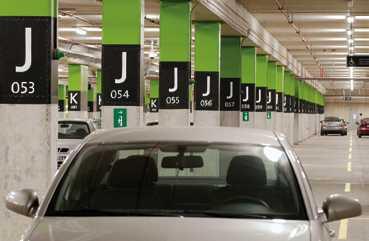
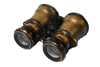
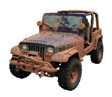
Analogies to everyday objects are used to explain the nature and behavior of concepts such as variables, data types, loops, and more.
Memorable photos reinforce analogies and help students remember the concepts.
Problem Solving sections teach techniques for generating ideas and evaluating proposed solutions, often using pencil and paper or other artifacts. These sections emphasize that most of the planning and problem solving that makes students successful happens away from the computer
HOW TO 1.1
Describing an Algorithm with Pseudocode
6.5
Problem Solving: Discovering Algorithms by Manipulating Physical Objects 277
Now how does that help us with our problem, switching the first and the second half of the array?
Let’s put the first coin into place, by swapping it with the fifth coin. However, as C++ programmers, we will say that we swap the coins in positions 0 and 4:
This is the rst of many “How To” sections in this book that give you step-by-step procedures for carrying out important tasks in developing computer programs.
Before you are ready to write a program in C++, you need to develop an algorithm—a method for arriving at a solution for a particular problem. Describe the algorithm in pseudocode––a sequence of precise steps formulated in English. To illustrate, we’ll devise an algorithm for this problem:
Problem Statement You have the choice of buying one of two cars. One is more fuel ef cient than the other, but also more expensive. You know the price and fuel ef ciency (in miles per gallon, mpg) of both cars. You plan to keep the car for ten years. Assume a price of $4 per gallon of gas and usage of 15,000 miles per year You will pay cash for the car and not worry about nancing costs. Which car is the better deal?
Step 1 Determine the inputs and outputs.
In our sample problem, we have these inputs:
• purchase price1 and fuel efficiency1, the price and fuel ef ciency (in mpg) of the rst car
• purchase price2 and fuel efficiency2, the price and fuel ef ciency of the second car
WORKED EXAMPLE 1.1
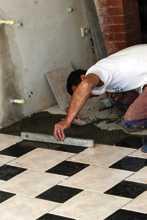
Writing an Algorithm for Tiling a Floor
Problem Statement Your task is to tile a rectangular bathroom oor with alternating black and white tiles measuring 4 × 4 inches. The oor dimensions, are multiples of 4.
Step 1 Determine the inputs and outputs. The inputs are the oor dimensions (length × width), measured in inches. The output is a tiled oor
Step 2 Break down the problem into smaller tasks.
Table 3 Variable Names in C++
A natural subtask is to lay one row of tiles. If you can solve that task, then you can solve the problem by laying one row next to the other, starting from a wall, until you reach the opposite wall. How do you lay a row? Start with a tile at one wall. If it is white, put a black one next to it. If it is black, put a white one next to it. Keep going until you reach the opposite wall. The row will contain width / 4 tiles.
Variable Name Comment
Step 3 Describe each subtask in pseudocode. © rban/iStockphoto
can_volume1 Variable names consist of letters, numbers, and the underscore character.
x In mathematics, you use short variable names such as x or y This is legal in C++, but not very common, because it can make programs harder to understand (see Programming Tip 2.1).
Can_volume Caution: Variable names are case sensitive. This variable name is different from can_volume
6pack Error: Variable names cannot start with a number
can volume Error: Variable names cannot contain spaces.
double Error: You cannot use a reserved word as a variable name.
ltr/fl.oz Error: You cannot use symbols such as or /
How To guides give step-by-step guidance for common programming tasks, emphasizing planning and testing. They answer the beginner’s question, “Now what do I do?” and integrate key concepts into a problem-solving sequence.
Worked Examples apply the steps in the How To to a di erent example, showing how they can be used to plan, implement, and test a solution to another programming problem.
Example tables support beginners with multiple, concrete examples. These tables point out common errors and present another quick reference to the section’s topic.
Next, we swap the coins in positions 1 and 5:
© dlewis33/Getty Images
Consider the function call illustrated in Figure 3: double result1 = cube_volume(2);
• The parameter variable side_length of the cube_volume function is created. ❶
• The parameter variable is initialized with the value of the argument that was passed in the call. In our case, side_length is set to 2. ❷
• The function computes the expression side_length * side_length * side_length, which has the value 8. That value is stored in the variable volume ❸
• The function returns. All of its variables are removed. The return value is transferred to the caller, that is, the function calling the cube_volume function. ❹
1 Function call result1
double result1 = cube_volume(2);
side_length
2 Initializing function parameter variable result1
side_length 2
3 About to return to the caller result1
double
side_length volume = 8 2
4 After function call result1 = 8
Progressive gures trace code segments to help students visualize the program ow. Color is used consistently to make variables and other elements easily recognizable.
Optional engineering exercises engage students with applications from technical elds.
Engineering P7.12 Write a program that simulates the control software for a “people mover” system, a set driverless trains that move in two concentric circular tracks. A set of switches allows trains to switch tracks.
In your program, the outer and inner tracks should each be divided into ten segments. Each track segment can contain a train that moves either clockwise or counterclockwise. A train moves to an adjacent segment in its track or, if that segment is occupied, to the adjacent segment in the other track.
Define a Segment structure. Each segment has a pointer to the next and previous segments in its track, a pointer to the
and previous
Program listings are carefully designed for easy reading, going well beyond simple color coding. Functions are set o by a subtle outline.
Additional example programs are provided with the companion code for students to read, run, and modify.
Common Errors describe the kinds of errors that students often make, with an explanation of why the errors occur, and what to do about them.
Programming Tip 3.6
Hand-Tracing
Common Error 2.1
Programming Tips explain good programming practices, and encourage students to be more productive with tips and techniques such as hand-tracing.
your program, the statements are compiled in order. When the compiler reaches the rst statement, it does not know that liter_per_ounce will be de ned in the next line, and it reports an error.
A very useful technique for understanding whether a program works correctly is called hand-tracing You simulate the program’s activity on a sheet of paper You can use this method with pseudocode or C++ code. Get an index card, a cocktail napkin, or whatever sheet of paper is within reach. Make a column for each variable. Have the program code ready Use a marker, such as a paper clip, to mark the current statement. In your mind, execute statements one at a time. Every time the value of a variable changes, cross out the
value and write the new value below the old one. For example, let’s trace the tax program with the data from the program run in Section 3.4. In lines 13 and 14, tax1 and tax2 are initialized to 0.
Special Topic 6.5
The Range-Based for Loop
C++ 11 introduces a convenient syntax for visiting all elements in a “range” or sequence of elements. This loop displays all elements in a vector: vector<int> values = {1, 4, 9, 16, 25, 36}; for (int v : values)
{ cout << v << " "; }
Special Topics present optional topics and provide additional explanation of others.
Computing & Society 7.1 Embedded Systems
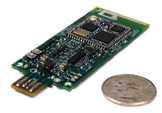
An embedded system is a computer system that controls a device. The device contains a processor and other hardware and is controlled by a computer program. Unlike a personal computer which has been designed to be exible and run many di erent computer programs, the hardware and software of an embedded system are tailored to a speci c device. Computer controlled devices are becoming increasingly common, ranging from washing machines to medical equipment, cell phones, automobile engines, and spacecraft. Several challenges are speci c to programming embedded systems. Most importantly, a much higher standard of quality control applies. Vendors are often unconcerned about bugs in personal computer software, because they can always make you install a patch or upgrade to the next version. But in an embedded system, that is not an option. Few consumers
would feel comfortable upgrading the software in their washing machines or automobile engines. If you ever handed in a programming assignment that you believed to be correct, only to have the instructor or grader nd bugs in it, then you know how hard it is to write software that can reliably do its task for many years without a chance of changing it. Quality standards are especially important in devices whose failure would destroy property or endanger human life. Many personal computer purchasers buy computers that are fast and have a lot of storage, because the investment is paid back over time when many programs are run on the same equipment. But the hardware for an embedded device is not shared––it is dedicated to one device. A separate processor, memory, and so on, are built for every copy of the device. If it is possible to shave a few pennies o the manufacturing cost of every unit, the savings can add up quickly for devices that are pro-
duced in large volumes. Thus, the programmer of an embedded system has a much larger economic incentive to conserve resources than the desktop software programmer Unfortunately, trying to conserve resources usually makes it harder to write programs that work correctly. C and C++ are commonly used languages for developing embedded systems.
E XAMPLE C ODE
In each iteration of the loop, v is set to an element of the vector. Note that you do not use an index variable. The value of v is the element, not the index of the element. If you want to modify elements, declare the loop variable as a reference: for (int& v : values)
{ v++; }
This loop increments all elements of the vector You can use the reserved word auto, which was introduced in Special Topic 2.3, for the type of the element variable: for (auto v : values) { cout << v << " "; }
The range-based for loop also works for arrays: int primes[] = { 2, 3, 5, 7, 11, 13 }; for (int p : primes)
{ cout << p << " "; }
The range-based for loop is a convenient shortcut for visiting or updating all elements of a vector or an array. This book doesn’t use it because one can achieve the same result by looping over index values. But if you like the more concise form, and use C++ 11 or later, you should certainly consider using it.
See special_topic_5 of your companion code for a program that demonstrates the range-based for loop.
Computing & Society presents social and historical topics on computing—for interest and to ful ll the “historical and social context” requirements of the ACM/IEEE curriculum guidelines.
© Courtesy of Professor Prabal Dutta. The Controller of an Embedded System
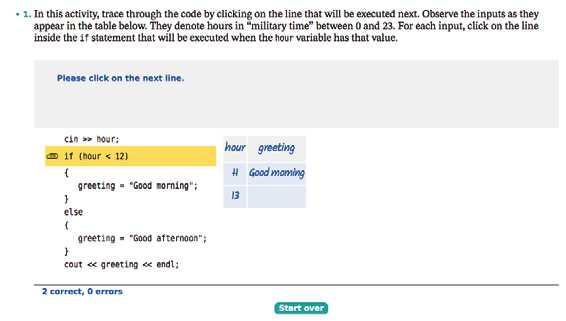
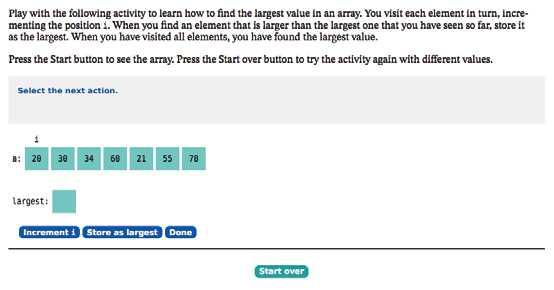
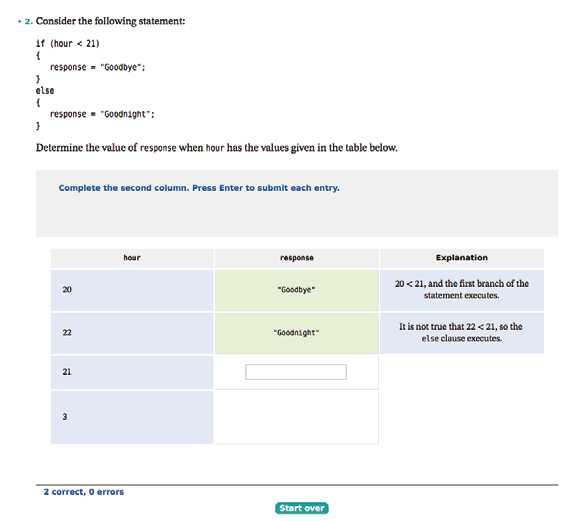
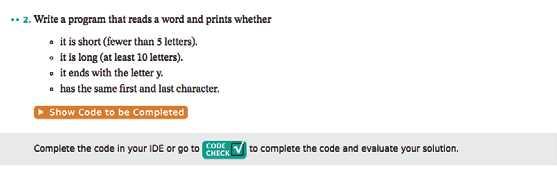
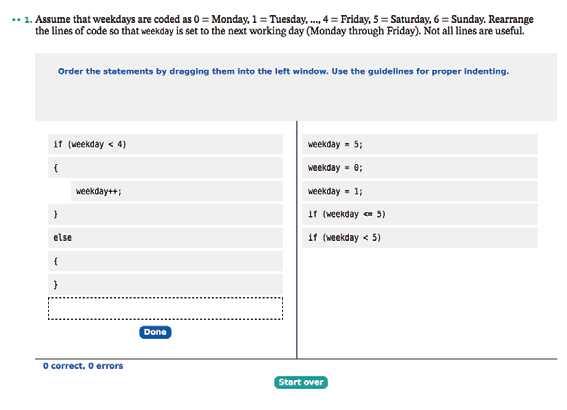
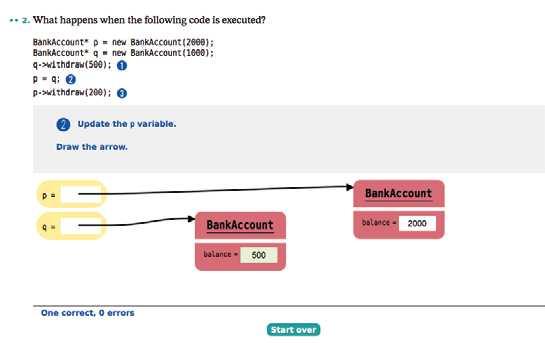
Interactive activities in the E-Text engage students in active reading as they…
Explore common algorithms
Trace through a code segment
Build an example table
Complete a program and get immediate feedback
Arrange code to ful ll a task
Create a memory diagram
Acknowledgments
Many thanks to Don Fowley, Graig Donini, Dan Sayre, Ryann Dannelly, David Dietz, Laura Abrams, and Billy Ray at John Wiley & Sons for their help with this project. An especially deep acknowledgment and thanks goes to Cindy Johnson for her hard work, sound judgment, and amazing attention to detail.
I am grateful to Mark Atkins, Ivy Technical College, Katie Livsie, Gaston College, Larry Morell, Arkansas Tech University, and Rama Olson, Gaston College, for their contributions to the supplemental material. Special thanks to Stephen Gilbert, Orange Coast Community College, for his help with the interactive exercises.
Every new edition builds on the suggestions and experiences of new and prior reviewers, contributors, and users. We are very grateful to the individuals who provided feedback, reviewed the manuscript, made valuable suggestions and contributions, and brought errors and omissions to my attention. They include:
Charles D. Allison, Utah Valley State College
Fred Annexstein, University of Cincinnati
Mark Atkins, Ivy Technical College
Stefano Basagni, Northeastern University
Noah D. Barnette, Virginia Tech
Susan Bickford, Tallahassee Community College
Ronald D. Bowman, University of Alabama, Huntsville
Robert Burton, Brigham Young University
Peter Breznay, University of Wisconsin, Green Bay
Richard Cacace, Pensacola Junior College, Pensacola
Kuang-Nan Chang, Eastern Kentucky University
Joseph DeLibero, Arizona State University
Subramaniam Dharmarajan, Arizona State University
Mary Dorf, University of Michigan
Marty Dulberg, North Carolina State University
William E. Duncan, Louisiana State University
John Estell, Ohio Northern University
Waleed Farag, Indiana University of Pennsylvania
Evan Gallagher, Polytechnic Institute of New York University
Stephen Gilbert, Orange Coast Community College
Kenneth Gitlitz, New Hampshire Technical Institute
Daniel Grigoletti, DeVry Institute of Technology, Tinley Park
Barbara Guillott, Louisiana State University
Charles Halsey, Richland College
Jon Hanrath, Illinois Institute of Technology
Neil Harrison, Utah Valley University
Jurgen Hecht, University of Ontario
Steve Hodges, Cabrillo College
Acknowledgments
Jackie Jarboe, Boise State University
Debbie Kaneko, Old Dominion University
Mir Behrad Khamesee, University of Waterloo
Sung-Sik Kwon, North Carolina Central University
Lorrie Lehman, University of North Carolina, Charlotte
Cynthia Lester, Tuskegee University
Yanjun Li, Fordham University
W. James MacLean, University of Toronto
LindaLee Massoud, Mott Community College
Adelaida Medlock, Drexel University
Charles W. Mellard, DeVry Institute of Technology, Irving
Larry Morell, Arkansas Tech University
Ethan V. Munson, University of Wisconsin, Milwaukee
Arun Ravindran, University of North Carolina at Charlotte
Philip Regalbuto, Trident Technical College
Don Retzlaff, University of North Texas
Jeff Ringenberg, University of Michigan, Ann Arbor
John P. Russo, Wentworth Institute of Technology
Kurt Schmidt, Drexel University
Brent Seales, University of Kentucky
William Shay, University of Wisconsin, Green Bay
Michele A. Starkey, Mount Saint Mary College
William Stockwell, University of Central Oklahoma
Jonathan Tolstedt, North Dakota State University
Boyd Trolinger, Butte College
Muharrem Uyar, City College of New York
Mahendra Velauthapillai, Georgetown University
Kerstin Voigt, California State University, San Bernardino
David P. Voorhees, Le Moyne College
Salih Yurttas, Texas A&M University
A special thank you to all of our class testers:
Pani Chakrapani and the students of the University of Redlands
Jim Mackowiak and the students of Long Beach City College, LAC
Suresh Muknahallipatna and the students of the University of Wyoming
Murlidharan Nair and the students of the Indiana University of South Bend
Harriette Roadman and the students of New River Community College
David Topham and the students of Ohlone College
Dennie Van Tassel and the students of Gavilan College
CONTENTS
PREFACE v
SPECIAL FEATURES xxiv
QUICK REFERENCE xxviii
INTRODUCTION 1
1.1 What Is Programming? 2
1.2 The Anatomy of a Computer 3
C&S Computers Are Everywhere 5
1.3 Machine Code and Programming
Languages 5
C&S Standards Organizations 7
1.4 Becoming Familiar with Your Programming Environment 7
PT 1 Backup Copies 10
1.5 Analyzing Your First Program 11
CE 1 Omitting Semicolons 13
ST 1 Escape Sequences 13
1.6 Errors 14
CE 2 Misspelling Words 15
1.7
PROBLEM SOLVING Algorithm Design 16
The Algorithm Concept 16
An Algorithm for Solving an Investment Problem 17
Pseudocode 18
From Algorithms to Programs 19
HT 1 Describing an Algorithm with Pseudocode 19
WE 1 Writing an Algorithm for Tiling a Floor 21
FUNDAMENTAL DATA TYPES
25
2.1 Variables 26
Variable Definitions 26
Number Types 28
Variable Names 29
The Assignment Statement 30
Constants 31
Comments 31
CE 2 Using Uninitialized Variables 33
PT 1 Choose Descriptive Variable Names 33
PT 2 Do Not Use Magic Numbers 34
ST 1 Numeric Types in C++ 34
ST 2 Numeric Ranges and Precisions 35
PT 3 Tabs 64 1 2 3
ST 3 Defining Variables with auto 35
2.2 Arithmetic 36
Arithmetic Operators 36
Increment and Decrement 36
Integer Division and Remainder 36
Converting Floating-Point Numbers to Integers 37
Powers and Roots 38
CE 3 Unintended Integer Division 39
CE 4 Unbalanced Parentheses 40
CE 5 Forgetting Header Files 40
CE 6 Roundoff Errors 41
PT 3 Spaces in Expressions 42
ST 4 Casts 42
ST 5 Combining Assignment and Arithmetic 42
C&S The Pentium Floating-Point Bug 43
2.3 Input and Output 44
Input 44
Formatted Output 45
2.4 PROBLEM SOLVING First Do It By Hand 47
WE 1 Computing Travel Time 48
HT 1 Carrying out Computations 48
WE 2 Computing the Cost of Stamps 51
2.5 Strings 51
The string Type 51
Concatenation 52
String Input 52
String Functions 52
C&S International Alphabets and Unicode 55
DECISIONS 59
3.1 The if Statement 60
CE 1 A Semicolon After the if Condition 63
PT 1 Brace Layout 63
PT 2 Always Use Braces 64
CE 1 Using Undefined Variables 33
PT 4 Avoid Duplication in Branches 65
ST 1 The Conditional Operator 65
3.2 Comparing Numbers and Strings 66
CE 2 Confusing = and == 68
CE 3 Exact Comparison of Floating-Point Numbers 68
PT 5 Compile with Zero Warnings 69
ST 2 Lexicographic Ordering of Strings 69
HT 1 Implementing an if Statement 70
WE 1 Extracting the Middle 72
C&S Dysfunctional Computerized Systems 72
3.3 Multiple Alternatives 73
ST 3 The switch Statement 75
3.4 Nested Branches 76
CE 4 The Dangling else Problem 79
PT 6 Hand-Tracing 79
3.5 PROBLEM SOLVING Flowcharts 81
3.6 PROBLEM SOLVING Test Cases 83
PT 7 Make a Schedule and Make Time for Unexpected Problems 84
3.7 Boolean Variables and Operators 85
CE 5 Combining Multiple Relational Operators 88
CE 6 Confusing && and || Conditions 88
ST 4 Short-Circuit Evaluation of Boolean Operators 89
ST 5 De Morgan’s Law 89
3.8 APPLICATION Input Validation 90
C&S Artificial Intelligence 92
4.4 The do Loop 111
PT 4 Flowcharts for Loops 111
4.5 Processing Input 112
Sentinel Values 112
Reading Until Input Fails 114
ST 1 Clearing the Failure State 115
ST 2 The Loop-and-a-Half Problem and the break Statement 116
ST 3 Redirection of Input and Output 116
4.6 PROBLEM SOLVING Storyboards 117
4.7 Common Loop Algorithms 119
Sum and Average Value 119
Counting Matches 120
Finding the First Match 120
Prompting Until a Match is Found 121
Maximum and Minimum 121
Comparing Adjacent Values 122
HT 1 Writing a Loop 123
WE 1 Credit Card Processing 126
4.8 Nested Loops 126
WE 2 Manipulating the Pixels in an Image 129
4.9 PROBLEM SOLVING Solve a Simpler Problem First 130
4.10 Random Numbers and Simulations 134
Generating Random Numbers 134
Simulating Die Tosses 135
The Monte Carlo Method 136
C&S Digital Piracy 138
4 5
LOOPS 95
4.1 The while Loop 96
CE 1 Infinite Loops 100
CE 2 Don’t Think “Are We There Yet?” 101
CE 3 Off-by-One Errors 101
C&S The First Bug 102
4.2 PROBLEM SOLVING Hand-Tracing 103
4.3 The for Loop 106
PT 1 Use for Loops for Their Intended Purpose Only 109
PT 2 Choose Loop Bounds That Match Your Task 110
PT 3 Count Iterations 110
FUNCTIONS 141
5.1 Functions as Black Boxes 142
5.2 Implementing Functions 143
PT 1 Function Comments 146
5.3 Parameter Passing 146
PT 2 Do Not Modify Parameter Variables 148
5.4 Return Values 148
CE 1 Missing Return Value 149
ST 1 Function Declarations 150
HT 1 Implementing a Function 151
WE 1 Generating Random Passwords 152
WE 2 Using a Debugger 152
5.5 Functions Without Return Values 153
5.6 PROBLEM SOLVING Reusable Functions 154
5.7 PROBLEM SOLVING Stepwise
Refinement 156
PT 3 Keep Functions Short 161
PT 4 Tracing Functions 161
PT 5 Stubs 162
WE 3 Calculating a Course Grade 163
5.8 Variable Scope and Global Variables 163
PT 6 Avoid Global Variables 165
5.9 Reference Parameters 165
PT 7 Prefer Return Values to Reference Parameters 169
ST 2 Constant References 170
5.10 Recursive Functions (Optional) 170
HT 2 Thinking Recursively 173
C&S The Explosive Growth of Personal Computers 174
ARRAYS AND VECTORS 179
6.1 Arrays 180
Defining Arrays 180
Accessing Array Elements 182
Partially Filled Arrays 183
CE 1 Bounds Errors 184
PT 1 Use Arrays for Sequences of Related Values 184
C&S Computer Viruses 185
6.2 Common Array Algorithms 185
Filling 186
Copying 186
Sum and Average Value 186
Maximum and Minimum 187
Element Separators 187
Counting Matches 187
Linear Search 188
Removing an Element 188
Inserting an Element 189
Swapping Elements 190
Reading Input 191
ST 1 Sorting with the C++ Library 192
ST 2 A Sorting Algorithm 192
ST 3 Binary Search 193
6.3 Arrays and Functions 194
6.4 PROBLEM SOLVING Adapting Algorithms 198
HT 1 Working with Arrays 200
WE 1 Rolling the Dice 203
6.5 PROBLEM SOLVING Discovering Algorithms by Manipulating Physical Objects 203
6.6 Two-Dimensional Arrays 206
Defining Two-Dimensional Arrays 207
Accessing Elements 207
Locating Neighboring Elements 208
Computing Row and Column Totals 208
Two-Dimensional Array Parameters 210
CE 2 Omitting the Column Size of a TwoDimensional Array Parameter 212
WE 2 A World Population Table 213
6.7 Vectors 213
Defining Vectors 214
Growing and Shrinking Vectors 215
Vectors and Functions 216
Vector Algorithms 216
7.1
ST 3 Constant Pointers 235 6 7
ST 4 Constant Array Parameters 198
Two-Dimensional Vectors 218
PT 2 Prefer Vectors over Arrays 219
ST 5 The Range-Based for Loop 219
POINTERS AND STRUCTURES 223
Defining and Using Pointers 224
Defining Pointers 224
Accessing Variables Through Pointers 225
Initializing Pointers 227
CE 1 Confusing Pointers with the Data to Which They Point 228
PT 1 Use a Separate Definition for Each Pointer Variable 229
ST 1 Pointers and References 229
7.2 Arrays and Pointers 230
Arrays as Pointers 230
Pointer Arithmetic 230
Array Parameter Variables Are Pointers 232
ST 2 Using a Pointer to Step Through an Array 233
CE 2 Returning a Pointer to a Local Variable 234
PT 2 Program Clearly, Not Cleverly 234
7.3 C and C++ Strings 235
The char Type 235
C Strings 236
Character Arrays 237
Converting Between C and C++ Strings 237 C++ Strings and the [] Operator 238
ST 4 Working with C Strings 238
7.4 Dynamic Memory Allocation 240
CE 3 Dangling Pointers 242
CE 4 Memory Leaks 243
7.5 Arrays and Vectors of Pointers 243
7.6 PROBLEM SOLVING Draw a Picture 246
HT 1 Working with Pointers 248
WE 1 Producing a Mass Mailing 249
C&S Embedded Systems 250
7.7 Structures 250
Structured Types 250
Structure Assignment and Comparison 251
Functions and Structures 252
Arrays of Structures 252
Structures with Array Members 253
Nested Structures 253
7.8 Pointers and Structures 254
Pointers to Structures 254
Structures with Pointer Members 255
ST 5 Smart Pointers 256
STREAMS 259
8.1 Reading and Writing Text Files 260
Opening a Stream 260
Reading from a File 261
Writing to a File 262
A File Processing Example 262
8.2 Reading Text Input 265
Reading Words 265
Reading Characters 266
Reading Lines 267
CE 1 Mixing >> and getline Input 268
ST 1 Stream Failure Checking 269
8.3 Writing Text Output 270
ST 2 Unicode, UTF-8, and C++ Strings 272
8.4 Parsing and Formatting Strings 273
8.5 Command Line Arguments 274
C&S Encryption Algorithms 277
HT 1 Processing Text Files 278
WE 1 Looking for for Duplicates 281
8.6 Random Access and Binary Files 281
Random Access 281
Binary Files 282
Processing Image Files 282
C&S Databases and Privacy 286
CLASSES 289
9.1 Object-Oriented Programming 290
9.2 Implementing a Simple Class 292
9.3 Specifying the Public Interface of a Class 294
CE 1 Forgetting a Semicolon 296
9.4 Designing the Data Representation 297
9.5 Member Functions 299
Implementing Member Functions 299
Implicit and Explicit Parameters 299 Calling a Member Function from a Member Function 301
PT 1 All Data Members Should Be Private; Most Member Functions Should Be Public 303
PT 2 const Correctness 303
9.6 Constructors 304
CE 2 Trying to Call a Constructor 306
ST 1 Overloading 306
ST 2 Initializer Lists 307
ST 3 Universal and Uniform Initialization Syntax 308
9.7 PROBLEM SOLVING Tracing Objects 308
HT 1 Implementing a Class 310
WE 1 Implementing a Bank Account Class 314
C&S Electronic Voting Machines 314
9.8 PROBLEM SOLVING Discovering Classes 315
PT 3 Make Parallel Vectors into Vectors of Objects 317
9.9 Separate Compilation 318
9.10 Pointers to Objects 322
Dynamically Allocating Objects 322
The -> Operator 323
The this Pointer 324 8 9
9.11 PROBLEM SOLVING Patterns for
Object Data 324
Keeping a Total 324
Counting Events 325
Collecting Values 326
Managing Properties of an Object 326
Modeling Objects with Distinct States 327
Describing the Position of an Object 328
C&S Open Source and Free Software 329
INHERITANCE 333
10.1 Inheritance Hierarchies 334
10.2 Implementing Derived Classes 338
CE 1 Private Inheritance 341
CE 2 Replicating Base-Class Members 341
PT 1 Use a Single Class for Variation in Values, Inheritance for Variation in Behavior 342
ST 1 Calling the Base-Class Constructor 342
10.3 Overriding Member Functions 343
CE 3 Forgetting the Base-Class Name 345
10.4 Virtual Functions and Polymorphism 346
The Slicing Problem 346
Pointers to Base and Derived Classes 347
Virtual Functions 348
Polymorphism 349
PT 2 Don’t Use Type Tags 352
CE 4 Slicing an Object 352
CE 5 Failing to Override a Virtual Function 353
ST 2 Virtual Self-Calls 354
HT 1 Developing an Inheritance Hierarchy 354
WE 1 Implementing an Employee Hierarchy for Payroll Processing 359
C&S Who Controls the Internet? 360
APPENDIx A RESERVED WORD SUMMARY A-1
APPENDIx B OPERATOR SUMMARY A-3
APPENDIx C CHARACTER CODES A-5
APPENDIx D C++ LIBRARY SUMMARY A-8
APPENDIx E C++ LANGUAGE CODING GUIDELINES A-11
APPENDIx F NUMBER SYSTEMS AND BIT AND SHIFT OPERATIONS (E-TExT ONLY)
GLOSSARY G-1
INDEx I-1
CREDITS C-1
ALPHABETICAL LIST OF SYNTAx BOxES
Assignment 30 C++ Program 12
Class Definition 295 Comparisons 67
Constructor with Base-Class Initializer 342
Defining an Array 181 Defining a Structure 251 Defining a Vector 213 Derived-Class Definition 340 Dynamic Memory Allocation 240 for Statement 106 Function Definition 145 if Statement 61 Input Statement 44 Member Function Definition 301 Output Statement 13 Pointer Syntax 226 Two-Dimensional Array Definition 207 Variable Definition 27 while Statement 97 Working with File Streams 262
Variable and Constant De nitions
Type Name Initial value
int cans_per_pack = 6;
const double CAN_VOLUME = 0.335;
Mathematical Operations
#include <cmath>
pow(x, y) Raising to a power x y
sqrt(x) Square root x log10(x) Decimal log log10(x)
abs(x) Absolute value | x|
sin(x)
cos(x) Sine, cosine, tangent of x (x in radians)
tan(x)
Selected Operators and Their Precedence
(See Appendix B for the complete list.)
[] Array element access ++ -- ! Increment, decrement, Boolean not * / % Multiplication, division, remainder + - Addition, subtraction < <= > >= Comparisons == != Equal, not equal && Boolean and || Boolean or = Assignment
Loop Statements
Condition
while (balance < TARGET)
{ year++; balance = balance * (1 + rate / 100);
} for (int i = 0; i < 10; i++)
Initialization Condition Update
{ cout << i << endl; } do { cout << "Enter a positive integer: "; cin >> input;
Loop body executed at least once
Conditional Statement
Condition
if (floor >= 13)
{ actual_floor = floor - 1; } else if (floor >= 0)
{ actual_floor = floor;
} else
} while (input <= 0);
Executed when condition is true
Second condition (optional)
{ cout << "Floor negative" << endl; }
String Operations
#include <string> string s = "Hello"; int n = s.length(); // 5 string t = s.substr(1, 3); // "ell" string c = s.substr(2, 1); // "l" char ch = s[2]; // 'l' for (int i = 0; i < s.length(); i++)
{ string c = s.substr(i, 1); or char ch = s[i]; Process c or ch }
Function De nitions
Return type
Executed when all conditions are false (optional)
Parameter type and name
double cube_volume(double side_length)
{ double vol = side_length * side_length * side_length; return vol;
}
Reference parameter
Executed while condition is true
Exits function and returns result.
void deposit(double& balance, double amount)
{ balance = balance + amount; }
Modifies supplied argument
Arrays
Element type Length
int numbers[5]; int squares[] = { 0, 1, 4, 9, 16 }; int magic_square[4][4] =
{ { 16, 3, 2, 13 }, { 5, 10, 11, 8 }, { 9, 6, 7, 12 }, { 4, 15, 14, 1 }
};
for (int i = 0; i < size; i++)
{ Process numbers[i] }
Vectors
#include <vector>
Element type
Initial
values (C++ 11)
vector<int> values = { 0, 1, 4, 9, 16 };
Initially empty
Add elements to the end
vector<string> names; names.push_back("Ann"); names.push_back("Cindy"); // names.size() is now 2 names.pop_back(); // Removes last element names[0] = "Beth"; // Use [] for element access
Pointers
int n = 10; int* p = &n; // p set to address of n *p = 11; // n is now 11
Range-based for Loop
An array, vector, or other container (C++ 11)
for (int v : values) { cout << v << endl; }
Output Manipulators
#include <iomanip>
endl Output new line fixed Fixed format for oating-point
setprecision(n) Number of digits after decimal point for xed format
setw(n) Field width for the next item left Left alignment (use for strings) right Right alignment (default)
setfill(ch) Fill character (default: space)
Class De nition
int a[5] = { 0, 1, 4, 9, 16 }; p = a; // p points to start of a *p = 11; // a[0] is now 11 p++; // p points to a[1] p[2] = 11; // a[3] is now 11
class BankAccount
{ public: BankAccount(double amount); void deposit(double amount); double get_balance() const; ... private: double balance; };
Constructor declaration
Member function declaration
Accessor member function Data member Member function definition
void BankAccount::deposit(double amount) { balance = balance + amount; }
Input and Output
#include <iostream> cin >> x; // x can be int, double, string cout << x;
while (cin >> x) { Process x } if (cin.fail()) // Previous input failed
#include <fstream>
string filename = ...; ifstream in(filename); ofstream out("output.txt");
string line; getline(in, line); char ch; in.get(ch);
Inheritance
Derived class Base class
class CheckingAccount : public BankAccount { public: void deposit(double amount); private: int transactions; };
Member function overrides base class
Added data member in derived class Calls base class member function
void CheckingAccount::deposit(double amount) { BankAccount::deposit(amount); transactions++; }