AI Concerns Facing Maryland Lawyers in 2026 and Beyond
BY NICHOLAS PROY, ESQ.
Why this matters in Maryland (and why now)
Artificial intelligence (AI) tools have gone from a novelty to a tool lawyers use daily. AI tools can draft text that looks professional, produce citations that look right (often even formatted correctly), and answer questions with a confidence that can feel like competence. The problem is that “fluent” isn’t the same as “accurate,” and the ethical and procedural consequences of AI inaccuracies fall on the lawyer. If you’ve tried various AI tools, you already know how convincing they can sound. The question is what happens when that confidence is misplaced.
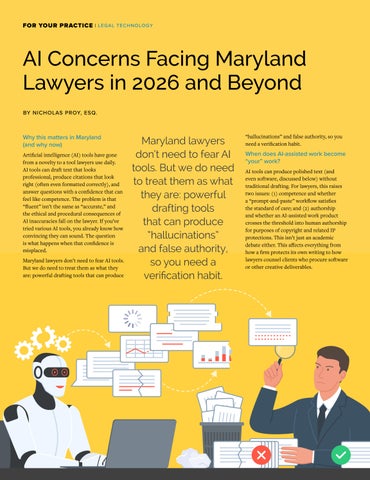
Maryland lawyers don’t need to fear AI tools. But we do need to treat them as what they are: powerful drafting tools that can produce
Maryland lawyers don’t need to fear AI tools. But we do need to treat them as what they are: powerful drafting tools that can produce “hallucinations” and false authority, so you need a verification habit.
“hallucinations” and false authority, so you need a verification habit.
When does AI-assisted work become “your” work?
AI tools can produce polished text (and even software, discussed below) without traditional drafting. For lawyers, this raises two issues: (1) competence and whether a “prompt-and-paste” workflow satisfies the standard of care; and (2) authorship and whether an AI-assisted work product crosses the threshold into human authorship for purposes of copyright and related IP protections. This isn’t just an academic debate either. This affects everything from how a firm protects its own writing to how lawyers counsel clients who procure software or other creative deliverables.
I treat AI like what it is: very fast drafting assistants that sometimes just make things up out of thin air. I don’t assume AI is right all of the time.
Either way, the point is the same: A straight “prompt-andpaste” approach is hard to justify as competent lawyering. If you can’t explain why it’s reliable or what you did to check it, then you’re outsourcing your professional judgment to a machine.
The baseline in Maryland: the duties don’t change, but your workflow has to adapt
The Maryland State Bar Association (MSBA) AI and Legal Technology Task Force recently published An Overview of Ethical Considerations for Attorney Use of Generative Artificial Intelligence Technologies (The Overview). The Overview’s message is simple: generative AI can assist lawyers, but these tools introduce unique risks, such as hallucinations, biased outputs, and overreliance. Lawyers must use these tools in a manner consistent with the Maryland Attorneys’ Rules of Professional Conduct.
While The Overview is advisory, it expressly warns that it may become outdated. So, I treat it as a checklist instead of a permission slip. The core Maryland obligations implicated by generative AI use map cleanly onto day-to-day law practice:
COMPETENCE: Md. Rule 19-301.1 requires the legal knowledge, skill, thoroughness, and preparation reasonably necessary for the representation. In practice, that means understanding the tool’s capabilities and limits, and validating what you rely on.
DILIGENCE: Md. Rule 19-301.3 requires acting with reasonable diligence and promptness in representing
a client. In practice, that means using AI to support timely, careful work without cutting corners on verification.
SUPERVISION: If a nonattorney assistant is involved, the supervising lawyer must make reasonable efforts to ensure that the assistant’s conduct is compatible with the lawyer’s professional responsibilities. The same supervision logic applies to AI-assisted work product.
CONFIDENTIALITY: AI tools licensed by third parties can introduce disclosure risk. You must take measures to prevent exposure of confidential information.
CANDOR AND ACCURACY: If AI drafting leads to false or inaccurate information in a filing, you now have a professional responsibility issue, and not simply a “tech glitch.”
FEES AND CLIENT COMMUNICATION: If AI increases efficiency, fees must reflect the time actually required. The Overview is clear that lawyers cannot charge hourly for time saved by AI.
This is where AI stops being theoretical. “Reasonable” has to show up as something you actually do, every time. So, what does “reasonable” actually look like in practice? That’s where a verification procedure helps.
A practical trust-but-verify workflow
I treat AI like what it is: very fast drafting assistants that sometimes just make things up out of thin air. I don’t assume AI is right all of the time. Either way, I’m still responsible for: (1) deciding what to use, (2) verifying it, and (3) signing it.
Here are the steps I follow when I use AI:
Decide what kind of task this is before I even open the AI chat window. Some uses are low-risk (such as document formatting and tone checks), some are medium-risk (such as summaries and issuespotting), and some are high-risk (such as research, filings, and advice). The higher the stakes, the tighter I keep the prompts, and the heavier the verification.
Don’t read AI outputs as persuasive prose. Instead, turn the output into a checklist of claims. AI can sound convincing at the paragraph level, which is exactly why verification is easier when I break the output into discrete, testable claims. I literally break it into: (1) what it says the law is, (2) what it says the facts are, and (3) what it’s telling me to do next. My job is to verify claims, not to admire AI’s prose.
Do a quick “how could this be wrong?” pass. Before I pull sources, I’ll run a structured “stress test” prompt to force the model to surface uncertainty. One trick I use: ask the AI to list its assertions, then give me the best counterargument or the missing facts that would change the answer. If done well, this should produce an honest map of where the model is guessing and where my verification effort should focus.
The U.S. Copyright Office has stated that copyright protects only material that is the product of human creativity, and that works containing AI-generated material may be registrable only for the human-authored elements (with the AI-generated portions excluded).
I’ll run the prompt through twice (ideally with a different tool or a fresh session). If the two AI runs agree, fantastic, but I’ll still manually verify. If they don’t agree, that’s my cue to stop debating the chatbot and go straight to primary sources. To keep the second run independent, I won’t paste the first answer verbatim. Instead, I’ll re-ask the question from scratch. Then I’ll ask the second model to identify missing authority, hidden assumptions, and likely hallucinations, and to resolve discrepancies by consulting the record (statutes, cases, rules, and transcripts), not by “voting” between models.
I treat AI as a starting point, not as my only research. If I’m going to cite it, I’ll pull it and read it (whatever the “it” is). I pull statutes and rules from official sources and read the underlying authorities before citing them. I’ll retrieve cases from trusted databases, read the relevant portions, and confirm that each authority supports the exact proposition asserted. This isn’t optional for me because it ties directly to competence and to the signature-certification logic reflected in Md. Rule 1-311(b).
I keep at least a short note in the file about what was asked, what was used, and what was verified. I’m not creating a dossier, but documenting just enough to be able to retrace my steps later. This is less about defending my AI use and more about demonstrating reasonable diligence.
Once you’ve got a workflow you trust, two other issues show up fast: (1) who owns the output; and (2) how you keep client information out of the wrong hands (confidentiality).
Authorship and IP: “human authorship” still matters for copyright protection
There’s an IP angle too; it’s not just how AI raises ethical issues. Interestingly, AI raises authorship issues. The U.S. Copyright Office has stated that copyright protects only material that is the product of human creativity, and that works containing AI-generated material may be registrable only for the humanauthored elements (with the AI-generated portions excluded).
The D.C. Circuit reinforced this stance in Thaler v. Perlmutter, No. 23-5233 (D.C. Cir. Mar. 18, 2025), which affirmed the denial of a copyright registration for a work described as “autonomously generated by AI” on the ground that the Copyright Act requires human authorship. The Copyright Office’s 2025 report on copyrightability adds a practical point for everyday users: with generally available generative AI, prompts alone don’t provide sufficient control over the expressive elements of an output that’s required for copyright registration.
This has a substantial impact on intellectual property practices because “ownership” questions surface quickly when a client expects an exclusive asset, such as software, documentation, training materials, marketing copies, or other deliverables. If the most valuable portion of the deliverable is largely AI-generated (with minimal human expressive control), the client’s copyright leverage may be thinner than they assume, and contract terms become even more important. Indemnification clauses regarding AI-generated IP may be a good negotiation point.
A quick IP checklist for AI-assisted deliverables
● Identify what is AI-generated versus what is human-authored, and document the human contribution (editing, selection, arrangement, and original expressive inputs).
● If copyright protection matters, do more than prompt: exercise creative control through revision, curation, and arrangement, and keep a record of that work.
● For client software procurement (or outsourced development), ask about AI use in the development pipeline, and negotiate provenance representations, open-source compliance, IP warranties/indemnities, and clear ownership/assignment language.
● Where copyright protection is uncertain, strengthen contractual protections: confidentiality, access controls, and license terms that don’t depend solely on statutory exclusivity.
Confidentiality: the easiest way to create a preventable mess
In The Overview, confidentiality is treated as especially important when using third-party AI providers. Prompts and outputs can expose client information to unauthorized parties.
Two practical rules reduce most risk. My default is simple: no client names or
secrets in generalpurpose tools. If you cannot explain where the data goes, who can see it, and how it’s retained, don’t put confidential facts into the prompt. Second, abstract the facts and use placeholders. When you want drafting help, you often don’t need client names, specific dates, or unique identifying facts. Instead, use placeholders and describe the issue at a higher level.
Even if you strip names, distinctive facts can still identify the client. That’s an important reminder because “anonymizing” by removing the client’s name isn’t always enough if the fact pattern is distinctive enough.
Supervision: if your staff uses AI, you still own the result Md. Rule 19-305.3(b) requires that a lawyer with direct supervisory authority must make reasonable efforts to ensure a nonattorney’s conduct is compatible with the lawyer’s obligations.
For AI, the supervision translation is practical: if your staff uses AI in drafting or research, define what is permitted, what is prohibited, and what must be verified by a lawyer. And if AI is used to generate a first draft of a filing, the lawyer must still read and verify what is filed, particularly citations and any quoted propositions.
In short, you can delegate drafting and research, but you cannot delegate professional responsibility.
Candor and “citation laundering”: the risk is being wrong without realizing it
The most common AI failure mode in legal writing isn’t “bad analysis.” Think of this as a false, but plausible-sounding, authority where a citation looks accurate. However, the underlying case may not exist, or it’s a real case that’s cited for a proposition it doesn’t support.
The Overview warns attorneys to be sensitive to plausible-sounding assertions that lack legal or factual grounding when using AI for research or drafting. This is a core principle of our “candor toward the tribunal” obligations under Md. Rule 19-303.3.
Luckily, the fix for this is straightforward: implement a “no cite without manual read” rule. If it appears in a filing, someone (preferably the signing lawyer) has pulled the primary sources and confirmed their accuracy. This isn’t perfectionism—it’s basic risk control.
You
should understand the tool, guard client data, communicate appropriately, adjust fees to reflect efficiency, and verify AI-assisted work. Mezu puts real consequences behind the same theme. If hallucinations make it into a brief or other filing, especially citations, the court will treat it as a lawyer problem and not an AI problem.
Fees: if AI saves time, billing has to reflect it
Fees should reflect the time actually required, consistent with The Overview’s interpretation of Md. Rule 19-301.5, which requires attorneys to adjust their fees to reflect AI efficiencies. The Overview ties fees to time actually required, warns against billing for time AI saved, and allows AI tool costs to be billed like other expenses with client consent.
Practically, this points to two best practices:
1. Pay attention to when AI materially reduces the time it takes to complete a task. Make sure your billing reflects what actually happened, not a pre-AI estimate of effort.
2. If you intend to pass along AI-related tool costs to a client, treat that like any other third-party expense. Disclose the costs up front, explain how they will be charged, and obtain the client’s informed consent in advance.
This is one area where a short paragraph in your engagement letter may prevent future disputes.
Bottom line: AI can help, but it can’t be a substitute for your judgment
This developing landscape isn’t a reason to avoid AI. Just don’t outsource your judgment to a system.
The MSBA’s guidance is consistent with this. You should understand the tool, guard client data, communicate
appropriately, adjust fees to reflect efficiency, and verify AIassisted work. If hallucinations make it into a brief or other filing, especially citations, the court will treat it as a lawyer problem and not an AI problem.
A lawyer who uses AI with verification habits isn’t taking reckless shortcuts. They are adopting a tool responsibly, much as they would any other productivity or research technology. The core habits are familiar: read what you cite, verify what you assert, protect what must remain confidential, and bill honestly. AI doesn’t change our core duties, but it does change the ways we can fail at them, unless we change our workflows.
Nicholas Proy, Esq., is a solo practitioner in Carroll County, Maryland, and is admitted to practice law in Maryland and Pennsylvania. His practice focuses on estate planning, estate administration, and small business law. He earned his B.A. in intelligence studies from Mercyhurst University and his J.D. from the University of Maryland Carey School of Law (Maryland Carey Law). He also holds multiple CompTIA A+, Network+, Security+, and Server+ computer certifications. He is a proud member of the MSBA and has previously published works in the Maryland Bar Journal and 2600: The Hacker Quarterly