No. 04 goo.gle/forward-ie
European Perspectives on Tech & Society
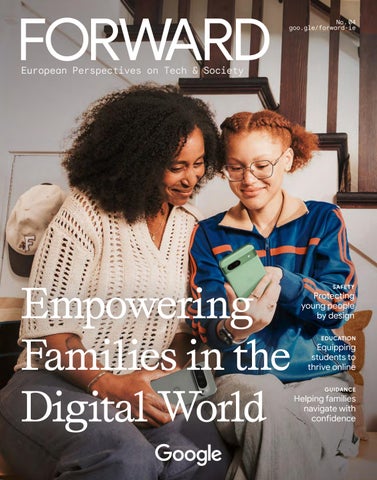
Empowering Families in the Digital World
SAFETY
Protecting young people by design EDUCATION
Equipping students to thrive online GUIDANCE
Helping families navigate with confidence
PAGE TITLE EDITORIAL
Protecting, Respecting, Empowering Dear Reader, We are living through a pivotal moment for the next generation. Digital technology is becoming increasingly central to young people’s daily lives — shaping how they learn, play, connect, and create. As this issue of Forward makes clear, that brings both extraordinary opportunity and real responsibility. Our research paints a portrait of a generation that is curious, critical, and hopeful — embracing new tools with energy and purpose. They want more guidance from industry, schools, parents, and leaders, not less. They want technology designed with inclusion, wellbeing, and agency in mind. And they expect a seat at the table in shaping the digital world they will inherit. That reframes the question we too often ask. Instead of »how do we protect young people from the digital world,« we should be asking: »how do we protect them in it — offering the inclusion, guidance, and balance they are asking for?« Ensuring young people come of age in a digital world that protects, respects, and empowers them requires all of us — policymakers, industry, and families — to work together. At Google and YouTube, we build for families, guided by three pillars: protecting youth online, respecting families’ unique relationships with technology, and empowering young people to safely learn and explore. At Google and YouTube, we believe technology can protect, respect and empower young people as they grow up. Our approach 2
starts with safeguards on by default, products that are safer by design, and non-negotiable protections for users under 18. Our Family Link app offers a simple way for parents or care-givers to set daily screen time limits, guide children to age-appropriate content, and keep track of their location across Android devices (see page 12). When it comes to YouTube, our supervised kid and teen accounts offer parental controls including an industry-first Shorts timer (see page 14), while YouTube Kids — a separate, contained app — offers a »walled garden« for younger children. By focusing on features across all of our child safety products, we build a framework that is targeted and future-proof: and ensures they can still access all the benefits of the Internet. But protection alone is not enough — we must also educate. Google.org, Google’s philanthropic arm, funds organizations across Europe to deliver Internet safety curricula to youth, caregivers, and educators in over 20 European countries. This includes Google’s free »Be Internet Legends« programme, which helps children navigate the digital world confidently and securely (see page 9). In Ireland we have worked with organisations such as Barnardos to support online safety training for over 300,000 children since 2019. As AI becomes more present in our lives, families need support navigating it together. In this issue, you will find a practical Family Guide to AI — a starting point for parents and children to understand the ILLUSTRATION BACK COVER: BRATISLAV CREDITS: LOREM MILENKOVIC IPSUM
FAMILY SAFETY
04
Vanessa Hartley Head of Google Ireland
Empowering Young People in a Connected World Digital technology is integral to how they learn, play, and connect. Ensuring online safety is more critical than ever, with technology providers taking active responsibility.
08
»The foundation of any healthy home is dialogue« Garth Graham M.D., public health expert and YouTube’s Head of Health, shares his approach to children’s digital wellbeing.
09
Teaching Children to Thrive Online Google.org supports organisations that develop media literacy and online safety programmes for kids.
10
For the Next Generation Leading European voices on how we can maximise the potential of the digital world and AI while building a digital environment that protects young people.
12
Made for Families Safety features and dedicated accounts on Google and YouTube are designed specifically for minors and families.
16
»It’s vital to protect. But you also need to empower« Jessica Piotrowski, member of the YouTube Youth and Families Advisory Committee, on what it really takes to make the Internet safer for kids.
basics and explore AI experiences safely and responsibly (see page 18). Alongside it, Jessica Piotrowski, professor at the University of Amsterdam, director of the Center for Research on Children, Adolescents, and the Media and a member of the YouTube Youth and Families Advisory Committee offers a compelling reminder that protection and empowerment are not opposites: »You need to protect. But you also need to empower« (see page 16). I could not agree more. We do not design safeguards in a vacuum. The right framework requires coordinated effort — which is why we work closely with youth safety organisations, child rights experts, and educators to gather evidence and test solutions. You will also hear from influential European voices on how the next generation can benefit from AI while remaining protected from its risks. The young people in our Future Report — a survey of over 16,000 European teenagers for Google and YouTube — are not asking to be shielded from technology. They are asking us to get it right. This issue is our contribution to that effort.
18
A Family Guide to AI How to get started and navigate AI experiences together.
All the best, Vanessa Hartley CREDITS: LOREM BRATISLAV ILLUSTRATION: IPSUM MILENKOVIC
3
PAGE TITLE RESEARCH
TEENS IN THE DIGITAL ERA
From mastering homework with the help of AI to exploring new ideas on YouTube, European teens are navigating the digital world in innovative ways. Research from Livity and Oxford Economics reveals how young people are actively embracing powerful tools for learning, creativity, and everyday life.
AI use for learning and creative tasks Once a week A couple of times a week
Less than once a week
13% 22%
26%
38%
64% Creativity
of teens use AI creatively daily or almost daily.1
Daily or almost daily
AI usage
The majority of teens surveyed are using AI tools for learning and creative tasks at least a couple of times per week.1
Recommendations
66% of teens say that personalised recommendations »always« or »often« help them find something genuinely interesting.1
4
Teens reported using AI tools for a wide variety of purposes in the past year, many of them are connected with school and learning.1
ILLUSTRATIONS: KATHARINA CREDITS: NOEMI LOREM METSCHL IPSUM
MAGAZINE FAMILY TITLE SAFETY CREDIT
69% Education
watch video content at least a couple of times a week to help with learning for school or fun.1
School
News
59%
36%
4%
Not very interested
Quite interested
Very interested
When asked whether they are interested in finding out about news and current affairs, the majority of UK teenagers answered in the affirmative.3
Trust
84% of teachers who use YouTube have used YouTube content in their lessons or assignments, while over two-thirds (67%) agree that YouTube helps increase student engagement.2
Help
70%
of teenagers are likely to ask parents or guardians for help when/if there is a scam or fraud online.1
CREDITS: LOREM IPSUM
62% of teenagers say they consider the trustworthiness of information, always or often. The most common strategy they use to verify information is cross-referencing with other sources such as news outlets or textbooks or checking the credibility of websites or authors who wrote the information.1
Sources: 1 The Future Report commissioned by Google and delivered by Livity, 2026; 2 YouTube Impact Report commissioned by Google and conducted by Oxford Economics, 2025; 3 The Future Report UK commissioned by Google and delivered by Livity, 2026
5
PAGE TITLE RESEARCH
EMPOWERING YOUNG PEOPLE IN A CONNECTED WORLD Digital technology is integral to how young people learn, play, and connect. Ensuring their online safety is more critical than ever, with technology providers taking active responsibility.
Anyone who has children or spends time with young people knows that digital technology plays an increasingly important role in their daily lives. While this is sometimes dismissed as useless screen time, the reality is quite different. The Internet has evolved beyond a simple utility or modern playground. Today, it is a diverse hub for learning, for creativity, and for maintaining vital social contacts, leisure, and entertainment. Recent research underscores how deeply technology is integrated into young people’s daily routines. A survey of over 16,000 European teenagers for the Future Report 2026, commissioned by Google and delivered by Livity, reveals that 64% of teens use AI for creative tasks — such as creative writing or visual art — daily or almost daily, while 57% use it for learning. According to the Future Report 2025, 74% of European teens watch videos on YouTube to learn something new for school. At the same time, young people are increasingly conscious of their digital habits, with only 53% feeling they have a good balance on and offline. The Future Report reveals a young generation that is digitally confident, curious, critical, and hopeful about technology's potential. AI is embedded in teenage life and embraced enthusiastically to grasp difficult topics rather than simply looking for easy answers. As 17-year-old Omar from the UK shared in one of the research interviews: »They’ve AI-ed Drake into teaching A-level chemistry and made it into a song… teaching electron configuration… it makes you want to listen to it more and be more engaged.«
»As children across Europe build their lives, learning, and friendships online, keeping them safe, secure, and empowered is the most important responsibility we have.« CHLOE SETTER, GOOGLE’S EUROPE LEAD ON CHILD SAFETY
Teachers use YouTube content in their lessons This enthusiasm for technology is shared by educators and parents. Oxford Economics found that 84% of teachers across the EU who use YouTube have used YouTube content in their lessons or assignments, and 80% of parents agree that YouTube or YouTube Kids provides quality content for learning and entertainment. As
6
CREDITS: LOREM IPSUM
MAGAZINE FAMILY TITLE SAFETY CREDIT
18-year-old Lia from Spain puts it: »You can talk to people from other places, see how they live, and you realise that your way of thinking isn’t the only one.« Interestingly, young people demonstrate increasingly sophisticated critical thinking when evaluating information online, whether it’s on YouTube or when using AI. Jack, 17, from Ireland said: »AI can be a shortcut, but it shouldn’t do the thinking for you.« 62% say they consider the trustworthiness of information »always« or »often«, utilising strategies such as cross-checking sources and seeking advice from trusted adults. However, they also call for better guidance from schools and more training to use AI responsibly. Building smarter, more effective guardrails There is therefore a greater need than ever to keep digital platforms safer for young people. At the recent EU Summit on AI and Children, European Commission President Ursula von der Leyen emphasised the critical role the tech industry must play in this effort. Deeply aware of its responsibility, Google works hard to ensure young people have age-appropriate experiences, while recognising that many policymakers want to go further. Chloe Setter, Google’s Europe Lead on Child Safety, clearly articulates this commitment: »As children across Europe build their lives, learning, and friendships online, keeping them safe, secure, and empowered is the most important responsibility we have.« She is convinced that tech companies must build safety directly into product design and actively listen to the views of young people to build smarter, more effective guardrails. Leading policymakers such as Michael McGrath, EU Commissioner for Democracy, Justice, the Rule of Law and Consumer Protection, believe safety features should be built-in by default. »If parents have the technical know-how and decide it is right to adjust those settings for their child, they still have the means to do so. We need to flip the model and focus on how things are set up by default,« he said. Google takes current research, and teens’ and society’s voices into consideration with an expert-led approach that extends directly
CREDITS: LOREM IPSUM
»We believe in protecting kids in the digital world, not from it, by providing age-appropriate experiences and flexible parental controls.« MINDY BROOKS, HEAD OF GOOGLE KIDS & FAMILIES
into how individual products are designed. This ensures they are precisely tailored to a user's developmental stage rather than applying a one-size-fits-all model. This involves embedding protective controls directly into product architecture, adjusting settings to be age- appropriate by default. For instance, Google's AI products for teens have built-in guardrails to mitigate the risk of emotional reliance and safeguards against encouraging bullying or other types of harassment. Google’s Family Link provides flexible controls for parents to manage screen time on various devices (see page 13). YouTube, too, offers many options to protect kids and teens and provides experiences designed specifically for young people. YouTube Kids and Supervised Experiences are developed under the rigorous guidance of independent experts (see page 14). Ensuring that the next generation thrives online also requires deep collaboration across the ecosystem with everyone playing an important part, including NGOs (see page 9) and politicians across Europe, as Chloe Setter points out: »Through our strategic partnership with the Council of Europe to advance digital citizenship and AI literacy, we are actively investing in the educational infrastructure needed to protect and empower European youth.« As the digital world evolves, framework conditions for age- appropriate use must be continuously adapted and discussed publicly. For many experts, the ultimate goal is empowerment rather than isolation. Summarising this shared vision, Mindy Brooks, Head of Google Kids & Families, states: »We believe in protecting kids in the digital world, not from it, by providing age-appropriate experiences and flexible parental controls. By working together with parents, experts, and especially young people themselves, we remain firm in our belief that it is both possible and necessary to help the next generation learn, grow, and thrive online.« 7
DIGITAL WELLBEING
»The foundation of any healthy home is dialogue« Garth Graham M.D., public health expert and YouTube’s Head of Health, shares his approach to children's digital wellbeing.
What does that look like in practice? It means protecting kids in the digital world, not from it. That’s why I’m here as a clinician — but it’s also why YouTube works with child development experts: to help us strike the balance between giving kids a place to learn and explore, while also empowering parents with tools to set boundaries that are right for them. We’ve been building products specifically for kids and teens, with safety built-in, for over ten years. There’s YouTube Kids, our separate platform for kids under 13, which brings age-appropriate content, smart filters, and parental guidance together to create an appropriate, enriching, and more controlled experience for your child. And there’s Kids and Teen Accounts on YouTube itself — made for tweens and teens — which give parents control to select the right content, features, and account settings for their child. In public health, you look at systemic guardrails. What are the guardrails you would like to see put in place here? Those sort of safety features, settings, and content are crucial. As a clinician and as a parent, I want to see a higher industry bar — helping
8
parents address the unique needs and preferences of children at every age. YouTube has been offering dedicated, safe kids’ experiences for a long time. But there are plenty of platforms that need to do more to put kids' safety, privacy, and wellbeing at the forefront. In your own household, how are you establishing boundaries and looking after your kids’ own digital habits? We have a family media contract. I’d really recommend it. Sit down proactively — rather than during a fight or as a punishment — and build this together. Co-creation is important: Giving children a voice in the rules makes them more likely to stick to them. Start by asking your kids what they think is fair and what the consequences should be, fostering a sense of ownership. Once you’ve built the rules, use the tools to reinforce them. We use Google’s Family Link or YouTube’s parental tools to handle the »time’s up« moment. When an app blocks usage at the agreed time, the child’s brain accepts the objective reality, rather than blaming the parent for the interruption. If our readers take away just one piece of advice from your dual perspective as a doctor and parent, what’s the most critical digital habit a family should establish to protect their kids’ long-term wellbeing? The foundation of any healthy home is open dialogue. Digital habits are no exception. Talk to your kids. Ask them about the experiences they’re having online; the types of content they like to watch; why it interests them; the creators they enjoy. Be open with them about the sort of digital experiences you want them to have, and those you want them to avoid. Having these kinds of conversations builds mutual trust and understanding, reducing conflict down the line. And if you can watch it with them, do: Active participation facilitates joint attention, helps you stay connected and guide their critical viewing skills in a supportive way.
*Future Report, Livity (2025). 7,000 young people aged 13-18 in seven countries across Europe were surveyed.
As a public health expert, how are you thinking about your kids' time online? I have four kids — aged 3, 7, 11 and 13, so this issue really matters to me. My work revolves around one central question: How can technology support our wellbeing? We know that kids today can access a world of possibilities online — from accessing help with their school work to seeing themselves represented in the wider world. But that doesn’t mean I want my kids to have unlimited, unfiltered access. I think of it as like riding a bike. I want my 7-year-old to ride on our street in our cul-de-sac; my 11-year-old to be able to ride further out into the neighbourhood — and my eldest might ride to and from school or his friends. I don’t want to ban the bike entirely — but if my 7-year-old started cycling to school by themselves every day, I wouldn’t be ok with that either.
NGOS
MAGAZINE FAMILY TITLE SAFETY CREDIT
Teaching Children to Thrive Online To make the most of the Internet, kids need to be prepared to make smart decisions. »Be Internet Awesome« (called »Be Internet Legends« in Ireland) empowers kids with tools and education to confidently and safely explore, grow, and play online. The programme is supported by Google.org, Google’s philanthropic arm, through organisations that develop media literacy and online safety programmes for kids.
Be Internet Awesome is Google’s programme to help kids become safe, confident explorers of the online world. Built around the »Internet Code of Awesome«, it gives children the tools and education they need to make smart decisions online — from learning to »Share with Care« and »Don’t Fall for Fake« to protecting their privacy, practicing kindness, and speaking up when something does not feel right. Through classroom resources, family materials, and the interactive game Interland, the programme helps bring digital safety and citizenship to life in ways that are engaging, practical, and easy to use. The following are some of the social impact organisations that bring Be Internet Awesome and custom curricula to children, educators, and caregivers all over Europe with the support of Google.org. Fondazione Mondo Digitale brings Be Internet Awesome to Italian schools, supports caregivers with dedicated events, and promotes inclusion with specialised modules for children with Special Educational Needs.
to talk to trusted adults, and promoting online kindness. Miúdos Seguros na.Net provides workshops across Portugal that empower children and adults through extensive digital literacy training and positive digital parenting strategies. Save the Children delivers interactive online safety school workshops in Finland, Sweden, and Denmark, offering specialised training for educators and engaging resources for parents and caregivers. As teacher Meris Gatto, who has used the curriculum for five years, says: »The goal is to foster empathy in children and step in where adults may struggle to offer the right answers.« School with Class Foundation collaborates with educators and NGOs to bring Be Internet Awesome and digital competency resources to children across 11 countries in Central and Eastern Europe. e-Enfance is scaling its »Super Héros du Net« programme across France,
CREDITS: LOREM KATHARINA ILLUSTRATION: IPSUM NOEMI METSCHL
enhancing digital safety education for children while equipping both educators and families with vital tools. Fad Juventud integrates Be Internet Awesome into Spanish primary schools through student workshops and peer-to-peer programmes where adolescents train younger children. Barnardos is implementing a national online safety programme that helps children navigate the digital world by empowering informed decisions, building confidence
Bibliothèques Sans Frontières leverages »Be Internet Awesome« through »Cyber Heroes«, using school assemblies, teacher training, and family treasure hunts to build essential online safety skills in Belgium. Pro Juventute delivers workshops and utilises its MediaMentor platform to help Swiss educators support young people as they reflect on, deepen, and apply their media literacy skills.
9
VOICES
For the Next Generation »I hope that we can dedicate ourselves to finding common ground across nationalities, sectors, institutions, companies, advocacy groups, and generations with the shared purpose of making the online world safer for kids and their families; to confront the real risks and actual harms; and to celebrate the very tangible rewards that AI and digital technologies used well will bring to our and our children’s lives.« Stephen Balkam
Founder & CEO, Family Online Safety Institute (FOSI)
»We can demand products be designed with children’s rights, health and welfare in mind rather than being engineered to maximise addiction, surveillance and profit and we can ensure only those products get access to our children. Which is what the children and young people actually tell us they want: to be protected, not excluded.«
»In Europe, whoever develops a product is responsible for its safety. Car manufacturers must make their vehicles safe. We do not expect children to design their own seatbelts. We do not expect parents to fit airbags at home. The same must apply to social media.« Ursula von der Leyen
Niall Muldoon Ireland’s Ombudsman for Children, in The Irish Times
10
President of the EU Commission, at the EU Summit on AI and Children
ILLUSTRATIONS CREATED / EDITED WITH THE HELP OF GEMINI’S IMAGE GENERATION MODEL
FAMILY SAFETY
How can we maximise the potential of the digital world and AI while building a digital environment that protects the young people? Here, we hear from influential European voices.
»The protection of minors cannot be left solely to bans or access limitations: The challenge ahead of us does not just concern access to certain websites or social networks. It is necessary to build a true digital ecosystem tailored to minors — one that involves families, institutions, schools, tech operators, and the platforms themselves, and is modulated based on the age and maturity level of the children.« Eugenia Roccella
Italian Minister for Family, Natality, and Equal Opportunities
»YouTube is where we all go to learn. And that includes teenagers. If there’s something you want to know how to do — be it tying a tie or preparing for an exam — you watch someone explaining it on YouTube. As a creator I am very happy to help, but I’m also aware of the responsibility that goes with it.« Tom Crawford Mathematician at the University of Oxford and the University of Cambridge, and YouTube Creator, TomRocksMaths
»In order to equip young people with resilience to navigate online spaces, we need to focus on a competencybased approach. Instead of always discussing the bad, the doom, the gloom, the online harms, we need to shift towards a narrative of skills acquisition and of digital wellbeing.« Jeffrey DeMarco Senior Technical Advisor, Save the Children
11
CONTROL
DUMMY
MADE FOR FAMILIES Building a safer Internet for all has long been a core mission of Google. Young people and families play an important role when it comes to safety features and dedicated accounts on Google and YouTube. We work directly with experts and educators to help families use technology in a way that’s right and safer for them.
12
ILLUSTRATIONS: BRATISLAV MILENKOVIC
FAMILY SAFETY
PA RENTA L CONTROL
It’s Your Choice Google has built a number of tools and features that empower families to safely play, learn, and grow online. Core parental controls are available directly on-device within Android Settings, while the Family Link app provides more granular control.
HOW TO USE FAMILY LINK
Setting time limits*
Filtering content*
You can set a total daily limit for the amount of time your child can use their Android devices. This is an excellent tool for encouraging a healthy balance between online and offline activities, whether it’s finishing homework, playing outside, or reading a book.
Our controls allow parents to filter out mature content from Google Chrome and Google Search, for a more age-appropriate online experience.
Protecting school time** This mode lets parents apply a dedicated lock screen, disable specific apps, and block notifications during school hours, while still allowing calls and texts from approved contacts.
Family Link is an easy way for parents to manage parental controls for their child. It’s a set of features that work on digital devices and respect families’ individual choices with technology. Just download the app to get started. You’ll be guided to download the Family Link app on your own device to link your Google Account to your child’s. This is how you connect your accounts for remote supervision. Then you can set your rules, e.g. manage screen time, approve or block apps.
Making Search safer*
Securing your child’s account** Family Link gives you access to manage your child’s account and data settings. As a parent, you can help change or reset your child’s password if they forget it, edit their personal information, or even delete their account if you feel it is necessary.
Staying connected** The location feature helps you keep track of your kids while they are on the go. You can see your child’s device’s location on a map right from your phone and set alerts for places of interest so you know when they are walking home from school or spending time at a friend’s house.
SafeSearch helps filter out explicit results in Google Search, and it can be managed directly in Google Search or in Family Link. The filter is enabled by default for all signed-in users under 18. We also provide minors control over their digital footprint — anyone under the age of 18, or their parent or guardian, can request the removal of their images from Google Image results.
Managing apps* Not all screen time is the same: You can set time limits for individual apps (or block them entirely). Maybe that means giving an hour to a favourite learning app, but keeping games to 30 minutes.
*AVAILABLE IN ON-DEVICE ANDROID PARENTAL CONTROLS AND FAMILY LINK; **AVAILABLE IN FAMILY LINK
13
PAGE TITLE CONTROL
YOUTUBE
The World’s Video Library Today, children and teenagers can access a world of possibilities on YouTube. Whether it’s learning how to tie a tie or getting help with their algebra homework, YouTube is a place for them to learn, explore their passions, express themselves, and find belonging. At YouTube, our approach is to protect kids and teens in the digital world, not from it. This means giving them a safe place to learn and explore, while empowering parents with meaningful tools and helping them set digital boundaries.
YouTube Kids provides a more contained environment for kids to explore YouTube and makes it easier for parents and caregivers to guide their journey.
Built just for kids YouTube Kids is a separate app built from the ground up to be a safer and simpler experience for younger kids. It offers an age-appropriate place for kids to explore their imagination and curiosity. On YouTube Kids, parents can:
Set up individual profiles: When a parent sets up an account they can make a choice about how broadly they want their child to explore, with different content settings for preschoolers, younger or older kids. You can choose a different content setting for each kid if you have more than one! Personalise what they watch: You can hand-select all of the content you want your child to have access to, using the
14
»Approve content yourself« mode. Or to make it easier, YouTube Kids offers »collections« of videos and channels grouped by topics, such as science and music. Add more to explore: If you find content from YouTube you like, you can share it from your account directly to your child in YouTube Kids. Use screen time controls: You can easily set limits on your kids’
screen time, with our built-in timer. The app alerts your child when the session is over. Block content: To further customise the experience for your children, you can easily block individual videos or entire channels of content. You might have one 7-year-old that loves zombie cartoons — and another that finds them terrifying. This feature allows you to further personalise what they see around their needs and interests.
Keep up with what they watch: You can check your kids’ viewing history, so you’ll always know what they’ve watched and the interests they’re exploring. Flagging content: If you see content that violates our guidelines, you can flag it for review. Flagged videos are monitored 24 hours a day, seven days a week.
CREDITS: LOREM IPSUM
MAGAZINE FAMILY TITLE SAFETY CREDIT
eatures to support F teen wellbeing upervised kid accounts S for pre-teens The YouTube experience for parents who decide their kids are ready to explore more of the vast library of videos and music on YouTube. Comes with content settings for pre-teens, parental controls, and digital wellbeing protections.
Create a supervised account directly on YouTube to manage your child’s experience on the app, website, Smart TVs, and gaming consoles. Choose from three tailored content settings: Generally aligned with international content ratings by age, these start at 9+, and enable you to have choice over how much your kids of different ages can see.
Parental controls: Our parental controls now include the industry-first Shorts timer, which allows parents to set daily time limits for the Shorts feed — including setting it to zero minutes to turn the feed off entirely. Autoplay is turned off by default, whereas »take a break« and »bedtime« reminders are on by default and can be personalised. You can also block channels and adjust time limits with Google’s Family Link app.
Regardless of which YouTube experience you choose for your teen, we have features available to support their wellbeing.
Limitations on certain content types in recommendations: For those under 18, YouTube automatically limits the recommendation of select types of content that can be problematic if viewed in repetition — such as content that compares or idealises specific body standards. No automatic play for teens: The autoplay feature enables another related video to
automatically play after a video ends, but this feature is turned off by default for users under 18 years old. Take-a-break: Take-a-break notifications are set to every 60 minutes; ages 13–17 have them »On« by default. Time for bed: Bedtime reminders are set for 10pm; ages 13–17 have them »On« by default.
Supervised teen accounts As your teens grow, their interests can too. YouTube’s Teen Accounts help parents have open conversations with their teens as they begin to explore most of YouTube, as well as create and share for the first time.
Link Accounts: Easy account linking, so you can invite your teen to link accounts with yours.
comments, and subscriptions, so you can better understand their interests.
Timely Email Notifications: Get notified if your teen uploads a video or starts a livestream.
Default Protections: For people under 18, we provide additional protections to provide families with options and safeguards to create the experience that’s right for them — like defaulting uploads to private.
Channel Activity: Gain shared insights into your teen’s channel activity, including uploads,
CREDITS: LOREM IPSUM
15
PAGE TITLE INTERVIEW
»It’s vital to protect. But you also need to empower« Jessica Piotrowski, member of the YouTube Youth and Families Advisory Committee, on what it really takes to make the Internet safer for kids — and where the debate is going wrong.
16
CREDITS: LOREM IPSUM
MAGAZINE FAMILY TITLE SAFETY CREDIT
You have been conducting research on children and media for years. Are we in general too negative about kids’ access to the Internet? Absolutely! We’re in a very protective space, which is difficult. Especially as kids get older. They’re craving risk-taking, crude humour, the real stuff. That’s actual adolescent development. If you block it all, you’re not meeting young people where they are. Of course, we need to protect them from the worst - but we also need to empower them to navigate their digital world with skill and confidence. How should we be thinking about protecting kids in the digital world — and what are people missing? We’re struggling with the balance between protection and empowerment. We often forget children’s right to engage in the digital world. Kids are struggling to disconnect — but we as adults haven’t figured out our own digital wellbeing. We use our phones at the dinner table, and then we’re surprised when kids are modelling that behaviour. What parents need is a trusted digital space with the right age- appropriate experiences and built-in protections — if my kid is there, I don’t have to worry so much. You’re a member of the YouTube Youth and Families Advisory Committee that helps YouTube build age-appropriate policies and features for kids, teens, and families. How did you join, and why? It started pre-COVID. A researcher who had moved from academia to YouTube called me up. She wanted to set up a real advisory board — authentically connected to research. Most academics are hesitant to speak with big tech on kids, because our research is so often inaccurately translated and used as a »gold stamp«. But she promised something different: We will listen, and if we disagree, we’ll explain it. You never have to list your name. We will not use your title as a heuristic for doing good. I was unsure, but I trusted her. And what’s been your experience so far? We’re known as the Owls — the wise ones. Every two weeks, the YouTube team brings a question for the Owls. There’s an hour where they walk us through something they’re struggling with. The key is trust, because they need to be able to show us products that aren’t yet available to viewers — and we need to be able to provide unfiltered advice on how to make it better, safer, and more appropriate for kids. What is one thing you’ve been really proud of as an advisor? We defined what high-quality content actually looks like for YouTube Kids. Content that demonstrates learning, creativity, positive behaviour, play, life skills and experiences — or that shows a wide range of experiences and places. This kind of higher quality gets surfaced more; lower quality gets reduced. In the first months after we made the change, there was a 45% increase in that type of high-quality
»If you block it all, you’re not meeting young people where they are.« CREDITS: LOREM PHOTOGRAPHY: JAAP IPSUM VORK
JESSICA TAYLOR PIOTROWSKI
Jessica Taylor Piotrowski is a professor at the University of Amsterdam, director of the Center for Research on Children, Adolescents, and the Media, and a member of the YouTube Youth and Families Advisory Committee. She researches how media affects children and youth, focusing on engagement, cognition, and socio-cultural influences.
content in the ecosystem. In my work, I try so hard to make an impact. Here, what we came up with was built directly into the algorithm. That affects kids. That is impact. What parts of being an advisor are challenging? It’s always the grey area. Take whether suicide should be covered in a youth ecosystem. A mental health expert says kids go to these spaces for help. I say: Kids learn from influencers in powerful ways. What about an influencer who tells his story — how he has tried, didn’t succeed, and what he wished he had done? What does the line between help and harm look like? YouTube’s teen mental health & wellbeing shelves aim to help address this. When teens are seeking out information on common mental health and wellbeing topics like depression, anxiety, or eating disorders, it surfaces age- appropriate information from trusted sources like national health services or leading charities. Our goal is to make it easier for kids to find credible information that is tailored to their developmental stage of life — so they can get help or information they need in a high-quality, age-appropriate way. How should we be teaching kids to use the Internet safely? Just-in-time information — in the moment, when kids are using technology — is far more effective than classroom lessons alone. Someone once called it the Swiss cheese model: All the roles count. Policymakers, companies, teachers, parents — we all hold a piece. We need everyone to throw their hat in the ring. How has your exposure to the inner workings of tech companies changed your research? Enormously. I began asking different questions. Not just what the effects are, but where the leverage points are. Watching a platform make decisions in real time, you understand that the gap between research and practice is a design problem. That helped me start my work in digital competence: understanding the skills and knowledge kids need to thrive. Where do you see the greatest need for research in the future? We need to understand how to build digital competence at scale and what business models actually support healthy digital environments for kids and not just profit. The world is changing fast. We all need to be hands on deck. Not just optically, but actually.
17
GUIDE
A FAMILY GUIDE TO AI AI is a type of technology that can spark creativity and enhance learning. As AI becomes even more common, parents and guardians play an important role in helping kids and youth understand the basics of AI, and how to use it safely and responsibly. Here is a guide to get you started and navigate AI experiences together.
01.
AI, YOUR SMART ASSISTANT
The smart speaker that plays your favourite songs on command, the map app that finds the fastest route to school, the TV that recommends your next show — that is all AI at work. Think of it as a helpful assistant that can give you a head start, but remember that your own curiosity and other sources like books and teachers are just as important. AI can be a helpful tool along with your superpowers of asking questions and exploring.
02.
03.
04. AI CAN MAKE MISTAKES
Smart as it is, AI gets things wrong. Your brain is still the most important tool in the room. Always double-check what AI tells you: Ask a trusted grown-up or teacher, look it up in a book, or search a website you trust. Critical thinking is your superpower.
AI is not alive, doesn’t have a brain, doesn’t have feelings, and doesn’t think the way you do. AI learns by receiving a huge amount of information — pictures, words, sounds, videos — and looks for patterns in this data. When it writes a story, it is simply predicting what comes next, based on all the patterns it has learned.
FROM YOU, NOT AI
Think of AI as a turbo-charged tutor who is always available — it can give you a head start, but you are still the creator and artist. You may choose to use it to help you brainstorm a story, then write the adventure yourself. You can also ask it to explain a tricky concept in simple terms, then you can dive deeper in a book. AI amplifies what you can do; it never replaces the creativity and curiosity that comes from your heart and brain, and makes you uniquely you.
05.
AI ISN’T HUMAN
YOUR BEST IDEAS COME
SMART AI USE MEANS BEING SAFE AND RESPONSIBLE
As with any technology, using it safely and responsibly is the key to success. Never share private information — your phone number, home address, or passwords — with an AI. Ask yourself: Would I share this with a stranger? If not, keep it to yourself. And if AI ever says something confusing, frightening, or just plain wrong, always talk to a trusted grown-up straight away. MO R E C H ILD-FRIENDLY RESOURCES
18
Meet Leo
Experience AI
AI Quests
An online course helping parents navigate conversations with their kids around online safety, set ground rules, and enable them to explore online safely.
An educational programme that offers cutting-edge resources on AI and machine learning for teachers and students aged 11–14.
A game-based learning experience to teach students aged 11–14 about AI. Inspired by actual AI projects led by Google Research.
ILLUSTRATIONS: SIMON LANDREIN
MAGAZINE TITLE CREDIT
PUBLISHING INFORMATION Google Ireland Limited, Gordon House, Barrow Street, Dublin 4, Ireland | Phone: +353 1 543 1000 | Fax: +353 1 686 5660 | Contact: goo.gle/contactgoogle | Managing Directors: Elizabeth M. Cunningham, David M. Sneddon, Vanessa Hartley, Colin Goulding, Amanda Storey | Google Ireland Limited is a corporation formed and registered under Irish law | Company number: 368047 | EU VAT identification number: IE6388047V
CREDITS: LOREM IPSUM This is a special promotional publication by Google. Produced in Germany. Thank you to the team at SZ Scala GmbH.
19
European Perspectives on Tech & Society