Google Ads for Beginners: Everything You Need to Know in 2026
If you've the right place. In 2026, Google Ads has evolved dramatically AI-driven campaigns, smarter bidding, and integration with Google's AI Overviews have changed how advertisers reach customers. This guide breaks it all down for beginners.
Why Google Ads still matters in 2026
With the rise of AI Overviews in search results and new ad placements directly inside AI-generated answers, Google Ads has become even more powerful and more competitive. Organic reach has shrunk for many queries as AI summaries take up the top of the page. Paid placements, however, still appear prominently, making Google Ads a crucial tool for businesses of all sizes.
Types of Google Ads campaigns
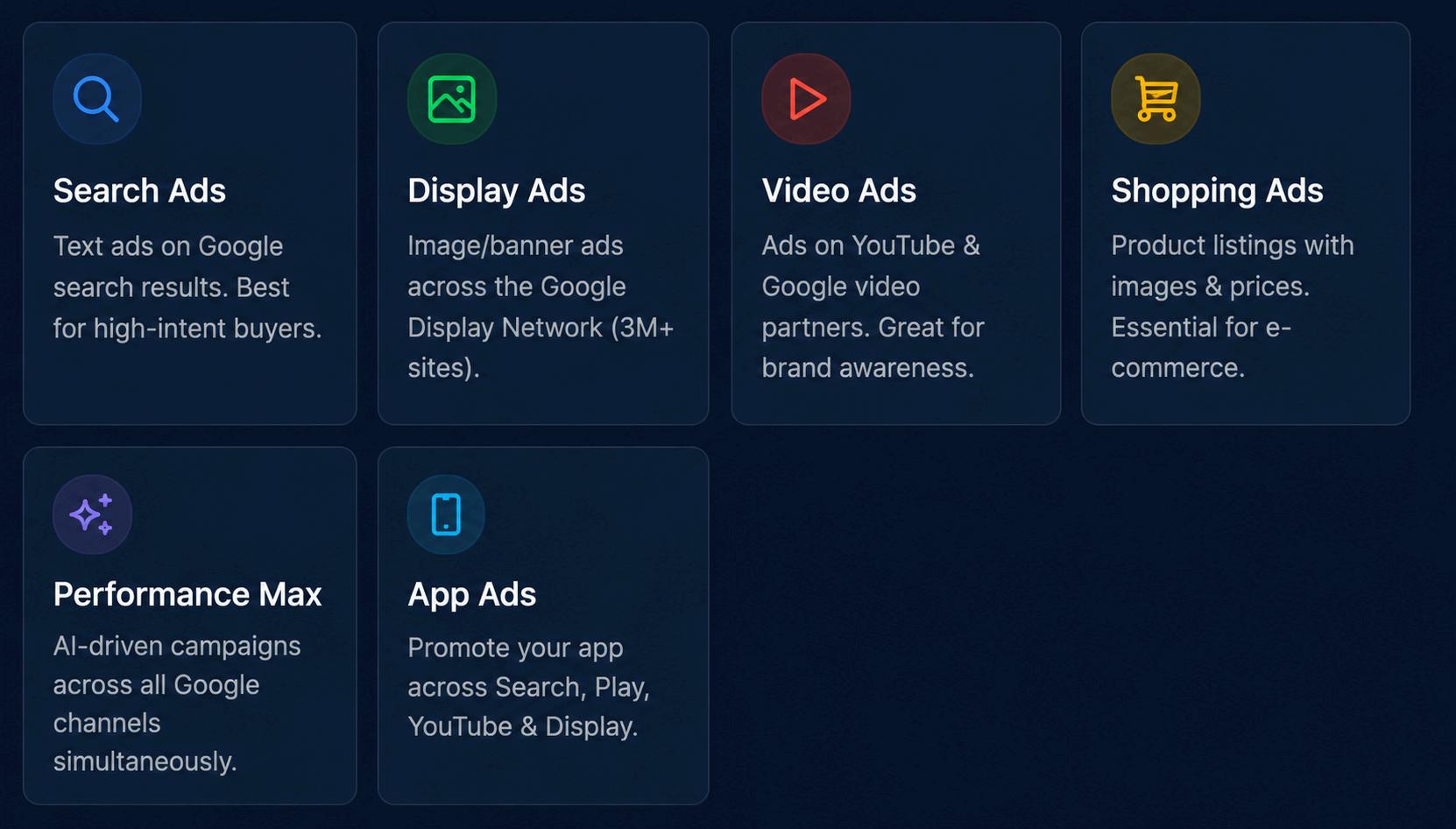
Choosing the right campaign type is your first big decision. Here's a quick overview:
Setting up your first campaign — step by step
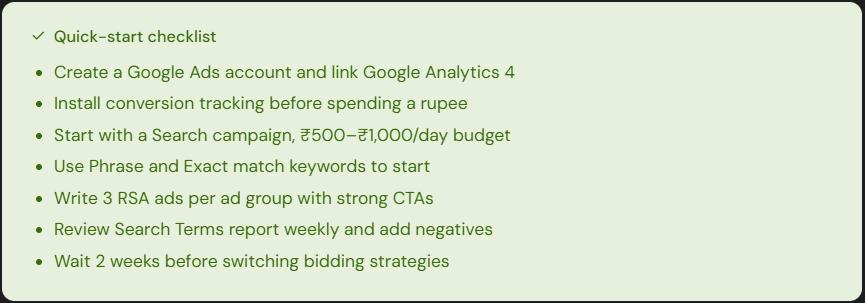
1. Create a Google Ads account Head to ads.google.com and sign up with your Google account. Enter your business info and billing details.
2. Define your goal Google will ask what you want: Sales, Leads, Website traffic, Brand awareness, or App promotion. Choose the one that matches your business objective.
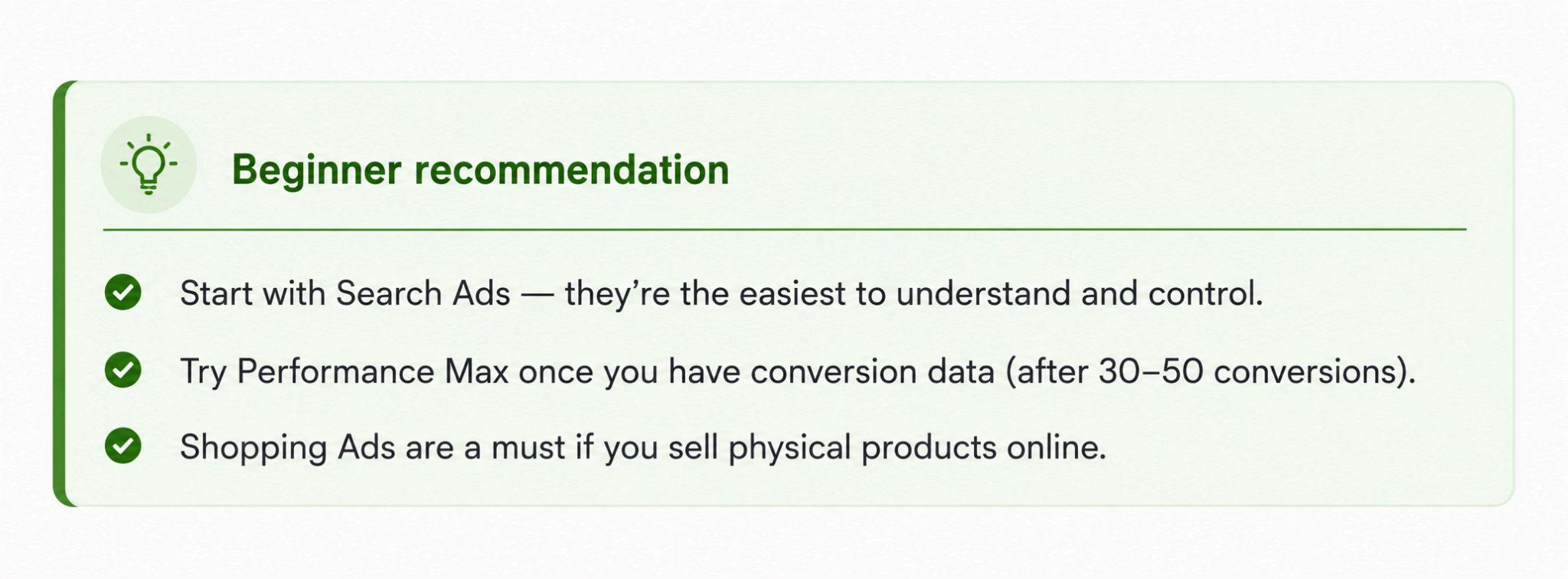
3. Choose a campaign type For beginners, select Search. Avoid Smart campaigns (limited control) and Performance Max until you understand the basics.
4. Set your budget Start small: ₹500–₹1,000/day (or $10–$20/day). Google will spend up to this amount daily, but won't exceed it over 30 days.
5. Pick your keywords Use Google Keyword Planner (free inside Google Ads) to find what your customers search for. Aim for 10–20 specific, relevant keywords per ad group.
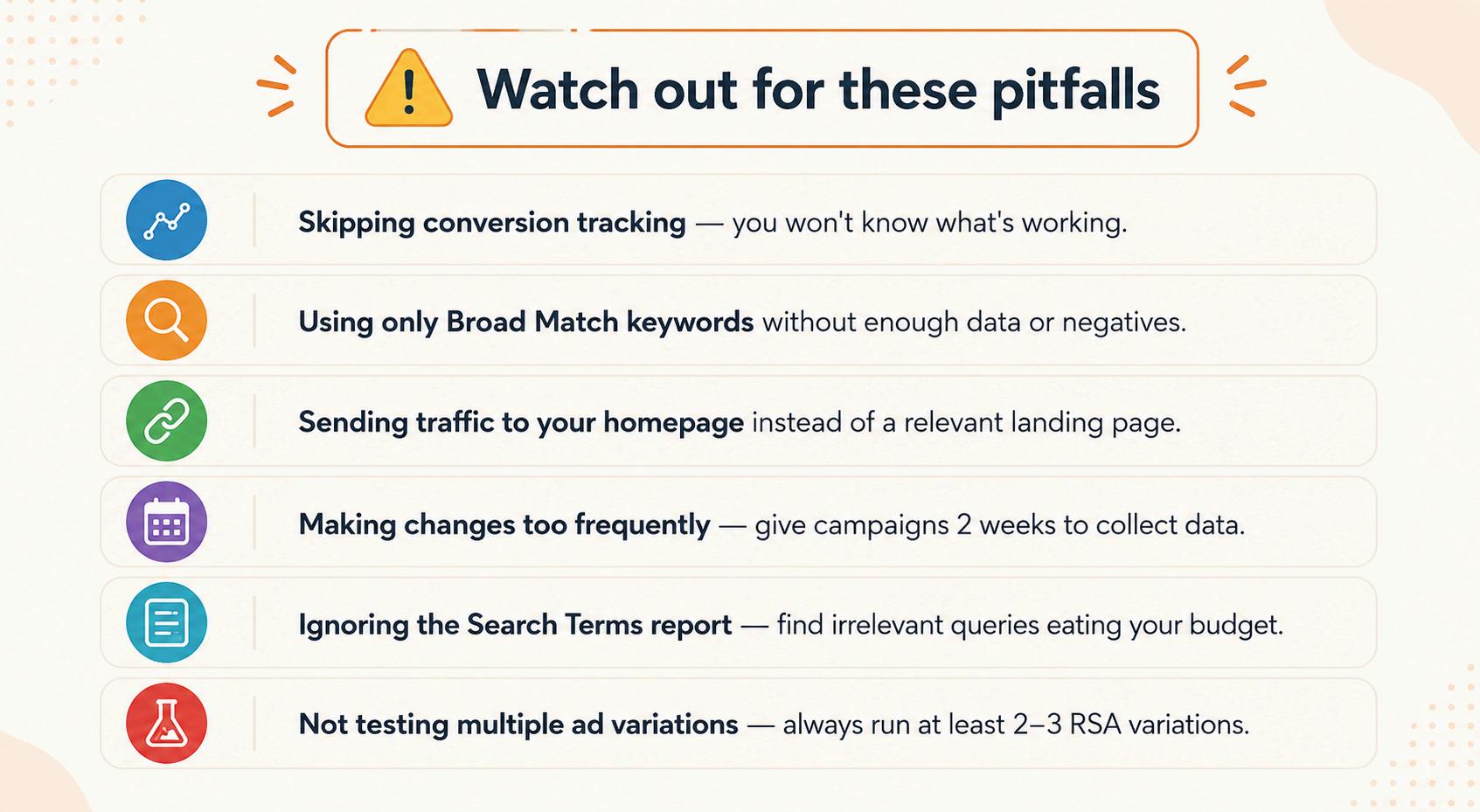
6. Set up conversion tracking This is non-negotiable. Install the Google Ads tag on your website so Google can measure purchases, form fills, or calls. Without this, you're flying blind.
7. Launch and monitor Let your campaign run for at least 2 weeks before making major changes. Check performance daily, but resist tweaking everything at once
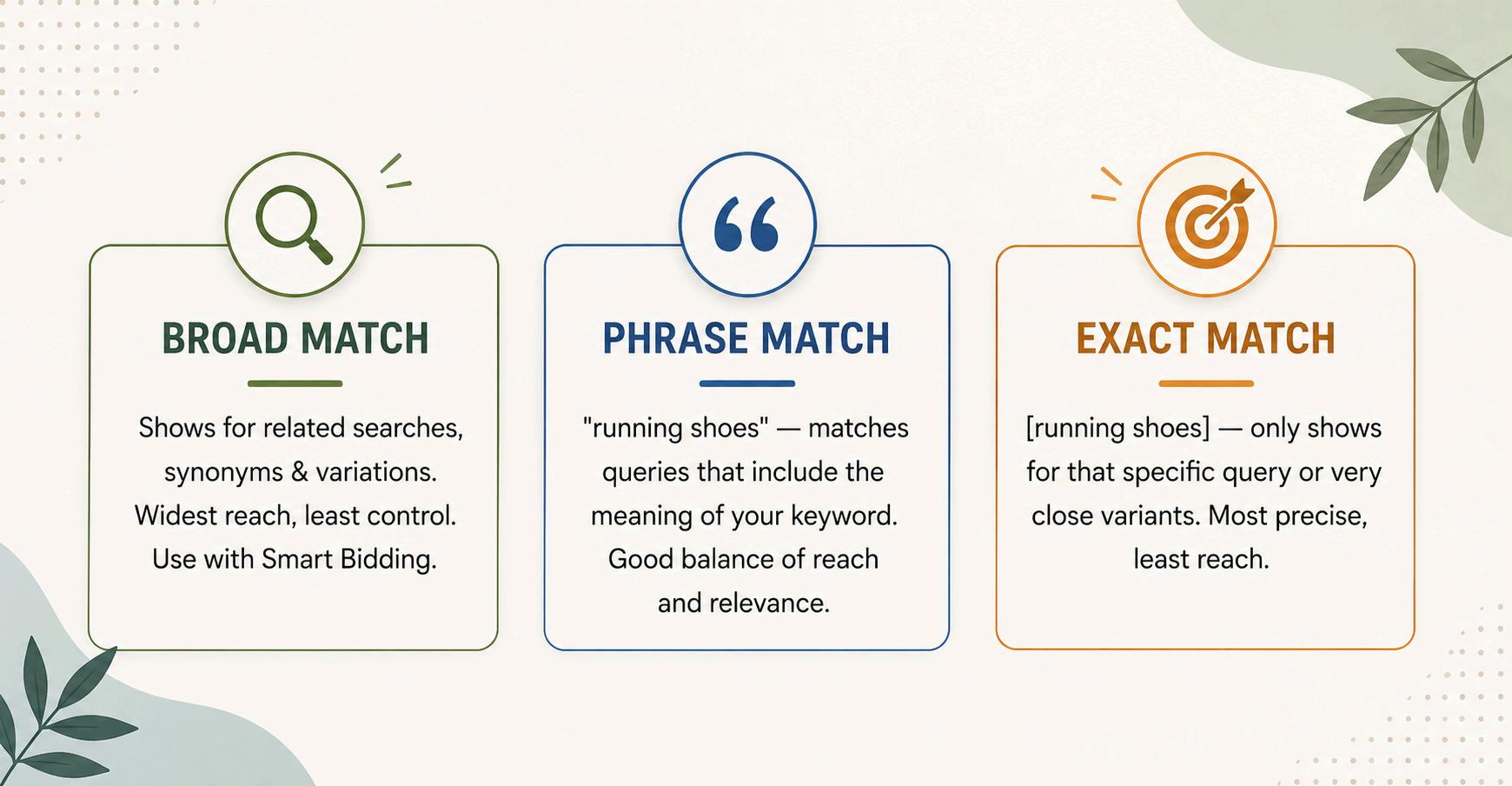
Understanding
keywords & match types
Keywords tell Google when to show your ad. In 2026, Google has simplified match types, but
Bidding strategies explained
Your bidding strategy tells Google how to spend your money. In 2026, AI-powered Smart Bidding dominates, but you need to understand the options:
1. Maximize Clicks Google spends your budget to get the most clicks. Good for beginners with no conversion data yet.
2. Target CPA (Cost Per Acquisition)— Tell Google how much you're willing to pay per conversion. Google optimizes automatically Requires ~50 conversions/month to work well.
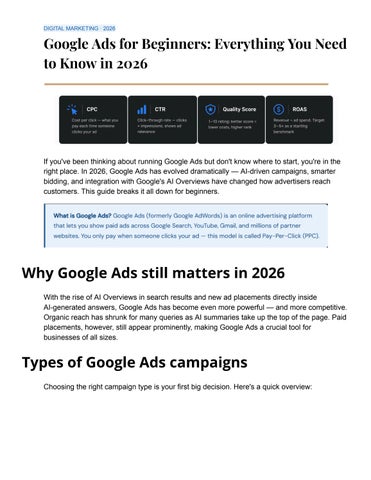
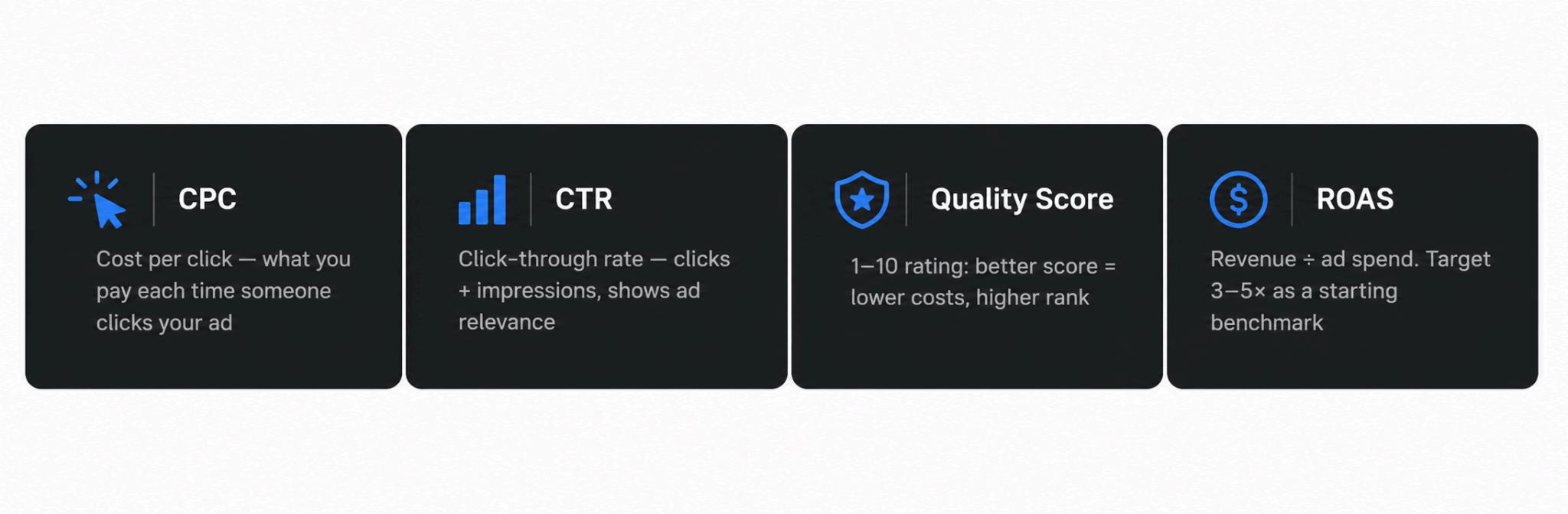
3. Target ROAS (Return on Ad Spend) Set a revenue goal (e.g., 400% ROAS = ₹4 back for every ₹1 spent)—best for e-commerce with clear revenue data.
4. Maximize Conversions—Google spends your budget to drive the most conversions. Good starting point before you have enough data for Target CPA.
5. Manual CPC— You set bids for each keyword. Maximum control, maximum effort. Not recommended for beginners in 2026.
Google Ads in 2026 — what's new
The platform has changed significantly. Here's what beginners need to know about the 2026 landscape:
1. AI Overviews ad placements Google now shows sponsored links inside AI-generated answer boxes at the top of search results. These placements are available to Search advertisers automatically.
2. Performance Max 2.0 Google has given advertisers more transparency and control inside PMax campaigns, including asset-group-level reporting and the ability to exclude specific placements.
3. Gemini-powered ad creation Google's AI can now generate headlines, descriptions, images, and even short videos for your ads directly inside the Google Ads interface.
4. Enhanced Conversions— First-party data has become critical as cookies phase out. Enhanced Conversions lets you securely send customer data (email, phone) to improve tracking accuracy.
5. Demand Gen campaigns Evolved from Discovery Ads, these campaigns now run across YouTube, Gmail, and Discover with AI-optimized creative and targeting.