CHECKING YOUR MESSAGES INSTRUCTIONS
Log in to your Submittable account and click on the submission number next to your scholarship application.
Click on “Messages” section to view your messages.
CHECKING YOUR MESSAGES INSTRUCTIONS
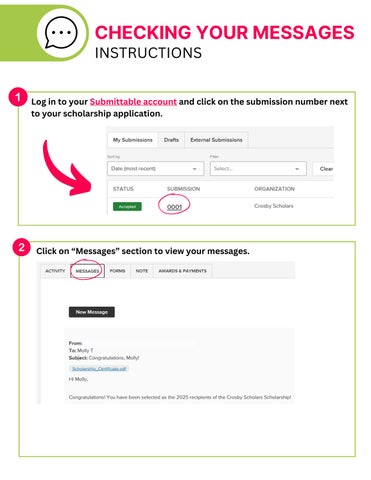
Log in to your Submittable account and click on the submission number next to your scholarship application.
Click on “Messages” section to view your messages.