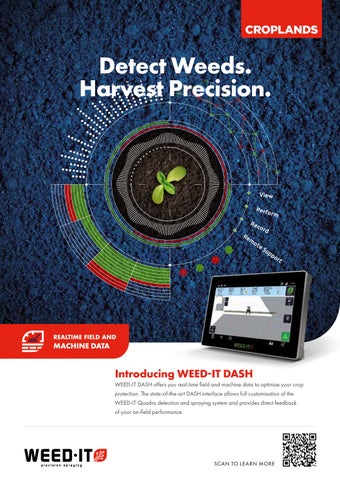
Croplands WEED-IT DASH Flyer

Page 1


Detect Weeds. Harvest Precision.

Introducing WEED-IT DASH

WEED-IT DASH offers you real-time field and machine data to optimise your crop protection. The state-of-the-art DASH interface allows full customisation of the WEED-IT Quadro detection and spraying system and provides direct feedback of your on-field performance.

WEED-IT DASH portal: create spray jobs and analyse your data

Another important component of WEED-IT DASH is the DASH portal, an online platform that increases connectivity and efficiency within the WEED-IT system. This portal offers three main functions:

1

Create and manage spray jobs

The portal is designed for end users, such as farm managers and contractors, who want to schedule spraying tasks efficiently. Although tasks can also be created directly on the touchscreen, the portal is especially beneficial for larger companies and contractors. From the planning, they can assign tasks to specific customers, farms and fields. As soon as a driver syncs on the touchscreen, the available tasks are retrieved via LTE or WiFi. If a field boundary is set, this prevents accidental spraying outside the field. Completed spray jobs will be uploaded to the portal.

2

Importing prescription maps

Within the DASH portal users can upload prescription maps. Prescription maps are usually created in external farm management systems WEED-IT DASH offers a tool for processing these maps, but does not provide agronomic advice. These maps can also be generated from previous spray jobs. For instance when a users wants to use a double knock spraying strategy. By placing a shape file in the correct subfolder, it can easily be uploaded and linked to a specific task within the WEED-IT system. This process takes place via the portal due to the WEED-IT file formats that are used.

3

Clear structure and user-friendliness

The DASH portal is logically structured according to a customer – farm – field structure. This makes the system suitable for both smaller family businesses with one farm and multiple fields and for larger companies with multiple farms. Contractors can also easily manage multiple customers, including their associated farms and fields. When synchronising on the touchscreen, the user only sees the tasks that are relevant to the selected customer and farm, which ensures a clear and efficient working method.

TOUCHSCREEN
PORTAL

Clients, Farms and Fields

Most users will only have a single client and farm. For these users, only the field section is important. The use of multiple clients is often used only by contractors. The term ‘client’ refers to the grower and/or user associated with a specific farm. A ‘farm’ is a set of fields, spray jobs and prescription maps associated with a client. A ‘field’ can be used with section control in order to only spray within the defined area. Fields can be uploaded to the portal from existing FMS that are used on the farm through shape files and/or can be created in the portal from a first spraying round using the ‘as applied’ map.

Multiple viewing options to analyse spray jobs

Sidebar for portal navigation

Multipe mode visual map element

View all spray job data needed to optimise future spray activities

Machines

A machine describes a complete configuration of a DASH system. This includes the advanced controller and the touchscreen. Within DASH, this is referred to as a machine. A spray job is sent to the DASH system installed on the machine. Along with that, all spray data and other live information collected while driving is linked to and logged on the machine.

Spray jobs

A spray job is a set of instructions that are sent from the DASH portal to the touchscreen. When the touchscreen receives this job, the operator on the machine can use it. The WEED-IT settings from the spray job are then used for spraying activities. While the operator is performing the job with the predefined settings, the farm manager can track the job and monitor it remotely on the DASH portal. After completing a job the grid size mapping layers are sent to the portal. All relevant spray information, like mapping and statistics are linked to the spray job. With this information spray reports can be generated.

Telematics and prescription maps

The machine data page is an overview of parameters of a machine or job. The machine will send this live at a constant stream if there is sufficient cellular coverage. In case there is no cellular coverage, data is saved and sent afterwards over LTE or when syncing the spray job information after completing a spray job. Prescription maps are preconfigured spraying patterns on a field.

EASILY INSTALLED ONTO YOUR SPRAYER

WEED-IT DASH can be added to your existing WEED-IT QUADRO, or can be retrofitted to nearly any brand and type of sprayer. Please contact your local dealer to explain the benefits in your particular situation.

DASH:

1 DASHQOM 10 TOUCHSCREEN

2 Dash Advanced Controller

3 Cellular/Wi-Fi/GPS Puck Antenna

WEED-IT DASH: BENEFITS

Supporting you to achieve maximum uptime and optimal yields

VIEW Ease of use

High definition, vibrant colors, a cutting-edge ultrafast processor, fully 3D. Tracking your activities and viewing your data in real time has never been so enjoyable as with the DashQom 10 Touchscreen.

PERFORM

Ultimate results

Farming Beyond Accurate is here. With 25x25 cm grids and individual nozzle control, Variable Rate Application and Crop Scouting, you get the most out of your system and your weed management.

RECORD

Full control

Your daily operations are streamlined with job cards that cover various tasks, such as mapping layers As Detected, As Covered, and Crop Density Data. Giving you full control over your crop protection.

REMOTE SUPPORT

Data accessibility

Data is easily transferred over the air by a 4G connection and instantly available in the new Dash Portal. Maximum uptime of your spraying technology and weed control is fully assured.

Turn static files into dynamic content formats.

Create a flipbook