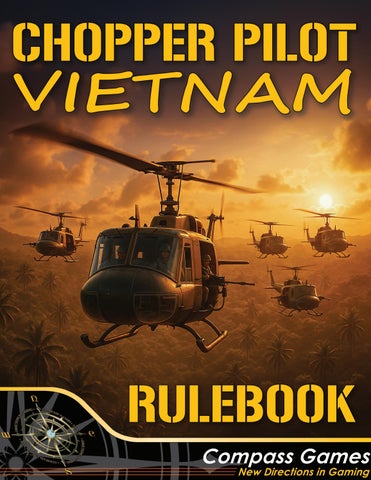
Rulebook-FINAL-REVFeb7,26.indd 1
2026-02-08 3:02 PM
Table Of Contents 1/
Table of Contents
2/
1.0 Introduction 2.0 How to Play the Game 2.1 Object of the Game 2.2 Overview of Play
3/
2.3 You are in Charge
4/
3.0 Game Equipment 3.1 Inventory 3.2 Game Maps 3.3 Game Scale
5/
3.4 Counters and Markers
6/
3.5 Player Aid Cards 3.6 Combat Tour Cards 3.7 Crew Boards 3.8 Helicopter Info Cards
7/
8/
3.9 Unit Cards 3.10 Enroute Event Cards 3.11 Combat Event Cards 3.12 Return Event Cards 3.13 Crew Bio Cards 3.14 Playbook 3.15 Base Mat 3.16 Mission Log Pad 3.17 Emergency Procedures Pamphlet 3.18 Dice 4.0 Aircraft 4.1 Available Helicopters
9/
5.0 Game Setup 5.1 Primary Campaign
10/
5.2 Crew Setup 5.3 Luck Factor 5.4 Combat Tour Cards 6.0 Mission Setup 6.1 Mission Briefing 6.2 Mission Setup 7.0 Operations Map Procedures 7.1 Operations Map Movement 7.2 Operations Map Sequence of Play
11/
7.3 Operations Map Play 7.4 Operations Map Return to Base
12/
8.0 Tactical Map Procedures 8.1 Tactical Map Setup 8.2 Tactical Map Sequence of Play 8.3 Tactical Map Movement: Helicopters 8.4 Tactical Map Movement: Ground Units
13/
8.5 Enemy Unit Spawning
14/
8.6 Helicopter Loading and Unloading 8.7 Search Missions 8.8 Tactical Map Exit 9.0 Combat 9.1 Spotting
15/
9.2 Helicopter vs. Ground Unit Combat 9.2.1 Door Gunner Attacks 9.2.2 Cobra Rocket Attack 9.2.3 Cobra Chin Turret Minigun
16/
9.2.4 Cobra Chin Turret Grenade Launcher 9.3 Ground Unit vs. Helicopter Combat 9.3.1 Fireteam, HMG & RPG Team vs Helicopter Attack 9.4 Ground Unit vs. Ground Unit Combat
17/
9.4.1 Enemy Fireteam, HMG & RPG Team vs Ground Unit Attack 9.4.2 US Ground Unit Attack 9.4.3 Supporting Units 9.4.4 Scatter Diagrams
18/
9.5 Combat Damage 9.6 Helicopter Crew Wounds 10.0 Post Mission 10.1 Experience Levels
19/
10.2 Skill Points 10.3 Victory Points
20/
10.4 Post Mission Cleanup 10.5 Helicopter Repair (Optional Rule)
21/
11.0 MACV-SOG Campaign 11.1 The MACV-SOG Campaign Our Team - Credits
If any parts are missing or damaged, please contact: Compass Games, LLC PO Box 278 Cromwell, CT 06416 Phone: (816) 301-0477 E-Mail: support@compassgames.com WWW: https://compassgames.com or you can use the QR code
1 Rulebook-FINAL-REVFeb7,26.indd 2
2026-02-08 3:02 PM
1.0 INTRODUCTION Vietnam, the first “helicopter war.” For over a decade US Army helicopters flew and fought in the skies of Vietnam, Laos and Cambodia. Now Chopper Pilot Vietnam lets you take part in that conflict as a pilot of the ubiquitous Huey or the deadly Cobra. Chopper Pilot Vietnam is a solitaire or cooperative game in which you fly as a US Army Warrant Officer helicopter pilot during the Vietnam War. You will start your one-year tour as a UH-1 “Huey” pilot in the 1st Cavalry Division (Airmobile), hereafter referred to as the 1st Air Cav. During the campaign you may be afforded the opportunity to become an AH-1 Cobra pilot and fly assault missions in support of the infantry and Hueys that you will be escorting. If you are good enough, you might be called upon to work for the infamous Military Assistance Command, Vietnam – Studies and Observation Group (MACV-SOG). Your missions there will be in support of the special forces Recon Teams which you will drop off deep into North Vietnam, Cambodia or Laos, then pick them up under dire circumstances if they are discovered by the North Vietnamese. Regardless of your mission, there will be ground troops depending on you, to get them to the battlefield, resupply them under fire, or to evacuate them if they are wounded in combat. Are you up to the challenge? If you are new to, or unfamiliar with historical games, DON’T PANIC! First look at any of the Helicopter Info Cards, the Game Maps, and the playing pieces. Then give the rules a quick read through. Please don’t try to memorize them. Read the Objective of the Game and Overview of Play (Section 2.0). Then follow the setup instructions in Sections 5.0 and 6.0. As questions arise simply refer back to the rules. After a few minutes of play, you will find yourself becoming familiar with the game mechanics.
Online game support is available. There are several options to choose from: Visit us on the Web: https://compassgames.com Contact us by email: sales@compassgames.com General customer service and game parts support are provided by Compass Games (Section 3.1). More resources are the BoardGameGeek website, and the Chopper Pilot Vietnam Facebook Group. Throughout the rules you will see numerous sections such as this one. These sections are filled with examples, clarifications, play hints, designer notes, and other assorted wisdom to help ease you along. Additionally, game charts and tables are normally referred to by numbers and letters in [square brackets] within the rules to assist you in identifying them.
2.0 HOW TO PLAY THE GAME 2.1 OBJECT OF THE GAME Your objective is to serve a one-year tour as a chopper pilot in Vietnam and survive. 2.2 OVERVIEW OF PLAY This is a solitaire or cooperative game; however, it could easily be an adversarial game with one side controlling the Americans and the other side controlling the NVA/VC. To play cooperatively, just split the helicopters in your flight with a friend. See my Designer Notes for more on this. You will command a flight of up to seven helicopters, moving across the Operations Map, checking for random events along the way. When you reach the target zone you will switch to the Tactical Map and fly the individual helicopters across the map towards their objective. Enemy units will randomly spawn and attack your flight. Missions and Events are included in the Playbook, allowing for more of both and not being restricted by what can fit on a card.
2 Rulebook-FINAL-REVFeb7,26.indd 3
2026-02-08 3:02 PM
Missions are presented in a sequential format, building on previous missions that enrich the game narrative. They will include transport of infantry units to designated landing zones, resupply of units already in the field, medevac of wounded grunts from the battlefield, and more. The Primary Campaign places you into a US Army Assault Helicopter Company in the 1st Air Cav Division. A later, advanced campaign will allow you to fly missions in support of the Military Assistance Command Vietnam – Studies and Observation Group (MACV-SOG), which flew missions “across the fence” into Laos, Cambodia, and North Vietnam. The Operations Map is your Area of Operations (AO), with a fixed location as your base. You will play the missions, in order, as listed in the Playbook. The mission briefing will dictate the mission type as well as the number and type of aircraft involved. The route to the target location is also pre-planned and listed in the mission briefing. As you fly from waypoint-to-waypoint enroute to the target location, you will draw a card from the Enroute Event deck at the first waypoint. Follow the instructions on the card which will direct you to read a numbered paragraph in the Playbook. Upon safely reaching the target point, you will set up the Tactical Map(s) as shown in the mission briefing. Entry and exit hexes and the actual landing zone (LZ) are also listed. You will fly your flight of individual aircraft across the Tactical Maps; land in the LZ or perform the mission; then fly off the Tactical Map(s) via the exit hex. Pre-placed enemies and villagers may be present, and more enemy soldiers may spawn on the Tactical Maps and attack your flight of helicopters during their flight across the Tactical Maps. Once all your aircraft have exited the Tactical Map the mission will end. You will then perform basic post-mission housekeeping functions and prepare for the next mission. Part of the post-mission process is determining the number of Victory Points awarded for the mission. This is described in detail in Section 10.3 VICTORY POINTS.
2.3 YOU ARE IN CHARGE There are times during missions where not all information will be provided to you. The game is designed to avoid hand-holding. Some elements must be inferred, and you may face situations where not all possible choices are clearly listed in advance. In these cases, it is expected that you will apply sound decision-making and tactical judgment in order to proceed. An example is you are enroute on the Tactical Map heading towards your LZ when you see a parachute draped over some bushes. That’s all you are told. Do you take the initiative and start a search for a possible downed pilot? It’s up to you. Note: Throughout the rules we will use the terms “friendly” and “enemy” forces or units. These are in relation to your side which is the Americans. Therefore the “friendly” forces are always American and the “enemy” forces are always VC or NVA, no matter in what context the terms are used. The 1st Air Cav logo is shown for all Primary Campaign items.
The MACV-SOG logo is shown for all MACV-SOG Campaign items.
Designer Note: Due to the nature of cats and their tendency to run across gaming tables, it is recommended that you use your cell phone camera to take pictures of the different game components and their positions and statuses, to recall how they were setup if you have to pause in the middle of a mission. That way if they are disturbed, there is a record of how they were last setup. This would also apply to small children, spouses, earthquakes, and zombies.
3 Rulebook-FINAL-REVFeb7,26.indd 4
2026-02-08 3:02 PM
3.0 GAME EQUIPMENT 3.1 PARTS INVENTORY • The game includes the following: • Three 11” x 17” full color Operations Maps • Six 22” x 34” full color Tactical Maps • Five Counter Sheets • Eight Player Aid Cards • Two Combat Tour Cards • Four Crew Boards • Nine Helicopter Info Cards • Nine Unit Cards • 55 Enroute Event Cards • 45 Combat Event Cards • 50 Return Event Cards • 20 Crew Bio Cards • One Base Mat • One Mission Log pad • One full-color Playbook • One full-color Rulebook • Two six-sided dice (differing colors), and one ten-sided die • One trifold Emergency Procedures Pamphlet • One Comic Book • Two wet erase markers • One Game Box OPTIONAL ITEMS (NOT INCLUDED): • Strong coffee • A Lucky Charm • Nerves of steel when Charlie opens fire. If any of these parts are missing or damaged, please contact the publisher: Compass Games LLC, PO Box 271, Cromwell, CT 06416 USA Phone: 860-301-0477 Email: sales@compassgames.com
There are six 22”x34” Tactical Maps. The Mission Briefing will list which maps are to be used and in what configuration. Each map will be referred to by the number (1-6) in the lower left corner. Mission Briefings will show map configuration for setup when more than one map is used for the mission.
3.2 GAME MAPS There are three 11”x17” Operations Maps that represent your Area of Operations (AO). Two maps are for the Primary and one map is for the MACV-SOG campaign. They are aeronautical charts which have your base and numerous waypoints (white numbers) and target points (yellow numbers) marked.
3.3 GAME SCALE The scale on the Operation Maps is abstract. Each hex on the Tactical Maps equals approximately 50 meters. Each turn on the Tactical Map is approximately 1 minute. Aircraft counters represent a single aircraft. The Flight Counter (used on the Ops Maps) represents all the aircraft in your flight. Ground units are fireteams of four soldiers, machinegun/ RPG teams of two or three soldiers, or special ops teams of four troops.
4 Rulebook-FINAL-REVFeb7,26.indd 5
2026-02-08 3:02 PM
3.4 COUNTERS AND MARKERS Included are cardboard counters representing individual helicopters, ground troops, and unit status. All ground units (friendly and enemy), including Special Forces Teams and HQ units are considered “Fireteams.” Except HMG and RPG teams as they are listed separately.”
VC Clark
Pilots/Gunners ARMY
Morale Number
4 US Army Fireteam Reduced
SOG
LRRP
3
3
VC Fireteam
VC RPG Team
VC HMG Team
LRRP
USMC
SEAL
Villagers
Buffalo
CIA
The Congressman
Villagers
Water Buffalo
Smoke Used to mark locations; such as LZs, Entry and Exit hexes
Explosion
Target Marker
CIA
Su
SEAL ARMY
Suppressed
CO HQ
CO HQ
USMC HQ
US Army HQ
5
VC HQ
Other ‘Wild Bill’
5 USMC
3
5
Special Forces Team
USMC Fireteam
3
VC CO HQ
Red Slash= Reduced
5
5
HMG
Airstrike Marker
ed
P
R
R
5
VC
RPG
POW
ott
L
US Army Fireteam
VC
NVA HQ
sp
4
4
NVA Fireteam NVA RPG Team NVA HMG Team
Helicopter ARMY
4
Un
Huey
4
NVA CO HQ
d
M
NVA HMG
se
3
4
NVA RPG
res
Helicopter Number
Altitude Level G=Landed N=NOE L=Low M=Medium
NVA
pp
US Forces
Vietnamese
Unspotted
Enemy POWs
4
Vietnamese Chit
US Chit
Other US CRASH
Helicopter Wreck
Plane Crash
POW
The Colonel
Pilot
Downed Pilot
Crew
Downed Helo Crew Used on OPs Map
Flight Escaped US POWs
Supplies
The Colonel
Body Bags
Your Flight
+
Wounded
Parachute
Skills and Experience 3 SKILL Skill Point Tally
Used on Crew Board to track Skill Points in bank
Used on Crew Board to track Experience Level Experience Level
Veteran
WRECK
+1 DRM
+1 DRM
+1 DRM
Flying Ability Skill DRM
Perception Skill DRM
Gunnery Skill DRM
4 LUCK
LF USED
Luck Factor
Reverse LF Used
Used on Crew Board to track Skill DRMs
5 Rulebook-FINAL-REVFeb7,26.indd 6
2026-02-08 3:02 PM
3.5 PLAYER AID CARDS Six full-size and two half-size Player Aid Cards are provided that contain the tables and charts needed to play the game. Each table or chart will be referenced in the pertinent rules section.
3.7 CREW BOARDS There are four double-thick Crew Boards. These will contain places for you to keep track of your pilots, co-pilots, crew chiefs, and gunners as well as their skills, etc. These are to be used for your lead helicopter crew only, not for pilots and crews of the other aircraft in your flight..
3.8 HELICOPTER INFO CARDS There are nine Helicopter Info Cards which will let two or more players fly various types of helicopters. The card will allow you to keep track of your aircraft’s damage, pilot/crew’s wound status, and other aircraft status information. These will be used for all helicopters in your flight.
3.6 COMBAT TOUR CARDS There is a Combat Tour Card for each campaign which shows your oneyear tour in Vietnam, and six-month extension if you decide to fly for MACV-SOG. It has the missions to be flown during each month.
Designer Note: This game does not model aircraft performance based on the real-life aircraft. Some characteristics have been generalized to improve gameplay. We have chosen to sacrifice total accuracy for fun.
6 Rulebook-FINAL-REVFeb7,26.indd 7
2026-02-08 3:02 PM
3.9 UNIT CARDS There are nine Unit Cards. They have a graphic showing the unit and Combat Results Tables used when the unit is attacking. Any die rolls resulting in less than “1” are considered a “Miss/No Result”.
3.12 RETURN EVENT CARDS There are 50 Return Event Cards. They will refer you to a paragraph in the playbook. Do not reshuffle the deck until you have drawn the last card, even if it takes the entire campaign.
3.10 ENROUTE EVENT CARDS There are 55 Enroute Event Cards. The cards will list a paragraph that corresponds to event paragraphs contained in the playbook. There are also “No Event” cards mixed into the decks. Shuffle the cards before play and work your way through the deck, discarding drawn cards as you go. Do not reshuffle the deck until you have drawn the last card, even if it takes the entire campaign. This applies to all of the card decks. Note the unit symbols on the card backs indicate which campaign they are for (Section 2.3).
3.13 CREW BIO CARDS There are 20 Crew Bio Cards from which you will select your crew members. Crew biographies are also listed in the Playbook.
3.11 COMBAT EVENT CARDS There are 45 Combat Event Cards. These are used for the Primary Campaign only. Combat Event Cards are not used for the MACV-SOG Campaign. The cards will denote either a direction and distance where an enemy unit will spawn, or they may contain a paragraph number referencing a specific event that will occur (see Playbook). Do not reshuffle the deck until you have drawn the last card, even if it takes the entire campaign.
3.14 PLAYBOOK There is one Playbook in the game for both the Primary and the MACV-SOG Campaign. It contains all the missions and event paragraphs for the campaigns, as well as a glossary, unit organization tables, suggested formations, and an example of play section.
3.15 BASE MAT A place to park your helicopter counters between missions and a way to track missed missions by wounded crew members, or any other time your need a turn track countdown. .
7 Rulebook-FINAL-REVFeb7,26.indd 8
2026-02-08 3:02 PM
3.16 MISSION LOG PAD The Mission Log Pad is used to record information for each mission flown, as well as Skill and Victory Point totals for the campaign. Use the Notes section to record items such as: mission difficulty color; any event paragraph items; air strikes/artillery barrages available/used; crew member wound status; track missions completed; helicopter repair status; the helicopter your crew is flying, etc. Permission granted for players to create additional copies for personal use.
3.18 DICE Two six-sided dice of differing colors and one ten-sided die are provided to obtain the results on the various tables. Different combinations of dice rolls may be called for on different tables. Examples: 1D6 = Roll one six-sided die. 1D10 = Roll one ten-sided die. The “0” is a “10”. 1D6 + 1D6 Used on Damage Table rolls where one die represents the tens value, and one die represents the ones value (e.g., a roll of a 4 and a 2 = 42). This game will use the abbreviation “DRM” which stands for Die Roll Modifier. This modifier is used to alter a die roll either positively or negatively depending on the situation.
4.0 AIRCRAFT
3.17 EMERGENCY PROCEDURES PAMPHLET The Emergency Procedures Pamphlet is a quick reference card that contains vital information. The information is also contained in the rules, but this will help speed up game play as you are learning the game.
4.1 AVAILABLE HELICOPTERS The helicopters included in the game are ones that were widely used during the Vietnam War. There were several other types that were also used, but we kept the number of types reasonable to optimize gameplay. These helicopters were used for everything from rapid transport of troops into and out of battle, to search and rescue, attack roles, and many other mission types. UH-1 Huey “Slick” You will start the Primary Campaign as a UH-1 Huey “Slick” pilot. They were the most common type of helicopter used during the war and performed every type of mission including troop transport, wounded evacuation, resupply, and many more. Almost 7,000 Hueys served in Vietnam with over 3,300 losses. There were 1,100 pilots lost, as well as 1,200 crewmembers. AH-1 Cobra “Snake” During the Primary Campaign you may be afforded the chance to transition to an AH-1 Cobra platoon. The Cobra was the first purposebuilt attack helicopter and was derived from the Huey design. Over 800 Cobras served in Vietnam, with 300 losses and almost 250 pilot losses.
8 Rulebook-FINAL-REVFeb7,26.indd 9
2026-02-08 3:03 PM
OH-6 Cayuse “Loach” The OH-6 Cayuse or “Loach” was a light observation helicopter used for search and destroy missions. The Loach was a modified Hughes 500 civilian helicopter. During the Vietnam War, a single Loach was usually accompanied by one or two gunships and would fly at treetop height trying to draw enemy fire. If successful, the enemy would then be dealt with by the gunships. Over 1,400 OH-6s served in Vietnam, with 900 plus losses. Almost 500 pilots and crewmembers were killed.
You walk up to the awning-covered tables and hand your DD 201 file over to the Spec 4 sitting there. He glances at your file, sees your MOS and says, “100 Bravo, Building 4,” as he points to his left. You grab your duffle bag and make your way to Building 4.
5.0 GAME SETUP
5.1 PRIMARY CAMPAIGN You will begin the game by playing the Primary Campaign. You will be assigned as a UH-1 Huey pilot in an assault helicopter company of the 1st Air Cav Division stationed at Camp Radcliff, An Khe, South Vietnam starting in July 1967, and move to Camp Evans northwest of Hue in January 1968. The Primary Campaign will be a one-year tour and will start on Operations Map A. You will switch to Operations Map B starting with Mission 113.
It’s been a long flight from Travis Air Force Base in Northern California, but the Delta Airlines 707 has finally touched down in Saigon. You say goodbye to the stewardesses as they wish you good luck and you walk down the stairway. The first thing you notice is the heat, and the humidity. It smacks you in the face like a hot, wet glove. But what else did you expect from Vietnam in July?
On the other side of the 707 is a C-141 loading several aluminum coffins and a string of ragged looking GIs that have finished their one-year tour and are heading back to “The World.” They look at you in your clean, starched uniform and if they had the energy, they would certainly be jeering you. Inside Building 4 you receive your assignment, Huey Pilot stationed in An Khe, home of the 1st Cavalry Division (Air Mobile) at Camp Radcliffe. You’re told to head to the end of the flight line as a C-130 is about to leave for Qui Nhon. You barely make it to the C-130 before it departs. And so begins your one-year tour in Vietnam as a US Army helicopter pilot.
9 Rulebook-FINAL-REVFeb7,26.indd 10
2026-02-08 3:03 PM
There are more than 30 missions for the Primary Campaign. These will be an assortment of the actual types of missions flown by helicopter pilots during the Vietnam War. The brave men who flew or crewed the Hueys and Cobras would amass thousands of flight hours during their one-year tour, sometimes flying upwards of ten missions per day depending on the need. You will only be flying two to five representative missions per month to avoid taking one year to play the game. 5.2 CREW SETUP You will play the part of the Aircraft Commander (A/C) of a UH-1 Huey. In real life this position would normally take a couple of months to achieve, but for game purposes you will start the campaign as the A/C in October 1967. For your first three months in Vietnam you have been a co-pilot, commonly referred to as the “Peter Pilot,” learning to fly and fight your Huey helicopter in a shooting war. You will then choose your crew: Co-pilot, Crew Chief and Gunner, using the crew biographies included in the Playbook and deck of Crew Bio Cards (co-pilots are pilots and crew chiefs are gunners). Select the matching counter for each crew member and place it in the appropriate spot on the Crew Board. Each crew member will have certain skills that can be improved as the game progresses. Unless otherwise noted, all skills start at zero. As the A/C of your Huey you will have: Flying Ability and Perception skills. These will be in the form of a positive DRM that will affect certain die rolls on game tables. The remainder of your crew will have the following skills, all starting at level zero. Co-pilot will have Flying Ability and Perception while the Crew Chief and Gunner will only have Gunnery. When and if you transition to Cobra attack helicopters, your Pilot and Co-pilot will add the Gunnery Skill and become your Cobra crew. Your crew chief and door gunner stay behind. You will then be able to fly the missions with numbers shown in brackets (see Combat Tour Card). You will also fly the remainder of non-bracketed numbered missions and if there are no Cobras listed to fly that mission, you will add 1x Cobra. See Transition to Cobra Pilot Table [E4]. The Crew Boards have two spaces for keeping track or your running total of Skill Points available, a “tens” place and a “ones” place. Note that the Mission Log also has a box for Skill Point tracking. 5.3 LUCK FACTOR Your pilot character will also have a “Luck Factor” (LF) that will be available to be used to influence certain aspects of the game. To acquire your Luck Factor you will roll 1D10. The result is your “permanent” Luck Factor. Place the appropriate marker on the Huey Crew Board for the Pilot. To use your Luck Factor, you will have to roll your Luck Factor number or less on 1D10 to be successful. Note that only your Pilot Character will have a Luck Factor. Potential uses will be noted on some charts and tables or listed in the mission briefings, but you may also try to use it to re-roll a bad dice roll in any situation. If you are successful in rolling your Luck Factor, it can only be used once per mission, unless noted otherwise. Turn your LF marker over to LF Used side when used.
5.4 COMBAT TOUR CARDS The Combat Tour Cards show which missions you will fly in any given month for the one-year Primary Campaign. There is a separate sixmonth Tour Card used for the MACV-SOG Campaign. These are only a few, representative missions of the hundreds flown by the actual crews during their one-year tour.
6.0 MISSION SETUP 6.1 MISSION BRIEFING You begin by reading Mission Number 101 and following the set-up instructions. The missions will be played in numerical order which will help to develop the rich narrative of the game. The Mission Briefing will give you all the required information to begin the mission. Some aspects of the missions may be revealed or changed as they develop. You will fill out the Mission Log which will record information such as the helicopter you are flying; the crew members onboard your helicopter; types of helicopters taking part in the mission; type of mission, etc. 6.2 MISSION SET-UP Select the Helicopter Info Cards for the number and types of aircraft per the Mission Briefing and lay them next to the Operations Map. Set the Flight Counter on the Base Point (marked “B”) of the appropriate Operations Map. Note that the Mission Briefing or the Event Paragraphs may override any of the listed rules, settings, or other information. Place any passengers or cargo into the helicopters of your choosing, in the Passenger boxes of the Helicopter Info Cards. One fireteam or cargo counter per box.
7.0 OPERATIONS MAP PROCEDURES 7.1 OPERATIONS MAP MOVEMENT The following rules apply to movement on the Operations Map: • • •
There are no Movement Points (MP) spent on the Operations Map. Helicopters move waypoint-to-waypoint as described in the Mission Briefing. Altitude Levels have no effect on Operations Map play.
7.2 OPERATIONS MAP SEQUENCE OF PLAY. 1. Move the Flight Counter from your base to the first numbered waypoint listed on the Mission Briefing, where you will draw an Enroute Event card. Read the paragraph noted from the Playbook. Follow any instructions in that paragraph. Discard when finished. 2. Upon reaching the second waypoint, roll on the Random Ground Fire Table [H1] (located on Ops Map) and apply the results. 3. At the target point, roll on the Mission Weather Table [H2] (located on Ops Map) to determine if there is any adverse weather over the target area. 4. Enter the Tactical Map, roll on the Mission Difficulty Table [E1] which will determine the Mission Difficulty column color. 5. Complete the mission and return to the Operations Map all per mission instructions. 6. Retrace your waypoint-to-waypoint movement back to base, drawing a Return Event Card at the first return waypoint. Do nothing at the second return waypoint. 7. Roll on the Weather Landing Table [F3] for landing back at your base.
10
Rulebook-FINAL-REVFeb7,26.indd 11
2026-02-08 3:03 PM
8.
Bookkeeping Phase: conduct all post-mission activities (Clear helicopter damage, place wounded crew on Base Mat, tally Skill and Victory Points, purchase new skills, discard held cards, transition to Cobra if eligible, etc.) Move on to next mission.
7.3 OPERATIONS MAP PLAY As stated earlier, you will set up your Mission Log and Helicopter Info Cards. Then move the Flight Counter from the Base point (marked “B” on the Ops Map, or wherever the Mission Briefing states) to each successive waypoint as indicated in the Mission Briefing. Enroute Events: Upon entering the first waypoint, you will draw a card from the Enroute Event deck and follow the directions on the card. This will direct you to read a numbered paragraph in the Playbook. Note that some cards will say “No Event.” In that case, you will continue with your mission. Some events take effect immediately while some may be saved for later use on the Tactical Map. Enroute Event Cards are discarded after using. Any drawn, but unused Enroute Event Cards are also placed in the discard pile at the end of a mission, they are not carried over to following missions, unless specifically noted on the card. Some Enroute Event Cards may alter the mission entirely. In that case, you will undertake the new assignment when you reach the tactical map. Your current mission configuration may not be compatible with this new mission. It is presumed that you stopped at a Forward Operating Base (FOB) to configure your flight appropriately before reaching the Tactical Map. Details will be given in the new Mission Briefing. Upon completing the newly assigned mission, you will next play the original planned mission (in order to not skip any missions). Do not reshuffle the Enroute Event deck between missions. You will reshuffle
the deck only after the last card is drawn, whenever that occurs. Enroute Events will be one of four types: 1.
Observations: These types of events are just observations that you make on the way to the target zone. They have no effect on gameplay, they are for atmospheric immersion.
2.
Choices: These events will give you a choice to make that may include aborting your assigned mission and taking on a new mission instead. That mission will start with entering the Tac Map.
3.
Re-direct: These events will require you to abort your currently assigned mission and take on the new mission assigned by your unit commander. That mission will start with entering the Tac Map.
4.
Events: These will have an effect on gameplay and may require die rolls or DRMs for future die rolls. An example would be your door gunner’s machinegun has jammed and will require a certain die roll to unjam.
You will continue along the waypoints listed, rolling on the Random Ground Fire Table [H1] at the second waypoint and the Mission Weather Table [H2] when you reach the Target Point designated in the Mission Briefing. At that time, you will set-up the listed Tactical Map(s) and play will move to said map(s). See Section 8.0 TACTICAL MAP PROCEDURES. 7.4 OPERATIONS MAP RETURN TO BASE Once you have completed your mission on the Tactical Map, you will return to the Ops Map and retrace your waypoint-to-waypoint movement back to base. You will draw one Return Event Card upon entering the first return waypoint. Follow instructions on the card. Upon entering the Base Point, roll on the Weather Landing Table [F3] for any hindrances while landing at base.
11 Rulebook-FINAL-REVFeb7,26.indd 12
2026-02-08 3:03 PM
8.0 TACTICAL MAP PROCEDURES 8.1 TACTICAL MAP SETUP The Mission Briefing will show the setup of the appropriate Tactical Map(s) and state the entry, exit, and Landing Zone (LZ) hexes as well as any villagers or known enemy or friendly forces that you will place on the map. All helicopters enter the Tactical Map at altitude level Medium. Roll on the Mission Difficulty Table [E1] to see which table you will use for enemy spawns for the entire mission. 8.2 TACTICAL MAP SEQUENCE OF PLAY 1. Helicopter Phase. Draw a Combat Event Card prior to helicopter movement and spawn any enemy units or read the event paragraph. Then move any of the helicopters in your flight in any order you choose until all aircraft have had an opportunity to move and/or shoot. Load/unload any troops or supplies from helicopters that have landed in their LZ. 2. Initiative Determination. Place three initiative chits for each side into a cup and draw one to determine whether the American or NVA/VC side ground forces will have the initiative. (Helicopters have the initiative before all ground units.) 3. Initiative Phase. The side with initiative moves and shoots with ground units. 4. Non-Initiative Phase. The side without initiative moves and shoots with ground units. 5. Air strike/Artillery Phase. Air strikes and off-map artillery barrages that were called on the previous turn are conducted in initiative order. Air strikes and off-map artillery barrages are called for next turn (except when calling in “emergency support,” see Section 9.4.3 Supporting Units.) 6. Bookkeeping Phase. Record all damage taken by both friendly and enemy forces. Roll for ground unit suppression removal (morale number or less on 1D6). This completes one turn on the Tactical Map. The above sequence of play continues until all helicopters (or surviving crash members) have exited the Tactical Maps through the exit hexes. Ground units left on the map are removed from the map at that time, unless instructed otherwise by the Mission Briefing. Ground combat only takes place while the helicopters are on the map. 8.3 TACTICAL MAP MOVEMENT: HELICOPTERS Movement Points: Each helicopter has its own Movement Point (MP) value. Helicopter Tactical Map MPs are listed on the individual Helicopter Info Cards. Note that they are altitude dependent. Moving one hex forward costs 1 MP. Facing matters for helicopters, but not for ground units. Moving one hex laterally or backwards costs 2 MPs and may only be made when starting from a hover. The minimum MP expenditure on the Tactical Maps is 1 MP, see hover below. Movement Points may not be carried over from turn to turn. You may spend up to your helicopter’s MP allowance per turn. Certain damage will affect a helicopter’s MP allowance, see Helicopter Damage Effects Chart [C2]. The order of helicopter movement is determined by you. Hovering: It costs 1 MP to enter a hover and 1 MP for each turn a helicopter remains in a hover. Moving out of a hover costs the amount of MP(s) to normally enter the desired hex.
Turning: Turning one hexside costs 1 MP. Helicopters must move forward at least one hex before making the next turn (except when hovering). Helicopters that start the game turn in a hover may turn multiple hexsides in a row to the limit of their MP value. Helicopter facing is important as it will determine which guns can fire at enemy units. Stacking: Only two helicopters are allowed in one hex at any time at the same altitude. A helicopter may not shoot through a hex containing another helicopter at the same altitude. Helicopters may be stacked in the same hex as ground units, not to exceed either’s limits. Altitudes: There are three Altitude Levels in the game: (1) Nap of the Earth (NOE) which is treetop level, (2) Low (approx. 100 feet), and (3) Medium (approx. 500 feet). While not technically an altitude level, helicopters may also land, see Landing below. The cost to climb or descend one altitude level is 1 MP. A helicopter may only change one altitude level per turn (exception when landing, then loading or unloading, and then taking off all in one turn, a 3-step process—see example in Section 8.6 HELICOPTER LOADING AND UNLOADING below). Helicopters can only go lower than Altitude Level 1 (NOE) to land, otherwise they are considered to have crash landed, see Forced Landing Table [F2]. They cannot go higher than Altitude Level 3 (Medium). There are counters to represent each helicopter’s different altitude levels. Landing: Landing is the process of descending from Altitude Level 1 (NOE) to Altitude Level 0 (landed). Landing Zones (LZs) are areas in which your helicopters will land to drop off or pick up troops and supplies, etc. LZ location will be given in your mission briefing. However, this does not restrict you to just the one listed hex. Unless noted otherwise you may land in any allowable hex per Terrain Effects Chart [D], in the event that your assigned LZ is overrun, or enemy troops are occupying your LZ, etc. Entry/Exit Hexes & False Insertions: Entry and exit hexes are listed in each mission. All helicopters in your flight must enter and exit within two hexes of the listed hex. If a helicopter leaves the Tactical Map on any hexes other than the designated exit hexes (within two hexes of listed hex), it is considered shot down at the point that it exits. Multimap missions list important hexes in a “map/hex number” format. Some missions require you to make false insertions. When inserting SF teams the transporting helicopters would sometimes perform false insertions in case there were enemy observers in the area, they would not know which “insertion” was the real one. To make a false insertion you must come to a hover in the hex and spend 2 MPs while hovering. You may then continue flying in furtherance of your mission. Example: spend 1 MP to enter false insertion (hover) hex, spend 2 MPs hovering, spend remaining MPs to exit into adjacent hex(es), all in one turn. 8.4 TACTICAL MAP MOVEMENT: GROUND UNITS Movement: Ground units have four MPs per turn (except HMGs which have 2MPs). They spend MPs per the Terrain Effects Chart [D]. Enemy ground unit movement (and combat) is controlled by the Enemy Orders Chart [G1], see Section 9.3 GROUND UNIT VS. HELICOPTER COMBAT below for details on the Enemy Orders Chart [G1].
12
Rulebook-FINAL-REVFeb7,26.indd 13
2026-02-08 3:03 PM
Stacking: Only three ground units may occupy one hex at the same time. Ground units may not shoot at other ground units through a hex containing friendly ground units. Ground units may move through a hex containing any number of ground units. Ground units may stack in the same hex as helicopters, not to exceed either’s limits (3 ground units + 2 helicopters). Each Huey may only carry two fireteams (eight soldiers) at one time. An HQ unit counts as a fireteam for stacking and helicopter load purposes. Actions: Ground units, both friendly and enemy, may only execute one of three actions per turn: 1. 2. 3.
They may Move using their full MP allowance. They may Shoot using their attack table at normal strength. They may Move & Shoot, move using only half of their MP allowance and shoot with a -1 DRM on their attack table.
When a unit has completed its actions for the turn, ground units and helicopters, place an Actions Over marker on it.
Normally these actions are per individual unit, usually fireteams. In some of the larger missions the enemy will have several platoons of troops that will be executing actions each turn. This could become tedious and time-consuming. To help speed things up and for unit cohesion you may consult the Enemy Orders Chart by squads (3x fireteams) for those larger missions. You could even execute friendly actions by squads in similar cases. Although they move as a squad, they will still attack and take damage individually per fireteam.
8.5 ENEMY UNIT SPAWNING At the beginning of each turn on the Tactical Map, draw a card from the Combat Event deck. Read the card to see if there is a Combat Event. Most Combat Events will list a direction and distance in hexes for enemy unit spawn location. This will be in relation to your helicopter, the one in which your personal crew is flying. Direction one is straight ahead, and the other five directions move around your helicopter in a clockwise direction. If your helicopter is no longer on the map, either because it was shot down or you exited the Tactical Map at the end of the mission, do not draw any more Combat Event Cards. Roll on the appropriate Enemy Spawn Table [E2] column, Green, Yellow or Red, that you rolled for on the Mission Difficulty Table [E1]. Place the enemy unit on the map location indicated on the Combat Event Card. Note that some spawned units will not be adversarial in nature (villagers and water buffalo). Place an Unspotted marker on spawning units as they must be spotted before combat occurs. If an enemy unit is directed to spawn at a location that would place it off the map, or in a hex ground units are not allowed (gorge, river, lake), place it at the nearest allowable hex. See Section 9.1 SPOTTING. The Combat Event Card may instead direct you to a paragraph to read in the Playbook. Follow all instructions in the indicated paragraph.
13 Rulebook-FINAL-REVFeb7,26.indd 14
2026-02-08 3:03 PM
from your helicopter, as with spawned enemy placement. Place the object on the map and continue with your mission. If you were not successful on the first roll, then spend the next turn(s) flying a player defined search pattern around the search hex area and roll again on following turns. Repeat this process until you are successful. Only the player’s helicopter and Loaches may perform searches. Some missions are search & destroy. Use the same procedure as above, but when you are successful you will be directed to an event paragraph that will tell you what you find and where it is located, do not roll for direction and distance.
In the above example you are in Huey #3. You draw the Combat Event Card for enemy spawning. You roll on the Enemy Spawn Table [E2] for the appropriate mission difficulty. You roll a VC fireteam and place it 3 hexes away from Huey #3 in direction 3.
8.8 TACTICAL MAP EXIT Once all surviving helicopters have exited the Tactical Map(s) they will return to the Ops Map for the flight back to base. See Section 7.4 OPERATIONS MAP RETURN TO BASE. Note: It has been stated above that missions end when the last helicopter has left the Tactical Map. At your discretion, you may continue the ground combat to your satisfaction.
9.0 COMBAT
In the above example you are in Cobra #1. You draw direction 5, distance 2 and the roll result is an NVA fireteam which you place on the map. 8.6 HELICOPTER LOADING AND UNLOADING For helicopters to load/unload troops or supplies of any type, they must land in the designated LZ (or as close as tactically possible as allowed on the Terrain Effects Chart [D]). They spend 1 MP in that hex to load/unload, then they may spend MPs normally. If they are performing an unload and load in the LZ, that costs 2 MPs. An example of this would be unloading troops and loading wounded.
9.1 SPOTTING Before engaging in combat, helicopters must first spot the enemy ground unit. Only spawned units need to be spotted. Spotting can be attempted at any time as long as the helicopter is within spotting ranges. Use the Spotting Table [E3] for spawning enemies to determine if that unit is spotted. When attempting to spot an enemy unit you will use the Pilot’s or the Co-pilot’s Perception Skill DRM, whichever is higher. If the spotting attempt fails then the next helicopter to perform actions may attempt to spot on a 1D6 roll of “5-6” (regardless of terrain), and so on down the line. There will be no Perception DRM for other helicopters in your flight, as only your main helicopter has crew characters with skills. Enemy units placed on the map via the Mission Briefing or an Event Paragraph are already considered spotted. If an enemy ground unit fires at any helicopter it is immediately considered spotted by all helicopters for the remainder of the mission. The spotting range for all helicopter crews is ten hexes (500 meters). The spotting arc is 300 degrees. See image below.
Another example is a single Huey at NOE Altitude level has 6 MPs available. It spends 1 MP to move to LZ hex, 1 MP to land, 1 MP to unload troops, 1 MP to takeoff to NOE, then spends its last 2 MPs to move ahead two hexes. Note that in this example the Huey changed two altitude levels (NOE/Land/NOE) in one turn as allowed in the rules. A helicopter may spend more than one turn in the LZ or loading/ unloading, but the cost is still just 1 MP. 8.7 SEARCH MISSIONS Some missions will require you to search for something that is hidden from you at the start of the mission. You will be given a hex to start your search from listed after “LZ.” You do not land, you just start your search from there. When you reach that hex you will consult the Locate Hidden Objects Table [E5]. Roll on the table to find out if you locate what you are searching for. If successful, roll 1D6 twice for direction and distance
Rulebook-FINAL-REVFeb7,26.indd 15
14 2026-02-08 3:03 PM
When a helicopter has successfully spotted a spawned enemy unit, remove the Unspotted marker then the helicopter may conduct fire combat on that unit. Use the appropriate fire combat table for the selected weapon(s) to determine results. Once spotted, a unit is considered to remain spotted for the remainder of the mission by all helicopters on the Tactical Map with working radios. They would use radio communications to report the location and type of enemy ground units to each other. If the sighting helicopter’s radio is damaged, then they would not be able to relay the spotted target. In that case, another helicopter in the flight would have to sight the target to relay the information to the rest of the flight. Use Spotted By/Target Spotted markers to indicate such. Enemy ground units do not need to spot helicopters before attacking them. Helicopters are always considered spotted. Ground troops must also “see” other ground units before firing, refer to the Terrain Effects Chart [D] for Line-of-Sight (LOS) information. Ground units do not have to roll dice to spot enemy ground units, if they have a clear line-of-sight and are within weapon range then the other ground unit is “spotted.” Terrain only blocks LOS if it is between the two units. You may see into a hex of blocking terrain, but not through it. Ground unit sighting is reciprocal, if a friendly ground unit can see an enemy ground unit, then the enemy can see the friendly. Ground units do not have spotting arcs, they can see 360 degrees. In the image to the right, the US Army fireteam can see the NVA fireteam on the left, but not the one on the right. 9.2 HELICOPTER VS. GROUND UNIT COMBAT In order for helicopters to attack ground combat units, three conditions must be met: • • •
The target unit must be spotted. The target unit must be within the attacker’s firing arc. The target unit must be within the attacker’s range.
If all three conditions are met, then the attack may commence. Use the enemy ground unit’s defense modifier when attacking said unit. 9.2.1 Door Gunner Attacks The UH-1 Hueys configured as “Slicks” (as opposed to gunships--not used in this game) only have their door gunners for protection. The door gunners only have a limited arc for firing. The following images show the door gunners’ firing arcs and range (six hexes). Huey’s crew chiefs are also door gunners. You may sit your Huey gunners on either side of your Huey and you may switch sides if one is wounded. Loaches only have a door gunner sitting on the right side of the helicopter.
Huey Gunner Firing Arcs You select your target and roll on the Machinegun/Strafing Attack Table [B2] and apply all results. Each door gunner (Crew Chief, Huey door gunner, and Loach door gunner) may only fire once per turn, at one enemy unit. If there is a stack of enemy units, the door gunner must pick one unit from the stack as the target. Due to the shortness of the missions you will not track door gunner ammunition.
Loach Gunner Firing Arc (right side only)
9.2.2 Cobra Rocket Attack Cobras in the game carry two 7-shot 2.75” rocket pods under each wing (four pods for a total of 28 rockets- see Cobra Helicopter Info Card). These are only able to shoot straight ahead at a maximum range of eight hexes (400 meters). Rockets must be fired in pairs, one from each symmetrical rocket pod on each wing. Player determines the number of rocket pairs to fire before rolling for results. Up to four pairs of rockets may be fired per turn. For each pair of rockets fired from a Cobra you will only roll once on the Rocket CRT. For example, if you are firing three pairs of rockets at a target, you will roll three times for damage. Place a Target Marker in the target hex and roll on the Rocket/Artillery/Mortar & Grenade Launcher Attack Table [B1] for each enemy ground unit in the impact hex. Note that rockets (and artillery) will result in SP (suppression) of all adjacent hexes in addition to any damage to the target hex. Cobra Rocket Firing 9.2.3 Cobra Chin Turret Minigun Arc The Cobra also has a chin turret with one multibarreled 7.62mm minigun. You select your target and roll twice on the Machinegun/Strafing Attack Table [B2] and apply all results. The minigun may only be fired once per turn, at one enemy unit, similar to door gunner attacks. Due to the shortness of the missions you will not track minigun ammunition.
15 Rulebook-FINAL-REVFeb7,26.indd 16
2026-02-08 3:03 PM
9.3.1 Fireteam, HMG & RPG Team Vs. Helicopter Attack Consult the Enemy Orders Chart [G1] for the attacking enemy unit. The chart will direct that unit to Move, Shoot or Move & Shoot, depending on range. If the result is to “Shoot”, roll on the appropriate table on the attacking unit’s card. If the result is a “Miss,” then move on to the next ground unit and determine its actions for the turn. If the result is a “Hit,” then roll on the Helicopter Damage Table [C1]. Roll once for a Fireteam attack; twice for an HMG Team attack; three times for an RPG Team attack. If the chart lists “Move & Shoot”, then the unit will spend up to one-half of their MPs to move closer to the target and shoot with a -1 DRM. If the chart lists “Move”, then the unit will move towards the intended helicopter target. Cobra Chin Turret Firing Arc Range of the minigun in the game is six hexes (300 meters). 9.2.4 Cobra Chin Turret Grenade Launcher The Cobra also has an automatic grenade launcher in the chin turret. You determine the number of grenades to fire before rolling for results. Up to four grenades may be fired per turn at up to 2 adjacent hexes. Due to the shortness of the missions you will not track grenade launcher ammunition. Place a Target Marker in the target hex and roll on the Rocket/Artillery/ Mortar & Grenade Launcher Attack Table [B1] for each enemy ground unit in the impact hex. Roll once for each grenade. Range of the Grenade Launcher in the game is six hexes (300 meters). Note that the Chin Turret may fire the Minigun and the Grenade Launcher in one turn, but may target only one hex. It may do so by spending 2 MPs between firing the two weapons.
You will consult the Enemy Orders Chart [G1] that will determine the enemy unit’s actions for the turn. The chart lists the available actions by unit and range. Actions are: Move, Move & Shoot, and Shoot. The target will be the closest American unit to the enemy unit. VC and NVA HQ units are treated the same as their respective fireteam units.
9.4 GROUND UNIT VS. GROUND UNIT COMBAT Initiative: Prior to ground units engaging in combat, you must first determine which side has the initiative, during the Initiative Determination Phase. Place three initiative chits for each side into a cup and draw one chit. That side will have the initiative for the entire turn and will be able to activate their ground units one by one. They will then be able to execute any of the three actions listed above in Section 8.4 TACTICAL MAP MOVEMENT: GROUND UNITS. Note that some mission briefings may direct you to place more than three initiative chits per side in the cup or may direct you to execute certain actions without consulting the Enemy Orders Chart [G1].
If, due to circumstances, an enemy ground unit cannot execute a Move & Shoot action, it will do either a Move or Shoot, whichever it can do, with no negative DRM or movement restriction. If an enemy unit cannot execute a Shoot action, it will move one hex forward, towards the closest American unit. This applies to all enemy unit types and all forms of combat whether against helicopters or ground units.
For ground units to attack enemy combat units, two conditions must be met: • The attacking unit must have a clear line of sight to the target unit (see Section 9.1 SPOTTING). • The target unit must be within the attacker’s weapon range of six or eight hexes (see Unit Cards).
9.3 GROUND UNIT VS. HELICOPTER COMBAT There are no special conditions for enemy ground units to attack helicopters. No spotting is required and they can fire 360 degrees (no firing arc). The only consideration is that the helicopter must be within the ground unit’s weapon range (see Unit Cards).
When a helicopter comes within weapons range (6 hexes, 8 for HMG), it will become the primary target for enemy ground units, regardless if there is an American ground unit closer.
If both conditions are met then the attack may commence. Each ground unit may only execute one attack per turn. If more than one target unit occupies the same hex, then you will pick which unit to shoot at. Note that ground units do not have firing arcs and may shoot in any direction. After the side with the initiative has executed actions for all available units, the side without the initiative may do the same for their units.
16
Rulebook-FINAL-REVFeb7,26.indd 17
2026-02-08 3:03 PM
9.4.1 Enemy Fireteam, HMG & RPG Team Vs. Ground Unit Attack Consult the Enemy Orders Chart [G1] for the attacking enemy unit. The chart will direct that unit to Move, Shoot or Move & Shoot at the closest American ground unit.
Strafing attacks are resolved the same way as normal air strikes except they do not scatter. For strafing results roll on the Machinegun/Strafing Attack Table [B2], on the 1-2 Range column. Strafing attacks affect all enemy ground units in the hex, roll twice for each one separately.
If the result is to “Shoot”, roll on the appropriate table on the attacking unit’s card. Apply all results. Each enemy ground unit may only execute one attack per turn.
Artillery attacks are handled the same way except that the Rocket/ Artillery/Mortar & Grenade Launcher Attack Table [B1] is consulted for artillery barrage damage. Enemy mortar attacks are treated the same way as artillery attacks and they are listed in the Mission Briefing or Event Paragraphs.
If the chart lists “Move & Shoot” then the unit will spend up to one-half of their MPs to move closer to the target and shoot with a -1 DRM. If the chart lists “Move” then the unit will move towards the intended target. If you are attacking with three fireteams stacked as a squad, roll for their attacks separately. If the first attack destroys the target, the remaining units may only shift their fire to another valid target within the same hex as the other defending units.
[Artillery (and Cobra rocket) attacks always result in Suppression to all adjacent hexes.] 9.4.4 Scatter Diagrams Prior to resolving airstrikes or artillery barrages you must check for scatter using the following diagrams.
If a villager unit is between an attacking unit and its target, the villager unit will be attacked as well as the intended target. Roll once for the attack and apply the results to both the villagers and the intended target. Water buffaloes have no effect on line of sight or line of fire. 9.4.2 US Ground Unit Attack Select your target and roll on the table located on the attacking unit’s card. Apply all DRMs and results. American ground units may execute a Shoot, Move, or Move & Shoot in the turn, but there is a negative DRM and MP restriction to the latter, same as for enemy ground units. Due to the shortness of the missions, you will not track ground unit ammunition. US HQ units are treated the same as regular fireteam units. Remember to include terrain defensive DRMs for all combat involving ground units. 9.4.3 Supporting Units These include air strikes and artillery barrages. The missions will state if you have any available and how many. Unless stated otherwise in the missions, you may call in an air strike or artillery barrage during the Air Strike/Artillery Phase of your choosing. Note that an air strike or artillery barrage that is called in on one turn will arrive on the following turn. The one exception to this is if you call in “emergency support,” then your air strike or artillery will arrive in the same turn. You may only do this once per mission and you must pass a Luck Factor roll first, if still available. You may not place an artillery or air strike marker in any hex that is adjacent to a friendly unit, unless it is “emergency support.” Place the air strike or artillery target marker on the hex that you want the supporting fire to hit, when making the fire support call. The air strike marker is a double-length marker as the air strike will affect those two hexes and possibly the adjacent hexes. During the next turn’s Air Strike/Artillery Phase, you will roll on the Air Strike Availability Table [A1] to see what type of support arrive. Then roll for scatter (see below) and consult the Air Strike Results Chart [A2] for the damage caused by the air strike. Aircraft that are carrying secondary ordnance will make two attacks in two separate turns of your choosing. The secondary attack may be in a different location than the first attack.
This diagram is used for artillery and mortar attacks only. Place the impact marker in the desired target hex and roll 1D10. Move the impact marker to the hex rolled and then roll on the Rocket/ Artillery/Mortar & Grenade Launcher Attack Table [B1]. Air Strike Scatter. The air strike marker covers two hexes and is directional. When rolling for air strike scatter, the location of the counter half containing the smaller explosion is used to determine which hex your attack scatters into.”. You will determine the direction of the air strike when you place the marker on the map. The marker will remain in that orientation after scatter. Once scatter is complete check the Air Strike Results Chart [A2].
17 Rulebook-FINAL-REVFeb7,26.indd 18
2026-02-08 3:03 PM
If the 1D10 roll is a “4” then the air strike marker would be moved down one hex, the air strike was short. If the 1D10 roll is a “2” then the air strike marker would be moved to the right and up one hex, the air strike was off line and a little long.
Ground unit damage is of four types: 1. SP = Suppression: the unit cannot move or shoot until suppression is removed (see below). A second suppression result on an already suppressed unit has no additional effect. 2. DM = Damage: the ground unit takes one step of damage, flip the counter to its reverse side. A second DM result means the unit is destroyed. 3. DM/SP = Damaged and Suppressed. Apply both listed above. 4. DE = Destroyed, the unit is eliminated and removed from play. Suppression covers all units in a hex. If one unit in a stack is suppressed, all units in the hex are suppressed.
Need a visual example of how scatter works? Scan this code to watch a quick tutorial video.
Suppression Removal: Suppression is removed by rolling the unit’s morale level or lower on 1D6 during the Suppression Removal Phase. Ground Unit morale levels are listed on their counters. Only make one roll for a stack of units in a suppressed hex. Use the highest morale level in the hex. Neutral villagers that are accidentally hit are removed from play— they have no reduced side.
If it is your helicopter that goes down and your crew now on the ground, do not draw a Combat Event Card anymore. Your crew will have a hard enough time now that they are on the ground, potentially with wounded members.
Rulebook-FINAL-REVFeb7,26.indd 19
10.1 EXPERIENCE LEVELS There are four Experience Levels in the game for your pilot character: 1. 2. 3. 4.
Average: Starting level as an Aircraft Commander. Veteran: Achieved after completing 10 missions. Roll 1D6, a roll of 6 = increase Luck Factor by 1 point. Expert: Achieved after completing 20 missions. Roll 1D6, a roll of 5 or 6 = increase Luck Factor by 1 point. Master: Achieved after completing 30 missions. Automatically increase Luck Factor by 1 point.
Note: Luck Factor cannot be increased beyond 10.
Average
10.0 POST MISSION
Veteran
If you are directed to attempt a forced landing on the Operations Map due to an event, then roll on the Forced Landing Table [F2], with no modifiers. When a helicopter makes a successful forced landing place a wreck marker and a helicopter crew counter on the hex in which you took the fatal damage. You do not get to fly to a clear (or other allowable) hex. The crew counter may be able to call for help and be picked up or may have to walk off the Tactical Map. Any other Hueys in your flight that have room may pick you up. Crew counters have 4 MPs like other ground units, but only one damage step, and same morale as US Army fireteam. (This includes downed pilot counters as well.) See Radio for Help Table [F4]. If a crew counter is successful in exiting the Tactical Map via the same map edge on which they entered, then it is considered to have been picked up and returned to base safely. If they exit though any other map edge, they are considered to be captured. A crew counter has no inherent combat value. Their only goal is to run from enemy forces and get rescued, not to fight them.
Wounded crew members must sit out a number of missions according to the Crew Hit Location Table [F1]. Use the Base Mat numbered hootches to track their missed missions. You may substitute a new crew member to replace the wounded crew member during their recovery time. The replacement crew member will be at zero skill levels. Crew members that are killed in action are replaced with a new crew member (zero skill levels).
Expert
Forced Landings: When a helicopter takes enough damage that it will no longer be able to fly, when it has taken a red box hit on one system, it may attempt a forced landing if at altitude level “Low” or “NOE.” Roll on the Forced Landing Table [F2] for results. If the helicopter is at altitude level “Medium” when it takes the fatal damage it is considered to have crashed, killing all on board.
9.6 HELICOPTER CREW WOUNDS Crew member wounds are recorded on the Helicopter Info Card by checking the appropriate crew member’s hit location boxes. See Crew Hit Location Table [F1] for results of wounds. A second hit on the same crew member in the same body location is treated as a “near miss” and has no effect. Obviously, if a crew member is killed, they will not be able to fulfill their responsibilities. If one of the pilots is killed in a Huey or Cobra, then the other pilot can still fly the aircraft. If a gunner is killed you will have one less gunner.
Master
9.5 COMBAT DAMAGE Helicopter Damage: is determined by rolling on the Helicopter Damage Table [C1]. Record any damage taken by checking off one box per hit on the Helicopter Info Cards, starting with the first (white or yellow) box and progressing to the red box for subsequent hits. Each colored damage box may indicate certain results or restrictions. See Helicopter Damage Effects Chart [C2].
18 2026-02-08 3:03 PM
10.2 SKILL POINTS Skill Points (SP) are awarded at the rate of 1, 2, or 3 points per mission, if completed successfully. The amount will be noted in the Mission Briefing. There are no objective requirements for successful completion, that will be up to your judgement. It will be up to you as A/C to distribute the SPs as you see fit. Some missions or events may list extra Skill Points that can be earned. And there are certain things that can happen during missions that won’t be listed anywhere. That will be up to you to decide if an SP should be earned. An example is if you happen to rescue a downed American pilot that appears during an event, award yourself one SP. The available skills are shown on the Crew Boards and are per crew member. They are Flying Skill, Perception, and Gunnery. Note that your pilot and co-pilot do not start with the Gunnery skill but if you transition to Cobras it will become available (at level zero). There are three levels to every skill attainable in the form of DRMs. They are 0 (starting level for all skills), +1, and +2. The DRMs are applied for the pertinent skill when rolling on certain tables. The skill that applies to the table will be listed in the notes for said table.
+1 DRM
+1 DRM
+1 DRM
As you accumulate SPs keep a running total on your Crew Board and on the Mission Log. It costs 5 SPs to raise a skill by one level, and this is done between missions. It will be up to you to spend those points for your crew members that you feel earned them. Besides earning SPs for mission completions, you may also be awarded bonus SPs for some missions or events.
10.3 VICTORY POINTS There are 5 Victory Points (VP) available to be won during each mission of the Primary Campaign. The following conditions apply to your whole flight, not just your personal helicopter. For example, if you are flying Cobras and you have a combat assault mission, you are still responsible for the delivery of the troops to the battlefield. 1. 2. 3. 4. 5.
Did you accomplish your mission? If Yes, 1 VP. Were any of your helicopters shot down? If No, 1 VP. Were any of your crew members wounded? If No, 1 VP. Were any of your crew members killed? If No, 1 VP. Were any villagers killed? If No, 1 VP.
Here are some examples to help determine if you accomplished your mission: Delivery mission (troops,supplies, combat assault, etc.): Did you deliver a majority (50% or more) of the troops to battle or the supplies to the troops? Extraction missions (troops and wounded): Did you get a majority (50% or more) of them out of the field and back to base? Search & Rescue: Did you find and rescue the pilot or fireteam, etc. and safely return them to base? Search & Destroy and Close Air Support: Did you destroy a majority (50% or more) of enemy units? Victory Points are not tied to a specific LZ or target hex number. Accomplishing your mission means doing what you were briefed to do to the best of your ability. You may lose a couple of Hueys full of cargo enroute, but the rest got through okay. That’s still a win.
19 Rulebook-FINAL-REVFeb7,26.indd 20
2026-02-08 3:03 PM
This is a subjective analysis of the results of the mission, but this war was not black and white. Compromises were made and maybe getting one fireteam out of a sticky situation when the rest of the platoon was wiped out can be a victory of sorts. For some missions it is possible to complete successfully, even if you do not return alive. If you still can’t decide if you successfully completed your mission, roll 1D6: 1-3, The CO agrees that you did all that could be asked of you. Award yourself the VP. 4-6, The CO thinks you should have been able to do more. No VP for you this mission. Track your Victory Points earned each mission and your running total on the Mission Log. Levels of Victory for Primary Campaign: 1. More than 140 VP: You did so well that your superiors think you are officer material. They offer you a promotion to Second Lieutenant and a posting stateside. 2. 105 to 140: Your commanding officer is impressed with your performance and thinks you would make a good instructor pilot for the newbies back at Fort Rucker. 3. 71 to 104: Upon discharge and returning stateside you are only able to find employment as a crop duster pilot. 4. 35 to 70: You are summarily discharged and unable to find employment as a pilot in the civilian world. You go to work as a dishwasher in Rizzo’s Italian restaurant. “You gotta problem wit dat?” 5. Less than 35: You failed so miserably that you are court-martialed and sent to Fort Leavenworth prison.
10.5 HELICOPTER REPAIRS (Optional Rule) After you have completed your mission, you may attempt to repair any damage done to your helicopters. Roll 1D6 per helicopter, per damaged system (Fuel, Hydraulics, Tail Rotor, etc.). A roll of “1-2” means the system has not been repaired in time for the next mission. You may roll again after the next mission. If you fail that roll, then the damage will be automatically repaired after the 3rd missed mission without needing to roll. A roll of “3-6” means the damage has been repaired in time for the next mission. This damage repair does not include crew wounds as that is covered by the Crew Hit Location Table [F1]. When rolling to repair damage to the 4 major systems: Fuel, Engine, Hydraulics, and Transmission, you will apply a -1 DRM. Your helicopters do not have to be in pristine condition to fly a mission. You may fly damaged helicopters if you are short-handed, but it will lead you to make hard decisions, do you fly a mission with a severely damaged Cobra and take the chance of losing it? If you do lose a helicopter during a mission it is replaced with a new helicopter of the same type in time for the next mission. The maximum number of helicopters you can have is 5 Hueys, 2 Cobras, and 2 Loaches at any one time. You can note damage repair status on the Mission Log (notes section or back).
Regardless of your level of victory, you will still be eligible to redeem yourself by volunteering to fly the MACV-SOG campaign. There are no Victory Points awarded for the MACV-SOG Campaign. To survive is to win. 10.4 POST MISSION CLEANUP At the conclusion of a mission, you will wipe all markings off of your Helicopter Info Cards in preparation for the next mission. The support teams are doing an excellent job of keeping your birds airworthy. Keep Event Cards in their respective discard piles (do not reshuffle them back into the decks).
20 Rulebook-FINAL-REVFeb7,26.indd 21
2026-02-08 3:03 PM
11.0 MACV-SOG CAMPAIGN
11.1 THE MACV-SOG CAMPAIGN The MACV-SOG Campaign is the same as the Primary Campaign with a few differences: 1) You will be flying a Huey for the entire campaign. 2) When arriving at the Tactical Map(s), do not roll on the Mission Difficulty Table [E1]. 3) There are no Combat Event Cards for the SOG Campaign. 4) There are no Victory Points awarded. To survive is to win.
You heard they were looking for some volunteers to fly some special missions up north, so you decided to see what it was all about. Now you find yourself in a small briefing room in Saigon along with 12 other pilots. There’s a large Sergeant Major standing in one corner and two men wearing civilian clothes sitting against the wall to your left. The air is musty and hot and the slow-moving ceiling fan isn’t doing much to help the situation. The Sergeant Major calls the room to attention as a full bird Colonel walks in and makes his way to the front of the room. “Take your seats,” the Colonel says as he looks over the room. His eyes stop and fixate on you for a moment before he says, “So, you gentlemen have decided to volunteer to fly missions in support of the Military Advisory Command Vietnam – Studies and Observation Group, or MACVSOG for short” the Colonel says. “You realize by accepting this assignment you will not be able to tell anyone that you participated in these missions for a period of 20 years? And you will be required to sign a non-disclosure agreement to that effect. If you violate that agreement, you will spend a long time in a federal penitentiary. “There’s one thing you should know about this unit, we have a greater than 100% casualty rate. I know you’ve flown some very difficult missions during your year here in ‘Nam, but they will be nothing compared to what you will encounter with us. I can’t tell you anymore until you agree to stay. Are you still willing to fly with us? Good, just sign this document right here.” As you and the other pilots put pen to paper, the Colonel continues, “If you have been flying Cobras during the latter part of your tour, you will revert to flying Hueys for SOG. Your co-pilots and crews have already signed up, so you can stay together for this assignment. Your missions will be inserting small recon teams into Laos, Cambodia or North Vietnam. Resupplying those teams as needed. And extracting them when the shit hits the fan, usually under intense enemy fire. Good luck.”
Other than the above listed items, all aspects of the Primary Campaign will be the same. You will use the same player aids, Helicopter Info Cards, and Crew Cards. There is a separate Enroute Event Card deck and a separate Return Event Card deck. Combat Event Cards are not used for the SOG Campaign. There is a separate Tour Card for a six-month tour covering 15 missions. All Skills, Skill Points, crew members, and Experience Levels earned during the Primary Campaign will carry-over. There are certain situations when you will be able to pick up special forces teams from jungle or wooded hexes. In this case, each Huey can lower ropes (“strings” in SOG-speak) down to the jungle floor which the troops will connect to and can be lifted out by the helicopter. Each Huey can only lower four ropes each. The helicopter will spend one whole turn for the process of extracting four soldiers. If there are two teams (eight soldiers) to be extracted you will need two Hueys or you will need to land in a safe, clear hex, spend one turn helping the first team into your helicopter, then return and extract the other team.
OUR TEAM Game Design: Raymond Fiore Game Artists: Shayne Logan & Raymond Fiore Game Development & Playtest Coordinator: Vicki Filchak Playtesters: Scott Poulter, Michael Lloyd & Michael Davis Project Director: Julian Thomas
This game is dedicated to all Vietnam War veterans and especially to those that made the ultimate sacrifice.
21 Rulebook-FINAL-REVFeb7,26.indd 22
2026-02-08 3:03 PM
PLAYER NOTES
22 Rulebook-FINAL-REVFeb7,26.indd 23
2026-02-08 3:03 PM
© copyright 2025, Compass Games LLC.
Rulebook-FINAL-REVFeb7,26.indd 24
2026-02-08 3:03 PM