This guide outlines the required standards for all promotional flyers created by partners for DC Black Pride 2026. All flyers must follow these guidelines before they are submitted for use. Materials that do not follow these standards may be rejected.
General Requirements
All flyers must be created in two versions: one electronic version for social media and email, and one print version. Files must be submitted electronically and must be final, ready to post and ready to print without additional edits. The Center for Black Equity reserves the right to reject any flyer that does not follow these guidelines.
Submission and Approval
All partner flyers must be submitted to dcbp@centerforblackequity.org for review and written approval before they are posted, printed, shared, or otherwise distributed. Approval is required for both digital and print versions. Any revised flyer must be resubmitted and approved before use.
Branding
and Logo Use
Do not use the Center for Black Equity logo on partner flyers. Do not use the DC Black Pride program mark on partner flyers. All flyers must include the official DC Black Pride 2026 theme mark.
The DC Black Pride 2026 theme mark is available at dcblackpride.org/thememark. Use only the approved versions provided. Do not recolor, alter, stretch, distort, or recreate the mark.
Event Naming and Copy Standards
Do not use the phrase “DC Black Pride presents.” DC Black Pride is the name of the event, not the name of the organizing entity. Flyers should refer to the event clearly and accurately.
For workshops, panels, parties, and other approved events, use the exact event or workshop name that was approved by the Center for Black Equity. Do not shorten, rewrite, expand or substitute event names without prior approval.
Each flyer should clearly include the event name, date, time, and location. Dates must be styled as day of week, month, day of month, such as Friday, May 22. Times should be styled as 3 p.m., not 3:00 p.m.
For events taking place at the host hotel, list the location as follows: The Westin DC Downtown, 999 9th Street NW, WDC 20001.
Official Colors
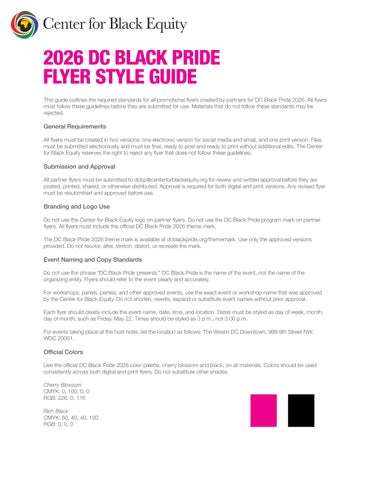
Use the official DC Black Pride 2026 color palette, cherry blossom and black, on all materials. Colors should be used consistently across both digital and print flyers. Do not substitute other shades.
Cherry Blossom
CMYK: 0, 100, 0, 0
RGB: 226, 0, 116
Rich Black
CMYK: 50, 40, 40, 100
RGB: 0, 0, 0
Black Text
CMYK: 0, 0, 0, 100
RGB: 0, 0, 0
Use Rich Black for large solid background areas only. Use 100% Black for body text, fine lines, and small typography.
Electronic Flyer Specifications
Electronic flyers are for use on social media and in email. Files must be sized correctly and submitted in an approved format. Electronic flyers must meet the following specifications:
Size: 2160 x 2700 pixels
Accepted formats: JPG or PNG
Print Flyer Specifications
Print flyers must be set up correctly for professional printing. The overall document size must include bleed. All critical text, logos, and design elements must stay within the safe area.
Document size with bleed: 4.25 inches x 6.25 inches
Pixel size at 300 DPI: 1275 x 1875 pixels
Final trimmed size: 4 inches x 6 inches
Safe area: 3.5 inches x 5.5 inches
Crop marks, registration marks, and color bars must remain outside the bleed area and offset by 0.25 inch.
Color and Print Setup
All print files must be built in CMYK color mode. This includes all photos, logos, graphics, and text. RGB and spot/PMS colors are not accepted for print submission.
Accepted Print File Formats
The preferred print format is PDF. JPG or JPEG files may also be accepted if they meet the requirements below.
300 DPI resolution
All fonts embedded
JPG or JPEG
300 DPI resolution
CMYK color mode
Microsoft Publisher, Microsoft Word, and Microsoft PowerPoint files will not be accepted for print production. If a flyer is created in one of those programs, it must be exported as a PDF before submission.