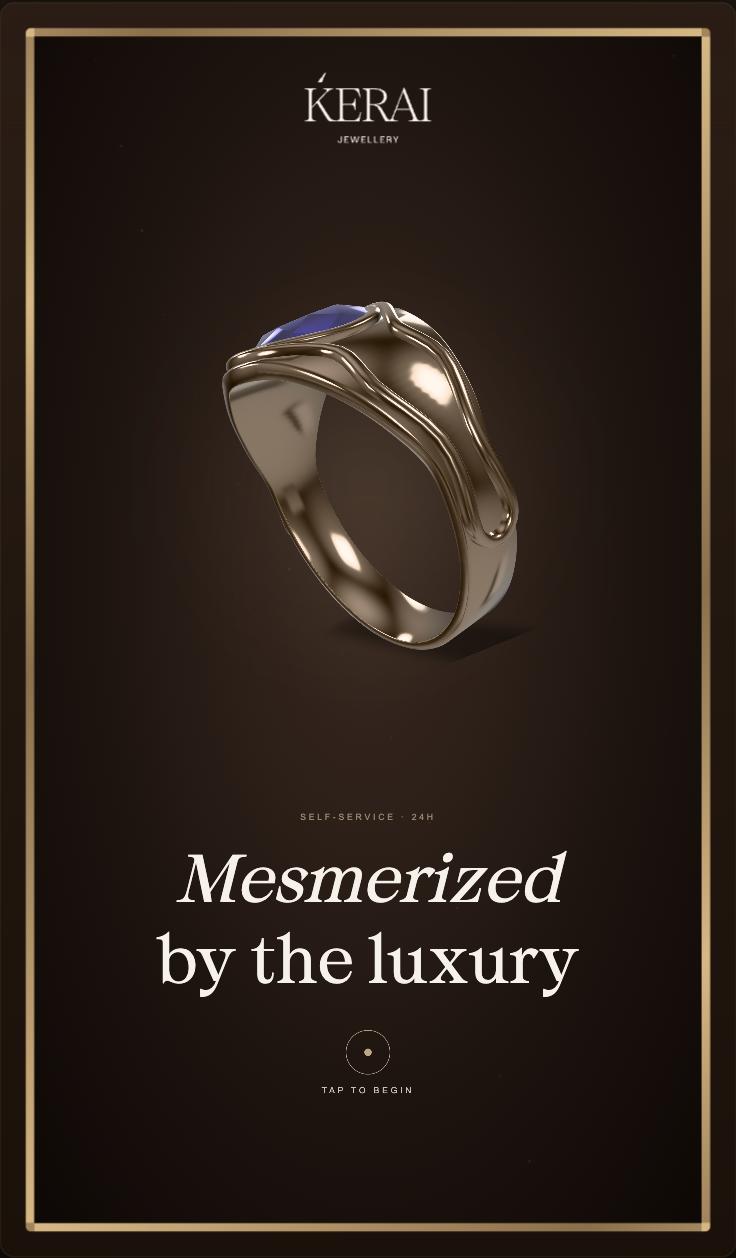
The screen remains in an idle animated state when no user interaction is detected.
Premium jewellery visuals and motion graphics continuously play to create a luxury brand feel.
Soft transitions and elegant animations reinforce the premium identity of the brand.
Attract Mode
The Attract Mode is designed to capture user attention in a retail environment and encourage interaction with the experience.
CTA prompts such as “Touch to Explore” guide users toward interaction.
The system automatically transitions to the Home Screen upon user touch input.
If the kiosk remains inactive for a specific duration, the experience resets back to Attract Mode.
FUTURE EXPLORATION
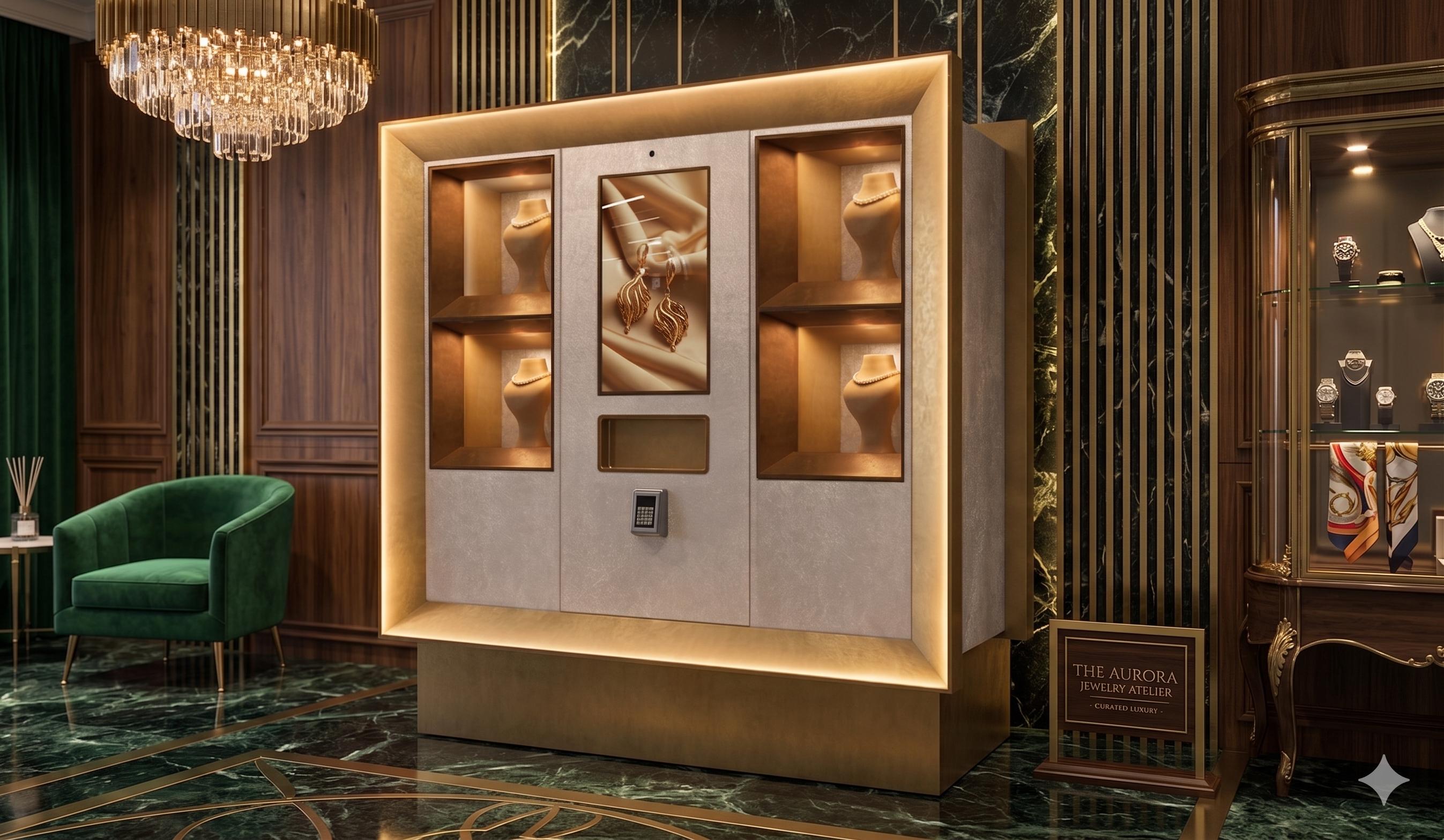
While the different 3D models transition on screen, the corresponding product boxes can illuminate dynamically to highlight the exact product location and create a more engaging interactive experience.
Landing View
Attract Mode
Home Screen
Category View
Product View AI Assistant
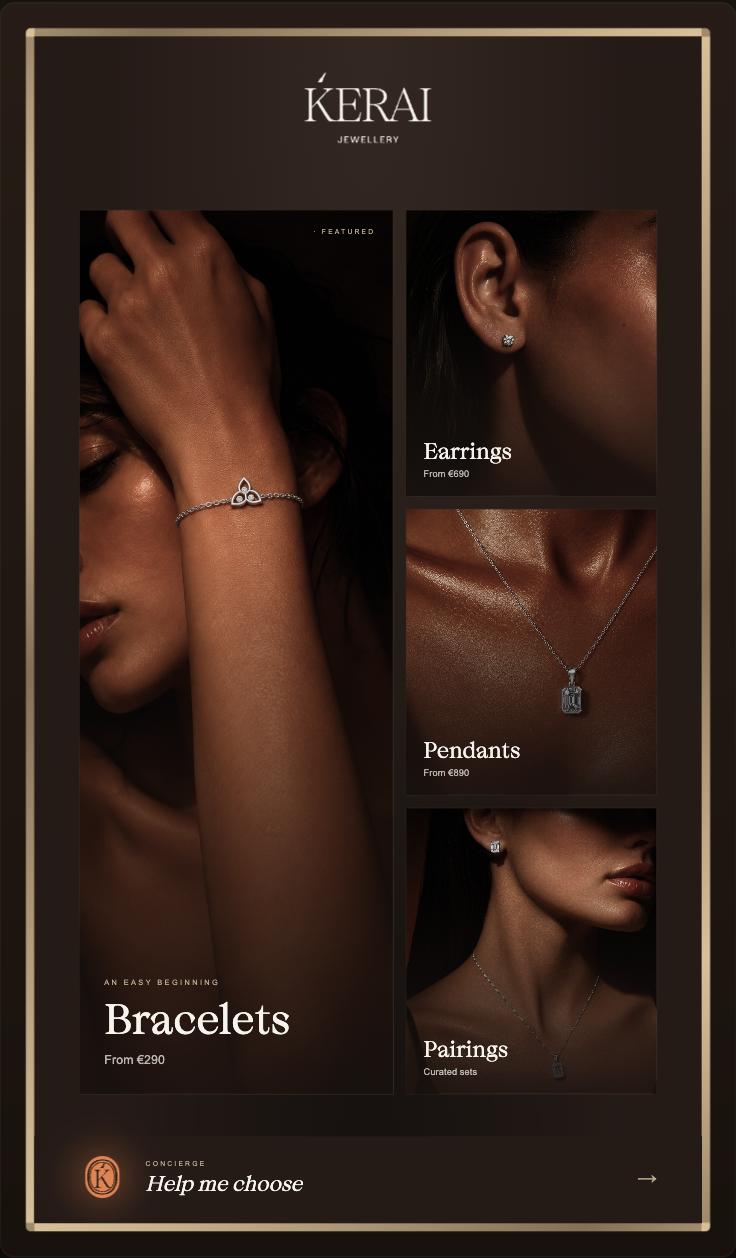
Users are introduced to featured collections, categories, and personalised discovery options.
Large visual cards ensure easy browsing and quick category selection.
The interface priorities simplicity and quick decision-making.
The Home Screen acts as the primary navigation hub for the user journey. Users can directly:
Browse Categories
Access AI Assistant
Explore Featured Products
Navigation remains minimal and distractionfree to maintain a luxury shopping experience.
Attract Mode Home Screen Category View
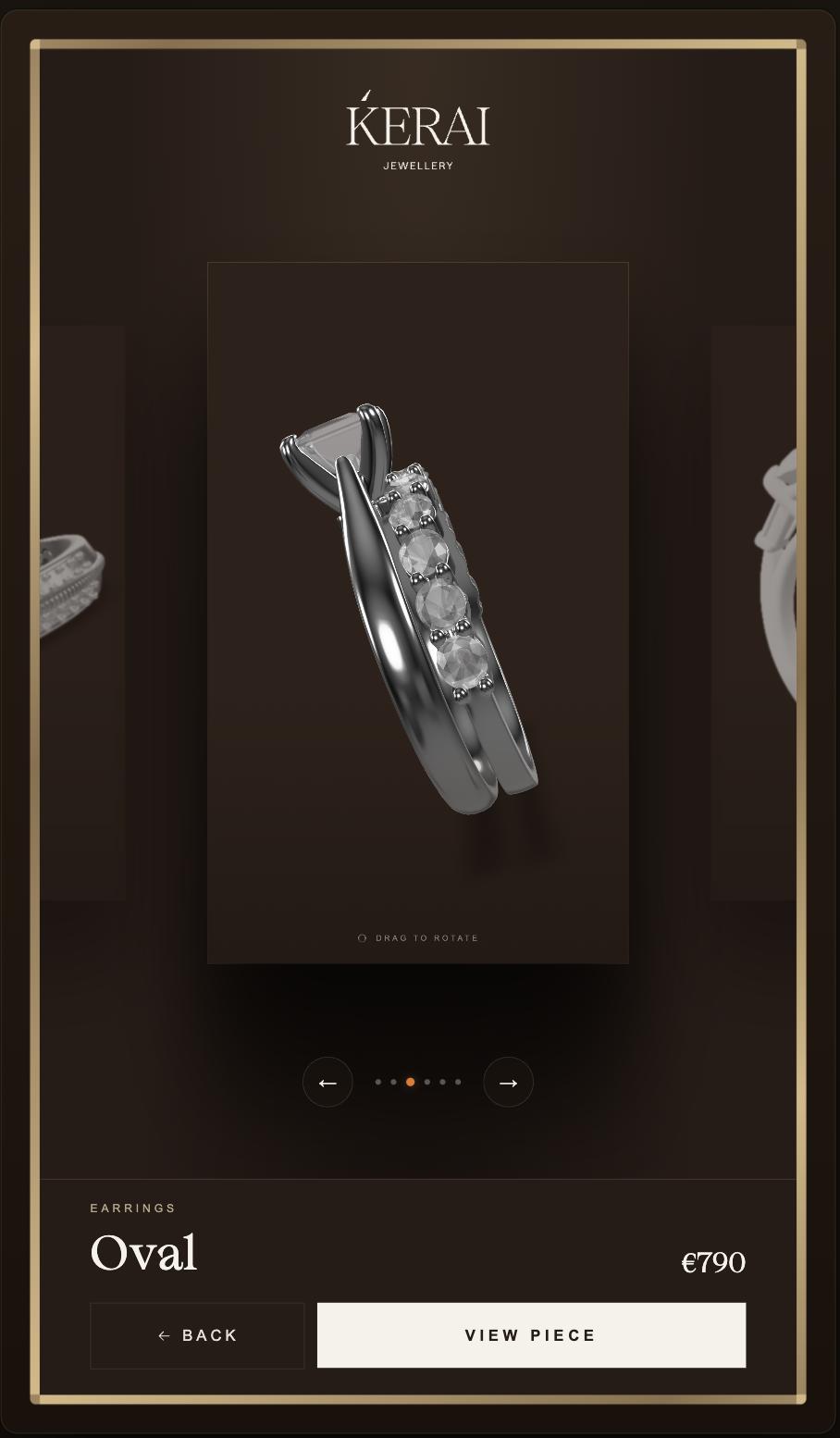
Products are displayed in a carousel visual layout for quick scanning.
Filtering and category switching help users narrow down product exploration.
Product cards highlight:
Product Image
Product Name
Key Visual Details
Category View
The Category View helps users browse jewellery collections in a structured and visually engaging manner.
Category Page View
Smooth scrolling and animated transitions create a fluid browsing experience.
Selecting a product transitions users to the Product View screen.
The layout is optimised for touch-first interaction and kiosk usability.
FUTURE EXPLORATION
A dedicated “Featured” category can be introduced to showcase the products displayed in the physical boxes, allowing users to easily select a specific item they want to explore or learn more about.
Attract Mode Home Screen
Category View
Product View AI Assistant
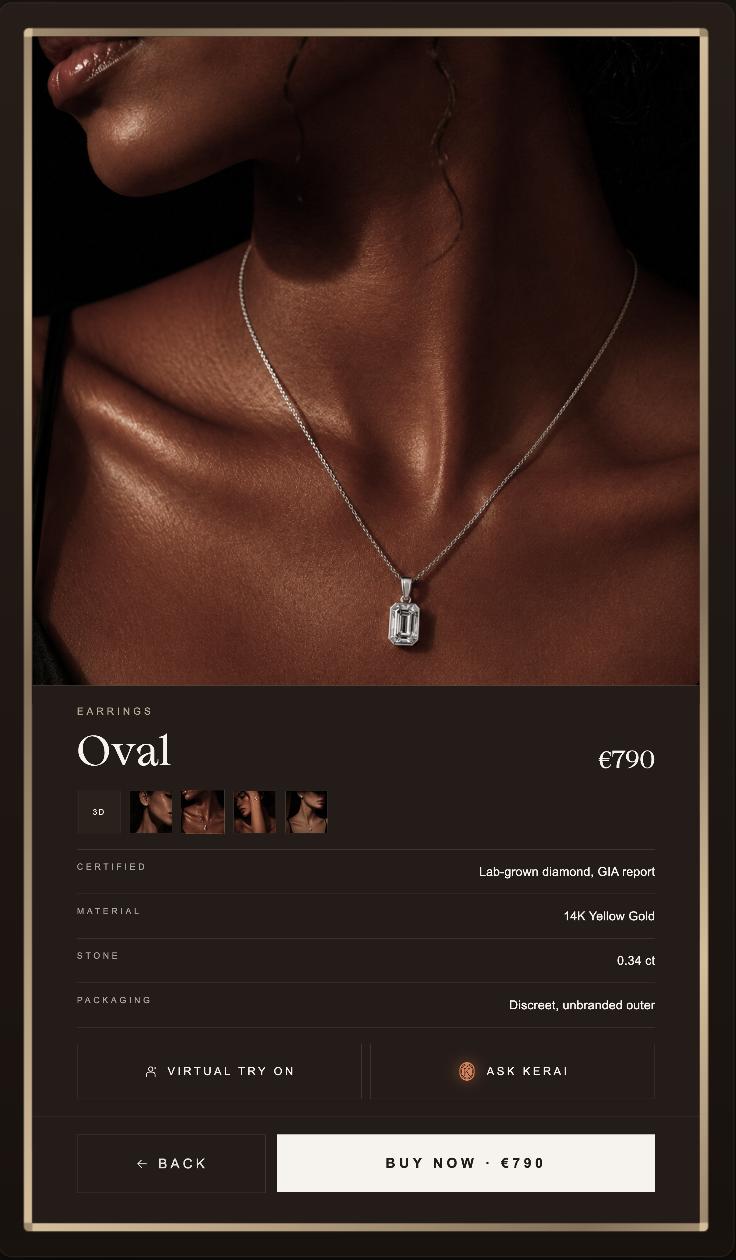
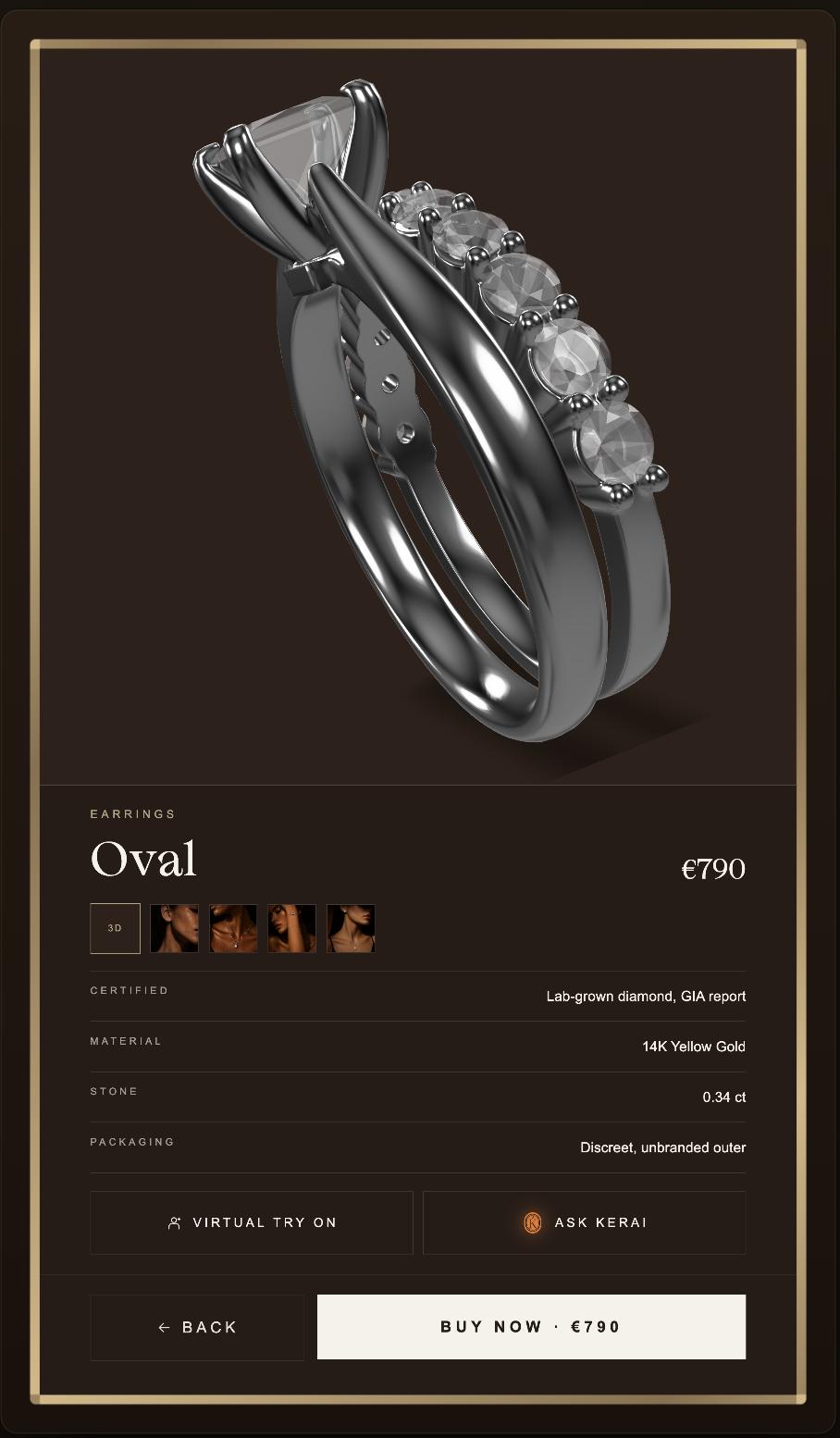
The Product Details page features a large, interactive 3D model of the jewellery piece, allowing users to explore the item from different angles.
Users can also browse through multiple real product images and videos to closely inspect the design, finish, and detailing of the item.
Product View
The Product View provides detailed information and immersive product exploration.
Product Details View
CTA actions such as:
“Virtual Try On ”
“Ask AI Assistant”
“Buy Now” are clearly accessible.
Transition animations maintain continuity from the Category View.
FUTURE EXPLORATION
Allow users to browse different variants of the same product SKU — such as different carat values — through a dropdown under the “Stone” section. A prominent “Ask Kerai” button will appear at the top of the dropdown to help users better understand and compare carat options before making a selection.
Attract Mode Home Screen
Category View
Product View
AI Assistant
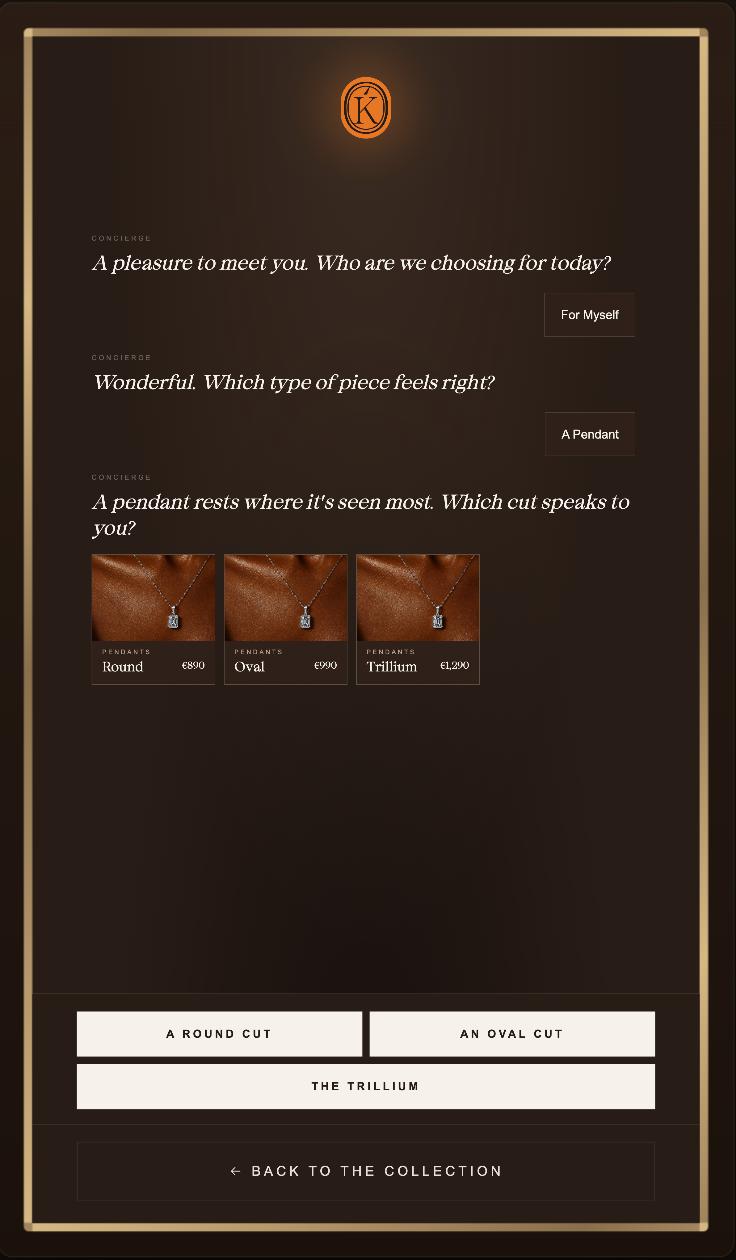
Users interact with the assistant through conversational prompts or guided selection flows.
The assistant helps users discover products based on:
Occasion
Style Preference
Budget
Relationship Type
AI-generated recommendations dynamically update based on user selections.
The interaction flow is designed to feel intuitive, human-like, and supportive.
Visual recommendations appear in real time alongside the conversation flow.
AI Assistant
The AI Assistant provides personalised jewellery recommendations and guided product discovery.
Users can directly navigate from AI recommendations to Product View pages.
The experience emphasises personalisation and premium customer engagement.
FUTURE EXPLORATION
the AI Assistant entry flow should first identify the user’s intent, whether they are looking for product recommendations or general brand information. The first screen should be highly visual and present three clear options: “Help Me Choose”, “About Lab Grown”, and “About Kerai”.