Online Portals and Logins
Set up information for MyBolles:
MyBolles is the central hub for parents, students, and faculty. Your login information will be sent to you via email and will grant you access to the Parent Portal where you can access Global Emails, School Bulletins and other helpful links from one place.
Student schedules and grades: Here is where you can view your students grade, class schedule, attendance record and the student/parent directory. You will be issued a Veracross login by the Bolles IT Team.
Schoology: Students are granted access to Schoology with their Bolles.org email address for class assignments, resources, and assessments. This is also where campus activities and announcements are posted for students. Parents of lower school students will be issued a separate login for Schoology.
Register for tuition billing: All tuition and ancillary billing and payment matters are handled through FACTS. You will receive an email with registration information. For questions about your FACTS account, you will need to contact Lisa Tucker in the Finance Office at 904-256-5062 or via email at TuckerL@Bolles.org
Load your students’ dining/meal account:
All students may purchase lunches and snacks on campus through the dining hall and upper school students may also purchase meals at the Canteen. Meal purchases are made using a declining balance system through MySchoolBucks. This allows parents to manage student lunch accounts. Funds can be added online, and parents can monitor purchases made in the school dining hall. Breakfast, lunch, dinner, and a snack are included in tuition for resident students in the boarding program.
Establish health forms access portal:
Magnus Health is the secure, online platform used to manage student health records and other important forms. Your login information will be sent to you via email. In addition to the State of Florida School Entry Health Exam and Immunization Forms and medication administration requests, you may be asked to upload additional forms pertaining to your student’s specific needs. Parents must log in to update and submit required health information before the school year begins.
BOLLES PARENT
Information and Resources
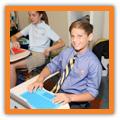
Dress Code: Bolles enforces a dress code for all students, though the specific vary by division. Lower and Middle School have specific uniform requirements.
Upper School has a daily dress code as well as special dress codes for spirit days, Fridays, and formal occasions.
Textbooks: Textbooks should be purchased through Bolles’ approve vendor, Barnes & Noble College at bnck12.com/bolles.htm. Courses are linked to the store so you can easily locate and purchase the correct textbooks.
Vehicle Tag Request: All vehicles entering campus must have a valid Bolles parking tag. Parents can request and obtain these tags through the online form here. These tags grant access to campus during the school day. Resident students, seniors, and juniors wishing to park on campus are required to be registered through a separate form and assigned a parking permit in addition to a vehicle decal.
Campus Stores: The Bolles School offers Campus Store locations at the San Jose and Bartram Campuses. The campus locations offer everything from pencils to pom poms with a large variety of Bolles Spirit merchandise and apparel as well as school supplies.
Transportation: Shuttles operate between the San Jose Campus and the Bartram Campus only each school day and are offered at no cost. Additional bus routes are available to transport students to and from centralized neighborhood locations to service the San Jose, Whitehurst, Bartram and Ponte Vedra Beach Campuses. The routes are adjusted annual to best accommodate student needs. For questions, visit the web page here or contact the Transportation Coordinator, Shannon Johnson, at 904-256-5151 or via email at JohnsonS@Bolles.org.
Campus Maps: View all four of our campuses with our interactive maps here. Click the numbers to learn about our facilities and locations on the Upper School San Jose Campus, Middle School Bartram Campus, Lower School Ponte Vedra Beach Campus and Lower School Whitehurst Campus. For carline/dropoff/pickup maps for each campus, visit our transportation page here.
Lands’ End: Lands’ End is the official provider of Bolles School uniforms. Uniforms are required in lower and middle school. Parents can order required dress code items online by searching for The Bolles School in the Lands’ End school section. You can setup student profiles with their grade to ensure you are only shopping approved dress code items. Middle School students may also choose to wear button down or polo-style shirts purchased in the campus store. New and returning families are also invited to the Uniform Resale Event hosted by the Parent Association towards the end of the school year.
Information and Resources
BYOD: Bolles has a Bring Your Own Device (BYOD) policy for Middle and Upper School students. All students in grades 6-12 are required to bring an approved device. for classroom learning and homework. You may purchase your student’s device through the campus store or from the Microsoft online store. Please review the device requirements before purchasing your student’s device here.
School Day Hours: Starting and ending times of the school day vary from campus to campus. Extended Day Care is available for Lower School students. Extended Day is open daily from 7:15 a.m. until 5:30 p.m. You may view hours for each campus here.
Whom to Call: This quick reference directory is available to help you find contact information for key faculty, staff, and administration, ensuring efficient communication regarding academics, transportation, and other school services. It also includes the Concern Line and Safe Reporting contact information.
FAQs: These frequently asked questions cover topics such as admissions, student life, extracurricular activities, and school policies.
Student-Parent Handbooks: Student-Parent Handbooks were developed to answer many of the commonly asked questions students and parents/guardians may have during the school year. Because the Handbooks contain information about student rights and responsibilities, parents/guardians and students are responsible for knowing the content. Please take the time to become familiar this information.
LINKS:
Lower School
Middle School
Upper School
Calendar: The school calendar includes important dates, vacation days, exam schedules, athletic events, student performances, and special events.
Look out for emails with event information and Campus news: Campus news with important dates are sent home every Tuesday via email to all Bolles families. Please make sure your email address on file is current, and Bolles is a preferred sender. As a new parent, you will start receiving Global emails in early May. We also post this information weekly on the Bolles website. If you missed an email, you can find it under the Parent Portal on the website. Click on “MyBolles,” log in and then click on the “Global Emails” link.
Arts and Athletics Information
Middle and Upper School Dance: All new students who plan to take dance at Bolles and they have not taken a dance class before, they will be participating in Dance I at Bartram. If on the upper school, students will participate in Dance IV. If a student has danced before but does not currently dance at Bolles, they need to attend a leveling class on the Upper School San Jose Campus. Leveling class dates, times and specific location information will be sent to you in global emails.
Bolles Athletics: Bolles offers athletic participation opportunities in 17 different sports at the varsity, junior varsity and middle school levels. Off-season training is conducted in the summer, as well as additional club/auxiliary competition and training in multiple sports including swimming, crew, tennis, track and field and more. Even if your child is not on a team, but just wants to stay in shape, he or she can attend the summer work outs. Official FHSAA start dates, as well as coaching contact information, are listed below. For more information, please contact the coaches or call the Athletic Office at (904) 256-5075. SPECIFIC START DATES WILL BE POSTED ON THE WEBSITE, EMAILED IN GLOBALS OR YOU MAY EMAIL THE COACH DIRECTLY.
Fall Season
Sport First Head Coach Contact Info Practice
Football Aug Matt Toblin
ToblinM@Bolles.org
Joey Hudson (middle school) HudsonJ@Bolles.org
Cheerleading Aug Amanda Kieck AKieck.cheer@gmail.com
*Cross Country Aug Tony Ryan (Girls) RyanT@Bolles.org
Steven Stam (Boys) StamS@Bolles.org
*Golf Aug Trey Leonard ’05 (Boys) LeonardT@Bolles.org
Micheal McGrath (Girls) McGrathM@Bolles.org
Swimming & Aug Peter Verhoef VerhoefP@Bolles.org
Diving Dale Porter (middle school) PorterD@Bolles.org
Volleyball Aug
Mikayla Parker ParkerM@Bolles.org
Natale Blackwell (middle school) BlackwellN@Bolles.org
*Crew (fall - club) Aug Chris Register (Boys) RegistercC@Bolles.org
Conny Kirsch (Girls) KirschC@Bolles.org
Winter Season Sport First Head Coach Contact Info Practice
Girls’ Basketball Oct
Boys’ Basketball Nov
Girls’ Soccer Oct
Kelly Stevenson StevensonK@Bolles.org
Rachel Freeman (middle school) FreemanR@bolles.org
DeAndre Walker WalkerD@Bolles.org
Sean Mullings (middle school) MullingsS@Bolles.org
Matt Tracy tracym@duvalschools.org
Abby Lieffring (middle school) abbylieffring@gmail.com
Boys’ Soccer Oct Jim Lieb LiebJ@Bolles.org
Mike Akabekjan (middle school) AkabekjanM@Bolles.org
*Wrestling Nov Billy Regan william.regan.01@gmail.com
*Girls’ Weightlifting Nov Tyler Jump JumpT@Bolles.org
*Includes middle school participants
Bolles Athletics Continued
Spring Season
Sport First Head Coach Contact Info Practice
Baseball Jan Mike Boswell
BoswellM@Bolles.org
Matt Denmark (middle school) DenmarkM@Bolles.org
Softball Jan Dominica Cocuzza dominica@skinnerrealty.com
Joey Hudson (middle school) HudsonJ@Bolles.org
Track & Field Jan Tony Ryan
RyanT@Bolles.org
Alicia Henderson (middle school) HendersonA@Bolles.org
Boys’ Weightlifting Jan Matthew Lawrence LawrenceM@Bolles.org
Girls’ Flag Football Jan Isaac Smolko SmolkoI@Bolles.org
*Crew (spring) Jan Chris Register (Boys) RegisterC@Bolles.org Conny Kirsch (Girls) KirschC@Bolles.org
*Tennis Jan Francesca Fusinato (Girls) fusinatofrancesca@gmail.com
Eduardo Vieira (Boys) evieira904@yahoo.com
Boys’ Lacrosse Jan Tom West WestT@Bolles.org
Mark Hoey (middle school) HoeyM@Bolles.org
Girls’ Lacrosse Jan Grayson Corbett CorbettG@Bolles.org
Lauren MacGregor (middle school) lalamac1012@gmail.com
*Includes middle school participants
Reach out to us! We are here for you anytime and welcome your questions. Below is a list of our main office contact numbers, we look forward to hearing from you!
School Main Number (904) 733-9292
Upper School San Jose Campus Office (904) 256-5000
Middle School Bartram Campus Office (904) 732-5701
Lower School Ponte Vedra Beach Campus Office (904) 732-5900
Lower School Whitehurst Campus Office (904) 256-5255
Finance Center (904) 256-5060
Follow and like Bolles on Bolles’ official social media accounts: Social media is the easiest and most fun way to keep up with the Bolles community. Follow us on Twitter, Threads and Instagram @ BollesSchool and on Facebook @TheBollesSchool. Join our community on LinkedIn at linkedin.com/ school/the-bolles-school/ and watch our videos on YouTube at youtube.com/TheBollesSchool. If you’re an alumni or want to get a better feel for the Bolles community beyond, join the Bolles Alumni Network on Facebook @BollesAlumniNetwork.
Bolles.org