Complete your company profile Step 1
Step 2
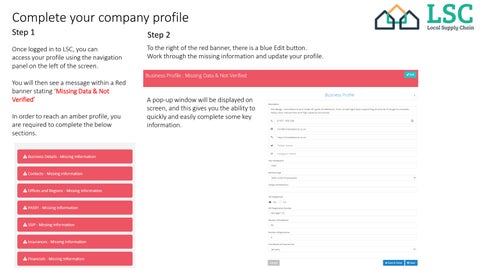
Once logged in to LSC, you can access your profile using the navigation panel on the left of the screen.
To the right of the red banner, there is a blue Edit button. Work through the missing information and update your profile.
You will then see a message within a Red banner stating ‘Missing Data & Not Verified’ In order to reach an amber profile, you are required to complete the below sections.
A pop-up window will be displayed on screen, and this gives you the ability to quickly and easily complete some key information.