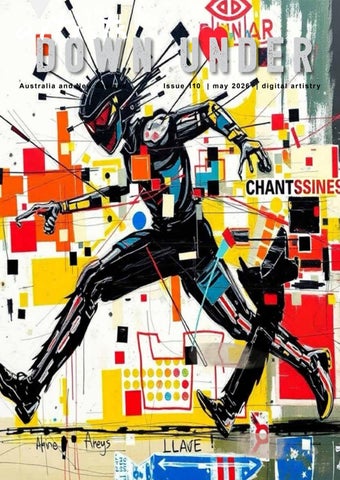
DOWN UNDER


Rosa Perry - Euthalia

DOWN UNDERartists
Australia and New Zealand
Welcome everyone,
Have you ever sat and thought about time! It really does rule our life doesn’t it. “It’s time to go to bed”, “it’s time to get up”, “it’s time to go to work”. We never seem to have enough of it and that is so sad. I remember growing up, time was not that important or so we thought, life was better, friends were better ... why, because we made time. So when you think about it, is time just an excuse that we use? Only you can be the judge of that. Lucky for us our artists make time to create images for all of us to enjoy.
This month’s magazine is a pretty busy one, we have an article from Andrew Haysom in his Photoshop tutorials on a new Photoshop plug-in, very interesting and then we have another article on Affinity from Colin Killick which again is something I think alot of people will be interested in.
Coffee and Pixels are going very well with this months competition theme based around “Music”, well done, there are some amazing images and the Art Buddies have shared another of their “Quotes Challenges”, this month the theme was set as ‘Why Not’. I love some of their imaginations.
The girls from the Redlands Digital Group share another of their images in their Chinese Whispers Series, I often wonder if they will ever run out of ideas .. lol.
We have some amazing images that two of our artists would like to present to you, Marina Hobbs with her “Ballerina” series and Rosa Perry with her “And Then Just Like That” series. Two very talented ladies, I hope you enjoy.
Well that’s it from me for this month, stay safe everyone and look out for each other.
Pam Henderson


Backgrounds: Foxy Squirrel Laitha’s Designs - Jai Johnson - White Lane Studio Copyright 2017 © Artists in this publication are responsible for any rights appertaining to their work.
Maureen Maxwell - Super Heros To The Rescue
Mick Rooney - Cowboy


PRUE WRIGHT ( AUSTRALIA )

AUTUMN CHILD

ROBERTSON PARK
http://www.artistsdownunder.com.au/artist-4/penny-de-jong/

ILONA ABOU-ZOLOF ( AUSTRALIA )

ON THE ROAD AGAIN

artists Achievements monthly down under
artists down under facebook page
The Artists Down Under Public Facebook page has been set up to allow the artists in the group to showcase their work and to enable them to share promotional information about themselves, e.g. exhibitions, awards etc...
You can find the Artists Down Under Public Facebook page at this address; https://www.facebook.com/groups/ArtistsDownUnder/

So, if you are an artist in the group, don’t forget to regularly share your work and information here, and to let your friends and family know about the page if they are interested in viewing the latest art and news from the group.
If you are a reader of the magazine who does not have access to the page, please click the link above and request to join. When you request to join you will be asked to answer three simple questions that will allow us to determine if you are an eligible artist who may wish to join the group and therefore be able to post on the page, or a member of the public who can view, comment and like the work on the page. It’s a great place to see some great art from this vibrant group every day!
Three ADU members receive a special gift
Our very good Awake friend Diane Stafford from WhiteLaneStudio continue to give gifts as a reward for members of the Artists Down Under group who contribute to the ADU Facebook page by regularly posting their artworks and supporting other members with their comments.
Diane Stafford from Chester, UK, designs Photoshop textures and overlays for photo artists and photographers to use in their digital artworks. Diane has created another special kit just for Artists Down Under for the month of MAY.
Two artists will receive a Diane kit each. Diane Stafford can be found at https://whitelanestudio.co.uk/biolinks

The MAY lucky winners are
Diane Stafford (WhiteLaneStudio) Texture & Overlay Kit
- Barb Dunford
- Bill Oldham
LIVING THE PHOTO ARTISTIC LIFE
https://issuu.com/thephotoartisticlife/docs/living_the_photo_artistic_life_-_issue_no._134?fr=sNzkxZDg0NDE1MDQ

Congratulations to the following artists for having their images chosen to appear in the International magazine “Living The Photo Artistic Life”.
CatBeagle Creations
- City Bound
- Captain Byron’s Big Day Out
Rosa Perry
- The Cat Who Wanted To Be The Easter Bunny
Penny de Jong
- A Sense Of Beauty
- A Life In Portraits
Christina Brunton
- The Boys
- The Girls
Maureen Maxwell
- The 60’s Fashion Icon
Kim Ricci
- The Quiet Witness
Sandra Dann
- Between 2 Worlds
Denise Hunter Logan
- Leopard
- Love Prevails
Ilona Abou-Zolof
- Serene Poppy
- Flowing Streets


Christina Brunton - The Boys
Denise Hunter Logan - Love Prevails
Denise Hunter Logan - Leopard
CatBeagle Creations - City Bound

LIVING THE PHOTO ARTISTIC LIFE


CatBeagle Creations - Captain Byron’s Big Day Out
Rosa Perry - The Cat Who Wanted To Be The Easter Bunny
Kim Ricci - The Quiet Witness
Maureen Maxwell - The 60’s Fashion Icon
Christina Brunton - The Girls
Sandra Dann - Between 2 Worlds
Ilona Abou-Zolof - Flowing Streets
Ilona Abou-Zolof - Serene Poppy
Penny de Jong - A Life In Portraits
https://shiftart.com/shift-art-photoshop-challenge-results-april-2026/


Prue Wright - Run Fellas Run
KONCZ ( AUSTRALIA )
http://www.artistsdownunder.com.au/artist-2/george-koncz/ http://georgekonczphotography.com/


https://www.artistsdownunder.com.au/artist-3/mick-rooney/


JONES
HARRIS AFL
https://www.sandradimagery.com/


art by MARINA HOBBS BALLERINA


PIROUETTE IN BLUE


DANCER IN BLUE

GRACE


PRACTISE

IN BETWEEN REHEARSAL


TIEING HER RIBBONS

AT THE BARRE
https://colincampbell.myportfolio.com
https://artistsdownunder.com.au/artists-1/colin-campbell/


DENISE HUNTER LOGAN ( AUSTRALIA )

STYLE IS KNOWING WHO YOU ARE
AL BAMASS ( AUSTRALIA )

ECLIPSED DUALITY

MANY HATS

artists
DOWN UNDER
Australia and New Zealand
SOME PHOTOSHOP INSPIRATION
TK9 PHOTOSHOP PLUG-INS
By Andrew Haysom

A few months ago I purchased the TK9 Photoshop plug-ins created by Tony Kuyper. I am finding them very useful and they are saving me a lot of time when using Photoshop.
The TK9 set of modules includes four different sub-systems.
Multi-Mask – This is a fully-functioned luminosity mask plugin but also allows the creation of masks and selections based on colour channels, hue, colour, saturation, vibrance, and BlendIf values. It also includes edge, half-edge, and focus masks and depth maps. All masks can be infinitely modified, and, with a mask calculator, combined through addition, subtraction, or intersection. Multiple mask output options include adjustment layers, layer masks, selections, burning, dodging, mask painting, and pixel layers.
Combo and Cx – The Combo and Cx plug-ins provide 60 buttons that provide quick access to many Photoshop functions, allowing you to perform functions that would otherwise require multiple steps or reaching into the Photoshop menu system. The Combo and Cx plug-ins are essentially the same panels but with different form factors, choose the one that best suits where you want to place it in your Photoshop workspace.
Export – Allows for easy resizing, sharpening and export of your images and allows you to create presets based on your various needs.
My Actions – Create up to five nestable panels that run your favourite Photoshop actions with a single click.
This is a lot of functionality for the price which is US$33 at the time of writing this article.
There is a lot of functionality overlap with Lumenzia, another Photoshop plug-in I have had for many years, have previously reviewed, and still use. I find room for both these tools in my Photoshop work. Both are brilliant, cost-effective tools.
Let’s take a deeper look at the four different sub-systems in TK9.
SOME PHOTOSHOP INSPIRATION (CONT .....)
Multi-Mask
Figure 1 shows the main Multi-Mask panel. Each of the top twelve buttons will invoke a sub-panel to perform a particular function (see Figure 2).

[Fig 1 – Multi-Mask Panel]

[Fig 2 – Multi-Mask Sub-panels]

[Fig 3 – Multi-Mask Luminosity Masks Sub-panel]

Each of these sub-panels have a similar structure with buttons to choose the mask source, the particular mask you want, buttons to modify the mask (via Curves, Levels, painting with a black or white brush amongst other things) and buttons to decide what action to take with the mask (such as creating an adjustment layer with the mask on it, adding a layer mask to the active layer, creating a selection, saving the mask as an alpha channel and even saving it as a pixel layer). Figure 3 shows the sub-panel for creating luminosity masks.
SOME PHOTOSHOP INSPIRATION (CONT .....)
Combo and Cx
The Combo and Cx plug-ins (see Figure 4) are exactly the same except for the form factor The Combo panel is six buttons wide and ten buttons high, the Cx panel is three buttons wide and twenty buttons high. You should choose whichever one of these fits in best with how you want your Photoshop workspace laid out.

Figure 5 shows how I have included the Mulit-Mask and Cx panels in my workspace.


Most of the buttons have multiple actions or options via modifier keys such as Cmd/Ctrl and Shift.
[Fig 4 – Combo and Cx panels]
[Fig 5 – My Photoshop Workspace]
SOME PHOTOSHOP INSPIRATION

Here’s a few examples of just a few of the time-saving buttons that perform common tasks that would otherwise take multiple steps.
- The Camera Raw button will create a new stamp-visible layer, convert it to a Smart Object and then invoke the Camera Raw filter.
- The Black Brush button will change the foreground colour to black and the background colour to white, it will then select the brush tool. When the Cmd/Ctrl key is used it will change the brush blend mode to Overlay. The White Brush is the same except the foreground colour is set to white and the background colour to black.
- The Burn button will create a new layer, fill it with 50% grey and change it’s blend mode to Soft Light, and then name the layer. It will then select the Brush tool and change the foreground colour to black and the background colour to white. The Dodge button will do the same except the brush foreground/background colours are set to white/black.
- The +/- Layer Mask button toggles between removing and adding a layer mask to the active layer. If a layer mask is present it is removed. If no layer mask is present, a white mask is created. If there is an active selection a layer mask based on the selection is created.
- There is a button that will delete all non-visible (hidden) layers.
These are examples of some of the buttons that provide one-click access to dialogs that would otherwise require multiple clicks through the menu system.
- Feather selection, Expand selection and Contract Selection
- Duplicate Image, Image Size, Flatten Image, Canvas Size.
These are examples of quick buttons that would usually require accessing a drop-down or special mouse movements/key combinations.
- Normal, Soft Light, Colour, Screen, Luminosity, Overlay, Linear Light and Multiply blend modes.
- Toggle Clipping Mask
The TK Actions button provides access to over 20 special actions for different image effects (see figure 4).

SOME PHOTOSHOP INSPIRATION (CONT .....)
Export
The Export panel allows you to easily resize, sharpen and export your images in an almost unlimited number of ways. You can create presets for the things you regularly use, for example I have presets for general social media posts, Instagram square posts, Instagram 4:5 aspect ratio posts, camera club competition sizes, magazine submissions etc.

You can run the Export function on a single file, on all open files or all the files in a specified folder, and you can choose to put the output files in the same location as the original or in a specified folder.
For specific aspect ratios you can choose to crop in various ways or add bars to the tops or sides to fill out the image. You can also add watermarks/logos as well as running Actions at export time.
My Actions
I am not using this panel actively yet but I can see it’s potential. It lets you create up to five minipanels from where you can launch Photoshop Actions you’ve got installed. This could be really useful to help you create single-click menus of your favourite / most-used actions.
[Fig 6 – Export panel]
SOME PHOTOSHOP INSPIRATION


[Fig 7 – My Actions panel]
I think you’ll agree there is a lot of functionality here in these tools, especially for such a low price. The Multi-Mask panel itself is worth much more than the purchase price in my opinion.
If you’re interested in getting into some more advanced masking techniques then TK9 is well worth a look. You’ll find it on Tony Kuyper’s website here, https://goodlight.us/writing/tk9/tk9.html
Tony also has a lot of other tools on his website, many of them are free. There’s also heaps of interesting articles and videos there (many of them on luminosity masking).
Andrew Haysom
COLIN KILLICK ( AUSTRALIA )


EVENING SNOWFALL
http://www.artistsdownunder.com.au/artist-3/maureen-maxwell/


THE NIGHT WANDERERS
https://artistsdownunder.com.au/artists-1/bev-terawskyj/

kaylene helliwell ( new
zealand )

DOWN artistsUNDER
Australia and New Zealand
DIGITAL ARTISTS GROUP
A COLLABORATIVE GROUP OF PHOTO ARTISTS
CHINESE WHISPERS #101
“AN OLD CITY STREET“
STAGE 1 STAGE 2


AN OLD CITY STREET
I started this month’s collab and Pam turned into this delightful scene.
Grandma and Grandpapa decided to go for a walk one beautiful spring day. They met some of their quirky neighbours but suddenly realised that two of them were thinking of leaving home. However, with a few kind words, they were one happy group again.
Last month Pam and I published our 100th collaboration images. We are now looking forward to reaching 10 years.
ENJOY!

Maureen Maxwell
Maureen Maxwell
Pam Henderson
art by rosa perry

“and then just like that”


LEAN CLOSER, I HAVE A SECRET TO TELL


BEHIND THE DOOR


IN BETWEEN


THE VILLAGE IN MY HAT
DENISE CAUCHI ( AUSTRALIA )

BLACK HAIRED GIRL OIL PAINTING
https://trish-hoskin.myportfolio.com/
http://www.artistsdownunder.com.au/artist-4/trish-hoskin/


SCOTTISH WATERWAYS
https://artistsdownunder.com.au/artists-4/sharon-rankmore/


‘COFFEE
and PIXELS’
by Maureen Maxwell
THIS MONTHS CHALLENGE
THEME IS Music
Marie Helyar - The Creative Table


Jenny Davidson - Harmony
Ilona Abou-Zolof - Liquid Rythm


Prue Wright - Remembering How To Make Music
Christina Brunton - Saxophone


Rosa Perry - Quiet Harmony


Penny de Jong - Cello Cadence


Bev Terawskyj - Musin N Harmony


Andrew Haysom - Music Lights My Soul


Maureen Maxwell - Music Is Life


Marie Helyar - Symphony Of The Alps


CatBeagle Creations - Music Harmony With New Tool
https://artistsdownunder.com.au/artist-4/sue-masterson/


https://andrewhaysom.myportfolio.com/
https://artistsdownunder.com.au/artists-1/andrew-haysom/


BURNT ORANGE II
christina brunton ( AUSTRALIA )


https://artistsdownunder.com.au/artist-3/kim-ricci/

https://artistsdownunder.com.au/artist-2/dennis-rickard/

Australia and New Zealand
AFFINITY DOWN artistsUNDER
By Colin Killick

I started using Affinity Photo in 2017, when Adobe introduced subscriptions. For those of you who haven’t ventured outside the Adobesphere, there are a number of alternatives to Adobe products, the most competitive of which is Affinity software, manufactured until last year by a UK company called Serif. For a couple of years I worked concurrently on Photoshop and Affinity, until I was comfortable enough to drop my Adobe subscription and move entirely to Affinity, where I have worked ever since.
The main advantage of Affinity products to me was the cost - a one off payment purchased a life time licence. This was particularly appealing as I enjoy working with vectors, and Adobe Illustrator currently costs $35.99 a month, whereas Affinity Designer was no cost after the initial purchase.
Last year Serif was bought by the Australian company, Canva. This isn’t a company I have taken at all seriously in the past, being associated in my mind with dinky templates and not much else. From what I have seen on social media, many Affinity users watched this acquisition with apprehension.
Late last year Canva released the latest version of Affinity (version 3) and there were two major changes. Firstly, the software is now free. You can download the program and use it out at no cost.
Secondly, all three Affinity apps are included in the single piece of software - you can move between the apps seamlessly within the program. It is as if Photoshop, InDesign and Illustrator were all combined into a single piece of free super software.
So what are the advantages and disadvantages of Affinity?

On the plus side:
- The price - it’s free
- Affinity resembles Photoshop in many ways, but is generally more logically set out, as it was constructed from the ground up after this type of graphic software had been in use for some years. Photoshop, to me, felt like bits had been bolted on to address needs and issues as they arose. For example, smart objects. These were Adobe’s response to loss of resolution when resizing. Affinity fixed this issue in the initial coding and objects have never lost resolution when resized, so the need for such an clumsy artifice never arose.
On the minus side:
- A big one is that there is no Lightroom equivalent. Affinity does not include a digital asset manager. Affinity users have to manage their photos in other software (I use ACDSee).
- Learning curve - while Affinity is similar to Photoshop/Illustrator/InDesign, it is nonetheless not the same and some patience is required.
- Power Photoshop users may miss some features, such as it’s more extensive warping tools (for example, there is no puppet warp in Affinity). In general, though, there is little Photoshop can do that Affinity cannot.
- Beyond its selection tools, the free version of Affinity has limited AI capacity. To access generative AI, a Canva subscription is required. This is still considerably cheaper than Adobe, but Canva has a long way to go before the quality of its AI offerings can compete with those of Adobe.
Conclusion: It’s free! What have you got to lose? Find it at www.affinity.studio.
Colin Killick

https://artistsdownunder.com.au/artists-3/lynsey-stirland-mitchell/ https://catbeaglecreations.myportfolio.com/


SOUNDWAVES AND STILL WATERS
KEVIN SIMS ( NEW ZEALAND )
https://artistsdownunder.com.au/artist-3/kevin-sims/ www.kevinsims.co.nz


https://www.changeoffocus.com.au
https://artistsdownunder.com.au/artist-4/sharyn-walker/


https://www.juliepowellphoto.com/ https://artistsdownunder.com.au/artist-2/julie-powell/


DOWN artistsUNDER
Australia and New Zealand
A COLLABORATIVE GROUP OF PHOTO ARTISTS
QUOTE CHALLENGE by the Art Buddies
A bit of background first:
In our Art Buddies group, we’re a vibrant mix of ADU members from across Australia, each contributing individual talents and viewpoints. Our ‘Art Buddies’ team includes Christina Brunton, Denise Cauchi, Ilona Abou-Zolof, Marie Helyar, and Ngaire Danvers. We gather regularly on Zoom, taking turns to set our creative challenges.
Challenge: “Why Not”
Inspired by the words: “You see things and say ‘Why?’… but I dream things that never were and say ‘Why not?’”
Let your imagination lead. Create an artwork that shows something unexpected, impossible, or slightly surreal Something that wouldn’t normally exist… but somehow feels right. Playful, poetic, bold or subtle — anything goes.
This challenge was set by Marie Helyar.
Our Art Creations:
We hope our creations motivate you to share your own interpretation on the Artists Down Under Facebook page. Your artistic expression matters to us, and we are excited to see what you create!


Christina Brunton - Riding Dragon
Ilona Abou-Zolof - Laundry Rebellion


Ngaire Danvers - Why Not
Marie Helyar - Tending What Cannot Be Seen


Denise Cauchi - A Storm In A Teacup
http://www.artistsdownunder.com.au/artist-4/pam-henderson/

https://www.flickr.com/photos/88165766@N05/ https://www.artistsdownunder.com.au/artist-3/karen-waalwyk/


https://photos.kogekar.com/ https://artistsdownunder.com.au/artist-2/hemant-kogekar/


https://janetoveyphotography.com/

TIM BLAKE ( NEW ZEALAND )


artists photographic challenge theme: monthly artistic down under create yourself as an avatar


Pam Henderson - My Secret Life

Rosa Perry - The Princess Who Wove The Rainbow

Ilona Abou-Zolof - Quiet Alchemy

Christina Brunton - Red Riding Hood

Karen Waalwyk - Ocean Defender

Denise Hunter Logan - Super Mum
artists
DOWN UNDER
Australia and New Zealand

adu artists business advertisements


E L F - P A C E D & O N L I N E
L e a r n t o u s e t h e
M i x e r B r u s h
I n t h i s c l a s s , y o u w i l l l e a r n h o w t o
e f f e c t i v e l y u s e t h e M i x e r B r u s h t o o l i n
A d o b e P h o t o s h o p t o c r e a t e b e a u t i f u l a n d
u n i q u e s t i l l - l i f e & f l o r a l s
L e a r n t e c h n i q u e s
T h e c l a s s i s s u i t a b l e f o r b o t h b e g i n n e r s a n d
a d v a n c e d a r t i s t s , a n d I w i l l c o v e r e v e r y t h i n g
f r o m t h e b a s i c s o f M i x e r B r u s h t o a d v a n c e d
t e c h n i q u e s l i k e c r e a t i n g c u s t o m b r u s h e s a n d
t e x t u r e s
M a s t e r & C r e a t e
W h e t h e r y o u a r e l o o k i n g t o e x p l o r e a n e w
m e d i u m , e x p a n d y o u r d i g i t a l a r t s k i l l s , o r
s i m p l y e n j o y t h e p r o c e s s o f c r e a t i n g a r t , m y
S t i l l - l i f e & F l o w e r s M i x e r B r u s h A r t C l a s s i s
t h e p e r f e c t p l a c e t o s t a r t
S i x b a n d n e w p r o j e c t s
S i x b r a n d n e w p r o j e c t s i n c l u d i n g t h r e e s t i l l -
l i f e s c e n e s a n d t h r e e f l o w e r s A l l b a s e
i m a g e s , b o n u s p r a c t i c e i m a g e s , t e x t u r e s ,
E - B o o k a n d c u s t o m b r u s h e s p r o v i d e d


julie powell@outlook com www.juliepowellphotography.com


I d e l i c a t e l y u n r a v e l t h e
e f f e c t s o f t i m e ,
m e t i c u l o u s l y r e p a i r i n g
c r a c k s , h e a l i n g
d i s c o l o u r a t i o n , a n d
e r a s i n g y e a r s o f w e a r
a n d t e a r T h r o u g h t h e
m a g i c o f d i g i t a l a r t i s t r y ,
I r e s t o r e n o t o n l y t h e
i m a g e b u t a l s o t h e
e m o t i o n s a n d m e m o r i e s
e n c a p s u l a t e d w i t h i n i t


D o n ' t l e t t i m e
e r a s e t h e b e a u t y
o f y o u r
m e m o r i e s !
C o n t a c t m e t o d a y
t o g i v e y o u r
c h e r i s h e d p h o t o s
t h e g i f t o f
r e s t o r a t i o n


WEBSITE: http://artistsdownunder.com.au/


http://tinyurl.com/artisitsdownunderpublic