Digital supplement to
Technology Handbook
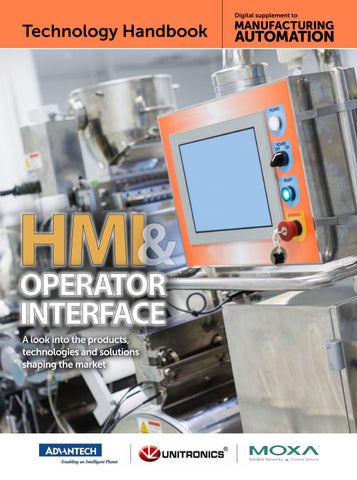
& HMI OPERATOR INTERFACE A look into the products, technologies and solutions shaping the market
Technology Handbook | HMI & OPERATOR INTERFACE
T
Application Ready Operator Panels
he evolution of operator interfaces has moved quite far beyond the push button technology. Once, the intelligence resided in the operator’s brain and considerable experience and training were required to operate any complex piece of machinery or process. However, this is not the case anymore. Today’s operator panels are highly integrated connected turnkey platforms that can be custom fit to meet your design needs. They permit the operator to have access to large amounts of information in one location, on one or just a few screens. This may include process data, quality data, performance of the cell, unit or batch, as well as controls for the system themselves. New HMI Panels serve many functions formerly handled by multiple devices. It is a control panel, with pushbuttons and displays. It can log data, record sequence of events, and can provide “help” functions that can assist operators with decision support. These operator panels are ready-to-go platforms that combine the hardware and software into one solution, shortening engineering time and greatly reducing costs. Advantech now offers two series of Operator Panels, the WebOP and WA-HT product lines that provide users with a complete application-ready-package to easily achieve efficient, integrated HMI solutions for flexible system integration. The WebOP panels are dedicated HMI’s that range from 4.3” up to 10”, run a proprietary OS, and are programmed with the Free Webaccess/ HMI designer software. The WebOP panels are compact flat sealed, waterproof, with IP66 rating and 0 to 50C operating temperature range. The new series of WA-HT Open HMI Operator Panels are ready-to-go
platforms that support the same free HMI development software that is used for the WebOP Product. They are an ideal solution for customers that need a low-cost, high-quality HMI to run field, facility and machine control applications but still have the need to run additional software on a Windows platform. These Operator panels feature built-in Microsoft Windows Embedded 7 Pro and WebAccess/HMI Runtime software. They are compact flat sealed, waterproof, with IP66 rating and -20 to 60C operating temperature range. They come in a variety of LCD sizes from 6.5” - 21.5”, have a 32GB CFast card. Furthermore, they are UL508/UL61010 certified, and come with Intel® Atom™ or relevant processors providing high computing performance. In addition, the highly integrated WA-HT features the much heralded iDoor technology to easily communicate with industrial machine equipment and IT management through RS232/422/485, Wi-Fi and 3G or to add onboard I/O. With Advantech’s WA-HT Operator Panels you don’t have to worry about the validation, software activation, logistic, and technical support. With various communication interfaces, including RS-232/422/485, Ethernet and USB ports, the WebOP and WA-HT Operator Panels can easily connect to a variety of equipment. Furthermore, they are compatible with over 450 of the most popular PLCs on
2 MANUFACTURING AUTOMATION · Technology Handbook HMI & Operator Interface
the market, including: Allen Bradley Micrologix, CompactLogix and ControlLogix, Modicon, Quantum, GE 90, Siemens AG Simatic S7, Mitsubishi. FX/Q, Omron Sysmac, FINS/TCP, C/ CV/CS/CJ, and Yaskawa MP. The free built-in Open HMI Runtime, WebAccess/HMI, that comes with both series features a rich object library with over 50 types of application objects, online/offline simulation, can collect data from 128 devices, supports smart cameras, and can monitor both 64-digital/ analog alarms. It’s an easy to use integrated development tool featuring solution-oriented screen objects, high-end vector graphics,Windows fonts for multilanguage applications, recipes, alarms, data loggers and operation logging. It is dedicated to providing a wide range of HMI control and visualization for powerful, user-friendly and reliable solutions in most sophisticated applications. WebAccess/HMI software also includes other utility programs such as Data Transfer Helper (DTH); recipes editors and text editors. Panel Express runtime, a part of WebAccess/HMI, guarantees reliability and performance because of the minimum system overhead, high communication data rates, sub-second screen switching, and 24/7 operation. Contact Advantech to learn how the WebOP or new WA-HT Operator Panels can provide an efficient, integrated solution to support your various demanding tasks. ADVANTECH IIOT INDUSTRIAL AUTOMATION GROUP 11380 Reed Hartman Highway, Cincinnati, OH 45241 Toll Free: 1-888-576-9668 Phone: 1-513-742-8895
www.advantech.com
Rugged and Reliable Operator Panels
Development Software
Starting from $ 240USD
A Wide Variety of Flexible Application Ready Operator Panels • Free WebAccess/HMI Development Software • Wide selection of LCD sizes • Flat front panel with IP66 rating • Built-in remote monitoring capability • Supports over 450 PLC communication protocols
WebOP-2000 Series Purpose-built Panel with HMI Runtime • 4”-12” size LCD screens • Remote management tools
www.advantech.com
WA-HT Series NEW PC-based Panel with HMI Runtime • 6.5”-21.5” size LCD screens • Windows Embedded 7 Pro • Supports iDoor expansion technology
Technology Handbook | HMI & OPERATOR INTERFACE
Why does retrofitting outdated machines with PLC control save time and money?
W
ith locations in both Guatemala and Honduras, Imapsa Automation specializes in preventative maintenance engineering, offering solutions tailored to their customers’ needs; Imapsa always strives to give their customers a reliable control system with an easy to use customized display. One application Imapsa successfully implemented was automating the filling and packaging machinery for rice. Imapsa was brought on because their customer’s rice filling and packaging machinery was in desperate need of modernization. In order to maintain their commitment to quality and reliability, they needed to reduce the application’s set-up time and implement more flexible control system. One main function of the process that needed to be more efficient was the timing for the steps; the time for each step was previously set mechanically by a camshaft with 7 cams and 7 micro-switches. Imapsa also wanted to be able to provide data to the production department that would help them track the efficiency of the machine and the operator. Imapsa Automation selected the Unitronics’ Samba PLC+HMI to control this application. The Samba SM35J-T20 offers a drum sequencer command and high speed
encoder inputs, which were key to making the machine easy and efficient. Previously, when the operator changed the type of rice bag for different brands of a final product, those adjustments required mechanical and manual adjustments of the cam and micro-switches. Now, the operator can simply adjust the machine by entering and changing the degrees of the electronic cam from the Samba’s integrated HMI panel. This 3.5inch color touchscreen and also allowed them to design attractive displays that were easy for operators to understand. The PLC also enabled them to send reports to the production department with data on the efficiency of the filling speed, the number of bags filled, the operating time, and a data table showing the start time and any stop time. “With fast delivery times, and constantly updated software, Unitronics has always listened to our customers many requests, and have implemented them since we decided to start our automation division in 2001,” said Ober Yela of Imapsa Automation. “Great support via both the technical support team and the Unitronics forum. And, of course, great price!”
UNITRONICS, INC. 1 Batterymarch Park, Quincy, MA 01269 (866) 666-6033
usa.sales@unitronics.com www.unitronicsPLC.com 4 MANUFACTURING AUTOMATION · Technology Handbook HMI & Operator Interface
PLC HMI ALL IN ONE
3.5"
4.3"
7" CANbus (Optional) On-Board I/Os Digital and analog
RS232/RS485 programming port in 3.5” model (USB in 4.3” model) Ethernet (Optional)
Compact, all-on-one PLC—HMI and I/O built-in Modern control capabilities without breaking the bank Industry-leading Technical Support at no added cost
Unitronics, Inc. 1 Batterymarch Park Quincy, MA 02169 USA Tel: 617-657-6596, Toll Free: 866-666-6033 usa.sales@unitronics.com, www.unitronicsPLC.com
Smart Switches with the Most Compact Size and Intuitive Configuration The SDS-3008 smart switch is a new product line within Moxa’s industrial Ethernet switch family. The smart switches offer an intuitive one-page dashboard, which allows users to activate pre-configured IA protocols in one click, simplifying HMI/SCADA integration. Moreover, this is the world’s thinnest switch. With the compact size and flexible mounting design, the smart switch allows the highest installation flexibility. According to the “2016 Global Industry 4.0 Survey” conducted by PWC, the digitization of existing product portfolios, and introducing a new digital product portfolio, are two key measures that companies are planning to take in the coming years to improve production efficiency. "When a network upgrade is required, the most common concern for engineers deploying managed switches is their complexity during the whole system life cycle," noted Jack Lin, Product Manager of Moxa’s Industrial Ethernet Infrastructure Division. "That’s why we developed the smart switch. It supports the most required management functions, and has a 3-2-1 design for ease of use: 3 pre-configured protocols, 2 installation methods, and a one page switch dashboard. We believe the smart switch is an ideal solution for the manufacturing industry, especially machine builders who are on their way towards the IIoT and industry 4.0.” • Three protocols in one device Smart switches support EtherNet/IP, PROFINET, and Modbus/TCP industrial protocols, and the configuration can be done in one click via the smart UI.
• Two centimetres wide with DIN-rail and rack-mounting options Smart switches are designed for flexible installation. The compact size allows them to fit in almost any control cabinet, and they support both DIN-rail and rackmount installation. The three-way DIN-rail kit allows users to install the switches horizontally or vertically. With the optional 1U rack accessory, users can combine four smart switch units on a 19” cabinet. • One-page dashboard Smart switches come with a newly designed smart UI, which features a graphical function menu and one-page dashboard, making it easier for users to clearly visualize the status and operate the switch. For machine builders and automation engineers, being able to monitor their Ethernet switches from a SCADA/HMI gives them a great overall view of their control systems, and the ability to react in time to minimize system downtime. In addition, the most common concern related to deploying managed switches is operational complexity, including both setup and subsequent management. Moxa’s super-slim SDS3008 smart switch is designed to meet these challenges. With its simplified protocol configuration, flexible mounting design, easy-to-use interface, and slim form factor, the SDS-3008 smart switch is the perfect fit for control cabinets in any smart manufacturing application.
Manufacturers Automation Inc. 1-800-387-6268 • www.manuauto.com 6 MANUFACTURING AUTOMATION · Technology Handbook HMI & Operator Interface
Best Fit for Your Control Cabinets . A new type of switch that is smarter and simpler to set up
Common Challenges for Ethernet Switch Deployment
Cost Issue For applications that require only basic monitoring and control functions, it’s not economical for engineers to choose expensive managed switches, which often support too many unneeded functions.
Space Limitations Engineers work with different types of control cabinets, and each one has space or installation limitations.
Enabling Connectivity of the Industrial IoT Reliable Networks, Sincere Service continues to be Moxa’s promise to drive the connectivity of the Industrial IoT. With over 25 years of industry experience, Moxa provides a complete solution architecture to help you tap into the potential of the Industrial
Complex Configuration IT-oriented user interfaces, which are often very complicated and come with a steep learning curve for IA engineers, make it harder to update configurations and handle basic troubleshooting tasks.
Applications
Connectivity Edge Connectivity
Industrial Computing
Serial I/O Video Connectivity Connectivity Connectivity
Embedded Computers
Moxa’s Solution Architecture Networking Infrastructure
Edge Connectivity • Industrial Computing • Network Infrastructure
How May We Help You?
Manufacturers Automation Inc. 1600 King Street North, St. Jacobs, ON N0B 2N0 - 1-800-387-6268 - www.manuauto.com
Devices
Device & Industrial Network Routers Management
Industrial Industrial Ethernet Wireless LAN
CHOOSING THE Three considerations to help optimize efficiency and productivity BY JESSE BENEFIEL
M
odern HMIs are more than just hightech replacements for push buttons. They are tools with advanced capabilities that allow them to increase equipment productivity at little or no increase in the cost of the HMI. However, achieving
that added productivity depends, in large part, on choosing the right HMI for the job. When selecting an HMI, system designers should consider how the machine or process could be improved by focusing in particular on three areas: integration, performance benchmarking and remote management.
8 MANUFACTURING AUTOMATION · Technology Handbook HMI & Operator Interface
1. Increased automation through integration. Many HMIs are only the front end to a PLC. In some cases, a machine builder will opt to equip the PLC with a communications card so that the device can pass data to and from other equipment — for example, to an AC drive. All too frequently, that’s where the integration ends. Today’s HMIs have the ability to communicate to numerous devices simultaneously over a variety of protocols, allowing the machine builder or process engineer to fully integrate all of the automation equipment in the
PHOTO: 7POSTMAN
RIGHT HMI
Today’s HMIs have the ability to communicate to numerous devices simultaneously over a variety of protocols.
machine, such as barcode scanners and position sensors. The ability to exchange data with the PLC adds an increased level of automation, while reducing machine or process downtime due to operator error. When choosing an HMI, system planners should determine which devices in their processes are not currently communicating with the rest of the system. They should consider opportunities to increase system performance by automatically managing them through the HMI. An HMI should be selected that provides multiple-protocol support and contains
the communications drivers required for those devices.
data, should their authenticity come into question.
2. Continuous improvement through performance benchmarking. It’s difficult to know where one is going without a proper understanding of where one has been. More specifically, system designers first need to establish a way to track machine productivity or process efficiency before they can develop ways to improve it. State-of-the-art HMIs are communications centres that link together automation components. The more advanced the model, the more powerful the data logging facilities that are provided. Further, computational capabilities through script languages enable the HMI to calculate downtime, uptime, overall equipment effectiveness (OEE) and more. Logging data, alarms and operator activity allow variables to be analysed properly, which in turn impacts overall efficiency. System designers should determine if the facility would benefit from synchronizing machine data with the company’s SQL servers for further analysis by the ERP/MES system. If data needs to be kept safe for long periods of time, consider simply synchronizing with an FTP server. Once the purview of full-blown SCADA systems alone, today’s HMIs typically are capable of performing these tasks automatically. When selecting an HMI, it is important to ensure that data is stored in a convenient format. Data stored in proprietary formats, or those unreadable unless processed by software plug-ins, only serve to complicate an otherwise easy task. Optimum HMIs log data in an IT-friendly CSV file format, allowing data to be viewed by most desktop applications. Digital signatures added to the log files can be used to validate
3. Reduced downtime through
remote management. When selecting an HMI, system developers should consider how the ability to remotely manage equipment can increase the profitability of their processes — and the company. In years past, when maintenance teams were staffed for weekend and third-shift work, managing automation systems and equipment remotely was not usually necessary. Today, however, many companies have reduced their maintenance workforce to a few vital engineers. And they are on call overnight and on weekends in case of problems or breakdowns. When no engineers are present, operators can’t immediately obtain help in the event of a problem. If the operator is uncomfortable with a system or machine acting out of the ordinary, he may halt production unnecessarily or, worse, may choose to continue operating the machine until it is damaged, resulting in more downtime and added expense. Today’s HMIs routinely incorporate the ability to manage equipment and processes remotely. E-mail and text messaging provide a means to communicate process anomalies and impending equipment failure to on-call engineers and production supervisors. Embedded web servers enable remote monitoring and control via PCs and smart phones, allowing the engineer to determine if a machine can continue operating safely without needing to visit the site. In some cases, the engineer can resolve the issue without ever leaving home. | MA
Jesse Benefiel was previously with Red Lion Controls.
Technology Handbook HMI & Operator Interface · MANUFACTURING AUTOMATION 9
BEAUTI-TONE UPGRADE HELPS MAXIMIZE PRODUCTION Ontario plant upgrades HMI/ SCADA system BY ED NUGENT
Competitive drive Home Hardware stores, and specifically Beauti-Tone Paints, looks at things from a macro perspective — it’s all about competitiveness. It must compete with North American and global manufacturers who are 10, 50, and given up to 200, times its size. These much larger companies are its most direct competitors. In order to track progress, the plant keeps a close eye on both production rates and yield. The objective is to maximize production per labour hour while maintaining high quality. Streamlining communications so that the information is available more quickly
to plant workers is a key factor in how PcVue’s HMI/SCADA helped the plant meet that objective. Eliminating the lag between the collection of data and the availability of that information to inform decision-making was the first step. Plant manager, Russell Banks, understands the importance of data for managing production and has been the champion of increased data collection. When the plant started collecting more data, the team found that some assumptions they had from simply viewing the line were incorrect. They realized that their impressions were not very accurate as far as where the bottlenecks were and what was holding back production. Knowing where the true bottlenecks are has enabled the team to focus in the right place. The SCADA system is providing the
10 MANUFACTURING AUTOMATION · Technology Handbook HMI & Operator Interface
plant with both a real-time and comprehensive view of the filling line, which operates across multiple work centres. In the past, the focus of automation and data collection was on specific production equipment. The issue with this approach is that it gave the line workers a limited understanding of how the plant was performing as a whole. Beauti-Tone Paint is now focused on finding the bottlenecks and opening up those pathways, as well as increasing the speed of communications to the plant floor. That way, personnel are spending less time looking for information and have a much better idea about what is ahead of them,
PHOTOS: PCVUE
H
ome Hardware Stores Limited is one of Canada’s largest independent home improvement retailer with close to 1,100 independent small business operators from every corner of the country. It operates under one of four banners: Home Hardware, Home Hardware Building Centre, Home Building Centre and Home Furniture. Beauti-Tone Paint is just one of the 8,700 exclusively branded products produced along with many household products at its plant in Burford, Ont.
in order to plan for it. The system has also helped improve yield by eliminating some common problems in the handoff of work-in-process from one work centre to the next, which has helped the company improve quality. The system automatically updates the equipment for the order that is running rather than having the operator manually enter it. Automation reduces errors in changeover, which happens multiple times a day in Beauti-Tone’s production schedule. Quality checks are also key elements of improved accuracy of the finished goods. For example, printing and scanning barcode labels to confirm the correct lot is at the work centre before starting to process it. Fifteen years ago, Beauti-Tone invested in materials handling automation to better manage the batch process for bulk paint manufacturing. At that time, production automation for the filling line was not a priority. The plant has a very stable and experienced work force with the majority of employees having worked in the plant for 10 to 15 years. They made few obvious mistakes in the production process. The lack of data made it difficult to measure plant performance. A few years ago, the company only looked at sales by month. Now it is more streamlined to allow time to look at sales every day. Previously, the plant tracked the average gallons produced per labour hour, but did so on an annual basis. Today, the plant looks at several additional measures and does so much more frequently. With the new production system on the floor, performance metrics are visible to everyone. In addition to visibility of the real-time production rate, the company is now looking at performance against plan. Most recently, it has started to drill in further and look at individual line performance to schedule, which provides a benchmark for overall plant performance to schedule.
Adopting change Implementation of the system was done by Centris Technologies of Varennes, Que. Centris has experience implementing paint manufacturing control systems and knows that no matter how good the system is, it will fail if there is not buy-in from the operators.
Measuring success
On one hand, some of the older workers at the plant were not really comfortable that the new technology would make their job more difficult. On the other hand, even those who were comfortable with the technology understood that in order to learn the system, it would require extra work on their part. To address these issues, Centris put a priority on the design of the human machine interface (HMI) in order to create a clean, simple, easy to understand layout. Soliciting feedback from the front line operators enabled a deeper understanding and buy-in from them. As an added benefit, familiarity with the purpose and layout of the interface makes training easier. Centris also established a partnership program with a 24 hour/day hotline for the plant. Anyone, whether front line operator or management, was encouraged to call the hotline with questions or concerns. In new technology deployment, a common factor that turns users away from the system is frustration. It can be frustration from not understanding how the system is intended to be used. It can also arise when things don’t work as they are supposed to as the system is brought online. The hotline provides a means to address concerns quickly in order to eliminate these sources of frustration, which if not addressed will slow the adoption of the new system. Michel Kakos, president of Centris Technologies, observed that companies that succeed at putting this kind of system in place do so because everyone on the various teams involved are speaking the same language. This is an iterative process of developing the system online, soliciting feedback from the users, and then tweaking the system until everyone is on the same page. The result is a platform for growth and expansion that can be rolled out to the other lines much more easily.
The first SCADA production system was deployed initially at the end of 2016 with an expectation to complete a second production line in 2017. Beauti-Tone Paints is now producing twice the volume that it was achieving 15 years ago without an overall increase in the number of employees. With the increased speed of communication and volume of data collection coming from the new plant control system, Darrin Noble, vice president and general manager of Beauti-Tone Paints, said he expects significantly more improvements to come. Success of the project is measured from an improvement in gallons per labour hour and also in other metrics such as corrective actions and rework. Most importantly, success for Home Hardware is achievement as the number 1 top-of-mind retail paint brand, building on its current position as the market share leader by volume in the Canadian DIY market. Internally, success is measured by the extent to which the users feel the production system makes them better able to perform effectively. The company recognizes the success of the technology when the frontline assembly workers recommend expanding it to other lines and areas of the plant because it is helping them do a better job. The SCADA solution is also intended as a platform for continuous improvement. Plans for enhancements include incorporating training documents and videos so that operators can easily reference standard work instructions. The fact that information moves quickly to all stakeholders is a major benefit to the plant. PcVue’s particular HMI/SCADA system was chosen for the project because it is an independent solution and is not optimized for a specific hardware manufacturer or affiliated with a certain brand of PLC or controller. This makes it a good choice in a typical plant environment that has a mixture of hardware in use. In addition, the features of the platform reduced complexity and increased flexibility, which allows for efficiency and scalability for expansion plant-wide. | MA Ed Nugent is the COO of PcVue.
Technology Handbook HMI & Operator Interface · MANUFACTURING AUTOMATION 11
DON’T MISS OUT on your next issue of
IT’S FAST, IT’S EASY AND IT’S FREE! DICK MORLEY: A glimpse into the many facets of the esteemed “Father of the PLC.” p.18
spOtlight: highlights from our fireside chat with nathalie pilon, aBB canada managing director. p.15
Defence-in-Depth Best practices to help industrial operators deploy the internet of things securely and reliably. p.22
TRAINING: How you can millennials and SPOT THE DIFFERENCE: attract simultaneously boost your How to choose the right lighting for machine vision business. p.17
applications. p.26
ETHERNET GAINS: Acadian Seaplants capacity grows by 40 per cent with new processing facility. p.20
LIGHTING RETROFITS: LEAN MANUFACTURING: Industy bakery welcomes Defining culture as an environment favourable to continuous improvement. p.10
INDUSTRIAL NETWORKS: Selecting components that make the grade. p.24
Machine safety: how you can prepare for the upcoming Ontario machine safety blitz. p.21
AutomationMag.com
Your resource for Canada’s industrial automation news
MOTORS AND DRIVES: An overview of the most popular rotary motion technologies. p.24
PC-BASED CONTROL
IN THE DRIVER’S SEAT
from 3D printers to industrial sensors and the internet of things (iot) — key trends and technologies that will impact your plant floor this year. p.16
HANNOVER WRAP-UP: Couldn’t attend this year‘s Hannover Messe? Catch up on standout moments from the action-packed fair. p.26 OCTOBER 2016
MARCH / APRIL 2016
PM 40065710 AlliedCover_MA_Jan.indd MA october 2016.indd 1 1
2016-11-01 2015-12-23 10:04 1:58 PM AM
Think Allied for Industrial Automation. More Brands. More Products. More Solutions. See it all at thinkallied.com/industrialautomation
NOVEMBER/DECEMBER 2016
30 ISSUE
SEPTEMBER 2016
TH ANNIVERSARY
PM 40065710
2016-01-07 2015-12-23 2:29 1:58 PM PM
The 2016 Canadian Manufacturing Study finds the industry is strengthening, slowly but surely p.19
AutomationMag.com
PM 40065710
More Brands. More Products. More Solutions. See it all at thinkallied.com/industrialautomation
The evolution and future of industrial automation p.18 AlliedCover_MA_Jan.indd 1
A RECIPE
PM 40065710
Think Allied for Industrial Automation.
2015-12-23 1:58 PM
Think Allied for Industrial Automation. More Brands. More Products. More Solutions. See it all at thinkallied.com/industrialautomation
FOR GROWTH
AlliedCover_MA_Jan.indd 1
AlliedCover_MA_Jan.indd 1 Our editorial advisory board discusses the challenges in Canada’s manufacturing future, and how to overcome them p.18
2015-12-23 1:58 PM
2015-12-23 1:58 PM
JUNE 2016
2016_MA_ISSUE.indd 1 1 AlliedCover_MA_Jan.indd
2015-12-23 12:20 1:58 PM 2016-03-02 PM
MAY 2016
CLIMB
More Brands. More Products. More Solutions. See it all at thinkallied.com/industrialautomation
OF RAMPED-UP AUTOMATION Automating specialized armored vehicles has paid big dividends for Inkas. p.18
AutomationMag.com
Think Allied for Industrial Automation.
More Brands. More Products. More Solutions. See it all at thinkallied.com/industrialautomation
AlliedCover_MA_Jan.indd 1 1 2016_MA_MAR_APR16.indd
More Brands. More Products. More Solutions. See it all at thinkallied.com/industrialautomation
AutomationMag.com
Your resource for Canada’s industrial automation news
PM 40065710
Your resource for Canada’s industrial automation news
Think Allied for Industrial Automation.
SECRET TO SUCCESS: Industry players share how they achieve longevity in a turbulent market. p.21
PM 40065710
ENJOYING THE BENEFITS
pM 40065710
problem p.18
LESSONS LEARNED: Tips for how you can avoid pitfalls and make the best decisions in automation. p.28
Think Allied for Industrial Automation. JAnUARY / FEBRUARY 2016
A look at how connected manufacturing benefits both know there’s a manufacturers and customers. p.24
Your resource for Canada’s industrial automation news
AutomationMag.com
AUTOMATION SOFTWARE: Four big-picture benefits of PLM for small manufacturers. p.24
Sodecia uses PC control, EtherCAT and programmable safety to accelerate robot cell performance for automotive assembly. p.22
in 2016
Ontario startup allows factory managers to
LET’S DIGITIZE: act before they
MACHINE SAFETY: Integrated safety technology boosts motion system functionality. p.15
MACHINE SAFETY: Ensuring safe operations with collaborative robots. p.14
THE SLOW
Your resource for Canada’s industrial automation news
Top 5
TOUCH
COST CONTROL: How a stronger employeecustomer connection will improve productivity. p.26
INTERNET OF THINGS: Manufacturers who embrace IoT are leading the digital transformation. p.23
AutomationMag.com
Your resource for Canada’s industrial automation news
THE MAJIK
HMI CHECKLIST: Top factors and features to consider when shopping for an HMI solution. p.22 AutomationMag.com
Your resource for Canada’s industrial automation news
retrofit for non-energy operational savings. p.22
Think Allied for Industrial Automation. More Brands. More Products. More Solutions. See it all at thinkallied.com/industrialautomation
AlliedCover_MA_Jan.indd 1 1 2016_MA_june16_GWJ.indd
2015-12-23 2:54 2016-06-02 1:58 PM PM
HERE’S HOW: FOR FASTEST SERVICE VISIT
AutomationMag.com AND CLICK THE SUBSCRIPTION BUTTON
AutomationMag.com