Digital supplement to
Technology Handbook
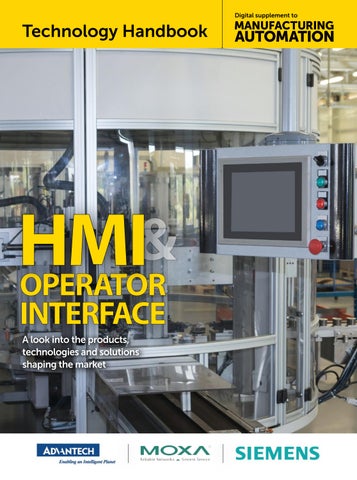
& HMI OperatOr Interface A look into the products, technologies and solutions shaping the market
Technology Handbook | HMI & OperatOr Interface
T
Application ready operator panels
he evolution of operator interfaces has moved quite far beyond the push button technology. Once, the intelligence resided in the operator’s brain and considerable experience and training were required to operate any complex piece of machinery or process. However, this is not the case anymore. Today’s operator panels are highly integrated connected turnkey platforms that can be custom fit to meet your design needs. They permit the operator to have access to large amounts of information in one location, on one or just a few screens. This may include process data, quality data, performance of the cell, unit or batch, as well as controls for the system themselves. New HMI Panels serve many functions formerly handled by multiple devices. It is a control panel, with pushbuttons and displays. It can log data, record sequence of events, and can provide “help” functions that can assist operators with decision support. These operator panels are ready-to-go platforms that combine the hardware and software into one solution, shortening engineering time and greatly reducing costs. Advantech now offers two series of Operator Panels, the WebOP and WA-HT product lines that provide users with a complete application-ready-package to easily achieve efficient, integrated HMI solutions for flexible system integration. The WebOP panels are dedicated HMI’s that range from 4.3” up to 10”, run a proprietary OS, and are programmed with the Free Webaccess/ HMI designer software. The WebOP panels are compact flat sealed, waterproof, with IP66 rating and 0 to 50C operating temperature range. The new series of WA-HT Open HMI Operator Panels are ready-to-go
platforms that support the same free HMI development software that is used for the WebOP Product. They are an ideal solution for customers that need a low-cost, high-quality HMI to run field, facility and machine control applications but still have the need to run additional software on a Windows platform. These Operator panels feature built-in Microsoft Windows Embedded 7 Pro and WebAccess/HMI Runtime software. They are compact flat sealed, waterproof, with IP66 rating and -20 to 60C operating temperature range. They come in a variety of LCD sizes from 6.5” - 21.5”, have a 32GB CFast card. Furthermore, they are UL508/UL61010 certified, and come with Intel® Atom™ or relevant processors providing high computing performance. In addition, the highly integrated WA-HT features the much heralded iDoor technology to easily communicate with industrial machine equipment and IT management through RS232/422/485, Wi-Fi and 3G or to add onboard I/O. With Advantech’s WA-HT Operator Panels you don’t have to worry about the validation, software activation, logistic, and technical support. With various communication interfaces, including RS-232/422/485, Ethernet and USB ports, the WebOP and WA-HT Operator Panels can easily connect to a variety of equipment. Furthermore, they are compatible with over 450 of the most popular PLCs on
2 MANUFACTURING AUTOMATION · Technology Handbook HMI & Operator Interface
the market, including: Allen Bradley Micrologix, CompactLogix and ControlLogix, Modicon, Quantum, GE 90, Siemens AG Simatic S7, Mitsubishi. FX/Q, Omron Sysmac, FINS/TCP, C/ CV/CS/CJ, and Yaskawa MP. The free built-in Open HMI Runtime, WebAccess/HMI, that comes with both series features a rich object library with over 50 types of application objects, online/offline simulation, can collect data from 128 devices, supports smart cameras, and can monitor both 64-digital/ analog alarms. It’s an easy to use integrated development tool featuring solution-oriented screen objects, high-end vector graphics,Windows fonts for multilanguage applications, recipes, alarms, data loggers and operation logging. It is dedicated to providing a wide range of HMI control and visualization for powerful, user-friendly and reliable solutions in most sophisticated applications. WebAccess/HMI software also includes other utility programs such as Data Transfer Helper (DTH); recipes editors and text editors. Panel Express runtime, a part of WebAccess/HMI, guarantees reliability and performance because of the minimum system overhead, high communication data rates, sub-second screen switching, and 24/7 operation. Contact Advantech to learn how the WebOP or new WA-HT Operator Panels can provide an efficient, integrated solution to support your various demanding tasks. AdvAnTech IIoT IndusTrIAl AuTomATIon Group 11380 Reed Hartman Highway, Cincinnati, OH 45241 Toll Free: 1-888-576-9668 Phone: 1-513-742-8895
www.advantech.com
Rugged and Reliable Operator Panels
Development Software
Starting from $ 240USD
A Wide Variety of Flexible Application Ready Operator Panels • Free WebAccess/HMI Development Software • Wide selection of LCD sizes • Flat front panel with IP66 rating • Built-in remote monitoring capability • Supports over 450 PLC communication protocols
WebOP-2000 Series Purpose-built Panel with HMI Runtime • 4”-12” size LCD screens • Remote management tools
www.advantech.com
WA-HT Series NEW PC-based Panel with HMI Runtime • 6.5”-21.5” size LCD screens • Windows Embedded 7 Pro • Supports iDoor expansion technology
4 MANUFACTURING AUTOMATION · Technology Handbook HMI & Operator Interface
Advertisement
HMI Panels for extreme ambient conditions For automation systems situated in harsh outdoor conditions, Human Machine Interfaces (HMIs) often require more robust environmental ratings. The HMI must be readable in direct sunlight, visible at night and must have humidity and temperature ratings to support these environments. Because these types of applications are in industries like Oil & Gas or Marine, the relevant regulations must be met in order to have a compliant system. For years, Siemens has offered the standard Comfort Panel which is now synonymous with the highest quality Human Machine Interface. Siemens has expanded the highperformance Comfort Panel class in the SIMATIC HMI (Human Machine Interface) series to include rugged devices for use in extreme ambient conditions. The SIMATIC HMI TP700 and SIMATIC HMI TP1500 Comfort Outdoor Panels are equipped with a UV protected device front with degree of protection IP66 and are ideally suited for use in refrigerated buildings, ships, the Oil & Gas industry, or any outdoor application. The new devices can be used in a wide range of
temperatures from minus 30ºC to plus 60ºC and in up to 90 per cent air humidity in nearly any environment and industry. The high-resolution and daylightreadable 7” or 15” widescreen displays with an aspect ratio of 16:9 and up to 16 million colours can also display complex process or plant images in a manageable, detailed manner. The high degree of glare reduction, wide reading angles, and automatic dimming allow for reliable and strain-free operator control and monitoring. This allows the user to reliably read data even when the weather or light conditions change. For the optimal use of space in a plant or for special machine designs, the panels can also be installed upright and operated in portrait mode. In the event of a power failure, the virtually maintenance-free Comfort Outdoor Panels ensure maximum data security by storing sufficient energy to exit all active archives without errors and data backup.
6 MANUFACTURING AUTOMATION · Technology Handbook HMI & Operator Interface
Comprehensive certifications for use in hazardous areas according to Ex2/22, FM Class I Div. 2 or for shipbuilding applications will be available soon. The Touch Panels are integrated into the automation solution via Profinet and are configured using the SIMATIC WinCC engineering tool in the TIA Portal. In addition, Siemens also provides a long service and support period of 22 years for these rugged devices. Benefits of the new SIMATIC HMI comfort outdoor panel • Rated for operation in temperatures from minus 30 to plus 60ºC • Bright 7” and 15” widescreen displays with automatic dimming • Reliable legibility in a variety of light conditions • Long-term durability due to UVprotected device front with degree of protection IP66
Engineered with TIA Portal
SIMATIC HMI and SIMATIC IPC
The SIMATIC family offers a fast and economical way to an optimal automation solution. SIMATIC HMI and SIMATIC IPC offer powerful visualization, connectivity and data handling at the machine level. SIMATIC HMI – simple and quick to commission with a diverse range of products providing ideal solutions for your operator control and monitoring applications. SIMATIC IPC – packs maximum performance, availability and productivity into your machines and plants.
SIMATIC – Take a look!
siemens.com/hmi and siemens.com/ipc
HMI cHecklIst Top factors and features to consider when shopping for an HMI solution By Mary Del cIancIO
I
n today’s manufacturing landscape, many companies are challenged to do more with less, while meeting the growing demands of their customers and facing increased global competition. It’s this need for greater productivity and efficiencies that is fuelling the demand for industrial automation, and with that, the demand for human machine interface (HMI) solutions — a combination of hardware and software that allows users to connect, monitor and control increasingly complex industrial automation equipment, and visualize the data coming from these machines.
HMI solutions are no longer just push-button and selling machinery, or an end-user replacers — they can be working with the machine, there are a troubleshooting tool, certain factors to consider to help determine the appropriate solution a data logger, a device that will best meet your needs, or the to remotely control and of your customers, now and in access the machine, and a needs the future. communications interface With that in mind, Manufacturing between multiple devices. AUTOMATION asked HMI experts HMI solutions have evolved in recent years, and offer more capabilities than ever before. They’re no longer just pushbutton replacers. Today’s HMIs can be so much more — a troubleshooting tool, a data logger, a device to remotely control and access the machine, and a communications interface between multiple devices. As more options and features become available, the selection process becomes increasingly challenging. And whether the customer is an original equipment manufacturer designing
from Idec Corporation, Unitronics, B&R Industrial Automation and Red Lion Controls about the major factors to consider when selecting an HMI solution, and which features are most important for manufacturers today. Based on their input, we developed this checklist.
Key considerations The environment: Consider the environment that the HMI will be operating in — whether it’s outside in below freezing temperatures, in a refrigerated environment indoors, or situated next
8 MANUFACTURING AUTOMATION · Technology Handbook HMI & Operator Interface
to a boiler. Depending on the environment, rugged packaging that can withstand vibration, extreme temperatures and more may be essential. Most HMI providers have a wide selection of both indoor- and outdoor-rated devices available with broad temperature ranges. Communication needs: An HMI panel is essentially a communication centre that acts as a gateway to your control system. As such, it must provide connectivity and support a range of protocols to bridge the communication between the control application and enterprise resource planning (ERP), explains Benny Magrafta, R&D manager, PLC + HMI development (Software) with Unitronics. Paul Bunnell, director of automation products with Red Lion Controls, says it’s important to consider which communication networks the HMI needs to talk to. Some manufacturers may have
“disparate-type products” on their plant floor that mix old and new technology. He says users may want to consider an HMI solution that can talk several protocols or that offers protocol conversion for added versatility. Screen size: Depending on the complexity of the machine or process that is being controlled, screen size can be a big factor, says Bunnell. These days, HMIs are offered with a variety of screen sizes. A larger size can show more information and more complex data, but it comes at a higher price point. Non-complex applications may only need a small screen. HMI provider and support: When it comes to selecting an HMI provider, Magrafta recommends choosing one “with a proven track record — one who can provide you with tried-and-true technology, while staying current with worthwhile technological trends.” And, says Bunnell, make sure the HMI manufacturer supports its older products. “If I’m upgrading to a newer technology, is it a form function fit? Will the same software be able to be reused or converted? Things like that are very important,” he explains. Derrick Stacey, a solutions engineer with B&R Industrial Automation, recommends selecting a provider with products that are “backwards compatible.” “Make sure things are very backwards compatible, so that when they come out eventually with HTML6, 7, 8, anything done in HTML5 will still be supported,” he says. “The more open it is, the more established architecture that you use, then you won’t have to worry about a ‘phasing out’ situation.” Britt Davis, automation and safety sales manager with Idec Corporation, says end-users should ask HMI providers what kind of support they offer. Ask if free technical support is available, as well as free local support — not just via an 800 number or a website.
Must-have features Web server capability and remote access: An HMI with a built-in web server is a must, says Bunnell, because it gives users a remote view of what the HMI is looking at. “I can be anywhere in the
world and remotely connect and then see what’s going on in an application,” he says. Remote access allows users to monitor and troubleshoot wherever they are. And it’s a crucial capability in today’s mobile world — one that will help minimize, and ideally avoid, system downtime. It also allows users to remotely modify or update the HMI application. Web-based tools also offer more design options. With the right software, you can design web pages without knowing any HTML or Java, and access them via any Internet browser. Many of today’s HMI panels support HTML5 and .css, and this is a must, Magrafta says. Data management: For many companies, Bunnell says, it’s important to have the capability to capture data, as well as date and time stamp it for archive purposes, so that they can go back and look at what went on at a particular point in time. HMIs should have data management tools that enable runtime data to be logged, manipulated and sent as reports via email and ftp, says Magrafta. Display backlight: Davis says to pay close attention to the type of display backlight being used, as well as the backlight life rating and the brightness of the overall display. “An HMI that uses an LED backlight with a high backlight life rating and a bright display will look better, for a longer period of time, than one that doesn’t,” he notes. Multimedia support: There is a trend to include video and audio in HMI applications. This feature is very effective in guiding machine operators through troubleshooting, setup and more, says Magrafta. PDF support is also key, as it enables an operator to access complete operating manuals and read them on the HMI screen, he adds. User access control: Not all users are meant to have access to every detail on an HMI about a machine or process. User access control, and features like multiple password protection, offer the ability to protect the application from unauthorized entry.
Alarms: An HMI with the ability to notify managers of developing situations — via alarms, emails or text messages before they turn critical — is a huge benefit because it can help operators avoid downtime by informing them of potential problems and provide them with instructions on how to prevent issues, says Magrafta. Embedded diagnostic apps are also important because they can easily run updates, diagnose issues and capture data, he adds. Ease of use: A well-designed HMI solution makes it easier for the user to interact with the machine. And, since many advancements in HMI technology have been driven by consumer products, more and more solutions are beginning to behave like consumer devices. “What we’ve seen in talking with customers is the faster they can get an operator to understand and get comfortable with the screens of their HMI, then it requires less training, there’s less user fatigue,” says Stacey. Ease of use extends to application programming. Easy, fast HMI application programming is at the top of the list for Magrafta. Expandability: Bunnell thinks that every HMI should have multiple connections to it, such as Ethernet and serial ports. He encourages end-users to consider the future when selecting an HMI and look for something that offers expandability.
Making a list, checking it twice Indeed, there are many factors and features to consider when selecting an HMI solution, but the most important point to remember during the process is what the end goal is — maximum productivity. “It’s critical to have machinery operating at maximum efficiency,” explains Bunnell. “And getting information out of that is the best way for companies to manage their assets.” HMI solutions — and their increasingly impressive capabilities — are a critical tool to help manufacturers achieve their productivity goals. | Ma Mary Del Ciancio is a Stouffville, Ont.-based business writer, and a former editor of Manufacturing AUTOMATION.
Technology Handbook HMI & Operator Interface · MANUFACTURING AUTOMATION 9
VIew from the
tOp Mobile technology and wearables enable Cloud-based Industry 4.0 concepts By anDy BurleIgH
I
n North American industries that are continuously adapting new technologies, Industry 4.0 and Internet of Things (IoT) are two concepts gaining meaningful momentum. While IoT covers a broad range of application areas for highly-connected devices — from the plant floor all the way to the consumer — Industry 4.0, as the name implies, is entirely focused on manufacturing. The philosophy behind it highlights the ideal of the smart factory: a network of cyber-physical operations monitoring physical plant processes and establishing advanced
monitoring for better troubleshooting and improved decision-making. This infinitely-connected manufacturing enterprise is not just a dream of the future, IoT and Industry 4.0 converge today in forward-thinking communication standards, such as OPC UA. In fact, the concepts and goals of Industry 4.0 can be achieved through utilization of the significant advances in secure connection, Cloud-based technologies, and increased usage of mobile devices for dynamic data sharing. The realization of the smart factory is happening now.
10 MANUFACTURING AUTOMATION · Technology Handbook HMI & Operator Interface
Mobile phones and tablets come immediately to mind as a means of enabling dynamic remote access to shared data; the capabilities of these devices increase rapidly as new technologies are released to increase their computing power and functionality. However, the latest technologies in mobile devices can be found with ‘wearables.’ As form factors continue to shrink, devices such as smartwatches and Google Glass provide the foundation for a Cloud-connected revolution, continuously improving access to critical data. Development of these unobtrusive, multi-use devices continues unabated, lowering the barrier of entry for companies looking to implement the principles and processes of the smart factory, as outlined by the ideals of Industry 4.0. Beckhoff currently has a demo travelling the North American tradeshow circuit, which features a delta robot and a 3-axis machine module, controlled
with an embedded PC and TwinCAT software. The system pushes performance data into the Cloud, in this case to an Amazon Cloud server, where it can be accessed via any user device. The remote interface provides users the ability to control the speed and operation of the robot. Demonstrating the openness of the system, users can access the operations by scanning a QR code, and are then directed to a web page containing an interface to control the robot, as well as real-time performance data. Taking access to the next level, this information and control has been made available through a number of wearable devices, most recently a variety of smart watches and Google Glass. Here, users can utilize the Google Glass to access the robot data, as well as controlling the robot operations with both touch and voice activated functions. The wearables market is highly dynamic from a hardware perspective,
and emerging hardware designs will support established connectivity technologies. For example, the Explorer Edition of Google Glass is no longer available, although an updated version will likely be introduced soon, and there are already a number of data glasses concepts from other manufacturers in various stages of development. Provided that these upcoming devices have an open web browser, they can be connected to controls in similar ways. This clearly demonstrates the flexibility of highly-connected access using currently-available, secure communication standards such as OPC UA and PC-based control technology. As an open standard with built-in data security and encryption, OPC UA fosters innovative design and integration by encouraging interoperability in automation. Open specifications enable the standardization of communication, ensuring seamless connection and
operation of devices from independent manufacturers around the world. The dream of a true smart factory hinges on the ability of these types of multi-platform, multi-vendor devices to work seamlessly, with little or no effort from the end user, and OPC UA provides a standard to deliver this high level of functionality. The industrial potential for Cloudconnected wearable technology is limitless, and is usable in any number of vertical markets. Wearable devices have the potential to take great strides in changing the current operating philosophy on machines as a complement to the traditional HMI. Innovations of this magnitude clearly demonstrate how the fusion of IT and automation technology can work within the framework of Industry 4.0 and connected smart factories. | Ma Andy Burleigh is a senior application specialist with Beckhoff Automation Canada.
Technology Handbook HMI & Operator Interface · MANUFACTURING AUTOMATION 11
DON’T MIss OUT on your next issue of
IT’s FAsT, IT’s eAsy AND IT’s FRee! DICK MORLEY: A glimpse into the many facets of the esteemed “Father of the PLC.” p.18
TRAINING: How you can SPOT THE DIFFERENCE: attract millennials and How to choose the right lighting for machine vision simultaneously boost your applications. p.26
business. p.17
AUTOMATION SOFTWARE: Four big-picture benefits of PLM for small manufacturers. p.24
Defence-in-Depth Best practices to help industrial operators deploy the internet of things securely and reliably. p.22
Couldn’t attend this year‘s Hannover Messe? Catch up on standout moments from the action-packed fair. p.26
LESSONS LEARNED: Tips for how you can avoid pitfalls and make the best decisions in automation. p.28
AutomationMag.com
Your resource for Canada’s industrial automation news
Your resource for Canada’s industrial automation news
Machine safety: how you can prepare for the upcoming Ontario machine safety blitz. p.21
PC-BASED CONTROL
AutomationMag.com
AutomationMag.com
Your resource for Canada’s industrial automation news
PM 40065710
spOtlight: highlights from our fireside chat with nathalie pilon, aBB canada managing director. p.15
HANNOVER WRAP-UP:
IN THE DRIVER’S SEAT
Top 5 in 2016 from 3D printers to industrial sensors and the internet of things (iot) — key trends and technologies that will impact your plant floor this year. p.16
MARCH / APRIL 2016
A RECIPE
PM 40065710
FOR GROWTH
JUNE 2016
Sodecia uses PC control, EtherCAT and programmable safety to accelerate robot cell performance for automotive assembly. p.22
Think Allied for Industrial Automation. More Brands. More Products. More Solutions. See it all at thinkallied.com/industrialautomation
AlliedCover_MA_Jan.indd 1 1 2016_MA_MAR_APR16.indd
JAnUARY / FEBRUARY 2016
Our editorial advisory board discusses the challenges in Canada’s manufacturing future, and how to overcome them p.18
Think Allied for Industrial Automation. More Brands. More Products. More Solutions. See it all at thinkallied.com/industrialautomation
2015-12-23 12:20 1:58 PM 2016-03-02 PM
pM 40065710
AlliedCover_MA_Jan.indd 1
2015-12-23 1:58 PM
Think Allied for Industrial Automation. More Brands. More Products. More Solutions. See it all at thinkallied.com/industrialautomation
2016_MA_ISSUE.indd 1 1 AlliedCover_MA_Jan.indd
2016-01-07 2015-12-23 2:29 1:58 PM PM
HeRe’s HOw: FOR FAsTesT seRvICe vIsIT
AutomationMag.com AND ClICk THe sUbsCRIpTION bUTTON
AutomationMag.com