Preparation Staycation



What’s the first thing you do when you want to find a place to stay, eat or drink, or to discover a new experience? You take out your phone and type into the search box; you check opening hours, look at reviews or find directions using Google Maps.

But how do you make sure your tourism business shows up when people search like this? One of the most important things you can do is to use Google My Business (GMB).
In this chapter, we’ll walk you through what you need to know about setting up and managing your GMB page, what information you should include on your profile, and how to get better reviews for your business.
GOOD TO KNOW 88% of people in Ireland use smartphones to search online when out and about. (CSO)
What is Google My Business? Google My Business is an important free tool you can use to help you find more customers. It allows you to create a Google business listing page for your tourism business and claim your free listing on Google Maps.
Appealing photos of outside and inside
Showing it’s open
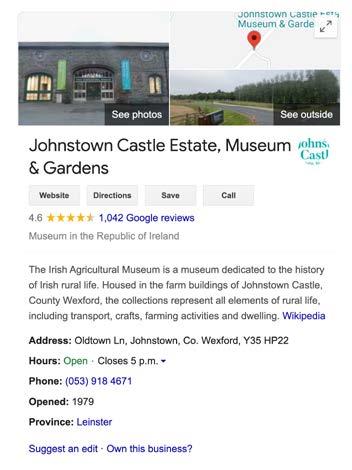
Example: Johnstown Castle Estate Museum & Gardens
Puts your business on Google Maps. Helps your business show up above other search results.
Highlights key information about your business at a glance, e.g. Opening Hours. Helps you rank above competitors.
Making it easy to be found
Over 1,000 reviews and a positive score. Top marks.
When set up correctly, Google My Business can deliver more traffic than other channels you’re currently using.
Showcases reviews of your business.
Allows you to share photos and videos of your business.
1 Claim your GMB listing and enter complete data for your listing 25 Mins
2 Include relevant keywords
BEFORE YOU START
You need a free Gmail account. Click here to set one up or go to gmail.com
Search for your company on Google. If your business has existed for a few years, Google may have already aggregated information from third parties and listed your business. You will see this as an info panel with a map, photos and information like this example from Johnstown Castle Estate Museum & Gardens.
If you have not claimed your business, click on the ‘Own this business link’ on the listing and complete the process to claim your business and update the listing.
If your business is not already listed click here or go to: business.google.com/add
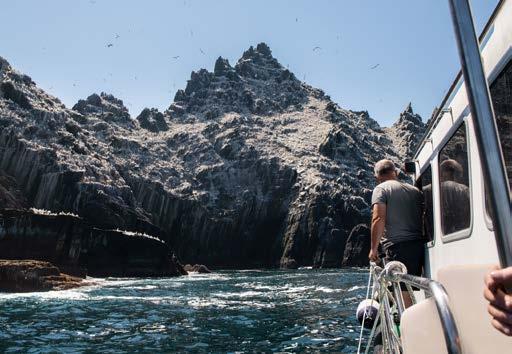

1. Build out your listing with information your customers are looking for
Make sure your listing is up-to-date and that you clearly communicate what your business does and where it is located.
Start by adding information like: Name, Address, Phone, Website, Opening Hours, Business Category.
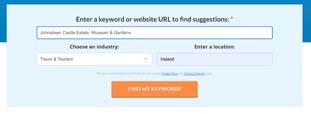
2. Include keywords to help more customers find you
Adding relevant keywords and search phrases that people type into search engines to find you will help your GMB listing rank higher. Make sure to include
brand-related keywords with your business name:
Johnstown castle
Johnstown castle Ireland
Johnstown castle estate
FREE TOOL
Use this free tool to find keywords to add to your listing. Just enter your website URL, choose location ‘Ireland’ and click Find My Keywords.
Also include generic keywords such as:
Castle in Wexford
Things to do Wexford Free things families Wexford
If you don’t have time to use the free keyword tool, just put the name of your business in Google search and scroll down the bottom of the page to see Related searches. Use these keywords in your listing.
TASK TIME REQUIRED I’VE DONE THIS
1 Update business operating hours and any upcoming events & menus 10 Mins
2 Add photos and videos to your listing 15 Mins
As you re-open your business, make sure your operating hours are up to date in your GMB listing. Now is also a good time to add any additional information you can, including attributes (e.g. “cash-
only,” “free wi-fi”). Don’t forget to add any events you may be hosting and your menu if you serve food and drink. The more relevant information you post, the easier it will be for visitors to find you.
GOOD TO KNOW 60% of consumers give more consideration to local search results with great images.
(BrightLocal)

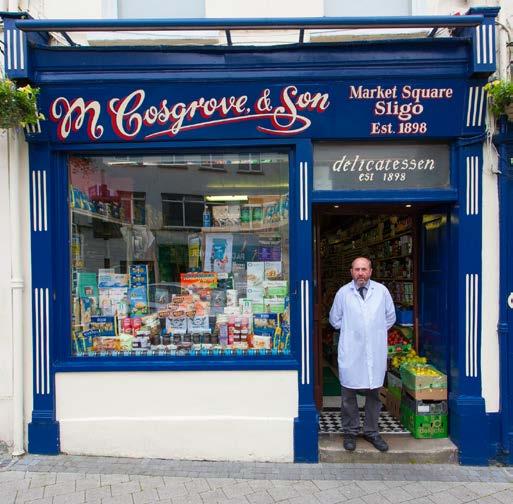
Google wants companies to upload business-specific images to their listings, so it’s worth sourcing really good, high-quality images of your business.
Do these five things to maximise the impact of your listing:
1. Ensure your logo and your
cover photo highlight the best aspects of your business as they show up as the first image for your listing.
2. Upload at least three exterior images of your business so your customers can recognise it easily.
3. Upload at least three interior images to show your customers
what your business looks and feels like.
4. Include team and happy customer photos to capture and convey the welcoming atmosphere.
5. Include photos of your products to showcase the most popular items for your business.
1 Let customers message you 10 Mins
2 Ask for reviews 15 Mins
With Google My Business Messaging, customers can contact you directly through the GMB listing instead of searching for contact details on your website.
The first thing to do is to enable messaging by logging into your GMB account and turning on messaging.
You can even create custom welcome messages to keep potential customers engaged before you take the time to respond, it’s a good idea to include typical response times in the message. However, try to respond within 24 hours at the most.
GOOD TO KNOW 75% of people would prefer to message a business than contact them through traditional channels. (ConverSocial)

Google reviews are one of the most cost-effective strategies to boost your credibility and increase your online reputation. User-generated content in the form of positive reviews has the power to build immediate trust with new customers. You can easily use Google reviews to convert more customers.
Here’s how to attract more reviews:
Start off with your long-time customers, which may create a snowball effect. Create a review shortcut link to simplify the process.
Embed a Google review page on your website with a compelling call to action.
In your interactions with clients, ask them for a review
(Set a goal to reach a specific number of reviews over 8 weeks, train your staff to ask for reviews and measure your success).
By responding to reviews (both positive and negative), you can boost your listing’s visibility and encourage others to share their opinion.
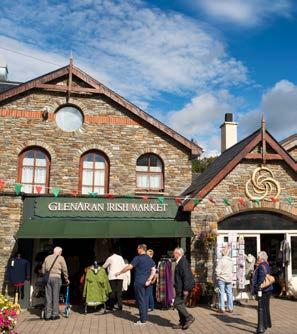
Nearly 93% of customers have been influenced by online reviews. (Podium)
Include details of value for money offers in your GMB profile (but make sure to update these if prices change). Add services like 'Free Wi-fi'.
If you are signed up for the Covid Safety Charter, upload an image of it displayed in your premises.
Don’t just focus on your own business. Explain where it is in relation to other places visitors might be interested in. Eg, just 10 minutes walk from the beach.
Include photos of staff or customers enjoying their experience (with permission).
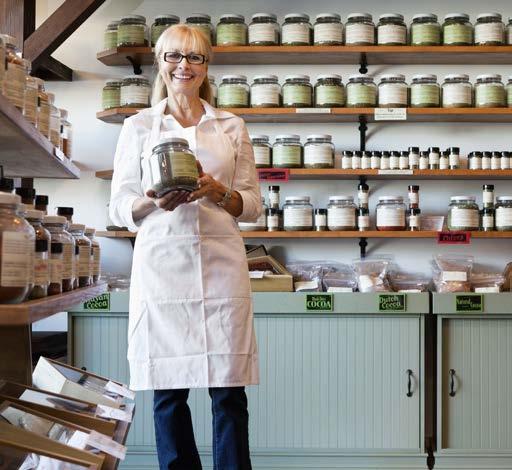
As a local tourism business owner, you know that it can be tough to compete. Don’t underestimate the power and efficiency of Google My Business to help your business be found. Regularly update your GMB account
information and make sure you use all the available features Google has to offer.
Good luck with getting your listing in good shape; we look forward to seeing your GMB online.
GOOD TO KNOW
Set a recurring reminder in your calendar now for 30 minutes each month to keep your Google My Business updated.