
Page 8 The Process of Having A Process What’s Your Client Process?


Page 8 The Process of Having A Process What’s Your Client Process?
This month in The Journey, we’re focusing on something that has the power to change everything about the way you run your business: process.
Not the complicated kind. Not the “perfect system” you build after everything slows down. I’m talking about the kind of process that helps you move forward even when life is busy, clients are coming in fast, and your brain is carrying way too much.
One of the biggest reasons small business owners avoid putting processes in place isn’t because they don’t care. It’s because they care so much. You want it done right. You want the cleanest workflow, the smoothest client experience, the most polished steps from start to finish. So you wait.
But business doesn’t pause while you’re waiting.
When your business runs on intention instead of process, everything depends on you — your memory, your motivation, and your ability to remember what comes next in the middle of real life. That’s when follow-ups get missed, client experiences feel inconsistent, and you end up exhausted from making the same decisions over and over again.
Here’s the truth: progress beats perfection every time.
A simple workflow. A basic checklist. One email template you can reuse. A process that’s a little messy but actually gets used. Those are the things that create momentum — and momentum is what builds confidence.
This month, we’re here to help you start where you are. Pick one repeatable moment in your business and build a process around it. You can refine it later. But you can’t improve what doesn’t exist.
Onwards and Upwards,

Amanda Rae CEO, 17hats
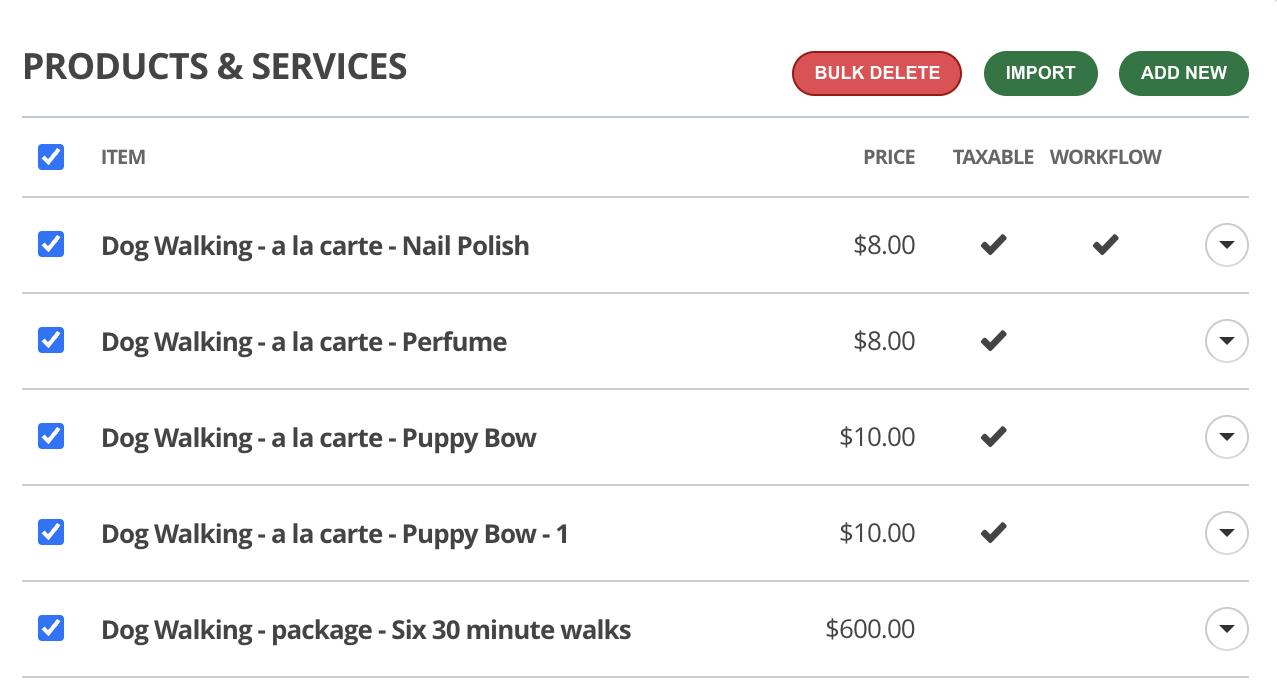
Cleaning up your Products & Services just got faster! �� You can now select multiple items at once and bulk delete them right from Account Settings, making it easier than ever to keep your offerings organized and up to date.
Save time when setting up your offerings! You can now bulk import Products and Services in Account Settings, making it faster to create multiple items at once and easier to build invoices in 17hats.
Duplicating a Workflow just got more powerful! You can now duplicate all associated templates — including emails, documents, and triggered workflows — making it easier to create service variations or refresh your processes while keeping your template history intact.
Never miss a new feature or update! Go to our Release Notes and see the latest platform updates as soon as they happen. Visit 17hats.releasenotes.io
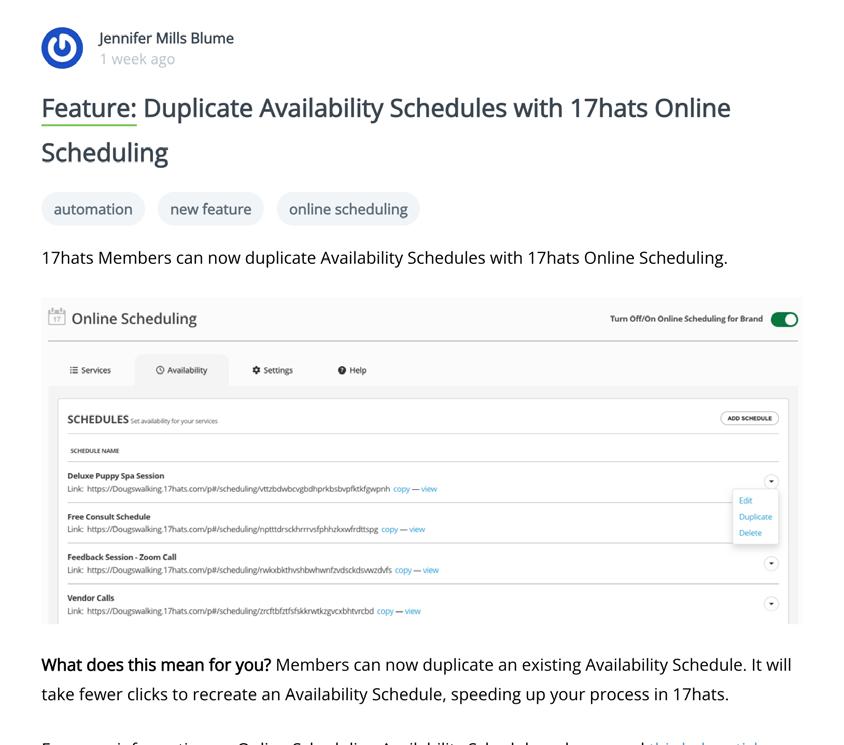

You can now send documents by text message in 17hats! When SMS is enabled and clients have opted in, you can send Quotes, Contracts, Invoices, and Questionnaires via SMS — making it easier to share important documents in the way your clients prefer.
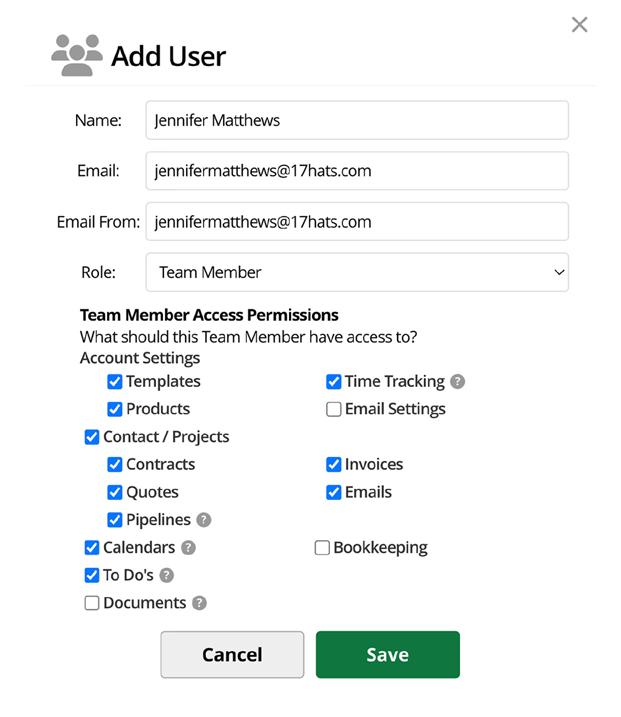
You now have more control over who can manage Pipelines in your account. Account Owners can grant Team Members access to view, edit, duplicate, and delete Pipelines — giving your team more flexibility while Admin access remains unchanged.
You now have more control over what your team can see. Account Owners can turn off the Documents tab for Team Members, limiting access to the Documents overview while still allowing visibility to individual documents based on permissions — helping protect high-level financial insights without disrupting daily work.
Some Workflow automations now run earlier in the day to keep everything up to date when you start work. ⏰ Tags, calendar changes, and workflow archiving will process at 4 a.m. (account time zone), while emails and triggered workflows will continue to run at 10 a.m.
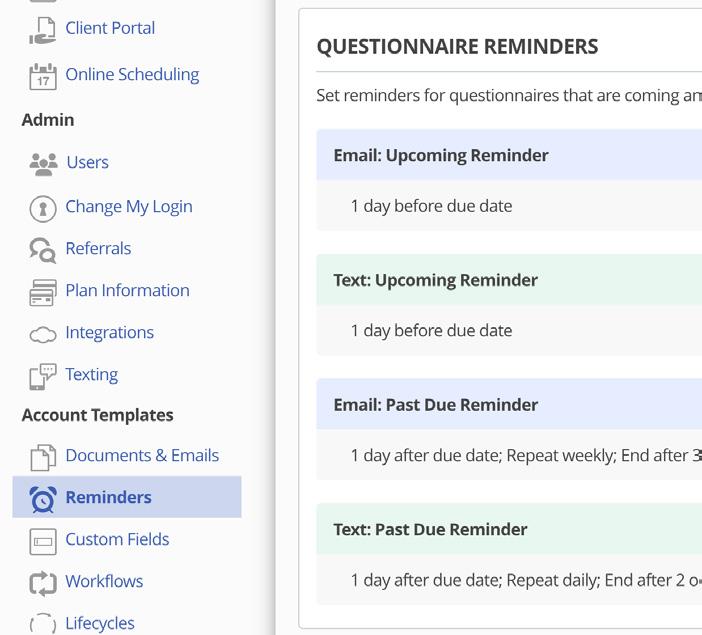
With the addition of SMS Texting, reminders now have their very own home! You’ll find all reminder communications in Account Templates > Reminders.
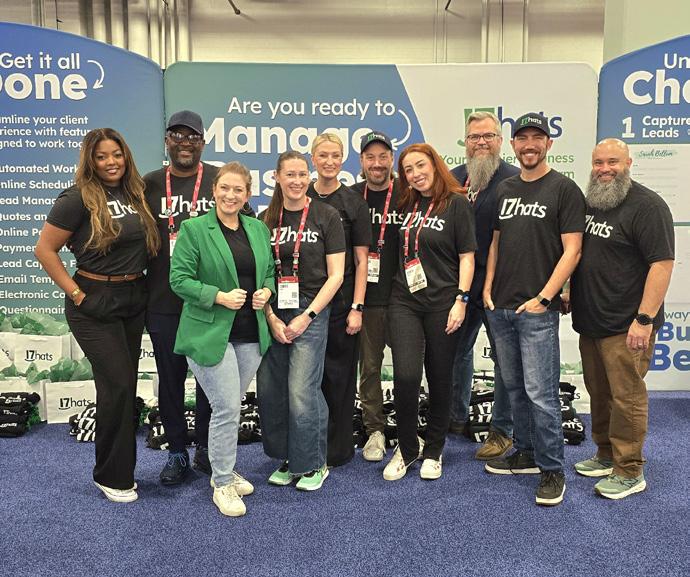
Our 17hats team had an incredible time meeting thousands of photographers who are passionate about sharpening their craft and building stronger, more sustainable businesses. The energy, conversations, and connections made this one for the books.
SMS Texting Onboarding Workshops
Thursday, February 12, 2026
11:00 AM PT / 2:00 PM ET
Location: Virtual
Join 17hats Expert, Emily W., for a live, group SMS Texting Onboarding Call to walk through the registration process step-by-step.
17hats.com/sms-texting
ShutterFest in St. Louis, MO: April 7-9, 2026
ShutterFest is an annual photography event that brings together thousands of professional photographers, photo enthusiasts, and industry experts from around the world. ShutterFest offers hands-on classes, interactive experiences, and networking opportunities that help attendees develop their skills, build relationships, and grow their businesses. Visit 17hats at the trade show!






Wednesday, February 11, 2026
1:00 PM PT / 4:00 PM ET
Location: Virtual
Join 17hats Ambassador, Danielle Uhl for this free workshop. Learn how to recognize scams targeting small and solo business owners so you can protect your money, your time, and your peace of mind.
onlinebusinessmanagementstrategies.com/small-business-scams-free-workshop
Thursday, February 12, 2026
3:00 - 6:00 PM ET
Location: B&H SuperStore - The NEW Event Space, New York City
Live education with Vail Fucci. Discover how to use real-time delivery tools to create unforgettable guest experiences, capture new leads on the spot, and offer a high-value add-on service that clients love and companies are looking for.
bhphotovideo.com
Tuesday, February 17, 2026
11:00 AM PT / 2:00 PM ET
Location: Virtual
Join 17hats Ambassador, Deb Mitzel, for her 17hats Small Business Success Series: Power Hour. This series is dedicated to learning more about a 17hats feature, including use and set it up and Q & A after the feature presentation.
debmitzelcreative.com/workshops
It’s an easy question with what feels like an easy answer. But the reality is, most people think they know their process, until they try to say it out loud. That’s usually when they realize their process is limited, unclear, or full of gaps.
A poorly defined process creates chaos.
You’re unsure where you are in the client experience. You forget what you said you’d do next. You make exceptions for one client and then struggle to remember why. Without a repeatable process, consistency disappears, and that’s one of the fastest ways to stall business growth.
So how do you fix it?
Start by writing out every step.
How do leads contact you?
Then ask yourself, what happens next? Answer it.
Then ask, and then what happens?
Repeat this cycle until every step is laid out from first inquiry to final delivery (and beyond).

Once your steps are written out, probe your process. Look for the things you didn’t initially think about: confirmation emails, reminder emails, text messages, or follow-ups that happen automatically in your head but not on paper. Even the smallest detail is part of the process.
Your process isn’t just communication; it’s action.
• Do you need to clean your office before an in-person consultation?
• Prepare products or package orders?
• Post something kind about the client on social media?

All of the behind-the-scenes work that makes the client experience smooth belongs in your process.
• When do you get paid?
• Do you require payment upfront?
• Do you offer payment plans?
• Are there multiple invoices?
Payment expectations should be clearly defined and built into your process so nothing feels awkward, forgotten, or inconsistent.
Now that you have communication, to-dos, and payments mapped out, it’s time to think about when everything happens.
You can approach timing in two ways:
• Days between steps (for example, “3 days later”)
• Days before or after the project date (the day of service)
If a lead fills out a contact form and your next step is a phone call, that should probably happen immediately, so those steps have 0 days between them.
If you send a reminder email about the service, maybe that goes 1 day before the project date.
Go through your list and assign timing to every step so nothing is left to memory.
Now that your process is laid out — live it.
Print it (yes, printers still exist ��) and keep it nearby. Use it as you work with leads and clients. As you do, ask yourself:
• What can I streamline?
• What can I remove?
• What needs to be added?
Your process will evolve as your business grows, and that’s a good thing.
Once your process feels solid and repeatable, you’re ready to automate it by building your workflows in 17hats.
A clear process is what turns chaos into confidence — and automation is what gives you your time back.

Running a service-based business means juggling a lot of moving parts. Clients, projects, finances, communication, and systems are all in constant motion. Without regular check-ins, small issues quietly grow into bigger problems.
That’s why quarterly processes matter. They create intentional pauses — moments to reset, review, and realign — without requiring a full overhaul.
Here are seven quarterly processes every service-driven business should build into its rhythm.
What this looks like:
A routine check-in to make sure your money is organized and accurate.
Includes:
• Reviewing income and expenses
• Categorizing transactions
• Uploading or organizing receipts
• Following up on unpaid invoices
Why it matters:
Quarterly financial clean-ups prevent year-end stress and help you make informed decisions throughout the year.
What this looks like:
Protecting your work by organizing and preserving important files.
Includes:
• Archiving completed projects
• Backing up files to the cloud or hard drives
• Organizing deliverables
• Removing duplicates or outdated files
Why it matters:
Your digital assets are part of your livelihood. Keeping them organized ensures nothing valuable gets lost.
What this looks like:
Clearing communication clutter so nothing lingers unfinished.
Includes:
• Cleaning up inboxes and message threads
• Closing loops on unanswered emails
• Updating templates or saved responses
• Reviewing response times and communication channels
Why it matters:
Clear communication builds trust — and reduces mental load.
What this looks like:
A light review of the systems and workflows supporting your business.
Includes:
• Updating workflows and automations
• Refreshing integration connections
• Removing unnecessary steps
• Aligning systems with how you work now
Why it matters:
Your business evolves. Your processes and systems should evolve with it.
What this looks like:
Making space to grow — intentionally.
Includes:
• Reviewing 17hats features you haven’t fully explored
• Updating certifications or training
• Exploring education resources
• Identifying one skill to strengthen this quarter
Why it matters:
Small, regular investments in learning keep your business competitive and confident.
What this looks like:
Stepping back to evaluate how work and business are flowing.
Includes:
• Reviewing active and completed projects
• Identifying recurring questions
• Assessing client experience consistency
• Noting where timelines slipped or scope expanded
Why it matters:
This process helps you improve before problems repeat.
What this looks like:
Protecting your information, your client information, and your business data.
Includes:
• Updating passwords
• Reviewing user access and permissions
• Checking backup systems
• Securing sensitive information
Why it matters:
Trust is part of your brand. Regular security check-ins protect your clients and reputation.
Quarterly processes don’t demand perfection. They create awareness. They help you stay proactive instead of reactive — and build a business that feels steady, supported, and sustainable.
You don’t need to tackle everything at once. Choose one process to focus on this quarter, then build from there.
Strong businesses aren’t built on constant hustle. They’re built on thoughtful, repeatable habits.
WRITTEN BY BRIDNEY REESE
The Marketplace was built for one simple purpose: to help you identify a real problem in your business and solve it faster with tools that already work inside 17hats. No overthinking. No starting from scratch. Just practical solutions you can use right away.
“My leads fall through the cracks.”
If inquiries come in and follow-ups are inconsistent, responses are late, or leads get lost, this is a systems problem, not a motivation problem.
Solution: Lead capture forms, inquiry workflows, and automated email sequences.
These tools capture leads consistently, respond instantly, and move prospects through clear next steps without reinventing your process each time.
“My booking process feels messy.”
When contracts, invoices, questionnaires, and emails feel scattered, clients feel it too.
Solution: Booking workflows with quotes, contracts, and invoices already connected.
These create a guided booking experience, reduce back-and-forth, and help you look polished without more effort. Predictable booking builds confidence and confidence leads to yes.
“I’m spending too much time on admin.”
If you’re sending the same emails, answering the same questions, or manually tracking projects, a system could handle it for you.
Solution: Automation workflows and communication templates. These automate repetitive tasks, standardize communication, and protect your time without removing the personal touch.
“I know what I want, but I don’t know how to set it up.”
Sometimes the challenge isn’t what to do, it’s how to build it correctly.
Solution: Marketplace services like setup help or audits.
These give you expert guidance, speed up your setup, and help you avoid costly mistakes. It’s not outsourcing your business, it’s accelerating it.
“I don’t need a full overhaul. I need one fix.”
Not every problem requires a rebuild. Sometimes you just need better emails, a clearer workflow, or a stronger intake form.
Solution: Downloadable, plug-andplay tools that deliver quick wins.
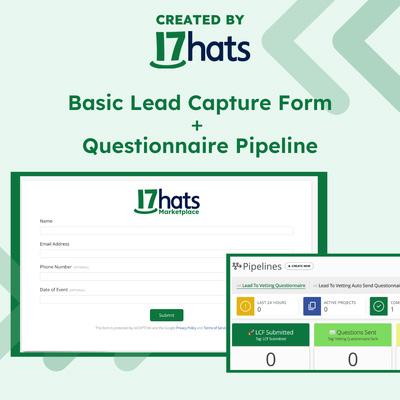
This Lead Capture Form and Questionnaire Pipeline will help your visually track your clients through the Vetting Questionnaire process.
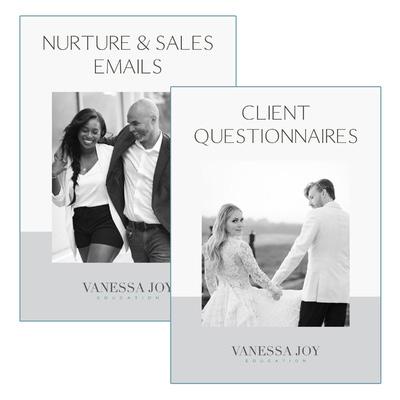
Get Vanessa Joy’s entire engagement session workflow, including questionnaires and email templates.
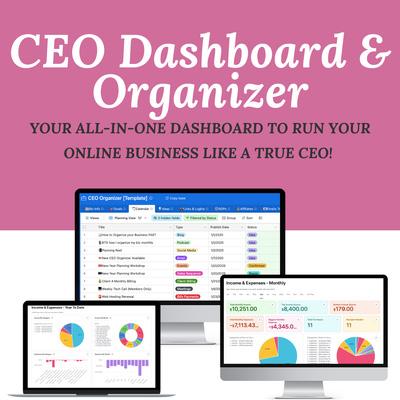
Built inside Airtable, it brings every part of your business together: goals, projects, finances, content, collaborations, and systems, so nothing slips through the cracks.
Set a 15-minute timer and:
• Identify one challenge
• Visit Marketplace.17hats.com
• Find one relevant template, downloadable, or service to solve your problem.
• Install or Download Item
That’s it. One Problem. One Solution.
Unlock seamless online scheduling, personalized quote and contract templates, and a complete 5-part follow-up email sequence to turn leads into paying clients quickly and consistently.

Feeling stuck in your 17hats setup? Let’s fix that! In just 20 minutes, we’ll pinpoint where you’re stuck and map out simple next steps to get your business flowing again.
The AI-Ready Communications Toolkit is a comprehensive, readyto-use resource designed for small business leaders navigating the challenges of AI adoption.

Every item in the Marketplace was created by someone who has already solved the problem you’re facing inside 17hats. The tools are built for the platform, the processes are proven, and the experience is real.
You don’t need to overhaul your business to see results. One better workflow, one clearer email, one improved process, that’s how systems are built. And the Marketplace is here to help you build them.
If you want to send SMS messages through 17hats, whether you’re auto-responding to leads, confirming appointments, or keeping clients in the loop, there’s one big rule you can’t skip: you must get permission first. That means every person you text has to opt in before you can send them a message.
“Opt-in” sounds fancy, but really it just means someone has agreed to receive text messages from you on a specific phone number. That permission is tied to that number, so if they change their digits down the road, they’ll need to opt in again.
Texting is powerful. It’s fast, personal, and gets attention. But it’s also regulated. You need consent before you message people, so you stay professional and compliant with the rules around SMS communication.
Luckily, 17hats makes getting opt-ins pretty painless.
Here are the places to invite people to opt in, whether they’re brand new leads or long-time clients:
If you have a Lead Capture Form on your website where people inquire about your services, that’s a perfect spot to add a simple opt-in question. People can say “Yes” and enter the number they want to receive texts, right when they’re already giving you their info.
Tip: You can choose whether the opt-in question is optional or required, depending on how important texting is to you.
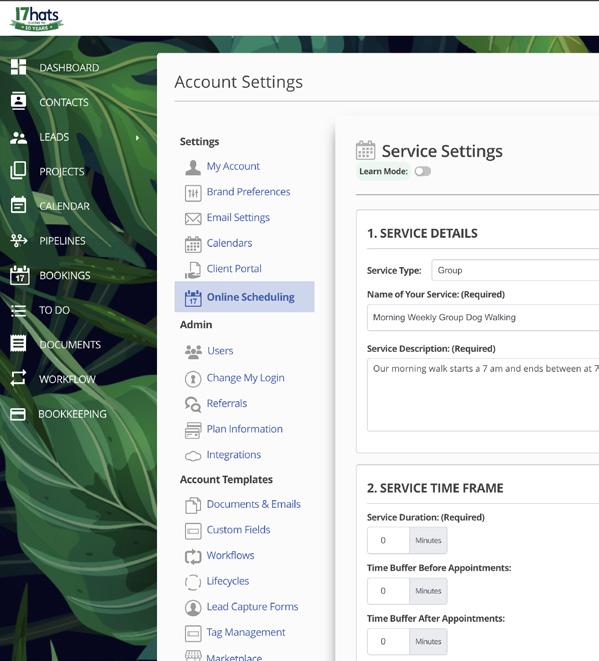
Online Scheduling in 17hats already capture client attention and confirmation. By adding an opt-in question here, you give potential clients a chance to say “yes” as they book appointments, events, or consultations.
Do you have a questionnaire that helps you onboard new clients or gather info before a session? Toss your opt-in request in there. Since clients are already engaging with you, they tend to be happy to hit that “yes” button if they see value in texts like reminders or updates.
Tip: You can also send a one-question questionnaire titled “Texting Opt-In” to current leads and clients. It doesn’t have to be fancy!
Once someone opts in, 17hats:
• Sends them an automatic confirmation text, so they know they’re signed up.
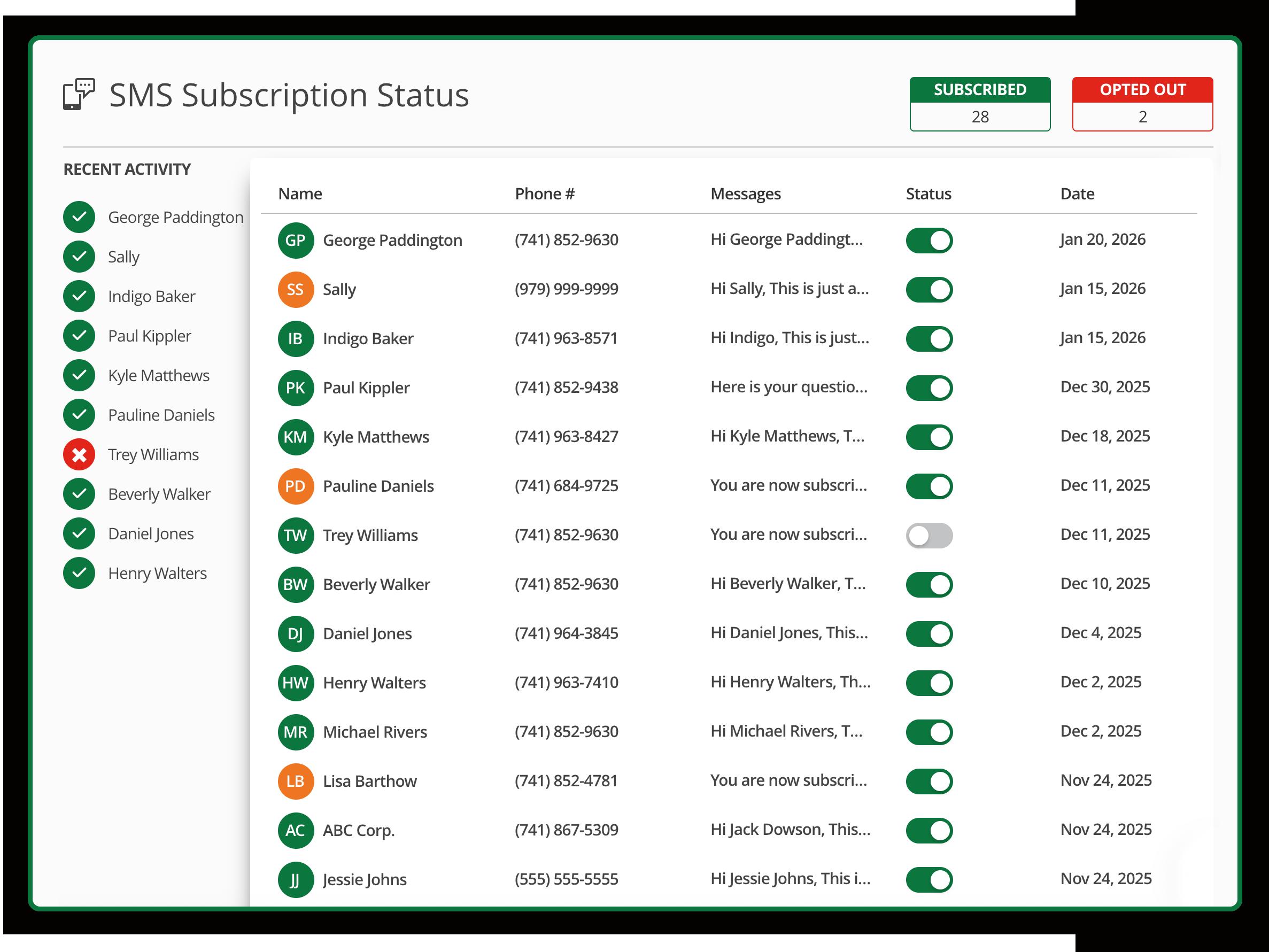
• Tracks their subscription status on the SMS Page.
And if someone ever changes their mind? No problem. Clients can reply STOP to any text and they’ll be opted out automatically. You’ll see that status too, and they won’t get any more messages until they opt in again.
Pro Tip: If someone has opted out but later wants texts again, sending a questionnaire with an opt-in question is a great way to bring them back in the SMS loop. Or you can even manually opt them back in through the SMS Status Page with a verbal agreement.
You don’t have to stick to the basics. Think about how your audience interacts with you:
• Add a friendly SMS opt-in invite at the bottom of your onboarding questionnaire confirmation.
• Use your welcome email or onboarding sequence to explain the perks of client communication via texting.
Whatever you choose, just make sure the ask feels natural and valuable, not pushy.
Texting in 17hats is one of those features that can level up your client communication, but only if people agree to hear from you. With a few thoughtful opt-in spots in your forms and documents, you’ll be set up to text confidently and compliantly.
Running a business is about more than generating revenue. It’s about understanding what it truly costs to operate — from ongoing subscriptions and supplies to education, tools, and overhead.
When bookkeeping processes are built intentionally, they don’t just support tax season. They create clarity that helps business owners make smarter decisions throughout the year.
Bookkeeping only becomes overwhelming when it’s treated as something to deal with later. The most successful small business owners approach it differently. They rely on simple, repeatable processes that keep financial information accurate, current, and useful.
When those systems are in place, bookkeeping shifts from a stress point to a strategic advantage.
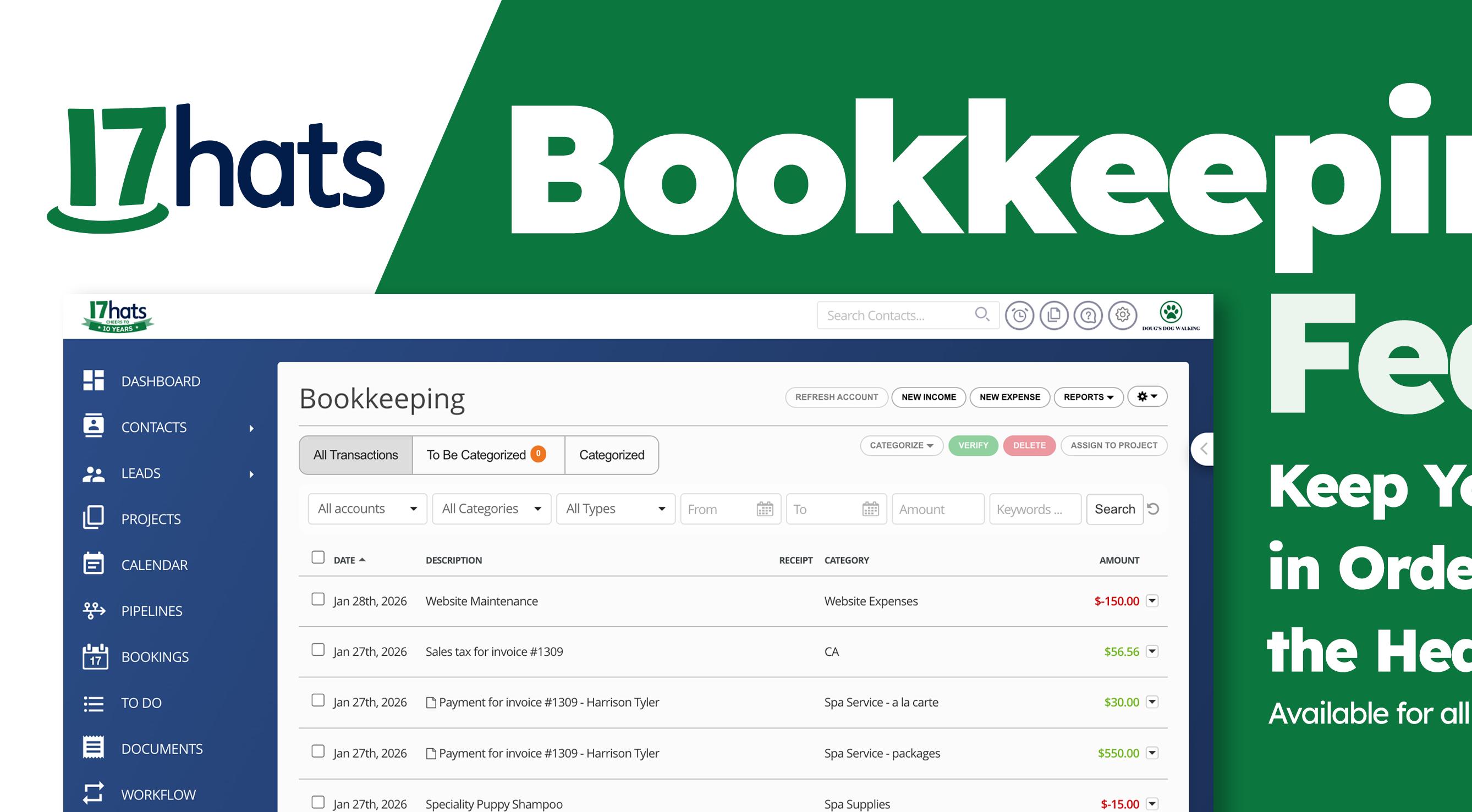
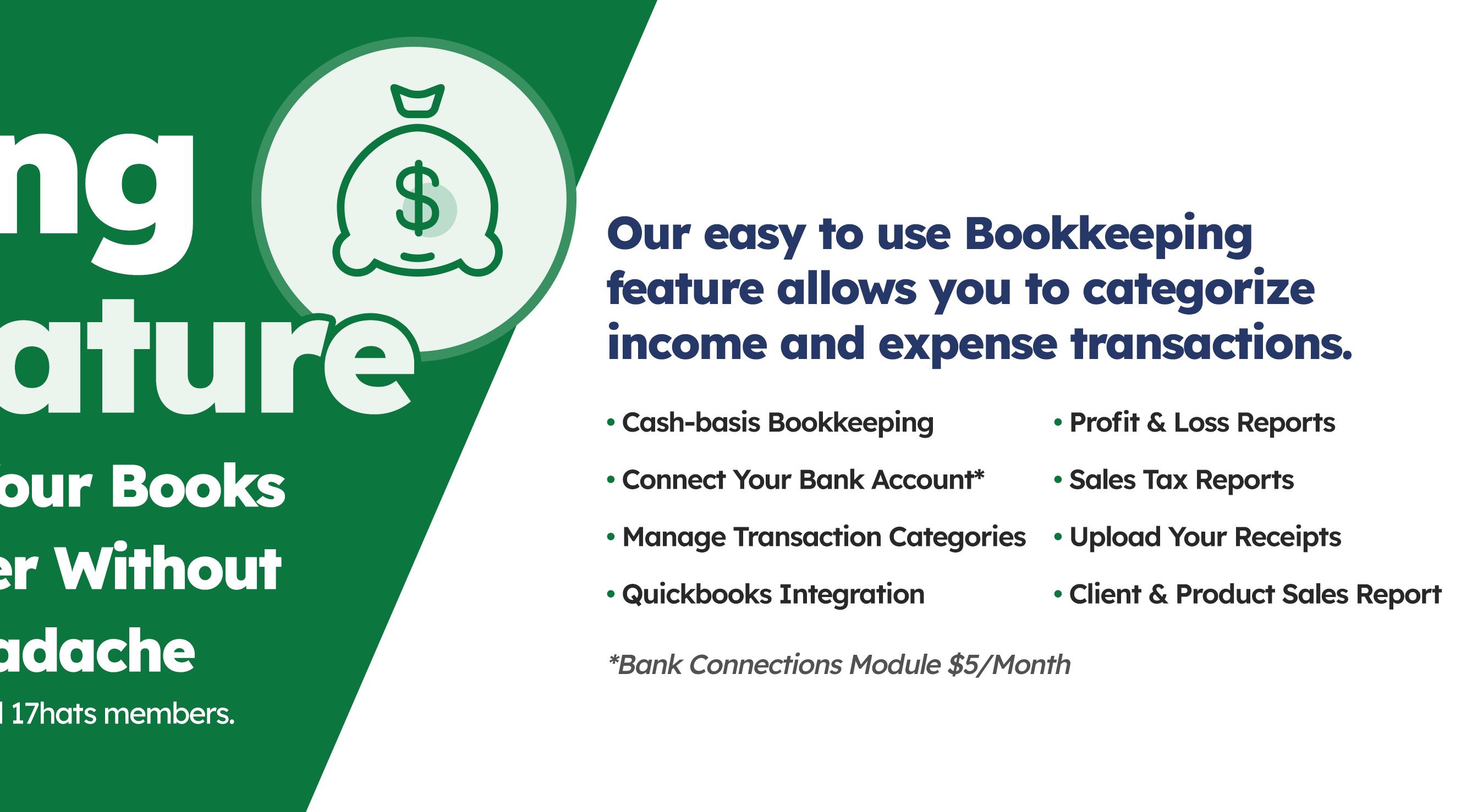
Here are the core bookkeeping processes every small business should have in place, using the 17hats Bookkeeping module as the foundation.
Revenue tends to get all the attention, but expenses tell the real story of your business. Without a clear process for tracking
them, you’re left guessing about profitability and scrambling at the end of the year.
The foundation starts in 17hats Bookkeeping.
Connect your expense accounts. The easiest way to ensure nothing slips through the cracks is to add on 17hats Bank Connection Module. When your bank and credit card accounts are connected, expenses flow directly into 17hats, giving you a real-time view of what’s happening financially.
Add expenses manually. Not every expense comes through a bank feed. Cash purchases, reimbursements, or unusual transactions still matter which can easily be added manually. Or not opting in for the Bank Connect addon, you can always add all expenses manually, if desired.
Upload your receipts consistently. Receipts aren’t just for taxes — they’re proof, protection, and peace of mind. Make it a habit to upload them as soon as the expense happens, not months later when details are fuzzy.
Assign expenses to specific projects.
This is where bookkeeping becomes a business tool, not just a requirement. Assigning expenses to projects helps you understand what each job truly costs you, which leads to better pricing and smarter growth decisions.
Categorize every expense. Clear categories mean clean reports. When expenses are categorized properly, your profit and loss reports actually tell the truth — and your tax professional will thank you.
The most important process of all? Don’t wait until the end of the year.
Set a rhythm — weekly or monthly — to review and finalize expenses. Treat it like any other business task. When bookkeeping becomes routine instead of reactive, tax season feels calmer, year-end wrap-ups are faster, and future planning becomes possible.
Strong bookkeeping processes don’t just help you stay compliant. They help you grow with confidence. And that’s exactly the kind of journey worth committing to.
So you’ve just completed your service, and you and your client really worked well together. They appreciated your skills, honored your timeline, and were easy to work with. You’d love to work with them again.
Well, good news…
• Many events happen year after year
• Professionals need updated headshots
• Families love documenting their growth over time
• People love to know you’re thinking about their needs
• And 17hats can support your efforts to gain that repeat business!
I’ve got three methods described in this article, and I encourage you to read through them all to see which feels like the best fit for the way you work.
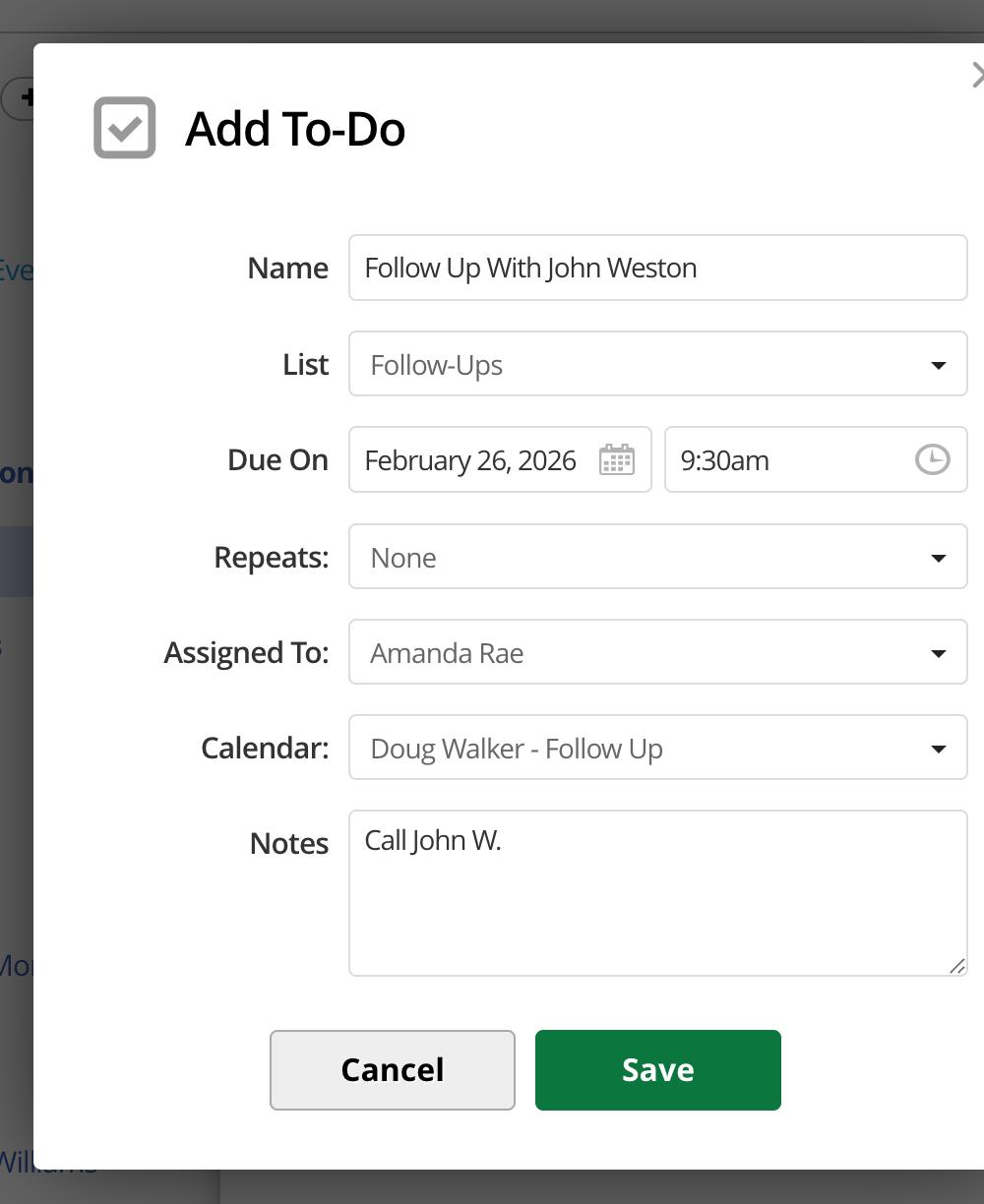
1. Utilize a “follow-ups” to-do list
The first option utilizes the TO-DO section. If you create a “follow-ups” (or similarly named) list here, you can add clients to this list after you’ve completed their projects, and set the to-do to a date that you’d like to reach out to them.
Perhaps 60 days before an annual event, or 9 months after their most recent family photo session, etc.
Then, you’ll watch your dashboard for those follow-up to-do items so that you don’t have to try keeping mental notes for every client. Quickly glance at their last project for context (if needed) before sending off your email to invite them to their next service.
Another option is to schedule that email. (If you’re unsure how, check out my article in the January issue!) After a project wraps up, you can go ahead and write up an email while the details are fresh in your mind. Then schedule it to send at a later date… and yes, even if you archive the project, the scheduled email will still automatically go out!
This one is my personal favorite, because sometimes to-do items can be easy to miss, and I

Nicole Larson
don’t really want to risk scheduling an automated email to go out if a client reaches out first.

So, I love to utilize an internal Lead Capture Form (LCF) that kicks off a “repeat reachouts” project & workflow.
I’m sure to turn off the automated reply on this LCF, and all I’ve got to do is enter the client’s name, email, and date from which I’d like my emails to cue up. Maybe that’s next year’s anticipated date, or maybe it’s the date of your completed service; then just build your workflow emails accordingly off that
Another thing I do to avoid any confusion is assign these “potential bookings” to a separate calendar, so
With this process, the emails in the workflow are much easier to notice on my dashboard, and they give me a
Find Nicole’s items and services on the 17hats Marketplace!
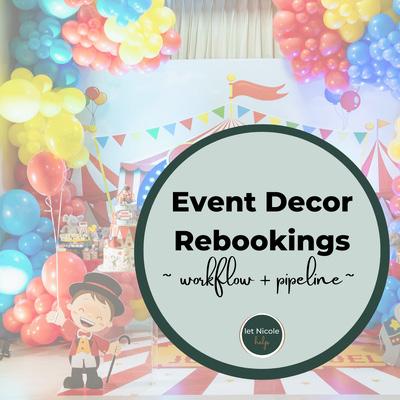
Balloon / Event Decor Rebooking Form, Workflow & Pipeline
Internal form, workflow & pipeline to help you take a proactive approach to gaining repeat business.
chance to quickly personalize my template for any given client. And if I successfully get a repeat project inquiry, it’s easy to archive this “repeat reachouts” project and move on into the actual service fulfillment once again.
I can’t wrap up this article without mentioning 17hats’ integration with Zapier, too! Check this out so that you can automatically move leads over to your email list and build relationships / stay top of mind via your newsletters, too!
I hope that one of these methods can help you create a system that supports repeat business easily and consistently. If you’d like to learn more about the rebooking process I’ve mentioned, you can find templates in the Marketplace!
And remember, loving the clients you already have isn’t just good business … it’s sustainable business, too.
WRITTEN BY MEREDITH RYNCARZ
If your business feels busy but slightly chaotic, your client process is usually the culprit — not your talent, not your pricing, and not your motivation.
Auditing your client process inside 17hats is one of the most effective ways to regain clarity, improve client experience, and protect your time.
Yet most business owners never do a true audit; I am even guilty of avoiding it for far too long. I set it up once, tweak it as problems pop up, and move on. Even worse, I have, over the past six months, been hand-jamming it because I know where the problem is, but don’t take the time to actually fix it.
An audit is different than simply tweaking an issue from time to time. It’s intentional, start-to-finish, and designed to support both you and your clients.
Your client process is the backbone of your business. It dictates how quickly you respond, how confident clients feel, how organized you appear, and how likely you are to convert inquiries into booked clients.
Over time, processes tend to break quietly:
• Emails stack up or feel repetitive
• Clients ask the same questions you thought you answered
• You manually step in “just this once”… every time
• Leads ghost because communication feels slow or impersonal
Auditing your workflow allows you to:
• Spot friction points before clients complain
• Remove unnecessary steps and add in needed ones
• Improve response time without working more
• Create consistency across every inquiry
Most importantly, it helps you build trust automatically — before you ever lift a finger.
Start by stepping into the role of your client. Walk through your process exactly as they would.
1. Follow the client journey from first contact to final delivery. Begin with your lead capture form. Ask yourself: Is it clear? Is it asking only what’s necessary? What happens immediately after they submit?
Then move step-by-step:
• Inquiry received
• First response sent
• Follow-up communication
• Booking and payment
• Pre-service prep
• Post-service delivery
Write each step down. Seeing it on paper often reveals gaps you didn’t realize existed.
2. Review your email templates critically. Open every automated email and read it out loud. Does it sound human? Is it clear what the client should do next? Are there long blocks of text that could be simplified?
A strong audit removes confusion and replaces it with direction. Every email should answer one main question or move the client one clear step forward.
3. Check your timing. Look at when messages are sent. Are there long silences between steps? Are you relying on yourself to remember to follow up?
Automation should support consistency — not create delays. If a client has to wait too long for reassurance or next steps, confidence drops.
4. Identify where you step in manually. Every time you think, “I’ll just message them real quick,” that’s a signal. That step likely needs structure or automation. This is where I have been living in my own business for the last 6 months, as SMS texting was brought in for 17hats, and some of my offerings in my business have changed.
Email is important — but texting is powerful. Text messages feel personal, immediate, and reassuring. When used intentionally inside your client process, they dramatically improve response rates and client satisfaction.
Texting works best for:
• Inquiry confirmations
• Booking reminders
• Quick next-step prompts
• Session reminders
• “I’m excited for you” moments
These messages don’t replace email — they support it. A short text saying, “I just sent you an email with next steps,” bridges the gap between automation and human connection.
Clients are far more likely to respond to a text than search their inbox. When they feel guided and remembered, trust builds faster.
Auditing your client process isn’t about perfection — it’s about alignment. Your systems should reflect the level of care and professionalism you bring to your work.
When your 17hats workflow is clear, intentional, and supported by smart automation and thoughtful texting, your business runs smoother—and your clients feel it.
Clarity creates confidence. And confidence is what turns inquiries into booked, happy clients.
Meredith Ryncarz is a former college art professor turned destination wedding photographer. Her work can be seen in Rolling Stone, Forbes, The New York Times, and Southern Living. She has pioneered a system for relocation and geographical growth through her company The Restart Specialist.

Referring 17hats is a win-win. You’ll earn $50 for every new member who joins using your link — and there’s no limit to how many rewards you can collect.
Even better? Your friends get a huge head start with 50% off their first year or first two years of 17hats. That’s up to $400 in savings for them, just for being connected to you. It’s an easy way to support fellow business owners while putting extra cash in your pocket.

1. Invite a business friend to book a live 1:1 17hats Walkthrough
Share your referral code and send them to meet with a 17hats expert to see if 17hats is a good fit for their business. Your referrals can book a 1:1 directly from the 17hats.com
2. Share on Social Media
Post about how 17hats helps you — and include your link. Include before/after stories or screenshots! Business owners love seeing behind-the-scenes.
3. Send a Personal Message
Reach out to a business friend with a quick text or DM: “Hey! If you’re still juggling client stuff manually, you should check out 17hats. Here’s my referral link for 50% savings — it’s a no brainer!”
Head to your 17hats account settings and click the “Referrals” tab to copy your unique referral link. Your referred friend can use your code when signing up for a trial or upon checkout. You can also send them your link that allows your referral to directly buy now.
Want to get more out of 17hats without the guesswork? Our top tutorials are the fastest way to learn, implement, and level up your business systems — no tech degree required. Each video walks you through key tools and features step-by-step, so you can spend less time figuring things out and more time doing what you love.
Quickly remove a single available time from your schedule without editing rules. Restore slots anytime.

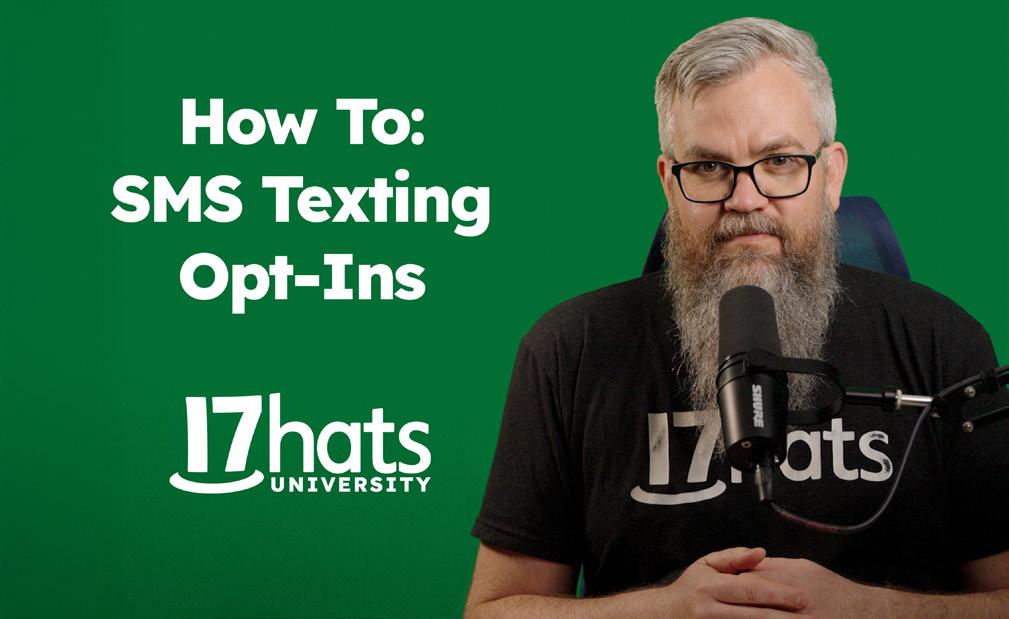
Learn how to add SMS opt-in questions in 17hats so Contacts can receive texts.

Duplicate Workflows in 17hats and all Documents to save serious time.
Learn how to manually and quickly add or remove Tags from a Project in 17hats.

Head over to 17hatsUniversity.com and blog.17hats.com to dive deeper into both business and 17hats education. Bookmark both sites and check back weekly for fresh insights and tutorials.

17hats is the all-in-one business management platform you didn’t realize you need — but soon can't imagine yourself living without. Together, we'll take your business to the next level. START A 7-DAY

“17hats online booking lets clients schedule themselves, saves me hours, and keeps my photography business running smoothly.”
– Vail Fucci, Vail Fucci Photography